How to Find and Use Copper in Minecraft

In Minecraft 1.17, Copper metal appears as a new block and ore that you can collect and craft. In its crafted form, Copper Ingots are used to create new Minecraft 1.17 items such as Binoculars or Lightning Rods.

Although Copper is relatively easy to mine, there are certain things you need to know about it. Such as the process of oxidizing it or how much it can be mined. Here are some things you need to know about how to mine and use copper in Minecraft.

How to Find Copper in Minecraft 1.17

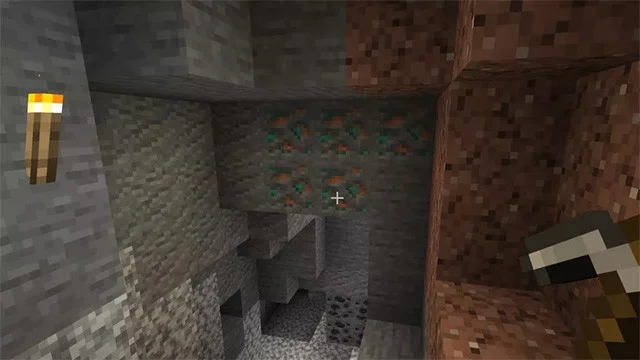
To get Copper Bars in Minecraft you need to find Copper Ore. Just like you find Coal or Iron Ore, Copper Ore is gathered together in multiple blocks at once.
How to Find and Use Copper in Minecraft

Bring a stone pickaxe or an iron pickaxe or better. Because copper ore mined with a wooden pickaxe or other tools will not drop anything.

Copper Ore spawns from Y:0 to Y:96, but has a higher chance of appearing around the middle layers. So start looking a little below sea level (Y:63). If it spawns between Y:0 and Y:16, it will be Deepslate Copper Ore, which is harder to mine than regular Copper Ore and is also quite rare. So it's best to just go for regular Copper Ore .

How to get Copper Bars in Minecraft

How to Find and Use Copper in Minecraft

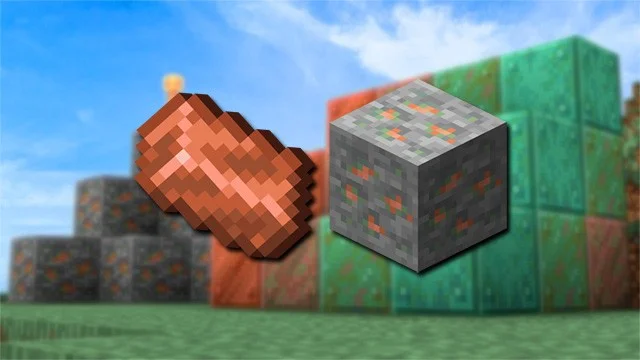
When you mine copper ore, you will only get Raw Copper. You need to smelt this raw material to create Copper Ingots. Just put the raw copper in a stove and add charcoal or coal to smelt copper ingots.

How to Craft and Use Copper in Minecraft

How to Find and Use Copper in Minecraft

Now that you have copper ingots, you can use them to craft the following items.

  • Copper Ingot: Use 9 Copper Ingots to create a smooth, solid block of copper
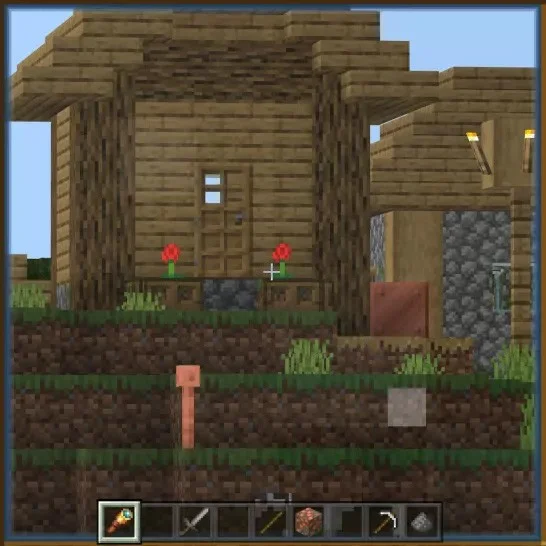
  • Lightning Rod: Place three copper bars on top of each other to make a Lightning Rod.
  • Binoculars: Place a piece of amethyst on two copper ingots to make Binoculars.

How to remove copper color in Minecraft

How to Find and Use Copper in Minecraft

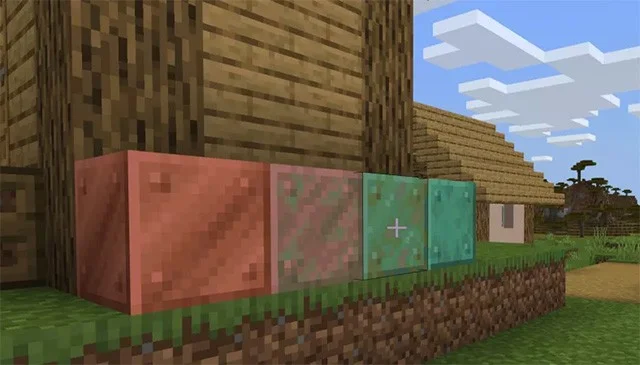
Similar to real life, copper in Minecraft changes color as it oxidizes. You can see the difference in the image above (from left to right). The initial copper color will be the typical copper color and as it oxidizes, it will gradually turn green.

You can bleach copper, but it will only keep the current color and will not return it to its original color. Just take a honeycomb and apply it to the copper block, or you can use an axe to scrape the copper block.

Finally, if you can't do the above, a lightning strike on the copper block will completely remove the oxidation.

See also:
Leave a Comment

What Young Riders Should Know About Moving Their Motorcycles Across Cities

What Young Riders Should Know About Moving Their Motorcycles Across Cities

Long-distance travel can involve heavy traffic, changing weather conditions, and rider fatigue. If you are also dealing with the responsibilities of moving home, such as packing belongings or coordinating accommodation, a long ride may add unnecessary pressure to an already busy schedule.

Solving Microsoft Teams Shortcut Error Not Opening

Solving Microsoft Teams Shortcut Error Not Opening

Tired of Microsoft Teams shortcut error preventing you from opening the app? Follow our expert, step-by-step guide with the latest fixes for instant resolution. Works on Windows, Mac & web – no tech skills needed!

Solving Microsoft Teams Task Management Sync Error

Solving Microsoft Teams Task Management Sync Error

Tired of Microsoft Teams Task Management Sync Error halting your workflow? Follow our proven, step-by-step fixes to resolve sync issues fast and restore seamless task collaboration. No tech expertise needed!

Troubleshooting Microsoft Teams Wiki Error Formatting

Troubleshooting Microsoft Teams Wiki Error Formatting

Struggling with Microsoft Teams Wiki Error Formatting? This step-by-step guide reveals proven fixes for common wiki tab issues, ensuring smooth editing and collaboration in Teams. Get back to productive wikis fast!

How to Fix Microsoft Teams Installation Error for Linux

How to Fix Microsoft Teams Installation Error for Linux

Struggling with Microsoft Teams installation error on Linux? Discover step-by-step fixes for Ubuntu, Fedora & more. Resolve dependency issues, crashes, and errors quickly with our ultimate guide. Get Teams running smoothly today!

Solving Microsoft Teams Error Page Not Loading

Solving Microsoft Teams Error Page Not Loading

Struggling with Microsoft Teams "Error Page" not loading? Get step-by-step fixes for desktop, web, and mobile. Solve Microsoft Teams Error Page issues quickly and resume seamless teamwork today.

Solving Microsoft Teams Error Screenshot Issues

Solving Microsoft Teams Error Screenshot Issues

Tired of Microsoft Teams "Error Screenshot" blocking your workflow? Get proven, step-by-step solutions to resolve screenshot errors in Teams instantly and boost productivity. No tech skills needed!

How to Fix Microsoft Teams Error U User

How to Fix Microsoft Teams Error U User

Tired of Microsoft Teams "Error U" User blocking your chats? Get proven, step-by-step fixes to clear cache, reset, and restore seamless collaboration instantly.

Where are Microsoft Teams Registry Keys Located on Windows 11?

Where are Microsoft Teams Registry Keys Located on Windows 11?

Unlock the precise locations of Microsoft Teams registry keys on Windows 11. Step-by-step guide to find, access, and safely tweak them for optimal performance and troubleshooting. Essential for IT pros and Teams enthusiasts.

How to Fix Microsoft Teams Training Error Video Lag

How to Fix Microsoft Teams Training Error Video Lag

Tired of Microsoft Teams "Training Error" Video Lag ruining your meetings? Follow our step-by-step guide with the latest fixes for smooth video calls—no more frustration!