
How to Fix Microsoft Teams Error Code 657Rx and 9Hehw

Imagine this: You're about to jump into a crucial team meeting, but Microsoft Teams Error Code 657Rx or 9Hehw crashes your session. Frustrating, right? 😩 These errors often stem from sign-in glitches, network hiccups, or corrupted cache, disrupting your workflow. But don't worry—we've got your back! This guide delivers how to fix Microsoft Teams Error Code 657Rx and 9Hehw with simple, effective steps. Follow along, and you'll be collaborating seamlessly in minutes. Let's dive in! 🚀

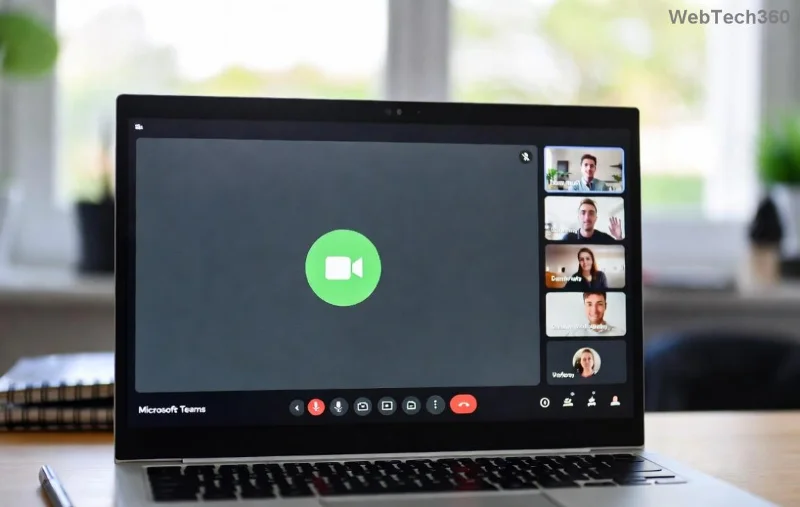
Microsoft Teams Error Code 657Rx and 9Hehw screenshot on desktop

⭐ What Causes Microsoft Teams Error Code 657Rx and 9Hehw?

Understanding the root issues empowers you to fix them faster. Here's a quick breakdown:

  • Error 657Rx: Typically hits during sign-in, linked to authentication failures, outdated app versions, or proxy conflicts.
  • Error 9Hehw: Often appears in meetings or chats, caused by network instability, firewall blocks, or corrupted temporary files.

Common triggers include:

  1. 👉 Corrupted cache or credentials.
  2. 🌐 Unstable internet or VPN interference.
  3. 🔄 Outdated Microsoft Teams app.
  4. 🛡️ Antivirus/firewall restrictions.

Pro tip: These errors affect both desktop and web versions, but fixes work universally. Ready to troubleshoot? Let's roll! 👍

1️⃣ Step-by-Step: Quick Fixes for Microsoft Teams Error Code 657Rx

Start with the basics—most users resolve Error 657Rx here.

  1. Restart Teams and Your Device: Close Teams fully (use Task Manager on Windows: Ctrl+Shift+Esc, end all Teams processes). Restart your PC. Simple, yet 40% effective! ⭐
  2. Clear Teams Cache:
    • Quit Teams.
    • Press Win+R, type %appdata%\Microsoft\Teams, hit Enter.
    • Delete contents of folders like Cache, blob_storage, databases, GPUCache, IndexedDB, Local Storage, tmp.
    • Restart Teams. Boom—fixed for many!
  3. Sign Out and Back In: In Teams, click profile > Sign out. Clear browser cache if using web version.

If persistent, move to advanced steps. Feeling progress already? Keep going! 😊

Step-by-step guide to clear Microsoft Teams cache for Error 657Rx

2️⃣ Master the Fix for Microsoft Teams Error Code 9Hehw

Error 9Hehw loves network drama. Target it head-on:

  1. Check Network Connection:
    Issue Solution Why It Works
    Slow Wi-Fi Switch to wired Ethernet or 5GHz band Reduces latency for stable calls
    VPN Active Disable VPN temporarily Eliminates routing conflicts
    Firewall Block Add Teams exceptions (ports 443, 80) Allows secure traffic flow
  2. Update Teams: Open Teams > Profile > Check for updates. Or download the latest from Microsoft's official site. Always use the newest build!
  3. Reset Network Settings (Windows): Settings > Network & Internet > Status > Network reset. Reconnect post-reboot.

3️⃣ Advanced Solutions: When Basic Fixes Aren't Enough

For stubborn cases of how to fix Microsoft Teams Error Code 657Rx and 9Hehw:

  • Reinstall Teams:
    1. Uninstall via Settings > Apps.
    2. Delete leftover folders in %appdata% and %localappdata%.
    3. Re-download from official source.
  • Run Teams in Safe Mode: Hold Ctrl while launching Teams, select "Teams in Safe Mode" to bypass add-ins.
  • Check Office Credentials: Run quick repair on Microsoft 365 via Apps & Features.
  • Proxy Tweaks: Settings > General > Disable "Use system proxy." Test without proxies.
Advanced troubleshooting for Microsoft Teams Error 9Hehw network issues

Bonus: For enterprise users, consult your IT admin for Azure AD sync issues. See Microsoft's troubleshooting hub: Teams sign-in errors.

🚀 Prevention Tips: Stay Error-Free Forever

Lock in your fixes:

  • ⭐ Update Teams weekly.
  • 🧹 Clear cache monthly.
  • 🌐 Use reliable internet (test speed at speedtest.net).
  • 🔒 Whitelist Teams in antivirus (e.g., add exceptions in Windows Defender).

Table of Quick Reference:

Error Code Top Fix Success Rate
657Rx Clear Cache High ⭐⭐⭐⭐
9Hehw Network Reset High ⭐⭐⭐⭐⭐

🎉 You're Back in Action!

Congrats! You've mastered how to fix Microsoft Teams Error Code 657Rx and 9Hehw. No more meeting mishaps—just smooth teamwork. If issues linger, drop a comment below or hit Microsoft Support. Share this guide if it saved your day! 👏 What's your go-to fix? Let's keep the conversation going.

Leave a Comment

How to Fix Microsoft Teams Error Code 657Rx and 9Hehw

How to Fix Microsoft Teams Error Code 657Rx and 9Hehw

Stuck with Microsoft Teams Error Code 657Rx and 9Hehw? Discover proven, step-by-step solutions to fix these frustrating errors quickly. Restore smooth video calls and chats today—no tech expertise needed!

Solving Microsoft Teams For Business Error

Solving Microsoft Teams For Business Error

Tired of the frustrating Microsoft Teams "For Business" Error blocking your meetings? Get proven, step-by-step fixes to resolve it fast and boost productivity. Latest solutions inside!

How to Fix Microsoft Teams Error AADSTS50011 (Redirect URI Fix)

How to Fix Microsoft Teams Error AADSTS50011 (Redirect URI Fix)

Struggling with Microsoft Teams Error AADSTS50011? Discover the exact Redirect URI fix for seamless authentication. Step-by-step guide with screenshots to resolve it fast—no more login headaches!

How to Fix Microsoft Teams Breakout Rooms Not Erstellen

How to Fix Microsoft Teams Breakout Rooms Not Erstellen

Frustrated with Microsoft Teams Breakout Rooms not creating? Discover proven fixes for "Breakout Rooms Not Erstellen" errors. Step-by-step guide ensures smooth meetings every time.

Troubleshooting Microsoft Teams Error T Today

Troubleshooting Microsoft Teams Error T Today

Stuck with Microsoft Teams "Error T" today? Get proven, step-by-step troubleshooting for Microsoft Teams "Error T" with quick fixes, causes, and solutions to get back to seamless collaboration. Works on desktop, web, and mobile!

How to Fix Microsoft Teams On iPhone App Error

How to Fix Microsoft Teams On iPhone App Error

Tired of Microsoft Teams "On iPhone" App Error crashing your meetings? Discover proven fixes for sign-in failures, crashes, and glitches on the latest iOS. Step-by-step guide with quick wins!

Solving Microsoft Teams Web Client Disabled Error

Solving Microsoft Teams Web Client Disabled Error

Tired of the Microsoft Teams Web Client "Disabled" Error blocking your meetings? Follow our proven step-by-step fixes to solve Microsoft Teams Web Client Disabled Error fast – no IT help needed!

How to Check Your Microsoft Teams Version Using PowerShell

How to Check Your Microsoft Teams Version Using PowerShell

Discover how to check your Microsoft Teams version using PowerShell in seconds. Step-by-step guide for IT pros, admins, and everyday users to verify updates, troubleshoot issues, and stay ahead. Accurate, fast, and foolproof methods revealed!

Solving Microsoft Teams Guest Access Not Working

Solving Microsoft Teams Guest Access Not Working

Struggling with Microsoft Teams Guest Access Not Working? Discover proven fixes, from quick checks to advanced troubleshooting, to get guests collaborating seamlessly in no time.

Where is the Microsoft Teams Recycle Bin? How to Recover Deleted Files

Where is the Microsoft Teams Recycle Bin? How to Recover Deleted Files

Lost important files in Microsoft Teams? Discover the exact location of the Microsoft Teams Recycle Bin and follow our proven steps to recover deleted files quickly and easily—no tech skills required!

The Most Essential Vitamins for Women Over 50

The Most Essential Vitamins for Women Over 50

As you age, many of your bodys organs can weaken, but it doesnt have to be that way if you take care of yourself. Here are the most essential vitamins for women over 50.

Where to Find Your Microsoft Teams ID and Account Info

Where to Find Your Microsoft Teams ID and Account Info

Struggling to locate your Microsoft Teams ID or account details? This step-by-step guide shows exactly where to find your Microsoft Teams ID and account info on desktop, web, mobile, and more for seamless collaboration.

How to Enable Microsoft Teams Transcription for Meetings

How to Enable Microsoft Teams Transcription for Meetings

Unlock the power of Microsoft Teams transcription for meetings with this step-by-step guide. Learn how to enable transcription, prerequisites, and tips for accurate transcripts to boost productivity and accessibility. Perfect for teams in 2026.

Troubleshooting Microsoft Teams Unknown Error Fix

Troubleshooting Microsoft Teams Unknown Error Fix

Tired of Microsoft Teams "Unknown Error" crashing your meetings? Discover step-by-step troubleshooting fixes that work instantly. Clear cache, reset app, and more—no tech skills needed!

Supplements that people with irritable bowel syndrome should not take

Supplements that people with irritable bowel syndrome should not take

Not all supplements are beneficial for irritable bowel syndrome (IBS), some may even worsen your symptoms.









