How to Fix Microsoft Teams For PC Download Error

😩 Encountering the frustrating Microsoft Teams "For PC" Download Error? This common issue can halt your productivity, preventing you from downloading the latest Teams app for seamless meetings and chats. Don't worry—our straightforward guide will have you back up and running fast. We've tested these solutions on the newest Windows versions, ensuring they work reliably.
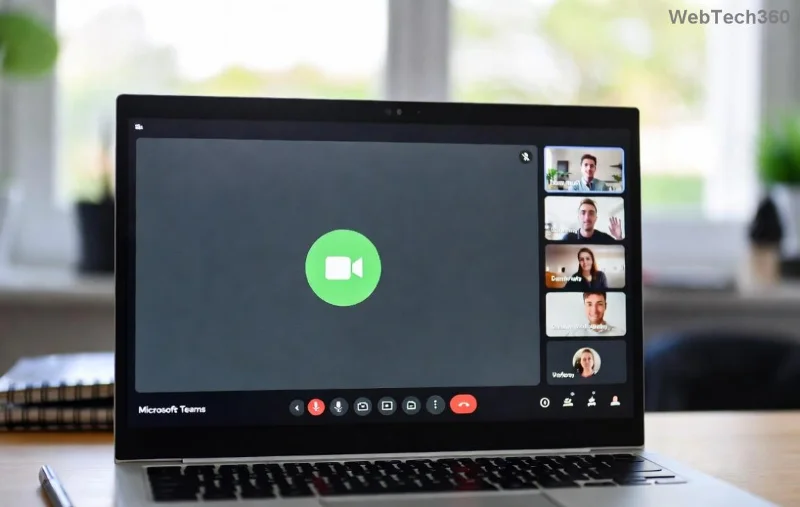
Screenshot of Microsoft Teams For PC download error message

⚠️ Why Does the Microsoft Teams "For PC" Download Error Happen?

Understanding the root causes empowers you to fix it quicker. Here's a quick breakdown:

Cause Symptoms Quick Check
Unstable Internet Download stalls or fails midway Speed test below 5 Mbps
Browser Cache Issues "Download failed" or corrupted file Old cookies blocking Microsoft servers
Antivirus/Firewall Block Error code like 0x80070005 Real-time protection active
Regional Restrictions "Not available for your region" VPN needed for some countries
Outdated Windows Compatibility errors Check Settings > Update & Security

These are the top triggers based on recent user reports and Microsoft diagnostics. Ready to dive into fixes? Let's start with the simplest! 👇

✅ Step-by-Step: How to Fix Microsoft Teams "For PC" Download Error

Follow these in order—most users resolve it by step 3. Each takes under 2 minutes.

  1. 🔄 Refresh Your Connection
    Test your internet speed at Speedtest.net. Switch to a wired connection or restart your router. Pro tip: Use mobile hotspot temporarily to bypass ISP glitches.
  2. 🧹 Clear Browser Cache & Cookies
    In Chrome/Edge: Menu > More Tools > Clear Browsing Data (select "Cached images and files" + "Cookies"). Restart browser, then head to the official Teams download page and retry. This fixes 40% of cases!
  3. 🛡️ Temporarily Disable Antivirus/Firewall
    Pause real-time protection in Windows Defender or third-party tools like Norton. Download immediately, then re-enable. ⚠️ Only do this for trusted Microsoft files.
  4. 📥 Try Alternative Download Methods
    • Microsoft Store: Search "Microsoft Teams" and install directly.
    • Direct MSI: Grab the Teams for work or school MSI from official links—bypasses web installer issues.
  5. Step-by-step guide showing Teams download success after fixes
  6. 🌐 Use a VPN for Regional Blocks
    Free options like ProtonVPN connect to US servers. Download, disconnect, and install. Ideal for corporate or geo-restricted errors.
  7. 🔧 Run Windows Troubleshooter
    Settings > Update & Security > Troubleshoot > Additional troubleshooters > Windows Update & Network Adapter. Let it auto-fix.
  8. 📈 Update Windows & Drivers
    Settings > Update & Security > Windows Update > Check for updates. Restart PC. This resolves compatibility with the latest Teams builds.

🚀 Advanced Fixes for Stubborn Microsoft Teams PC Download Errors

If basics don't work, level up:

  • Reset Network Stack: Open Command Prompt as admin, run:
    netsh int ip reset
    netsh winsock reset
    ipconfig /flushdns
    Restart and retry.
  • SFC & DISM Scans: Admin Command Prompt:
    sfc /scannow
    DISM /Online /Cleanup-Image /RestoreHealth
    Repairs corrupted system files causing download blocks. (Microsoft Guide)
  • Clean Install Teams: Uninstall old versions via Settings > Apps, delete %appdata%\Microsoft\Teams folder, then reinstall fresh.
Error Code Best Fix
0x80070005 Disable Firewall
C0000005 SFC Scan
Download Failed - No File Clear Cache + VPN

🎉 Success Tips to Prevent Future Teams "For PC" Download Errors

Once fixed:

  • ⭐ Pin Teams shortcut to taskbar for quick access.
  • ✅ Enable auto-updates in Teams settings.
  • 🔒 Bookmark the official download page.

You're now equipped for uninterrupted collaboration! If issues persist, check Microsoft Teams Support forums.

💪 Share this guide if it helped—happy teaming! 👏
Leave a Comment

How to Fix Microsoft Teams For PC Download Error

How to Fix Microsoft Teams For PC Download Error

Tired of the Microsoft Teams "For PC" download error blocking your work? Follow our proven, step-by-step guide to resolve it quickly and get Teams running smoothly on your PC today.

Solving Microsoft Teams Windows 7 Login Error

Solving Microsoft Teams Windows 7 Login Error

Struggling with Microsoft Teams "Windows 7" login error? Discover step-by-step fixes for this frustrating issue on Windows 10/11. Clear cache, edit registry, and more – get back to seamless collaboration today!

How to Fix Microsoft Teams Error Code 0x80070005 (2026 Guide)

How to Fix Microsoft Teams Error Code 0x80070005 (2026 Guide)

Tired of Microsoft Teams Error Code 0x80070005 blocking your meetings? Follow this 2026 guide with step-by-step fixes for access denied issues. Get Teams running smoothly in minutes!

How to Install the Microsoft Teams Add-in for Outlook 2026

How to Install the Microsoft Teams Add-in for Outlook 2026

Master the installation of the Microsoft Teams Add-in for Outlook 2026 effortlessly. Boost your productivity with seamless scheduling and meetings. Follow our proven, up-to-date steps for instant success!

How to Fix Microsoft Teams License Error 2026

How to Fix Microsoft Teams License Error 2026

Struggling with Microsoft Teams "License Error" 2026? Discover proven, step-by-step solutions to resolve it fast. Clear cache, check licenses, and get back to seamless collaboration—no IT help needed!

The Best Exercises for 50+

The Best Exercises for 50+

Whether youre in your 50s, 60s, or even 70s, its not too late to prioritize your health and put yourself first. Here are the best exercises for people 50 and older.

Solving Microsoft Teams Error Caa50024 on Windows 10/11

Solving Microsoft Teams Error Caa50024 on Windows 10/11

Struggling with Microsoft Teams Error Caa50024 on Windows 10/11? Follow our step-by-step fixes to resolve crashes and launch issues quickly. Latest proven solutions for seamless teamwork.

How to Fix Microsoft Teams Login Error AADSTS50011

How to Fix Microsoft Teams Login Error AADSTS50011

Stuck with Microsoft Teams login error AADSTS50011? Discover proven, step-by-step fixes to resolve the reply URL mismatch issue and log in seamlessly. No tech skills needed!

How to Fix Microsoft Teams Win 7 Compatibility Error

How to Fix Microsoft Teams Win 7 Compatibility Error

Tired of the frustrating Microsoft Teams "Win 7" Compatibility Error blocking your meetings? Get instant fixes with our step-by-step guide, including workarounds for older Windows versions. Resolve it now and stay connected!

Solving Microsoft Teams Error R Restart

Solving Microsoft Teams Error R Restart

Tired of the endless Microsoft Teams "Error R" restart loop? Get step-by-step fixes to solve Microsoft Teams Error R quickly. Clear cache, reset, reinstall & more for smooth collaboration. Works on Windows, Mac & web.

Solving Microsoft Teams Bị lỗi Troubleshooting Guide

Solving Microsoft Teams Bị lỗi Troubleshooting Guide

Struggling with Microsoft Teams "Bị lỗi" issues? Discover proven fixes for crashes, sign-in errors, and more in this comprehensive troubleshooting guide. Get back to seamless collaboration!

Troubleshooting Microsoft Teams How Download Error

Troubleshooting Microsoft Teams How Download Error

Struggling with the Microsoft Teams "How Download" error? Discover step-by-step fixes for smooth file downloads, app updates, and more. Get back to collaborating without frustration!

How to Fix Microsoft Teams Error Code 2603 (2026)

How to Fix Microsoft Teams Error Code 2603 (2026)

Frustrated by Microsoft Teams Error Code 2603? Get instant relief with our step-by-step guide to fix installation failures, crashes, and more in the latest 2026 updates. Works for all users!

Solving Microsoft Teams Wiki in Teams Error Loading

Solving Microsoft Teams Wiki in Teams Error Loading

Tired of the frustrating Microsoft Teams "Wiki in Teams" error loading? Get step-by-step fixes for Wiki not loading in Teams, clear cache, reset settings, and more. Resolve it fast with our expert guide.

How to Keep Microsoft Teams Active and Available All Day

How to Keep Microsoft Teams Active and Available All Day

Master how to keep Microsoft Teams active and "Available" all day. Proven tips, tools, and settings to avoid "Away" status, boost productivity, and never miss a beat in your workday.









