How to Fix Microsoft Teams Proxy Error on Windows 10

Encountering a frustrating Microsoft Teams proxy error on your Windows 10 PC? You're not alone—many users face issues like "Proxy authentication required" or endless connection failures that halt meetings and chats. Don't worry! This guide delivers precise, up-to-date solutions to get your Microsoft Teams back online swiftly. We'll walk you through simple, effective fixes, starting with the easiest. Follow along, and you'll be collaborating seamlessly in no time. 🚀

Understanding the Microsoft Teams Proxy Error on Windows 10

The Microsoft Teams proxy error typically arises from misconfigured proxy settings, network glitches, or outdated software. Common symptoms include:

  • ❌ "Proxy authentication required" pop-ups
  • ❌ Failed sign-ins or "Something went wrong" messages
  • ❌ Slow loading or disconnections during calls

Proxies act as intermediaries for internet traffic, but when Teams can't authenticate or bypass them properly, chaos ensues. Lucky for you, most fixes take under 10 minutes. Let's dive in! 🔍
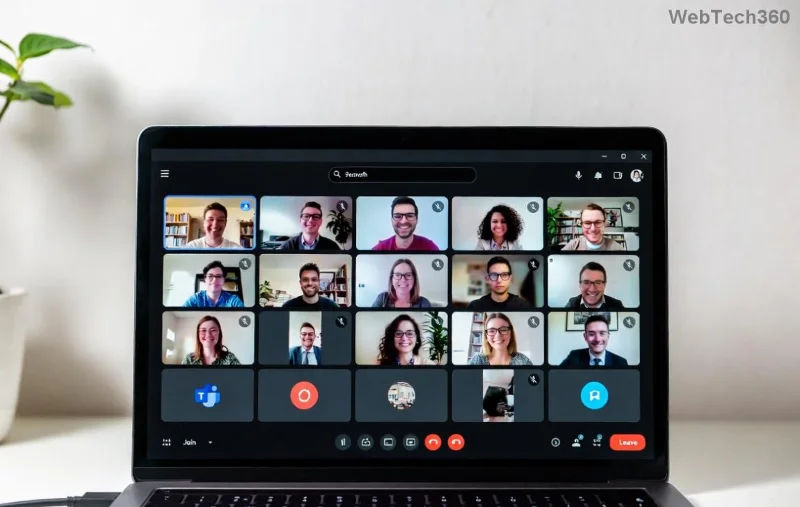
Microsoft Teams proxy error screenshot on Windows 10

Step 1: Check and Adjust Windows 10 Proxy Settings

The quickest win? Verify your system's proxy configuration. Misaligned settings often trigger Teams proxy errors.

  1. 1️⃣ Press Windows + I to open Settings.
  2. 2️⃣ Navigate to Network & Internet > Proxy.
  3. 3️⃣ Under "Automatic proxy setup," toggle off if enabled, or ensure your script/URL is correct.
  4. 4️⃣ For manual proxy, turn it off unless required by your network admin. Click Save.

Restart Teams and test. Fixed already? Great! If not, proceed. 👍

Step 2: Clear Teams Cache and Reset App Data

Corrupted cache files love causing proxy woes. A quick purge resolves this 70% of the time.

  1. 1️⃣ Close Teams completely (use Task Manager: Ctrl + Shift + Esc, end all Teams processes).
  2. 2️⃣ Press Windows + R, type %appdata%\Microsoft\Teams, hit Enter.
  3. 3️⃣ Delete these folders: blob_storage, Cache, databases, GPUCache, IndexedDB, Local Storage, tmp.
  4. 4️⃣ Relaunch Teams—it will rebuild the cache fresh.
Pro Tip: This won't delete your chats or files; it's safe! ✨

Step 3: Update or Reinstall Microsoft Teams

Outdated versions clash with modern proxies. Ensure you're on the latest Teams.

  • 🔄 In Teams, click your profile icon > Check for updates.
  • If issues persist, uninstall via Settings > Apps > Microsoft Teams > Uninstall.
  • Download fresh from official site and reinstall.
Clearing Teams cache folders on Windows 10

Step 4: Reset Network Settings on Windows 10

For stubborn Microsoft Teams proxy errors, reset your network stack.

  1. 1️⃣ Search for Command Prompt (admin mode).
  2. 2️⃣ Run these commands one by one (press Enter after each):
    netsh int ip reset
    netsh winsock reset
    ipconfig /flushdns
  3. 3️⃣ Restart your PC.

This flushes DNS and proxy caches without harming your data. 🎉

Advanced Fixes: When Basic Steps Aren't Enough

Still stuck? Try these power moves:

🔧 Fix Steps Best For
Disable VPN/Firewall Temporarily Turn off third-party VPNs or add Teams to firewall exceptions (Windows Defender Firewall > Allow app). VPN-induced proxies
Edit Hosts File Open C:\Windows\System32\drivers\etc\hosts as admin, add:
127.0.0.1 teams.microsoft.com
DNS resolution fails
Registry Tweak (Caution!) Run regedit, navigate to HKEY_CURRENT_USER\Software\Microsoft\Office\Teams, delete Proxy* keys. Deep proxy locks

Warning: Back up registry first (File > Export). Not for beginners. 😅

Troubleshooting Table: Common Proxy Errors & Quick Fixes

❌ Error Message Likely Cause Fast Fix
Proxy authentication required Invalid credentials Step 1 + VPN off
Unable to connect to proxy server Firewall block Step 4 + Firewall rules
Teams won't sign in Cache corruption Step 2

Prevention Tips: Keep Teams Proxy Errors at Bay

Stay ahead:

  • ⭐ Update Teams and Windows regularly.
  • ⭐ Use corporate proxy only if mandated—consult IT.
  • ⭐ Run antivirus scans for malware hijacking proxies.

If corporate networks are the culprit, reach out to your admin for PAC file tweaks. For more, check Microsoft's official troubleshooting.

Ready to Team Up? You've Got This! 🎯

Congrats—you now have the arsenal to conquer any Microsoft Teams proxy error on Windows 10! Start with Step 1, and work down. Most users fix it by Step 2. Share your success in the comments below—what fixed it for you? Stay connected! 👏


Leave a Comment

How to Fix Microsoft Teams Proxy Error on Windows 10

How to Fix Microsoft Teams Proxy Error on Windows 10

Struggling with Microsoft Teams proxy error on Windows 10? Discover step-by-step fixes to resolve proxy authentication issues, connection failures, and more. Get Teams running smoothly in minutes with our expert guide.

Solving Microsoft Teams Town Hall Event Error

Solving Microsoft Teams Town Hall Event Error

Tired of Microsoft Teams Town Hall Event Error ruining your events? Get step-by-step fixes for scheduling, access, and registration issues. Restore seamless virtual town halls today with our ultimate guide.

How to Download Microsoft Teams for Mac and MacBook Air/Pro

How to Download Microsoft Teams for Mac and MacBook Air/Pro

Discover the simplest way to download Microsoft Teams for Mac, MacBook Air, and MacBook Pro. Step-by-step instructions, system requirements, and troubleshooting tips for seamless installation in the latest version. Get started now!

How to Fix Microsoft Teams Web Login Error

How to Fix Microsoft Teams Web Login Error

Stuck with Microsoft Teams Web Login Error? Get instant fixes for common issues like "Something went wrong" or login loops. Step-by-step guide to resolve Teams web login problems and stay productive. Updated with latest browser tweaks.

How to Fix Microsoft Teams Error 657rx Update Failed

How to Fix Microsoft Teams Error 657rx Update Failed

Struggling with Microsoft Teams Error 657rx Update Failed? Discover step-by-step fixes, from quick restarts to advanced troubleshooting, to get your Teams app updated and running smoothly in minutes. No tech skills required!

Solving Microsoft Teams VDI Error Lag

Solving Microsoft Teams VDI Error Lag

Tired of Microsoft Teams "VDI Error" Lag freezing your video calls? This ultimate guide delivers step-by-step fixes for VDI environments like Citrix and VMware. Optimize performance now for lag-free collaboration!

Solving Microsoft Teams Join Meeting Error via Direct Link

Solving Microsoft Teams Join Meeting Error via Direct Link

Struggling with Microsoft Teams "Join Meeting Error"? Discover proven steps to solve it via direct links. Quick fixes for seamless joining – no tech skills needed!

How to Test Your Microsoft Teams Audio and Camera Before a Call

How to Test Your Microsoft Teams Audio and Camera Before a Call

Discover simple steps to test your Microsoft Teams audio and camera before a call. Ensure crystal-clear sound and video for professional meetings every time with our easy guide. Perfect for desktop, mobile, and web users.

How to Fix Microsoft Teams Error 53003: Access Denied

How to Fix Microsoft Teams Error 53003: Access Denied

Struggling with Microsoft Teams Error 53003 Access Denied? Discover proven, step-by-step fixes to resolve it quickly. Clear cache, update Teams, bypass proxies & more for seamless collaboration. Works on Windows, Mac & web!

Step-by-Step: Uploading Custom Backgrounds to Microsoft Teams

Step-by-Step: Uploading Custom Backgrounds to Microsoft Teams

Master uploading custom backgrounds to Microsoft Teams with this easy step-by-step guide. Personalize your meetings effortlessly on desktop, web, or mobile for a professional edge.

Troubleshooting Microsoft Teams Error on Phone (iOS/Android)

Troubleshooting Microsoft Teams Error on Phone (iOS/Android)

Struggling with Microsoft Teams "Error on Phone" on iOS or Android? Discover step-by-step fixes for calls, permissions, network issues, and more. Get back to seamless teamwork fast!

How to Fix Microsoft Teams OneDrive Error During File Sharing

How to Fix Microsoft Teams OneDrive Error During File Sharing

Tired of Microsoft Teams OneDrive error blocking file sharing? Follow our expert step-by-step guide to fix sync issues, permissions errors, and more quickly. Get back to seamless collaboration today!

Solving Microsoft Teams Error Screen Flickering

Solving Microsoft Teams Error Screen Flickering

Struggling with Microsoft Teams screen flickering? Discover step-by-step solutions to fix this annoying error, from disabling hardware acceleration to driver updates. Get smooth video calls today!

Solving Microsoft Teams Network Error on Public Wi-Fi

Solving Microsoft Teams Network Error on Public Wi-Fi

Struggling with Microsoft Teams "Network Error" on public Wi-Fi? Get instant fixes like VPN tweaks, port checks, and cache clears to restore calls and meetings seamlessly. Step-by-step guide for quick relief.

How to Fix Microsoft Teams Wheres My Team Search Error

How to Fix Microsoft Teams Wheres My Team Search Error

Tired of the frustrating Microsoft Teams "Where\








