If you see an error in the Free Fire OB27 Advance Server , follow the instructions below to report it and earn up to 3,000 diamonds.
Free Fire OB27 Advance Server has been officially online since April 1, giving players the opportunity to test out the new features of the upcoming update. Not only that, Advance Server is also a great place to earn some free diamonds. If you find a vulnerability in this server, follow the instructions below to report a Free Fire bug to Garena .
How to report a game error Free Fire
- What is Free Fire game error?
- How to fix Free Fire game error
- How to report Free Fire bugs to developers
- Join Free Fire OB27 Advance Server and find bugs
What is Free Fire game error?
If you are a longtime gamer, you are probably familiar with the concept - bug or game bug.
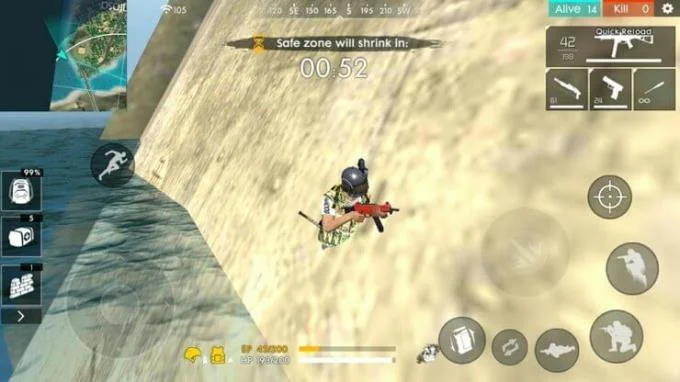
Common errors in Garena Free Fire are that players can penetrate or shoot through walls, characters get stuck on objects… However, basically, keep in mind that you should not abuse these errors under any circumstances. any form.
If the system detects that you used game bugs to your advantage when playing Free Fire, you will be penalized.
How to fix Free Fire game error
When encountering game errors in Free Fire, Garena encourages players to find solutions to fix themselves first. That means you should try to resolve the issue before contacting Garena Free Fire support team.

To fix Free Fire, try uninstalling & reinstalling the game. Another solution could be to restart the device and check the free space on the memory. Avoid installing Free Fire on an external SD card.
In addition, check for the following:
- Compatibility : Your device is not compatible with the resolution. Try reducing the graphics settings.
- Unstable connection : If the mobile network is unstable, switch to Wi-fi instead of opening the game again.
- VPN : If you're using a VPN to access Free Fire, disable it.
If you have done all the above methods and the Free Fire error still persists, visit the Free Fire Bug Report web site to report the problem.
How to report Free Fire bugs to developers

Go to https://ffsupport.zendesk.com/hc/en-us .
On the main menu, select Technical Issues . You will be taken directly to a new page with a list of common errors in Free Fire.
Select How to Report a Game Bug . You will be directed to another page.
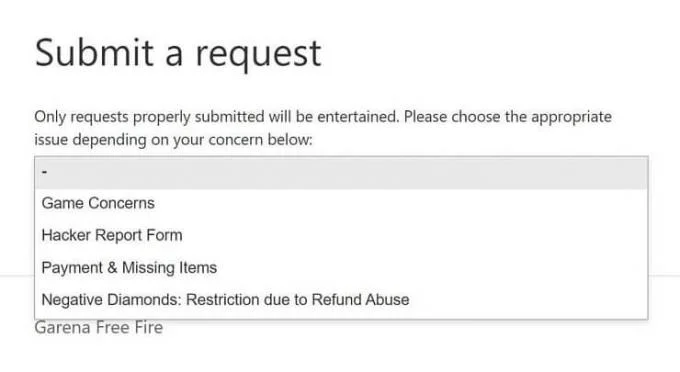
Scroll down to find Submit A Request .
Continue to fill out the inquiry form. Select the region, fill in the correct contact information.
Select Game Concerns under Type of Request and Technical Issues under Type of Problem .
In the Description , describe in detail the error you encountered. Attach files and screenshots as evidence if possible.
Click Submit . Free Fire support team will check the error and get back to you.
Join Free Fire OB27 Advance Server and find bugs

While reporting errors on the live server you do not receive anything, the Free Fire Advance Server error message does. If the error you reported is confirmed by the developer, you will receive a gift of diamonds in the main account.
Based on the number of bugs discovered, Free Fire will reward you with up to 3,000 diamonds. As follows:
- First prize: 3,000 diamonds (1 error)
- Second prize: 2,000 diamonds (2 errors)
- Third prize: 1,000 diamonds (3 errors)

If the error cannot be found in Advance Server, don't worry. For each bug you report confirmed, Garena will still give you 100 diamonds. So, what are you waiting for, join Free Fire OB27 Advance Server now.