If you are using ChatGPT on the web, you can quickly search for chat content that you have done before, through the keywords you enter. This feature helps users easily find previous conversations, no matter what chat content you want to find. Below are instructions for searching chat content on ChatGPT.
Instructions for searching chat content on ChatGPT
Step 1:
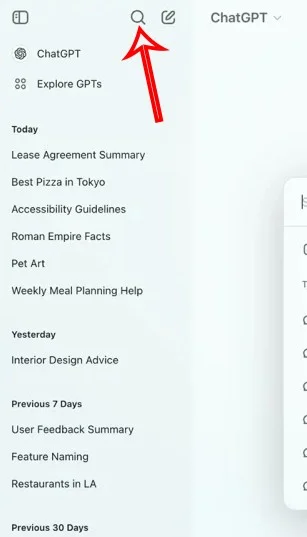
First, you access ChatGPT and log in with your personal account. Next, click on the magnifying glass icon to use the chat content search tool on ChatGPT.
Step 2:
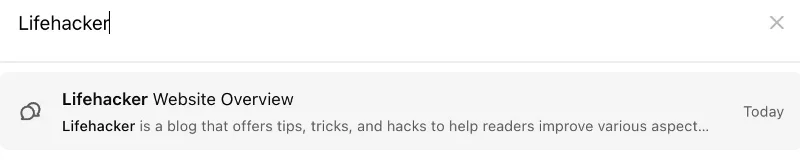
At this time, the ChatGPT interface displays a box to enter the chat content that you want to search for in the chat history. We will enter the content we want to search for into the search box.
Step 3:
When there is a keyword that matches a chat in ChatGPT history, we will see it below for you to directly access that chat.

Also we will see the date next to the chats in the search results, with specific time you can also create a new chat from the search dialog by clicking New chat.