Home
» Wiki
»
How to turn on notifications for following Instagram accounts
How to turn on notifications for following Instagram accounts
There are many Instagram accounts you are following and you only want to turn on notifications for certain Instagram accounts you are following. Then users will know the fastest all posts from the Instagram account they are following, without having to search for the account name to see the latest Instagram content. The article below will guide you to turn on notifications for the Instagram account you are following.
How to turn on notifications for following Instagram accounts
Step 1:
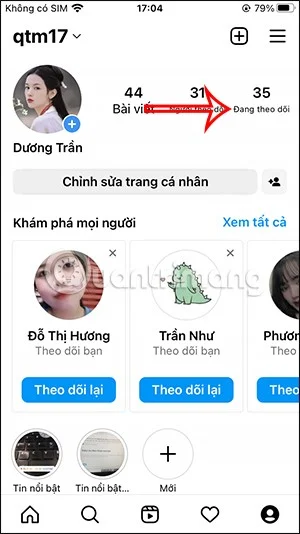
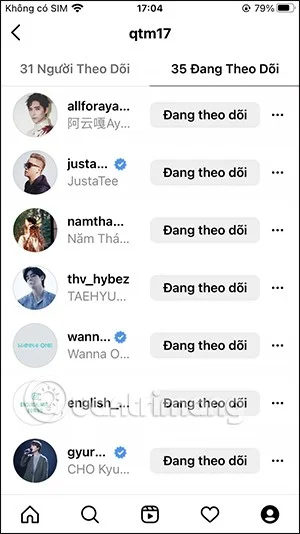
First, in the personal Instagram account interface, click on Following to see the list. Now you find the person you want to turn on notifications for. Or we can enter their Instagram account name in the search bar to find it faster.
Step 2:
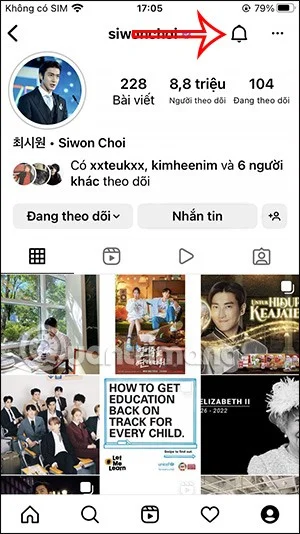
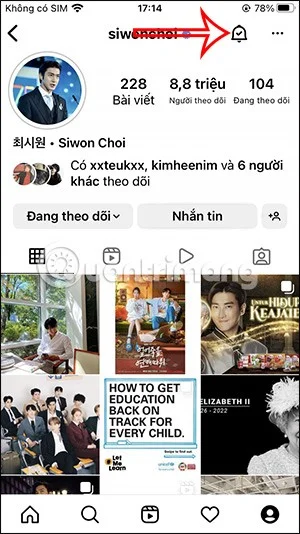
Click on that Instagram account name and on their Instagram account interface, click on the bell icon .
Step 3:
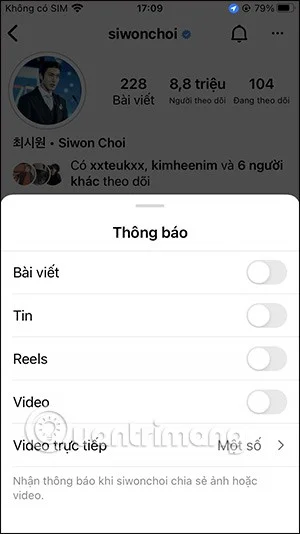
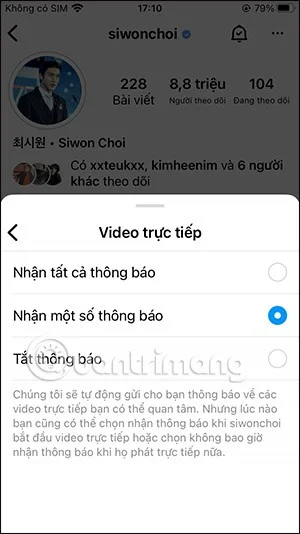
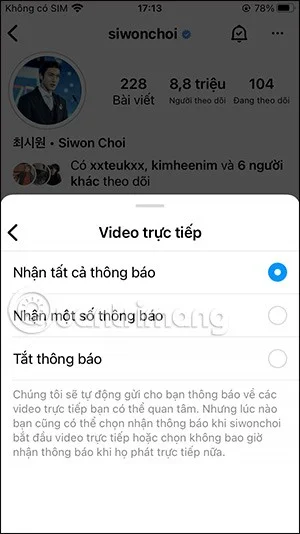
Now you will see different content to receive notifications from the Instagram account you are following including Posts, Stories, Reels or Videos. If you want to receive notifications of any content from the Instagram account you are following, turn on the round button .
If you want to receive all live video notifications on Instagram, select Receive all notifications.
The result at the bell icon on the Instagram account being followed will show a tick that notifications have been turned on as shown below.
Note, to quickly receive Instagram account notifications, you must enable Instagram notifications on your phone to receive all notifications displayed on the lock screen.
Video tutorial on how to turn on notifications of Instagram accounts you are following