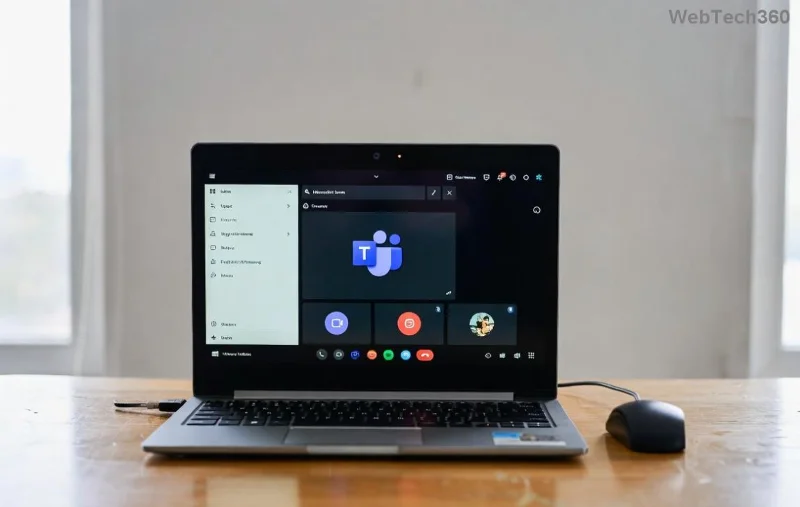
Staying ahead in 2026 means keeping your Microsoft Teams app fresh with the latest version. Whether you're dodging security risks, unlocking new AI features, or smoothing out collaboration glitches, updating is your quick win. This guide delivers how to update Microsoft Teams across all platforms – desktop, mobile, web – in simple, foolproof steps. Ready to supercharge your workflow? Let's dive in! ✅
Why You Must Update Microsoft Teams Right Now
The latest version of Microsoft Teams in 2026 packs game-changing updates: enhanced Copilot integration, faster video calls, and ironclad security patches. Outdated apps? They lag, expose vulnerabilities, and miss collaborative magic. Good news: Updates are seamless, often automatic. But for full control, master these methods. Your future self (and team) will thank you! 😊
Enable Automatic Updates for Hands-Free Microsoft Teams Latest Version
Microsoft Teams shines with auto-updates. Here's how to ensure you're always current:
- 👆 Open Microsoft Teams and click your profile picture (top right).
- 📋 Select Settings > About Teams.
- ⭐ Toggle Automatically check for updates to ON.
Teams will silently grab the latest version during idle time. Pro tip: Restart weekly to apply them instantly. Effortless, right?
Manual Steps: How to Update Microsoft Teams on Desktop (Windows & Mac)
Need the latest version ASAP? Manual updates take under 2 minutes. Perfect for IT pros or urgent fixes.
Windows Desktop Update
- 🔄 Launch Microsoft Teams.
- 👤 Profile icon > Check for updates.
- ⏳ If available, hit Update now – download and relaunch.
- ❌ No update? Download fresh from Microsoft's official site.
Mac Desktop Update
Mac users, it's even simpler:
| Step |
Action |
| 1️⃣ |
Open Teams > Profile > Check for updates |
| 2️⃣ |
Download prompted? Click Install and quit/reopen |
| 3️⃣ |
Manual grab: Teams download page > Mac installer |
Done! Enjoy buttery-smooth performance on M-series chips. ![Mac Teams update screen with download progress]()
How to Update Microsoft Teams on Mobile (iOS & Android)
Mobile lagging? Update via stores for instant latest version perks like better notifications and offline mode.
iOS (iPhone/iPad)
- 📱 App Store > Profile icon.
- 📲 Scroll to Microsoft Teams > Update.
- 🔒 Enter passcode if needed – auto-updates? Enable in Settings > App Store.
Android
- 📱 Google Play > Profile > Manage apps & device.
- 🔍 Search Microsoft Teams > Update.
- ⭐ Enable auto-update for future ease.
Mobile updates roll out faster – test Copilot on-the-go post-update! 🚀
Web Version: Quick Refresh for Browser Users
No app? Teams web auto-refreshes via Edge/Chrome. Force latest version:
- 🌐 teams.microsoft.com > Ctrl+F5 (hard refresh).
- 🔄 Clear cache: Browser settings > Privacy > Clear data.
- 💡 Bookmark for one-click access.
Pro: No installs. Con: Fewer features. Switch to app for full power!
Troubleshooting: Fix Microsoft Teams Update Stuck or Failed
Updates glitch? Don't sweat – common fixes in this table:
| Issue |
Solution |
Time |
| ❌ "Update failed" |
Run as admin (Windows) or quit/relaunch (Mac) |
1 min |
| ⚠️ No update button |
Uninstall/reinstall from Microsoft Support |
5 min |
| 🔄 Stuck downloading |
Check internet/VPN; pause antivirus |
2 min |
| 📵 Mobile won't update |
Free space > 1GB; restart device |
3 min |
Still stuck? Microsoft Teams admin center for enterprise tweaks. 99% resolve here!
Bonus Tips to Maximize Your Latest Version Teams Experience
- ⭐ Schedule updates off-hours via Windows Task Scheduler.
- 👥 Share this guide with your team for unified versions.
- 🔒 Enable MFA post-update for top security.
- 📈 Track versions in About Teams – aim for builds like 24124+ in 2026.
Wrap-Up: Update Today, Collaborate Tomorrow! 🎉
Mastered how to update Microsoft Teams to the latest version? You're set for peak productivity in 2026. Security fortified, features unlocked, teams united. Bookmark this, update now, and watch your workflow soar. Questions? Drop in Teams forums. Stay updated – stay unstoppable! 👏