Anime Squad Simulator codes will help players increase the time to x3 the money earned when training or x3 the experience points. Thanks to that, players will have a good start when getting acquainted with their character team in Anime Squad Simulator. Below are the latest Anime Squad Simulator codes and how to enter the code.
Table of Contents
Latest Anime Squad Simulator Codes
| Code |
Bonus |
FAIRYVILLAGE
|
Redeem this code for 2 regular Tokens, 5 gold Tokens and 12 minutes of x3 damage |
TransilvanianHunger
|
Redeem this code for 2 Gold Tokens, 5 minutes with 3x damage and 5 minutes with 3x Coins |
CanWeGetMuchHigher
|
Redeem this code for 3 regular Tokens, 1 gold Token, 5 minutes 3x damage and 3 minutes 3 coins |
HackingToTheGate
|
Redeem this code for 4 Gold Tokens, 5 minutes with 3x damage and 5 minutes with 3x Coins |
DARKWORLD
|
Redeem this code for 2 regular Tokens, 2 gold Tokens and 12 minutes for 3x Coins |
TOKYOCITY
|
Redeem this code for 2 Regular Tokens, 2 Gold Tokens and 15 minutes for 3x Coins |
HEROHQ
|
Exchange this code for 3 Times Coins Boost, 3 Times Recruit Boost, 2 Normal Tokens, and 2 Golden Tokens. |
10KLIKESAMAZING
|
Exchange this code for 3 Times Coins Boost, 3 Times Recruit Boost, 5 Normal Tokens, and 2 Golden Tokens. |
YetiKnightW
|
Redeem this code for Tokens and x3 time experience, damage or money. |
30KLIKESZ
|
Redeem this code for Tokens and x3 time experience, damage or money. |
25KLIKESW
|
Redeem this code for Tokens and x3 time experience, damage or money. |
BUGFIX
|
Redeem this code for Tokens and x3 time experience, damage or money. |
20KTHANKS
|
Redeem this code for Tokens and x3 time experience, damage or money. |
Anime Squad Simulator Code Expired
- 7.5KLIKESDAM —Redeem this code to receive Boosts and Tokens
- 5KLIKESYES —Redeem this code to receive Boosts and Tokens
- HXHRELEASE —Redeem this code to receive Boosts and Tokens
How to enter Anime Squad Simulator code
Step 1: To enter the Anime squad simulator code, select the familiar Twitter logo bird icon on the main screen interface when you first enter the game.
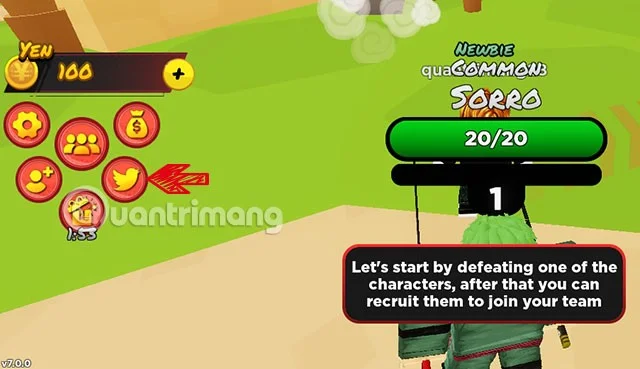
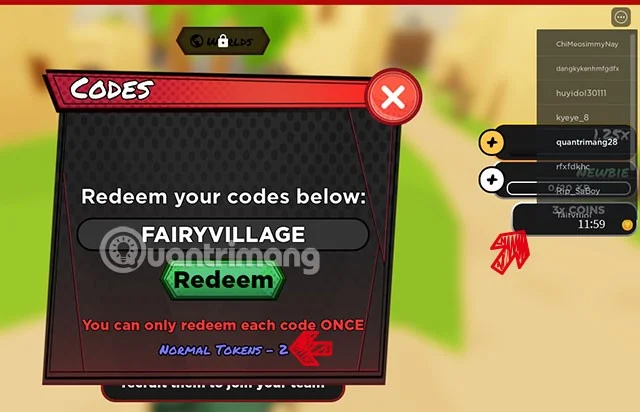
Enter one of the valid codes above into the Enter Code box and select Redeem.

If the code is still valid, you will see that you have received x3 experience, damage or money earned. If the code has expired, you will see a message that the code entered is incorrect.

What rewards do Anime Squad Simulator codes usually have?
This Anime Squad Simulator game code usually has x3 time for money, damage, experience... So you can't always enter it and leave it there, you need to take advantage of the time you can play the game to enter the code to use the x3 time for all stats most effectively.
How to get more Anime Squad Simulator codes?
The latest codes will be updated by Quantrimang for players if the game publisher releases them during content updates or special events. Therefore, to receive the latest Anime Squad Simulator codes, you just need to save this page on your web browser.
If you are using Google Chrome or Coc Coc , please save this page on your bookmarks bar by selecting CTRL + D to save it to your browser bookmarks bar and check back daily.
Or you can join the Anime Squad Simulator Discord channel , where we will always confirm the latest and most accurate codes for you to redeem for rewards.

Why Anime Squad Simulator code not working?
Anime Squad Simulator codes have both uppercase and lowercase letters, you need to distinguish between uppercase and lowercase letters in the giftcodes. Sometimes there are also numbers so you need to identify the correct characters in the code before entering.
Make sure your spelling is correct before you click the Redeem button to redeem your code. If you can copy the code, copy it and paste it into the code input box.
If you copy the code and put it in the code input box but it still doesn't work, it's likely that it has expired. Giftcodes are only valid for a short period of time as determined by the developer. If any code has expired, please comment below to let Quantrimang know.
How to get more characters in Anime Squad Simulator?
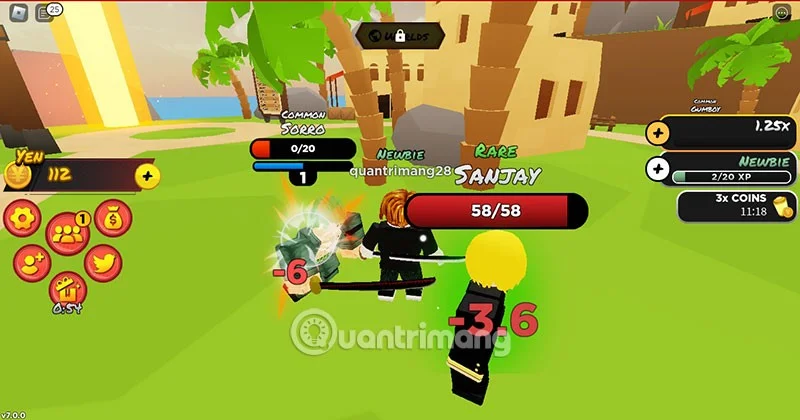
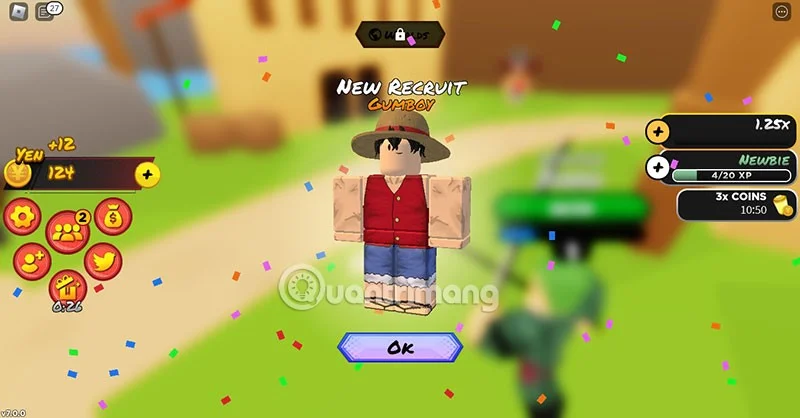
To get more characters in Anime Squad Simulator, lead your character to attack the NPC monsters around you. When you defeat them, you will collect them and can make them your "disciples".

See also: