Home
» Today
»
Local Weather Forecasts and Alerts: How to Check Them (Nov. 5, 2026)
Local Weather Forecasts and Alerts: How to Check Them (Nov. 5, 2026)
Information checked: November 5, 2026, at 13:05 UTC. This guide covers U.S. weather information and alert systems; it is not a live forecast for any particular city.
To check your local weather forecast and weather alerts in the United States, start at the National Weather Service (NWS) website. Enter your city and state or ZIP code, read the forecast for your exact location, and look for any active watches, warnings, or advisories. Before travel or outdoor plans, review the hourly forecast and radar, then make sure your phone can receive urgent emergency alerts.
The important distinction is that a forecast tells you what conditions may develop, while an official warning tells you when a specific hazard requires action. Wireless Emergency Alerts (WEA) can reach compatible phones for certain serious threats without an app or subscription, but they do not replace regularly checking local forecasts and other official messages.
Destaques
Use weather.gov to find forecasts and active NWS alerts for a U.S. city or ZIP code.
Check hourly conditions and radar when the timing of rain, wind, heat, or storms matters.
A watch means prepare; a warning means take protective action; an advisory flags potentially disruptive hazards.
Keep Wireless Emergency Alerts enabled where available, and have another way to receive warnings if power or mobile service fails.
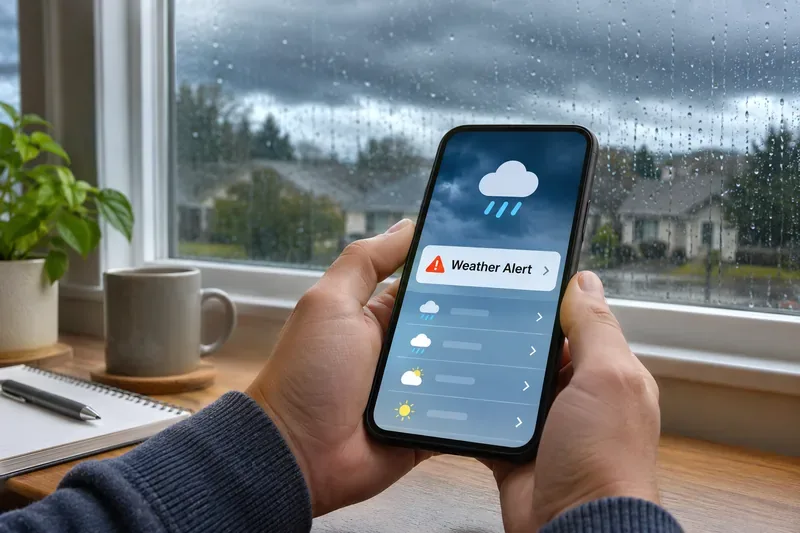
Illustration: A phone displaying a weather alert and forecast during rainy conditions. The screen is not a live report for a specific location.
How do you check the weather forecast for your ZIP code?
Enter your city and state or ZIP code in the local forecast search field. You can also choose a location using the site's map.
Confirm that the forecast page matches the place you care about, especially if you live near a city boundary or are traveling.
Read today's expected high and low temperatures, precipitation chances, wind, and any prominently listed hazardous weather messages.
Review the next several days and revisit the page before your plans; forecasts can change as new observations become available.
National Weather Service forecasts are location-specific. A nearby airport's current observation may not represent your street, hillside, or coastline exactly. Use the forecast point that best matches your destination, and pay attention to the forecast's stated issue time rather than assuming a page is current because it just loaded.
Where can you find the hourly forecast and weather radar?
When a daily forecast says “showers likely,” the hourly forecast is more useful for deciding when to leave, drive, work outside, or bring children indoors. On your NWS local forecast page, look for the “Hourly Weather Graph” option. The NWS explains that this graph can show hour-by-hour conditions out to seven days, with selectable factors such as temperature, precipitation, humidity, and wind. Read the dates and time labels on the graph carefully, especially when comparing different locations or crossing time zones.
For precipitation already occurring or nearby, open the official NWS radar. Radar can help you see areas of precipitation and their recent movement, but a radar image alone does not tell you whether a storm will become severe or exactly when rain will start at your address. Use radar alongside the forecast and any official warning text, never instead of them.
What do weather watches, warnings, and advisories mean?
Alert type
What it generally means
What to do
Watch
Conditions are favorable for a hazardous event, but important details may remain uncertain.
Prepare a plan, monitor updates, and know where to shelter if necessary.
Warning
Dangerous weather is occurring, expected soon, or considered imminent.
Follow the specific protective instructions immediately.
Advisory
Weather may cause significant inconvenience or hazardous conditions, generally below warning criteria.
Adjust travel and outdoor plans; take the precautions described in the advisory.
The exact meaning and protective action depend on the hazard. For example, a tornado warning calls for prompt shelter, while a winter weather advisory may call for extra caution on roads. Read the full official message for its geographic coverage, issuance and expiration times, hazard description, and instructions. The NWS provides a detailed explanation of watches and warnings.
How do you get severe weather alerts on your phone?
Wireless Emergency Alerts (WEA) are sent by authorized U.S. public safety agencies through participating wireless carriers to compatible phones in affected areas. They do not require you to install an NWS app or sign up. They are meant for certain urgent alerts, not for every routine forecast, watch, or advisory. Check your phone's emergency-alert settings to see which available alert categories are enabled; menu names vary by operating system and device.
For fuller coverage, consider a reliable weather app that presents NWS alerts, notifications offered by your city or county emergency management office, and a NOAA Weather Radio receiver where coverage is available. A mobile weather app is convenient, but the NWS itself does not offer a dedicated official mobile app; you can instead add a weather.gov forecast-page shortcut to your home screen. See the NWS instructions for mobile forecast access and its WEA guidance.
If you receive an urgent alert, check the issuing authority and act on its instructions rather than waiting for a second notification. During an emergency, power, data connections, battery life, and cellular coverage can be unreliable. NOAA Weather Radio, broadcast radio, television, and local emergency-management updates provide useful alternatives. The NWS describes these delivery channels in its warning dissemination overview.
What does a 40% chance of rain actually mean?
A 40% chance of precipitation means a 40% chance of measurable precipitation at the specified point during the forecast period. It does not mean rain will fall for 40% of the day or cover exactly 40% of a city. In NWS terminology, measurable precipitation generally begins at 0.01 inch, and the applicable forecast period matters. The NWS explanation of precipitation probability provides more detail.
Remember that a percentage describes uncertainty, not expected rainfall totals or severity. A low precipitation chance does not necessarily rule out a brief but impactful storm. For decisions involving flooding, lightning, high winds, or other hazards, check the full forecast discussion and active alerts instead of relying only on a rain icon.
When should you refresh a local weather forecast?
For ordinary daily planning, check the forecast in the morning and again before a time-sensitive trip or outdoor activity. If a watch is issued or weather is changing rapidly, monitor updates more frequently and keep an official warning channel available. Conditions can differ substantially across neighborhoods and terrain, and the forecast becomes more uncertain farther into the future.
When reading a warning, note its valid time, affected area, and time zone. The United States spans multiple time zones, and some regions observe daylight saving time while others do not. Do not assume that a warning for another state uses your clock time; rely on the zone stated in the official message or use an accurately configured local device.
A simple routine is to bookmark your exact NWS location page, glance at its hourly outlook before leaving, keep weather warnings enabled on your phone, and identify one backup alert source. No single forecast, map, or alert channel guarantees that every rapidly developing hazard will be detected or delivered to you.
FAQ: Checking local weather and alerts
What is the most reliable free website for U.S. weather alerts?
Weather.gov is the official National Weather Service starting point for local forecasts and active NWS warnings, watches, and advisories.
Will my phone alert me to every severe weather watch?
No. Wireless Emergency Alerts cover certain urgent threats and do not deliver every watch or advisory. Use the NWS forecast page and other trusted alert channels for broader coverage.
Do I need a special app to receive emergency weather alerts?
No app is required for Wireless Emergency Alerts on a compatible phone and participating carrier. For detailed forecasts, radar, or optional push notifications, use weather.gov, a trusted weather app, or local government notification services.