Home
» Today
»
McRib Returns: How to Find It at a McDonald’s Near You
McRib Returns: How to Find It at a McDonald’s Near You
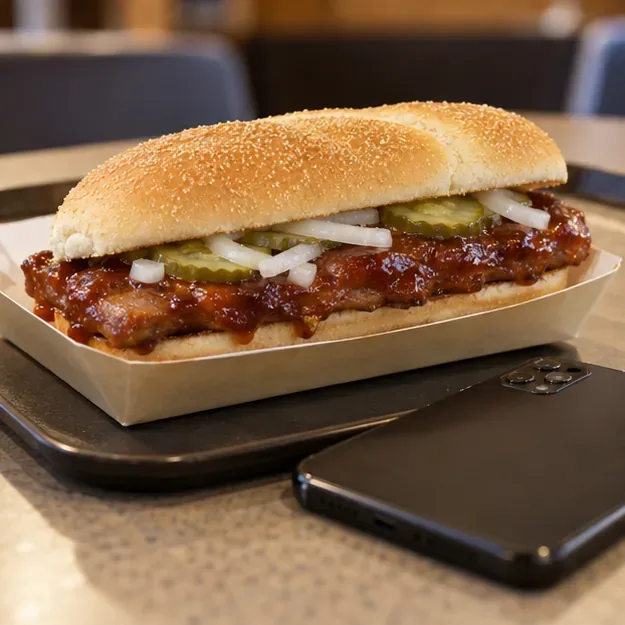
The McRib is returning to select U.S. McDonald’s restaurants as early as Tuesday, October 27, 2026, but that does not mean every restaurant will have it. The quickest way to check a nearby location is to choose that restaurant in the McDonald’s app, review its current order menu, and call before making a special trip if availability is unclear. McDonald’s has not published one nationwide list of participating restaurants in its return announcement.
On October 22, McDonald’s senior marketing director Guillaume Huin said the sandwich was coming back “as early as 10/27” in select restaurants across the United States. The phrase “as early as” matters: it gives a starting date for the regional rollout, not a guarantee that the McRib will appear at every store at the same moment. McDonald’s describes the sandwich as having limited availability, so check the specific restaurant you plan to visit rather than relying on a national menu page or an old social post.
How to find the McRib near you
Use the McDonald’s app or the official restaurant locator to identify nearby stores, then use the selected restaurant’s menu to check the sandwich itself. The locator is useful for addresses and hours; the order menu is the better availability check.
1. Search by location
In the McDonald’s app, choose More in the bottom navigation and then Locations. Search nearby, or enter a city, state, or ZIP code. You can allow location access for nearby results, but manual search works if you prefer not to share your device location. The official website’s restaurant locator also accepts a ZIP code or city and state and lets you adjust the search radius.
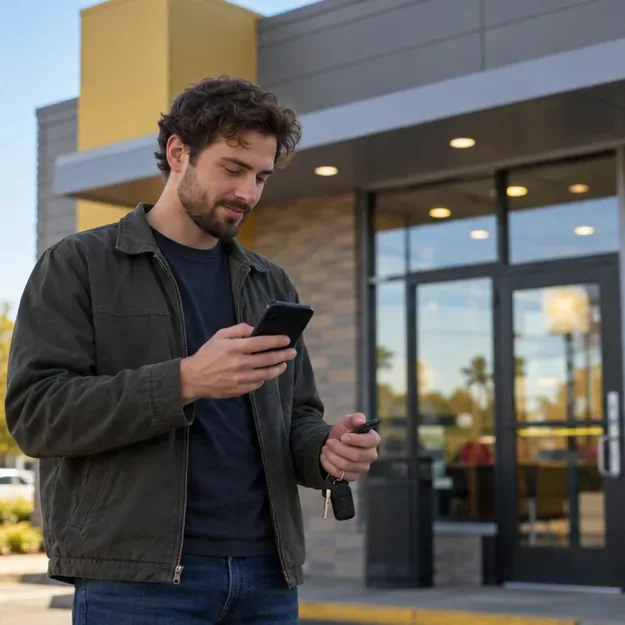
Start with a nearby search in the app or enter a city, state, or ZIP code.
2. Pick a store and check its details
Choose a location from the results and open View Details. Confirm the street address, phone number, and hours before you leave. McDonald’s says its restaurant locator provides those details for participating locations. Save a second nearby location as a backup if you are willing to drive farther; the closest restaurant may not participate in a limited promotion.
Check the chosen restaurant’s address and hours before setting out.
3. Check the menu for that exact restaurant
Set the restaurant as your pickup location in the app and open its order menu. Search for McRib or review the sandwich section. McDonald’s Mobile Order & Pay FAQ says the app labels products that are currently unavailable at a specific location and prevents customers from ordering them. A listing for one restaurant does not establish availability at another, so switch the selected location and check again if needed. If the item is marked unavailable or does not appear, the app may not explain whether the store opted out or has run out.
Check the selected restaurant’s menu for the McRib before you place an order.
4. Call before a long drive
If the McRib is missing from the menu, the status looks unclear, or you are traveling a long distance, call the restaurant using the number in its location details. Ask whether it is serving McRibs today and confirm the hours. The store can give you a more useful same-day answer than a screenshot, a fan-maintained tracker, or a menu result for a different address. If you are checking the app while driving, wait until you are parked; McDonald’s specifically advises customers not to use the app behind the wheel.
Call the selected restaurant to confirm same-day availability before making a special trip.
What different app results mean
What you see
How to use that information
The McRib appears and can be selected
This is a useful sign for the restaurant selected in the app. Review the price and order details before checkout; availability can still change.
The item is labeled unavailable
McDonald’s says unavailable products are marked for that restaurant. Try another nearby location or call to ask whether it expects to serve the sandwich.
The McRib is not listed
Do not assume the whole promotion has ended. Check another store and verify locally, especially around the announced launch date.
Mobile ordering is not enabled
The restaurant may not support Mobile Order & Pay. Its location details can still help you find the phone number and hours so you can check directly.
These checks answer two different questions. The locator helps you find a restaurant and plan the trip. The restaurant-specific menu helps you see whether the McRib is being offered through that ordering channel. Neither a general McRib product page nor another customer’s post confirms stock at the store you intend to visit.
Timing, price, and limited availability
McDonald’s announced the return date as “as early as” October 27, 2026, and described the rollout as limited to select U.S. restaurants. The announcement does not give a specific time of day, list every participating location, or set one final day for the promotion. Do not assume that the sandwich will appear at midnight, that every market starts on October 27, or that all restaurants will keep it for the same length of time. If it is not shown at your store on launch day, check later or ask the restaurant rather than treating the absence as proof the promotion is over everywhere.
The restaurant’s own menu is also the sensible place to check the current price. The national return announcement does not specify a single U.S. price, and the selected restaurant’s menu is the relevant one when placing a pickup order. If you are ordering delivery, confirm the restaurant and final total in the delivery flow before paying; the delivery menu and fees may differ from pickup.
What is confirmed about this McRib return?
McDonald’s executive Guillaume Huin announced that the McRib would return as early as October 27 in select U.S. restaurants. McDonald’s official product page describes its availability as limited, and its support pages explain how to search locations and how the app marks items unavailable at particular restaurants. Those sources support a location-by-location check, not a promise that the sandwich is nationwide. Use the McDonald’s app or official restaurant locator, inspect the menu for the exact store, and call ahead if you are making a special trip.