Microsoft Teams vs Slack: Which is Better for Work in 2026?

In the fast-paced world of remote and hybrid work, choosing between Microsoft Teams and Slack can make or break your team's efficiency. Both are powerhouse collaboration tools, but which one reigns supreme in 2026? We'll dive deep into their features, pricing, integrations, and more to help you decide. Stick around—by the end, you'll know exactly what's best for your workflow! 👇
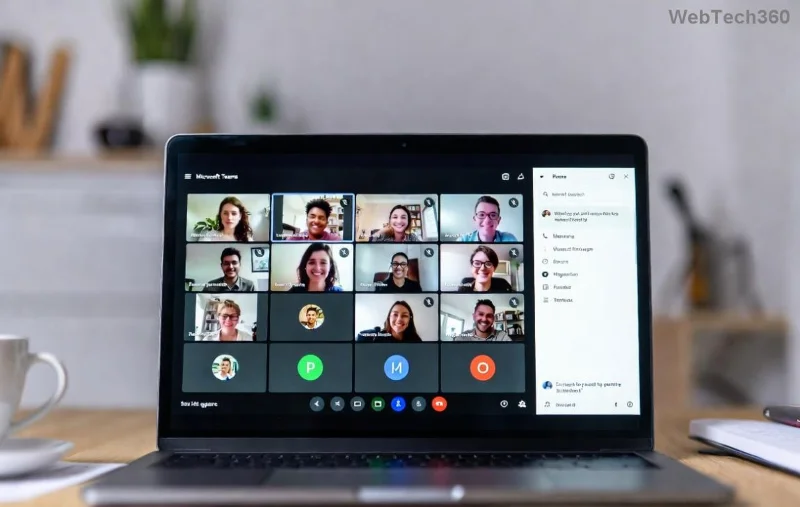
Microsoft Teams interface showcasing channels and meetings

Core Features Face-Off: Messaging, Channels, and Calls

At their heart, both apps excel in real-time communication. Slack shines with its intuitive, emoji-packed messaging that's fun and snappy—perfect for creative teams. But Microsoft Teams bundles everything into one hub, blending chat, video, and files seamlessly.

  • Channels & Organization: Slack's public/private channels are legendary for topic-based convos. Teams matches this with tabs for apps and wikis inside channels.
  • 📹 Video & Calls: Teams dominates with native Zoom-like meetings (up to 1,000 participants), breakout rooms, and live captions. Slack relies on huddles (quick audio/video) but integrates with Zoom or Google Meet.
  • 🔍 Search Power: Teams' AI-enhanced search now pulls from emails, files, and chats across Microsoft 365. Slack's search is lightning-fast but ecosystem-limited.

Ready for the ultimate breakdown? Here's a feature comparison table based on the latest 2026 updates:

Feature Microsoft Teams Slack
Real-time Messaging ✅ Unlimited, threaded replies ✅ Unlimited, emoji reactions
Video Meetings ✅ Built-in (50+ participants free) 🔗 Integrations only
File Sharing ✅ OneDrive/SharePoint (1TB+) ✅ 5GB free, unlimited paid
AI Assistant ✅ Copilot (summaries, insights) ✅ Slack AI (channel recaps)
Mobile App ⭐⭐⭐⭐⭐ ⭐⭐⭐⭐⭐

Integrations & Ecosystem: Who Connects Better?

Slack is the integration king with 2,600+ apps (think Trello, Asana, Google Workspace). It's a dream for non-Microsoft stacks. But Microsoft Teams has exploded in 2026, boasting 1,000+ apps plus deep Microsoft 365 ties—like editing Word docs in-chat or pulling Planner tasks.

Pro tip: If your team lives in Office, Teams saves hours. Slack users? You'll love its Zapier superpowers. Check Slack's full list here or Teams' marketplace.
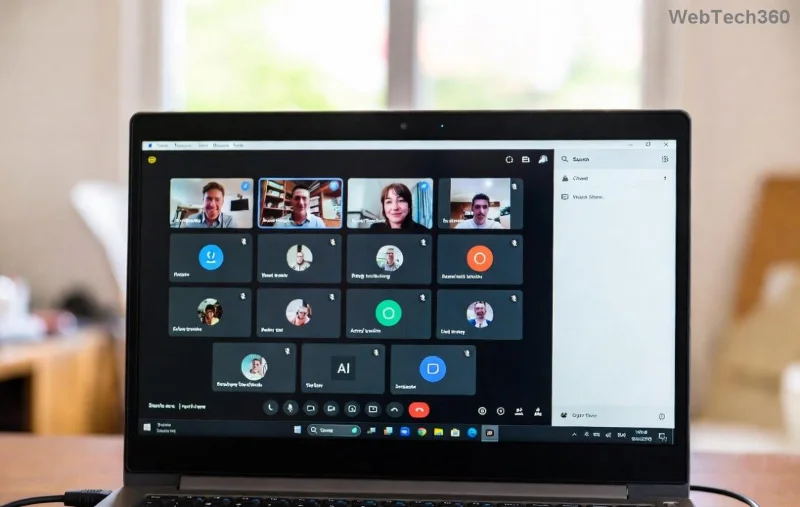
Slack workspace with integrations and channels

Pricing Showdown: Value for Money in 2026 💰

No more guesswork—here's the latest pricing:

  • Slack:
    • Free: Core features, 90-day history
    • Pro: $7.25/user/mo (unlimited history)
    • Business+: $12.50/user/mo (advanced security)
  • Microsoft Teams:
    • Free: Basics + 60-min meetings
    • Essentials: $4/user/mo (great for small teams)
    • Premium (via M365): $6+/user/mo (full suite)

Teams wins on cost if you're already in Microsoft 365 (often bundled free). Slack edges out for standalone use. Both offer enterprise plans with HIPAA/GDPR compliance.

AI & Future-Proofing: The 2026 Game-Changers 🤖

2026 is the year of AI. Teams' Copilot auto-generates meeting notes, suggests actions, and even drafts responses—integrated across Outlook and Loop. Slack AI offers canvas brainstorming and query answers from your workspace history.

Teams feels more enterprise-ready with Copilot's enterprise data protection. Slack's AI is snappier for quick insights. Which excites you more? Keep reading for the verdict! ✨

Security & Compliance: Enterprise Trust Factor 🔒

Both are SOC 2/ISO compliant. Teams leads with Microsoft Purview for data loss prevention and eDiscovery. Slack's Enterprise Grid handles massive orgs with customer-managed encryption. For regulated industries, Teams integrates with Azure AD seamlessly.

User Experience & Adoption: Real-World Wins

Slack's clean UI gets 4.7/5 on G2 for ease-of-use. Teams? Improved dramatically in recent updates, scoring 4.5/5—but some gripe about bloat. Small teams love Slack's vibe 😎; enterprises swear by Teams' all-in-one power 💪.

Microsoft Teams vs Slack: The 2026 Verdict 🏆

Choose Microsoft Teams if:

  1. Your team uses Microsoft 365 (best integration ever!)
  2. You need robust video meetings and file collab.
  3. Budget-friendly bundling is key.

Choose Slack if:

  1. You're in a multi-tool ecosystem (Google, Salesforce, etc.).
  2. Fun, fast messaging trumps everything.
  3. Smaller teams want zero bloat.

Neither is "better" universally—Teams for scale and suites, Slack for agility. Test both free tiers today! What's your pick? Drop a comment below. 👇

Stay productive in 2026—your team deserves the best. 🎉

Leave a Comment

Microsoft Teams vs Slack: Which is Better for Work in 2026?

Microsoft Teams vs Slack: Which is Better for Work in 2026?

Discover Microsoft Teams vs Slack in 2026: in-depth comparison of features, pricing, integrations, and AI tools. Find out which is better for your work team productivity and collaboration.

Troubleshooting Microsoft Teams Video call Error

Troubleshooting Microsoft Teams Video call Error

Struggling with Microsoft Teams video call error? Discover proven, step-by-step troubleshooting fixes for video issues, camera problems, and more. Get seamless calls back in minutes!

Solving Microsoft Teams Mac Error Keychain Issues

Solving Microsoft Teams Mac Error Keychain Issues

Struggling with Microsoft Teams Mac Error Keychain Issues? Discover proven, step-by-step fixes to resolve Keychain errors on Mac, restore smooth login, and boost productivity fast. No tech expertise needed!

Solving Microsoft Teams Hard Error (2026 Guide)

Solving Microsoft Teams Hard Error (2026 Guide)

Tired of Microsoft Teams crashing with "Hard Error"? This 2026 guide delivers step-by-step fixes for seamless video calls and chats. Clear cache, update, reinstall—solve it now!

How to Fix Microsoft Teams DLL Missing Errors (msvcp140.dll)

How to Fix Microsoft Teams DLL Missing Errors (msvcp140.dll)

Tired of Microsoft Teams crashing due to msvcp140.dll missing errors? Discover proven, step-by-step fixes to restore smooth video calls and chats. Works on Windows 10/11 with latest updates.

How to Fix Microsoft Teams Meeting ID Not Working

How to Fix Microsoft Teams Meeting ID Not Working

Tired of Microsoft Teams Meeting ID not working? Get instant fixes for join errors on desktop, mobile, or web. Step-by-step troubleshooting with latest updates to rejoin meetings seamlessly. No tech skills needed!

How to Fix Microsoft Teams Welcome Error Startup Loop

How to Fix Microsoft Teams Welcome Error Startup Loop

Struggling with Microsoft Teams "Welcome Error" startup loop? Discover step-by-step fixes to resolve the issue quickly. Clear cache, reset app, and more for seamless Teams experience. Updated with latest solutions.

How to Fix Microsoft Teams Disabled Error Account Blocked

How to Fix Microsoft Teams Disabled Error Account Blocked

Stuck with Microsoft Teams "Disabled Error" Account Blocked? Discover proven, step-by-step solutions to fix the issue fast, regain access, and prevent future blocks. No tech skills needed!

How to Use Microsoft Teams Copilot for AI-Powered Meetings

How to Use Microsoft Teams Copilot for AI-Powered Meetings

Master how to use Microsoft Teams Copilot for AI-powered meetings. Step-by-step guide with latest tips to generate recaps, answer questions, and boost productivity effortlessly. Transform your Teams experience today!

Microsoft Teams Breakout Rooms Tutorial for Beginners (2026)

Microsoft Teams Breakout Rooms Tutorial for Beginners (2026)

Master Microsoft Teams Breakout Rooms with this beginner-friendly tutorial. Step-by-step guide to creating, managing, and optimizing breakout rooms for dynamic 2026 meetings and workshops. Boost engagement now!

Solving Microsoft Teams Recording Save Error

Solving Microsoft Teams Recording Save Error

Stuck with Microsoft Teams Recording Save Error? Get instant, step-by-step fixes for saving recordings effortlessly. Proven solutions for all common issues – no tech skills needed!

How to Create a Wiki Page in Microsoft Teams

How to Create a Wiki Page in Microsoft Teams

Discover how to create a Wiki page in Microsoft Teams effortlessly. This ultimate guide covers step-by-step instructions, tips, and best practices to boost your team's knowledge sharing and productivity. Perfect for beginners!

How to Fix Microsoft Teams Error S Screen

How to Fix Microsoft Teams Error S Screen

Stuck on Microsoft Teams "Error S" screen? Discover proven, step-by-step solutions to fix Microsoft Teams Error S fast. Clear cache, restart, update & more for seamless teamwork. Works on latest versions!

How to Fix Microsoft Teams Proxy Error on Windows 10

How to Fix Microsoft Teams Proxy Error on Windows 10

Struggling with Microsoft Teams proxy error on Windows 10? Discover step-by-step fixes to resolve proxy authentication issues, connection failures, and more. Get Teams running smoothly in minutes with our expert guide.

Solving Microsoft Teams Town Hall Event Error

Solving Microsoft Teams Town Hall Event Error

Tired of Microsoft Teams Town Hall Event Error ruining your events? Get step-by-step fixes for scheduling, access, and registration issues. Restore seamless virtual town halls today with our ultimate guide.








