Leftover Halloween Candy and Pumpkins: What to Do Next

Sort leftover Halloween candy safely, share or repurpose sealed treats, and choose food use or compost for pumpkins based on their condition.
Google has just released an update to its Pixel Troubleshooting app that lets users see the internal temperature of their phone. Previously, you needed a third-party app to monitor the temperature, so this update should make it easier to take care of your phone or see if there are any issues with its ability to handle heat.
You still need an app, but Google made it
Google launched the Pixel Troubleshooting app in October 2023 to help users fix common issues with their Pixel devices, like if their phone feels like it's overheating. It's hard to understand why Google made it an app and not something you can find in your phone's settings menu, but at least it's made by Google and not another developer. This technically makes it a first-party app; after all, Google's software engineers have the best idea of what's going on with Pixel phones.
According to 9to5Google, the Device Temperature Check feature is included in Pixel Troubleshooting version 1.0.693922709. The update isn't widely available yet, so if you don't see it when checking for updates on Google Play, you can download the latest version from APKMirror and sideload the app manually.
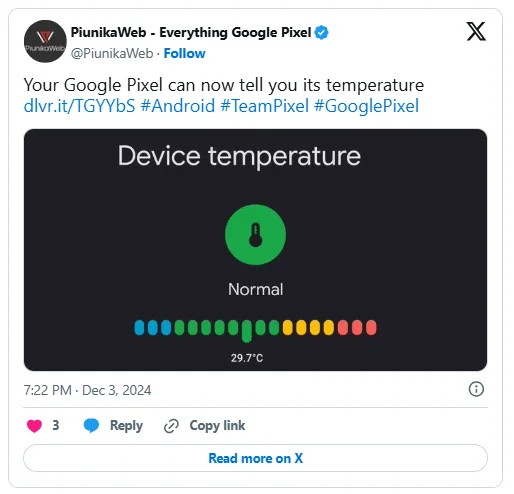
However, after installing or updating the Pixel Troubleshooting app on your phone, you can see the feature by going to Settings > Battery > Battery diagnostics > Phone is very warm . This will open the Device temperature page , where you'll see the temperature and four different color codes: Cold (Blue), Normal (Green), Warm (Yellow), and High (Red). The feature will be available on the Google Pixel 6, 7, 8, and 9 series on Android 15 , including the a and Pro versions if available.
The device temperature reading will help you determine whether your phone is just getting warm from regular use or if something is wrong. That way, you'll know if your Android phone is overheating and can fix it before you run into more problems, especially with Pixel phone batteries, due to increased temperatures.
Sort leftover Halloween candy safely, share or repurpose sealed treats, and choose food use or compost for pumpkins based on their condition.
Compare workplace Halloween costume choices by respect, dress code, mobility, and safety—and learn when a subtle accessory or a policy check is the better option.
Find a couples costume that fits your style, budget, and comfort level, from Addams Family classics to original inside-joke duos.
Need a last-minute high school Halloween costume? Compare 10 easy closet-based ideas by prep time, comfort, school-day practicality, and simple safety checks.
Use a simple 2026 Halloween decorating timeline for indoor décor, outdoor displays, and fresh pumpkins, with practical adjustments for weather and events.
Mix five vivid, approachable Halloween cocktails with measured recipes, simple prep tips, and an alcohol-free option for your party guests.
Find 15 office-friendly Halloween costume ideas for 2026, with practical checks for dress codes, respectful themes, comfort, and workplace safety.
Plan a fun elementary school Halloween party with easy crafts, games, inclusive treats, costume tips, and a sample 75-minute classroom schedule.
Compare realistic side hustles for 2026 by startup cost, fees, flexibility, and income control, with current tax and scam guidance from official sources.
Upgrade your home office ergonomics with current OSHA and NIOSH guidance on chair fit, monitor height, laptop setup, lighting, and movement.








