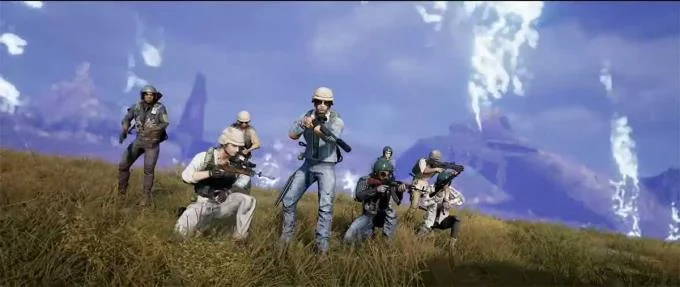
As announced, in the upcoming update of Playerunknown's battlegrounds (PUBG) will launch Team Deathmatch mode . PUBG's Team Deathmatch mode will bring 8v8 or 7vs7 matches on familiar maps. You will be given different weapons to use and destroy enemies to win.
Download PUBG PC
Instructions for playing Team Deathmatch mode in PUBG
Rules of Team Deathmatch
Even in the name of the game mode, we have a rough understanding of how to play this mode. "Death match" is inherently a familiar mode in shooters, even PUBG's cousin PUBG Mobile has been bringing this mode into the game for a long time.
Let's take a look at the rules of the new regime:
- Only support the first view.
- Broadcast started equipped.
- Lets choose a weapon set.
- Being revived, the time is 5s after death.
- Revive location near your allies if it's safe.
- Immunity damage immediately after reviving a few seconds.
- Receiving enough damage will die without knocking (cannot be saved).
- Cannot shoot teammates.
- The number of lives and support points will gradually increase the energy column.
- After not being damaged for 5 seconds, your health will begin to recover, and the energy column will also decrease.
- If AFK is within a certain period of time, you will be eliminated from the match.
- Once you have left the match, you will not be able to enter it again.

Victory conditions and rewards
- The first team to kill 50 kills or kill the most kills after 10 minutes counts as winning that round. 2 times winning the round will win the match
- Only BP (Battle Points) are awarded based on individual scores.
- Did not receive EXP.
- Players may be assigned to ongoing Team Deathmatch matches, but will not be included in upcoming matches.
Toy map
Team Deathmatch mode has up to 7 different battlefields, cut out from familiar maps. Specific location in the map as follows:
- Map Erangel: Stalber, Sosnovka base
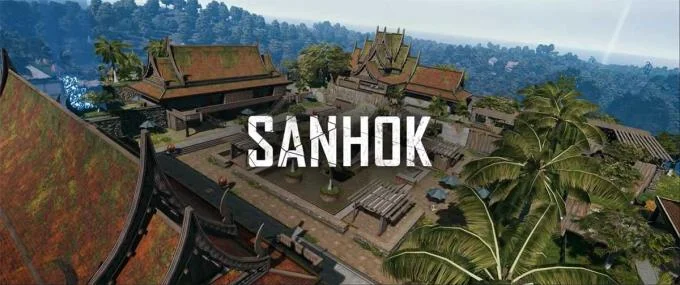
- Sanhok jungle map: Paradise Resort, Pier
- Vikendi snow map: Podvosto, Peshkova
- Map of the desert Miramar: Campo Militar

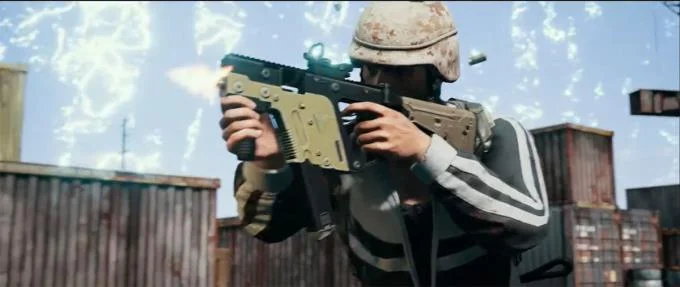
Each battlefield is chosen to provide a different TDM experience. For example, Podvosto on the Vikendi map has a long-range combat type over a bridge, while Sanhok's Dock battlefield has a close-range combat around the containers. TDM will also support each of the battlefield's changing weather conditions, so be prepared to change the Special Kit to adjust to the map.
Each type of battlefield will bring a different battle experience, different techniques as well as tactics. Therefore, the selection of special tools to suit the terrain is extremely important.
Equip in Team Deathmatch
Initial equipment sets are the equipment and weapons you choose when you parachute to the ground. We can see their current starting equipment and scoreboard by turning on / off the map while in the game. If the item change starts on this screen, it will be applied the next time you revive or at the beginning of the next round.
In this update, there are 8 types of different starting equipment for you to choose: 2 sets of AR guns, 2 sets of DMR guns, 2 sets of SR guns, 1 set of SMG and 1 set of Shotgun . We can choose as we like.

Power column in Team Deathmatch
When supporting or defeating will fill up the bar. Use this energy bar to regain health gradually after 5 seconds of taking no damage. The energy column in Deathmatch only heals and does not increase the movement speed of the character. When healing, the energy column will decrease and when exhausted, it cannot heal anymore.