Make Realistic Fake Blood Without a Cleanup Surprise

Mix a glossy prop-only fake blood batch, choose safer products for skin and costumes, and test cleanup before Halloween night.
South Korean semiconductor giant Samsung has officially announced that it has successfully developed the industry's first commercial 24 gigabit (Gb) GDDR7 DRAM, primarily to serve the hot growth needs of next-generation AI computing. Samsung is not only confidently advertising this as the highest-capacity GDDR7 DRAM ever created, but also supports unprecedented speeds of over 40Gbps. The Korean company said that this memory will "significantly raise" the standard for graphics DRAM "powering future applications".
Hardware validation with GPU manufacturing partners will begin this year, and then, if all goes well, mass production will begin early next year. Commenting on the development, YongCheol Bae, Executive Vice President of Memory Product Planning at Samsung Electronics, said:
Following the successful development of the industry’s first 16Gb GDDR7 last year, Samsung has further solidified its technological leadership in the graphics DRAM market with this latest achievement. We will continue to lead the graphics DRAM market by introducing next-generation products that meet the growing needs of the AI market.
Samsung expects the new DRAM solution to be applied in various fields requiring high-performance memory solutions such as data centers and AI workstations, while expanding traditional applications of graphics DRAM in graphics cards, game consoles, and autonomous vehicles.
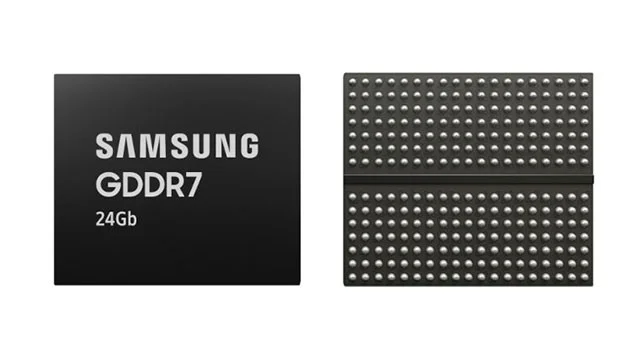
A key benefit of the new GDDR7 memory chips over previous generations is that they have improved power efficiency by using technology from mobile products in graphics DRAM for the first time. These include clock control management and a dual VDD design. Samsung says that by cutting unnecessary power consumption, power efficiency has been improved by 30%.
Furthermore, Samsung says it has used power gate design techniques to minimize current leakage, which enhances operational stability during high-speed operations.
Samsung hasn't provided any pricing information for this memory solution nor given an expected release date, but it's likely to be sometime in the second half of 2025.
Mix a glossy prop-only fake blood batch, choose safer products for skin and costumes, and test cleanup before Halloween night.
Create a gentle Halloween look with pastel colors, friendly ghosts, easy no-carve accents, and practical safety tips for your home.
Create a spooky office cubicle with Halloween desk decor ideas that keep your workspace usable, tidy, and mindful of workplace safety.
Plan a recognizable Halloween 2026 look with pop culture costumes inspired by Spider-Man, Supergirl, Toy Story 5, Moana, Mario, and Wednesday.
Sort leftover Halloween candy safely, share or repurpose sealed treats, and choose food use or compost for pumpkins based on their condition.
Compare workplace Halloween costume choices by respect, dress code, mobility, and safety—and learn when a subtle accessory or a policy check is the better option.
Find a couples costume that fits your style, budget, and comfort level, from Addams Family classics to original inside-joke duos.
Need a last-minute high school Halloween costume? Compare 10 easy closet-based ideas by prep time, comfort, school-day practicality, and simple safety checks.
Use a simple 2026 Halloween decorating timeline for indoor décor, outdoor displays, and fresh pumpkins, with practical adjustments for weather and events.
Mix five vivid, approachable Halloween cocktails with measured recipes, simple prep tips, and an alcohol-free option for your party guests.








