Pop Culture Costume Ideas That Will Dominate Halloween 2026

Plan a recognizable Halloween 2026 look with pop culture costumes inspired by Spider-Man, Supergirl, Toy Story 5, Moana, Mario, and Wednesday.
Rest is important to achieving your goals, but not as important as you think. This article will tell you whether or not you should work out when you're sleep deprived .
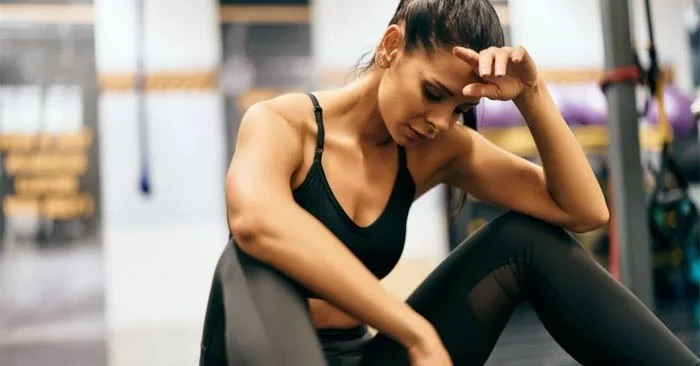
Should you exercise if you're sleep-deprived today? A study published earlier this year took a practical look at the question, finding that people who regularly get five hours of sleep can make good progress during resistance band strength training.
How much sleep do you need to build muscle?
A healthy lifestyle should include a healthy amount of sleep, which will range from seven to eight hours, depending on the individual. If you exercise a lot, this can increase your sleep needs; it's not uncommon for athletes to sleep nine to 10 hours.
When it comes to building muscle specifically, there's no specific number of hours needed. Exercise scientist Brad Schoenfeld, who posted about the new study on Instagram, noted in the caption that we likely need a minimum amount of sleep to build muscle, but "exactly how much is unclear and will likely vary from person to person."
In other words, science can't answer this question for you right now, but you probably can't live without sleep.
Is it still possible to build muscle on five hours of sleep a night?
Maybe! Of course, recent research isn't a perfect answer to this question, but it does provide strong evidence that suggests five hours of sleep a night may still be fine for many people.
The study participants were men who did not typically exercise, and they were excluded from the study if they were diagnosed with any sleep disorders. The 36 men were divided into three groups: those who slept an average of seven hours a night, those who slept an average of five hours a night, and a control group who slept more than seven hours a night. The control group did not exercise during the study. The seven- and five-hour sleep groups did.
The results? For some muscle groups, the seven-hour sleep group had slightly better gains than the five-hour sleep group, but for others, gains were nearly equal. Both groups gained more muscle than the control group that did not exercise. “The results of the current study suggest that the value of 7 hours as a minimum nightly sleep duration may be relaxed when it comes to the recovery state associated with muscle strength performance,” the authors write.
The study had its limitations, including the fact that it was all male, that it used resistance bands instead of barbells or dumbbells, and that the participants weren’t trained to begin with. But the results are consistent with what almost any trainer or fitness enthusiast can tell you: Getting a good night’s sleep is great, but it’s not necessary for making progress in the gym.
Consistency is more important than getting the details right
How can this be, if rest is so important for muscle growth? Well, first of all, rest is not some “magic bullet” that needs to do its job without interruption.
But ultimately, the important lesson every experienced exerciser wants to impart to beginners is that it’s better to do things right most of the time than to get them perfect every once in a while. If you only lift weights when you’ve had enough sleep, you’re probably not going to get as much exercise as you want. Prioritize consistency—getting to the gym whenever you can.
Plan a recognizable Halloween 2026 look with pop culture costumes inspired by Spider-Man, Supergirl, Toy Story 5, Moana, Mario, and Wednesday.
Sort leftover Halloween candy safely, share or repurpose sealed treats, and choose food use or compost for pumpkins based on their condition.
Compare workplace Halloween costume choices by respect, dress code, mobility, and safety—and learn when a subtle accessory or a policy check is the better option.
Find a couples costume that fits your style, budget, and comfort level, from Addams Family classics to original inside-joke duos.
Need a last-minute high school Halloween costume? Compare 10 easy closet-based ideas by prep time, comfort, school-day practicality, and simple safety checks.
Use a simple 2026 Halloween decorating timeline for indoor décor, outdoor displays, and fresh pumpkins, with practical adjustments for weather and events.
Mix five vivid, approachable Halloween cocktails with measured recipes, simple prep tips, and an alcohol-free option for your party guests.
Find 15 office-friendly Halloween costume ideas for 2026, with practical checks for dress codes, respectful themes, comfort, and workplace safety.
Plan a fun elementary school Halloween party with easy crafts, games, inclusive treats, costume tips, and a sample 75-minute classroom schedule.
Compare realistic side hustles for 2026 by startup cost, fees, flexibility, and income control, with current tax and scam guidance from official sources.








