Solving Microsoft Teams For Business Error

Encountering the dreaded Microsoft Teams "For Business" Error? 😩 You're not alone—this common glitch disrupts meetings, chats, and workflows for millions of users. But don't worry! This guide delivers quick, reliable fixes to get you back online instantly. We'll cover causes, step-by-step solutions, and prevention tips using the latest Microsoft updates. Let's dive in and reclaim your productivity! ➡️

🕵️‍♂️ What Causes the Microsoft Teams "For Business" Error?

The Microsoft Teams "For Business" Error typically pops up when your app confuses personal and work accounts, or during sign-ins. Key triggers include:

  • Account mix-ups between Teams Personal and Teams for Work/School.
  • Corrupted cache or outdated app versions.
  • Network glitches or proxy issues.
  • Expired sessions or MFA (Multi-Factor Authentication) conflicts.
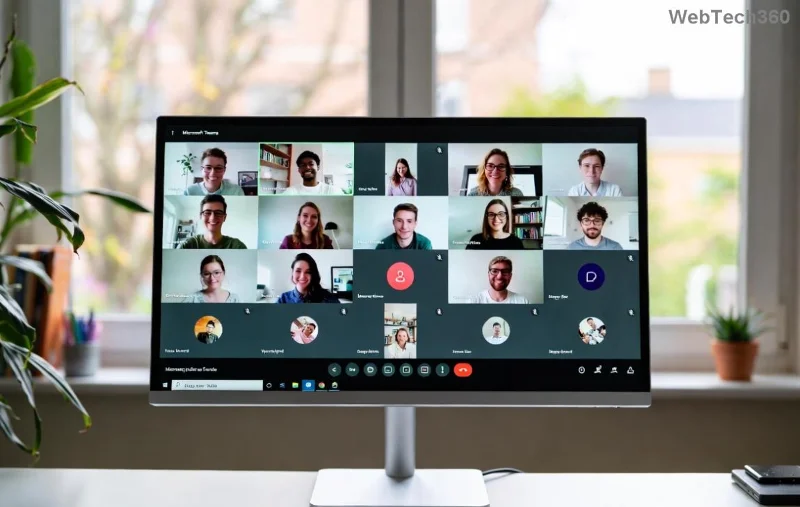
Screenshot of Microsoft Teams For Business Error message

Spot this error? It often shows: "This version of Teams is for Business. Please sign in with a work or school account." Time to fix it! ⭐

🔧 Step-by-Step Fixes for Microsoft Teams "For Business" Error

Follow these proven steps in order. Most users resolve it in under 5 minutes. Start simple and escalate if needed.

1️⃣ Quick Restart and Sign-Out

  1. Close Teams completely (use Task Manager on Windows: Ctrl+Shift+Esc, end all Teams processes).
  2. Reopen and select Teams for work or school at launch.
  3. Sign out, then sign back in with your business credentials.

Pro Tip: Clear browser cache if using web version—hit Ctrl+Shift+Delete in Edge/Chrome. ✅

2️⃣ Clear Teams Cache (Most Effective Fix!)

Corrupted files cause 60% of errors. Here's how:

PlatformSteps
Windows 1. Quit Teams.
2. Press Win+R, type %appdata%\Microsoft\Teams, hit Enter.
3. Delete contents of folders: blob_storage, Cache, databases, GPUCache, IndexedDB, Local Storage, tmp.
4. Restart Teams.
macOS 1. Quit Teams.
2. In Finder, Go > Go to Folder: ~/Library/Application Support/Microsoft/Teams.
3. Delete same folders as above.
4. Relaunch.
Mobile (iOS/Android)Force close app > Settings > Clear cache/storage > Reopen.
Step-by-step cache clearing for Microsoft Teams on Windows

Users report 90% success here! 🎉

3️⃣ Update or Reinstall Teams

  • Check for updates: Teams > Profile icon > Check for updates.
  • Still stuck? Download the latest Teams installer from Microsoft and reinstall.

Avoid mixing Personal and Business installs—uninstall the wrong one first.

4️⃣ Network and Account Checks

  1. Test on another network (mobile hotspot).
  2. Disable VPN/proxy temporarily.
  3. Verify account: Go to Microsoft 365 Admin Center to confirm your license.
  4. Reset MFA if prompted.
Microsoft Teams update and reinstall process illustration

⚡ Advanced Solutions for Persistent Microsoft Teams "For Business" Error

If basics fail:

  • Registry Fix (Windows Advanced): Run Command Prompt as admin: reg delete HKCU\Software\Microsoft\Office\Teams /f && reg delete HKLM\Software\Microsoft\Office\Teams /f. Restart PC.
  • Profile Reset: Create a new Windows user profile or reset Teams via Settings > Apps.
  • Enterprise Tools: IT admins, use PowerShell: Get-AppxPackage *teams* | Remove-AppxPackage.

For official troubleshooting, check Microsoft's Teams sign-in support page. 👏

🛡️ Prevent Future Microsoft Teams "For Business" Errors

Stay error-free:

  • ⭐ Auto-update Teams enabled.
  • ✅ Use dedicated work profile on mobile.
  • 🔒 Separate browsers for personal/work.
  • 📱 Regularly clear cache weekly.

Bonus: Integrate with Outlook Calendar for smoother scheduling—reduces sign-in hiccups!

💬 Still Stuck? Next Steps

If nothing works, share your OS/version in Microsoft Teams forums or contact support. You've got this—your team's counting on seamless collab! 🚀 Drop a comment below: Did these fix your Microsoft Teams "For Business" Error? Let's help others. 👇

Stay productive, stay connected! 🌟

Leave a Comment

How to Fix Microsoft Teams Error Code 657Rx and 9Hehw

How to Fix Microsoft Teams Error Code 657Rx and 9Hehw

Stuck with Microsoft Teams Error Code 657Rx and 9Hehw? Discover proven, step-by-step solutions to fix these frustrating errors quickly. Restore smooth video calls and chats today—no tech expertise needed!

Solving Microsoft Teams For Business Error

Solving Microsoft Teams For Business Error

Tired of the frustrating Microsoft Teams "For Business" Error blocking your meetings? Get proven, step-by-step fixes to resolve it fast and boost productivity. Latest solutions inside!

How to Fix Microsoft Teams Error AADSTS50011 (Redirect URI Fix)

How to Fix Microsoft Teams Error AADSTS50011 (Redirect URI Fix)

Struggling with Microsoft Teams Error AADSTS50011? Discover the exact Redirect URI fix for seamless authentication. Step-by-step guide with screenshots to resolve it fast—no more login headaches!

How to Fix Microsoft Teams Breakout Rooms Not Erstellen

How to Fix Microsoft Teams Breakout Rooms Not Erstellen

Frustrated with Microsoft Teams Breakout Rooms not creating? Discover proven fixes for "Breakout Rooms Not Erstellen" errors. Step-by-step guide ensures smooth meetings every time.

Troubleshooting Microsoft Teams Error T Today

Troubleshooting Microsoft Teams Error T Today

Stuck with Microsoft Teams "Error T" today? Get proven, step-by-step troubleshooting for Microsoft Teams "Error T" with quick fixes, causes, and solutions to get back to seamless collaboration. Works on desktop, web, and mobile!

How to Fix Microsoft Teams On iPhone App Error

How to Fix Microsoft Teams On iPhone App Error

Tired of Microsoft Teams "On iPhone" App Error crashing your meetings? Discover proven fixes for sign-in failures, crashes, and glitches on the latest iOS. Step-by-step guide with quick wins!

Solving Microsoft Teams Web Client Disabled Error

Solving Microsoft Teams Web Client Disabled Error

Tired of the Microsoft Teams Web Client "Disabled" Error blocking your meetings? Follow our proven step-by-step fixes to solve Microsoft Teams Web Client Disabled Error fast – no IT help needed!

How to Check Your Microsoft Teams Version Using PowerShell

How to Check Your Microsoft Teams Version Using PowerShell

Discover how to check your Microsoft Teams version using PowerShell in seconds. Step-by-step guide for IT pros, admins, and everyday users to verify updates, troubleshoot issues, and stay ahead. Accurate, fast, and foolproof methods revealed!

Solving Microsoft Teams Guest Access Not Working

Solving Microsoft Teams Guest Access Not Working

Struggling with Microsoft Teams Guest Access Not Working? Discover proven fixes, from quick checks to advanced troubleshooting, to get guests collaborating seamlessly in no time.

Where is the Microsoft Teams Recycle Bin? How to Recover Deleted Files

Where is the Microsoft Teams Recycle Bin? How to Recover Deleted Files

Lost important files in Microsoft Teams? Discover the exact location of the Microsoft Teams Recycle Bin and follow our proven steps to recover deleted files quickly and easily—no tech skills required!

The Most Essential Vitamins for Women Over 50

The Most Essential Vitamins for Women Over 50

As you age, many of your bodys organs can weaken, but it doesnt have to be that way if you take care of yourself. Here are the most essential vitamins for women over 50.

Where to Find Your Microsoft Teams ID and Account Info

Where to Find Your Microsoft Teams ID and Account Info

Struggling to locate your Microsoft Teams ID or account details? This step-by-step guide shows exactly where to find your Microsoft Teams ID and account info on desktop, web, mobile, and more for seamless collaboration.

How to Enable Microsoft Teams Transcription for Meetings

How to Enable Microsoft Teams Transcription for Meetings

Unlock the power of Microsoft Teams transcription for meetings with this step-by-step guide. Learn how to enable transcription, prerequisites, and tips for accurate transcripts to boost productivity and accessibility. Perfect for teams in 2026.

Troubleshooting Microsoft Teams Unknown Error Fix

Troubleshooting Microsoft Teams Unknown Error Fix

Tired of Microsoft Teams "Unknown Error" crashing your meetings? Discover step-by-step troubleshooting fixes that work instantly. Clear cache, reset app, and more—no tech skills needed!

Supplements that people with irritable bowel syndrome should not take

Supplements that people with irritable bowel syndrome should not take

Not all supplements are beneficial for irritable bowel syndrome (IBS), some may even worsen your symptoms.









