Leftover Halloween Candy and Pumpkins: What to Do Next

Sort leftover Halloween candy safely, share or repurpose sealed treats, and choose food use or compost for pumpkins based on their condition.
Gangs are back in the TFT season 14 meta in a different form than before, but still featuring familiar faces like Twisted Fate, Braum, and Shaco.
This clan works a little differently as each time you reach a trait threshold, you will receive a Kingpin hat, which helps champions enhance the unique abilities of the Gang champions. Therefore, the Gang will become more flexible, allowing players to choose who wears the Kingpin hat to increase the power of that champion's skills. Although there are few champions and can be combined flexibly, you will still need some of the suggestions below to use the Gang more effectively.
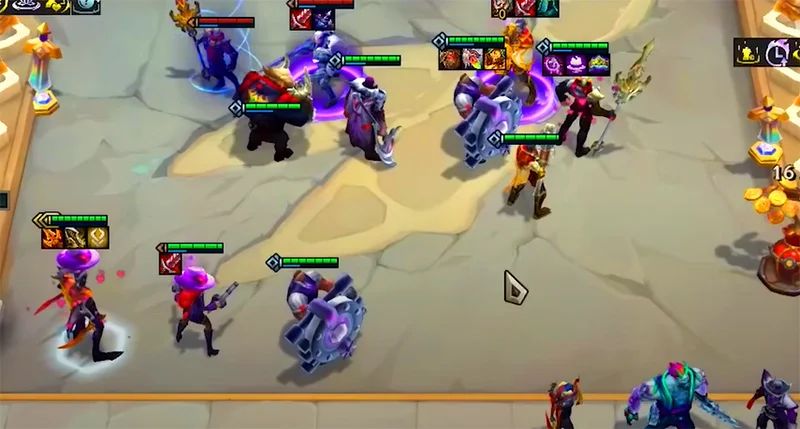
Characteristics of Gangster Generals
Get Kingpin's hat, exclusive upgrade of Gangster's skills, and Gangster's HP and damage are increased.
Build DTCL Gang Squad Season 14
Early game
The goal in the early game is to build a strong enough team to maintain stable health and save money for the slow roll phase at level 6 later.
You should pick up Gangsters early in the shop like Twisted Fate, Darius, and Shaco. You can also add in strong early game traits like Dr. Mundo (paired with Darius to activate 2 Fighters) or other 1-cost champions that can add more traits to your team.
The goal in the early game is still to activate 3 Gangs as soon as possible to take advantage of the initial effect and get the Kingpin hat. In addition, you can combine other races depending on what you see.
See more: How to play DTCL Season 14 Gunner
In terms of item management, the top priority is to pair Twisted Fate's component items with Rageblade or Spear of Shojin and other magical items like Deathcap, Nashor's Tooth, and Jeweled Gauntlet. Tank items can be temporarily thrown to Darius or Dr. Mundo to increase their early game resistance.
If you find that Twisted Fate is off to a bad start, you can consider going on a losing streak to get priority in the carousel. However, if you go on a winning streak, level up to level 4 in round 2-1.
Mid-game
The goal at this stage is to reach level 6, if you are lucky you can complete the team with 5 Gang generals and can slow roll for low cost generals. Mainly Twisted Fate and Darius to increase resistance and damage. But usually Miss Fortune will not appear early for you to activate 5 Gang.
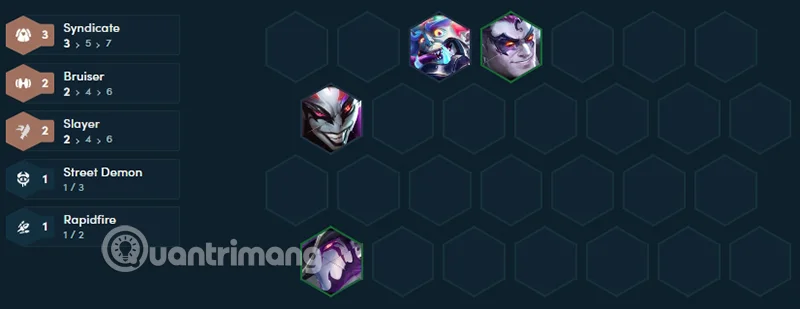
If you can't find Miss Fortune and Braum, your ideal comp would be: Twisted Fate, Darius, Skarner, Dr. Mundo, Kog'Maw and Shaco . This comp will activate 3 Gangsters, 2 Brawlers, 2 Demolition Robots, 2 Slashers and 2 Butchers and that's pretty much all the traits activated.
Just focus on finding Twisted Fate and Darius, and continue this process until both of them are 3 stars. Then continue to level 7 and find Miss Fortune and Braum to get 5 Gangs.
End of the game
After successfully upgrading Twisted Fate and Darius to 3 stars, the next goal is to level up and add powerful support units and complete the 5 Gang squad.
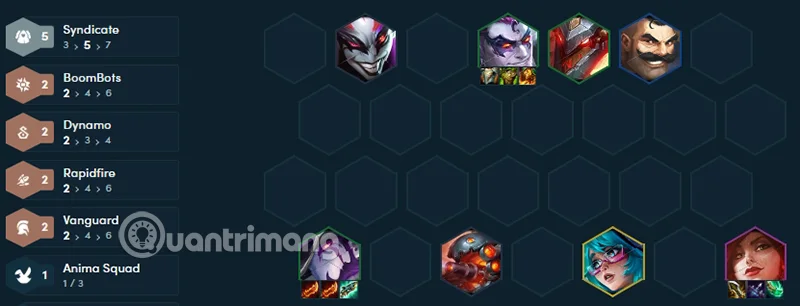
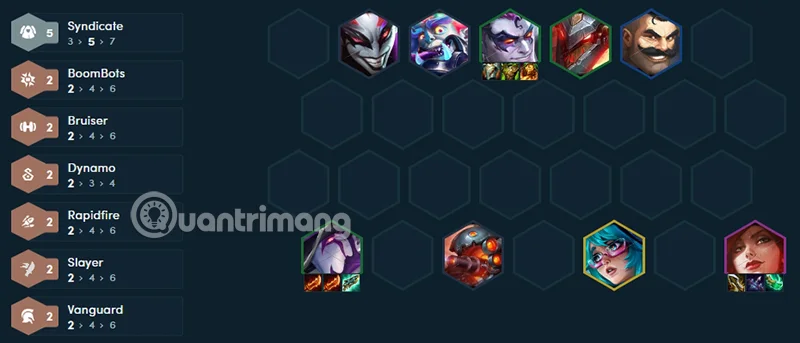
Adds Braum and Miss Fortune to the team. This completes the 5 Gangs milestone, and also activates 2 Vanguards (Braum) and 2 Advisors (Miss Fortune).
You can add Aurora to your team to swap positions with another champion you have placed in the queue. If you see something your team is lacking, put a 5 gold champion there, but be careful not to put Aurora because Aurora on the floor will not swap with Aurora in the queue.
Suggestion for you is tank general because Gang tank will be weak later, can add Zac to swap and increase health for yourself. At the same time, it causes quite good damage so this is a card that you should consider.
Line up
In terms of team composition, Twisted Fate should be placed in a safe position in the back row to maximize survivability and sustained damage. Darius and Braum will naturally "take the lead" to absorb damage from the enemy. Miss Fortune can be placed in the middle or back row to deal AoE damage. The exact positions of champions may need to be adjusted depending on the enemy team composition and the flow of the match.
Equipment for Gangster Generals
Easy to rotate cards and easy to combine with other clans, Gang is a force that can dominate right from the beginning of the game even though there are only 5 generals and no 5-gold generals. However, with damage-dealing skills and Kingpin hats, we don't need to gather all the Gangs to see these generals appear in many different teams.
Sort leftover Halloween candy safely, share or repurpose sealed treats, and choose food use or compost for pumpkins based on their condition.
Compare workplace Halloween costume choices by respect, dress code, mobility, and safety—and learn when a subtle accessory or a policy check is the better option.
Find a couples costume that fits your style, budget, and comfort level, from Addams Family classics to original inside-joke duos.
Need a last-minute high school Halloween costume? Compare 10 easy closet-based ideas by prep time, comfort, school-day practicality, and simple safety checks.
Use a simple 2026 Halloween decorating timeline for indoor décor, outdoor displays, and fresh pumpkins, with practical adjustments for weather and events.
Mix five vivid, approachable Halloween cocktails with measured recipes, simple prep tips, and an alcohol-free option for your party guests.
Find 15 office-friendly Halloween costume ideas for 2026, with practical checks for dress codes, respectful themes, comfort, and workplace safety.
Plan a fun elementary school Halloween party with easy crafts, games, inclusive treats, costume tips, and a sample 75-minute classroom schedule.
Compare realistic side hustles for 2026 by startup cost, fees, flexibility, and income control, with current tax and scam guidance from official sources.
Upgrade your home office ergonomics with current OSHA and NIOSH guidance on chair fit, monitor height, laptop setup, lighting, and movement.








