Leftover Halloween Candy and Pumpkins: What to Do Next

Sort leftover Halloween candy safely, share or repurpose sealed treats, and choose food use or compost for pumpkins based on their condition.
With new virtual private networks popping up all the time, you have dozens of VPNs to choose from. But how do you know which one to choose? Before you trust a VPN to provide you with online privacy and security, here are some things to consider.
Data Policy
How private is a VPN if the VPN provider collects all your information and sells it to the highest bidder? Often, free or cheap VPNs will track your online activity to build a profile of you before selling the data they collect to advertisers or data brokers.
The types of data collected are generally divided into three groups:
The difference between a good VPN and a bad one is simple. A good VPN has a no-logs policy, meaning it doesn’t collect any of your data. An anonymous policy means that data is collected, but that data is encrypted or anonymized, making it extremely difficult to read or identify who it belongs to. Most VPNs have a no-logs policy; however, be wary of free or cheap VPNs, as they are more likely to collect and sell data for profit.
Connection speed
It’s normal to experience a slight decrease in speed when using a VPN. After all, VPNs work by encrypting your data and connecting to one or more servers before connecting to your final destination. While this process takes time, some VPNs take longer than others. Factors like the type of encryption, routing, location of the VPN server, and how many VPN users you’re connecting to can all affect connection time.
According to Security.org's 2024 test, these are the 3 fastest VPNs on the market:
|
VPN |
Average download speed (Mbps) |
Average upload speed (Mbps) |
Average Ping (ms) |
|---|---|---|---|
|
PureVPN |
90.85 |
90.63 |
86.1 |
|
IPVanish |
90.78 |
89.93 |
78.8 |
|
NordVPN |
89.11 |
90.72 |
78.3 |
Number of servers and server locations
If a VPN provider only has a small number of servers to connect to, chances are those servers will have slower connection speeds at certain times of the day. When there are a lot of users and everyone is trying to connect, there is a chance that those servers will become overloaded and your speed will decrease. A good VPN will offer a wide range of servers to choose from.
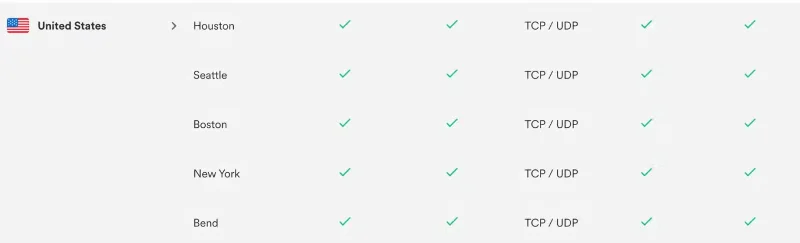
Second, you want servers located in a variety of geographic regions. Most importantly, you want the option to connect to a server near you. Connecting to a nearby server is one of the best ways to ensure that your connection speed is not affected. Offering VPN servers around the world also allows users to access geo-restricted content and provides an extra layer of security if someone tries to figure out your identity.
Detection ability
If a website receives a large number of visitors from a single IP address , it will quickly recognize that it is a VPN. Therefore, it may block that address, especially if the website offers geo-restricted content.
A good VPN provider will have thousands of servers to choose from and use obfuscation technology to disguise VPN traffic as regular web traffic.
Device compatibility and ease of use
A good VPN should work across multiple devices. It should work on your computer, phone, tablet, streaming device, and whatever else you want to connect to. It should also work on Windows and Mac operating systems. Generally speaking, if you’re paying for a VPN, it should be supported on a variety of devices and operating systems.
Another thing to keep in mind is how many simultaneous connections a VPN allows. Maybe you’re using a VPN on multiple devices or sharing a VPN with friends or family. One popular VPN, NordVPN, allows up to 10 simultaneous connections.
On that note, it also needs to be easy to use. Most free and paid VPNs are extremely easy to set up. You download the app or website extension, log in, pay, and that’s it. However, all of this changes when you sign up for certain free VPNs, like OpenVPN or VPNBook, which require more in-depth knowledge of VPNs, specific file configurations, etc. However, most VPNs are extremely easy to use once you install them.
Cancellation policy
There may come a day when you want to cancel your VPN subscription. When that happens, you want to be able to do so quickly and easily. As you know, not all subscription services are easy to cancel. Fortunately, canceling may become easier after the FTC introduced its new “Click to Cancel” rule. However, some companies are implementing it faster than others.
Sort leftover Halloween candy safely, share or repurpose sealed treats, and choose food use or compost for pumpkins based on their condition.
Compare workplace Halloween costume choices by respect, dress code, mobility, and safety—and learn when a subtle accessory or a policy check is the better option.
Find a couples costume that fits your style, budget, and comfort level, from Addams Family classics to original inside-joke duos.
Need a last-minute high school Halloween costume? Compare 10 easy closet-based ideas by prep time, comfort, school-day practicality, and simple safety checks.
Use a simple 2026 Halloween decorating timeline for indoor décor, outdoor displays, and fresh pumpkins, with practical adjustments for weather and events.
Mix five vivid, approachable Halloween cocktails with measured recipes, simple prep tips, and an alcohol-free option for your party guests.
Find 15 office-friendly Halloween costume ideas for 2026, with practical checks for dress codes, respectful themes, comfort, and workplace safety.
Plan a fun elementary school Halloween party with easy crafts, games, inclusive treats, costume tips, and a sample 75-minute classroom schedule.
Compare realistic side hustles for 2026 by startup cost, fees, flexibility, and income control, with current tax and scam guidance from official sources.
Upgrade your home office ergonomics with current OSHA and NIOSH guidance on chair fit, monitor height, laptop setup, lighting, and movement.








