Leftover Halloween Candy and Pumpkins: What to Do Next

Sort leftover Halloween candy safely, share or repurpose sealed treats, and choose food use or compost for pumpkins based on their condition.
The hard drive is an important piece of technology that often goes unnoticed compared to more flashy components. It is the heart of any computer system. All of your precious data – documents, photos, music, applications, etc. – resides on the HDD.
In this article, we'll delve into the complex world of hard drives, exploring their evolution from room-sized behemoths to powerful, compact, pocket-sized machines.
Perforated cover
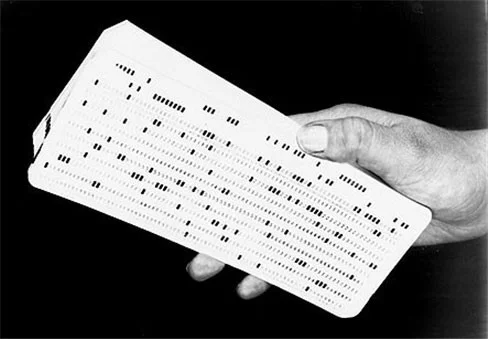
In the mid-20th century, punched cards were a common way to feed information into computers, with each card representing a line of instructions or data. This was the era of large computers, such as the IBM 305, which stored data on hard drives.
IBM 350 Disk Storage
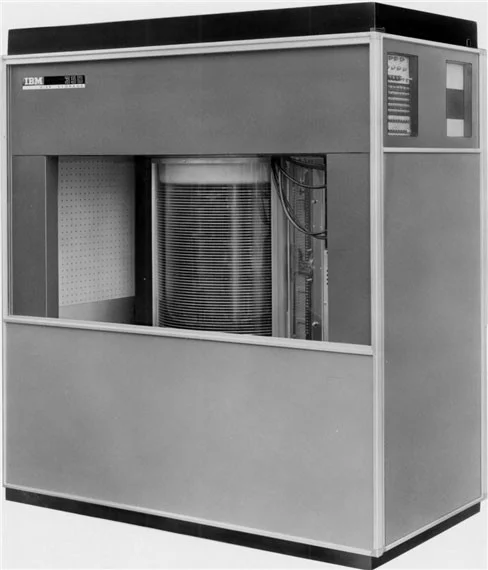
The 350 disk storage system was the main component of the IBM 305 RAMAC random access system, introduced in September 1956. The system consisted of 40 magnetic disks and a pair of read/write heads mounted on a boom that moved up and down to access each disk. The total capacity of all 40 disks was 5MB.
IBM RAMAC 305
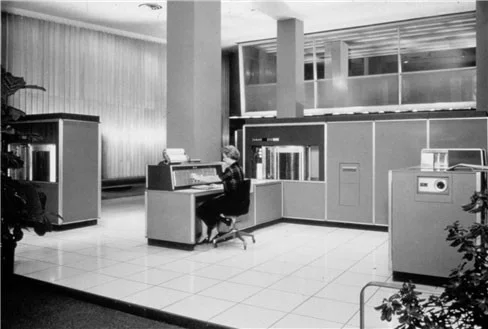
The IBM RAMAC 305 was a general-purpose electronic data processing machine. It was one of IBM's last vacuum tube systems, and over 1,000 were produced before IBM discontinued the line in 1961. The system was quite bulky and required three operators to operate it.
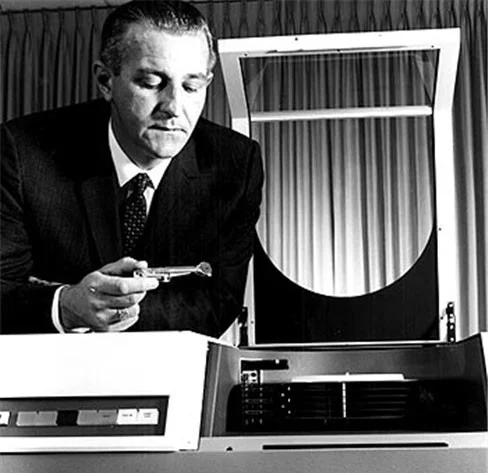
Al Hoagland – member of the RAMAC system inventor team
Al Hoagland was a member of the RAMAC team. He worked at IBM for 28 years. He said RAMAC was the first disk storage system for computers. That's when he began to see the future of hard drives.
IBM magnetic disk
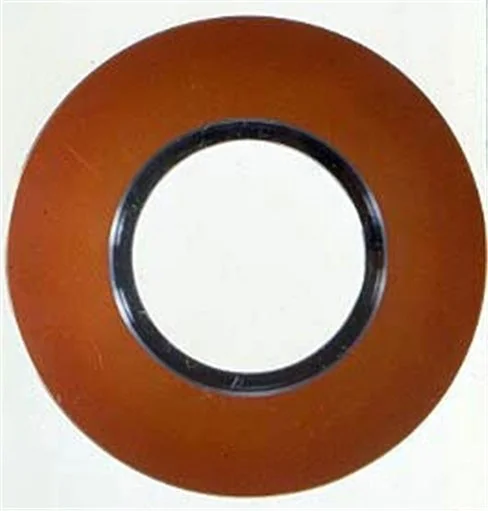
IBM invented the magnetic disk in the early 1950s. The disk consisted of 100 concentric grooves on each side. Each groove held 500 characters (letters and numbers). This disk allowed users to access information directly in less than 1 second.
IBM 650 Magnetic Drum
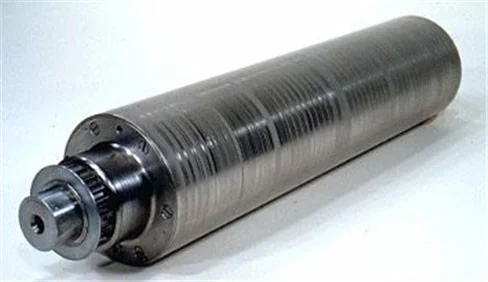
The 16-inch (~40 cm) long drum, rotating at 12,500 rpm, used in the IBM 650 computer system of the mid-1950s, held 10,000 characters. Data was encoded in magnetic form on 40 tracks around the drum.
IBM 1311 hard drive
Just two years after the introduction of the RAMAC 305, IBM released the 1311, the first storage system that used “flying” read/write heads on mechanically driven arms to read and write data across the surfaces of 50 24-inch magnetic platters. The 1311’s head arms were connected to a rotating actuator, and each platter had its own read/write head.
IBM 1301 Removable Storage
Storage technology reduced the size of the device from the size of a refrigerator to the size of a washing machine. The system consisted of six removable 14-inch disks, each with a maximum capacity of 2.6MB. The 1301 was used in the mid-1970s.
From 1979 to 2010
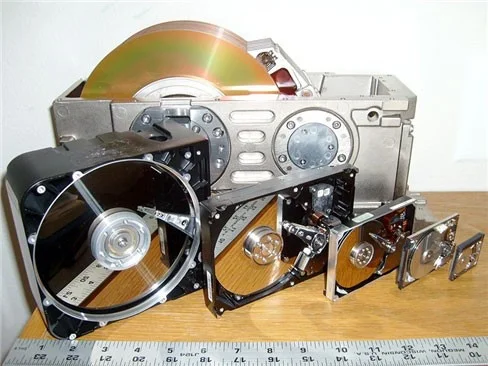
From 1970 to now, there have been 6 generations of hard drives: the first was the 8-inch (20 cm) disk size model, followed by the 5.25-inch (13 cm), 3.5-inch (9 cm), 2.5-inch (6.4 cm), 1.8-inch (4.6 cm) and 1-inch (2.54 cm) types.
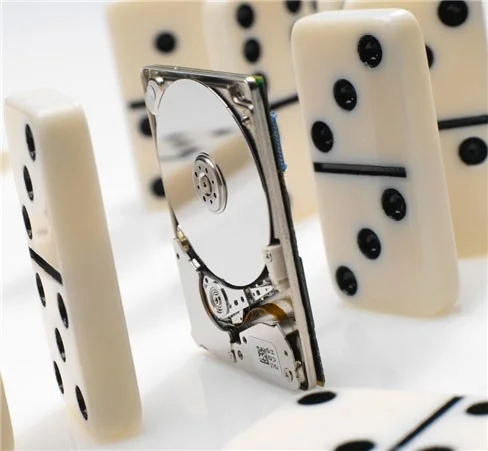
Hitachi's Microdrives fueled the portable device revolution. For example, Apple's iPod, when it was first released in 2001, had a 1.8-inch hard drive with 5GB of storage. By 2006, the iPod was equipped with a 160GB mini hard drive.
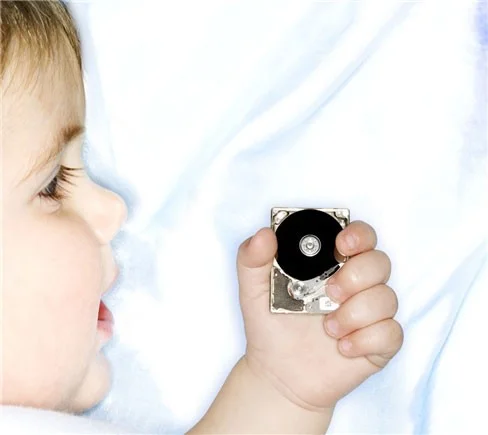
The original Microdrive was 1.8-inch in size, then reduced to 1-inch, and finally to 0.85-inch (2.2 cm).
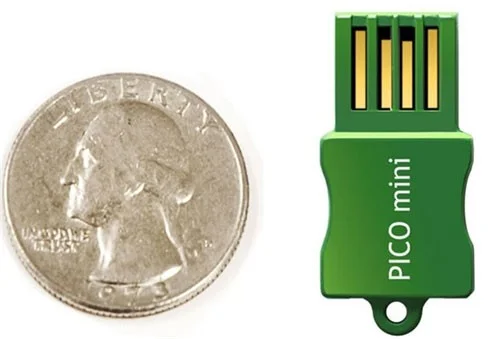
Solid-state storage (SSD), or NAND flash, is quickly taking over from traditional hard drives as portable storage. SuperTalent's Pico flash drive (pictured) holds 8GB of data. Today, however, a thumb-sized USB stick can hold up to 256GB.
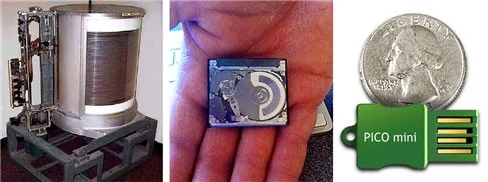
In 1956, the RAMAC 305 held 5 million characters. Today, hard drives have capacities up to 3TB, and SSD storage is rapidly approaching terabytes.
From 2010 to present
Today, hard drives have become smaller, faster, and capable of storing huge amounts of data. Another type of data storage, the solid-state drive (SSD), which has no moving parts and uses flash memory for storage, has also become popular due to its speed and reliability.
Except for a downturn in most of 2022 and all of 2023, HDD prices have generally increased as enterprise, consumer, and legacy PC shipments have been replaced by SSDs, and high-capacity enterprise HDDs have increased their overall market share. In 2022, HDD shipments totaled 172 million units, valued at $20.4 billion. Shipments in 2023 totaled about 127 million units, valued at nearly $14 billion.
Experts expect that increased storage demand for AI and other applications, coupled with inventory build-up from the pandemic, will drive demand for digital storage across all sectors by 2024. There have been signs of recovery in the NAND flash and SSD markets in 2024, and HDDs are expected to see increased demand this year as well.
The HDD industry experienced revenue growth from its inception in 1956 until it peaked in 2012. Since that peak, HDD revenue has declined. Forecasts for 2024 call for 127 million units shipped with revenue of about $14 billion.
While cloud storage solutions and network attached storage (NAS) drives are becoming more popular, hard drives are still an important component of most computer systems, serving as either primary or backup storage devices.
The history of hard drives is a story of constant innovation and progress, mirroring the broader evolution of computer technology.
Sort leftover Halloween candy safely, share or repurpose sealed treats, and choose food use or compost for pumpkins based on their condition.
Compare workplace Halloween costume choices by respect, dress code, mobility, and safety—and learn when a subtle accessory or a policy check is the better option.
Find a couples costume that fits your style, budget, and comfort level, from Addams Family classics to original inside-joke duos.
Need a last-minute high school Halloween costume? Compare 10 easy closet-based ideas by prep time, comfort, school-day practicality, and simple safety checks.
Use a simple 2026 Halloween decorating timeline for indoor décor, outdoor displays, and fresh pumpkins, with practical adjustments for weather and events.
Mix five vivid, approachable Halloween cocktails with measured recipes, simple prep tips, and an alcohol-free option for your party guests.
Find 15 office-friendly Halloween costume ideas for 2026, with practical checks for dress codes, respectful themes, comfort, and workplace safety.
Plan a fun elementary school Halloween party with easy crafts, games, inclusive treats, costume tips, and a sample 75-minute classroom schedule.
Compare realistic side hustles for 2026 by startup cost, fees, flexibility, and income control, with current tax and scam guidance from official sources.
Upgrade your home office ergonomics with current OSHA and NIOSH guidance on chair fit, monitor height, laptop setup, lighting, and movement.








