Home
» Wiki
»
The Latest Features in Meta Llama AIs Major Upgrade
The Latest Features in Meta Llama AIs Major Upgrade
Meta has just released an upgrade to its Llama AI model, upgrading from version 3.1 to 3.2 and bringing some exciting new capabilities. Llama is now multimodal, meaning it can process text, audio, and images, making it more versatile than ever. So what are the standout features of this latest update?
1. Celebrity Voices for Meta AI
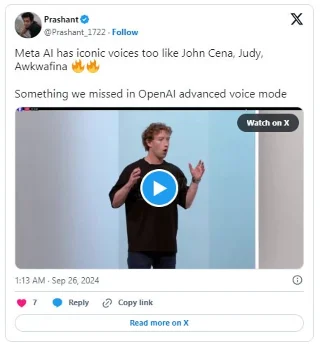
One of the most exciting new features in Meta’s Llama 3.2 is the addition of celebrity voices to the AI. With this update, you can now use your voice to interact with the Meta AI on platforms like WhatsApp, Messenger, Facebook, and Instagram. Even better, it will respond to you out loud, making the experience more personal and engaging.
Whatever you need from Meta AI—answers, explanations, or just a little fun—this feature will make things more fun. Now, you can choose to hear responses from celebrities like the witty Awkwafina, the legendary Dame Judi Dench, the dynamic WWE star John Cena, the funny Keegan Michael Key, and the charming Kristen Bell.
2. Visual feedback and image editing capabilities
Meta's Llama 3.2 can now "see" and interpret images. We're all used to AI doing great text processing—whether answering questions like chatbots or summarizing long articles—but shifting vision opens up entirely new dimensions.
With Llama 3.2 in Meta AI, you can take a photo of a historical landmark on your travels, and then AI can provide detailed information about the history and significance of that landmark. This is especially useful for history buffs and adventurous travelers.
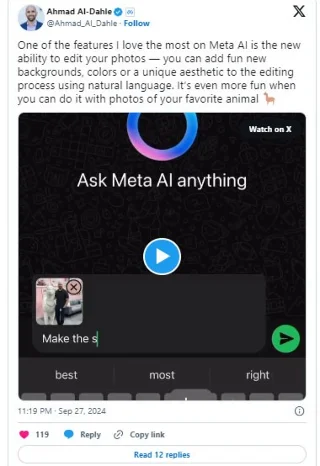
But the visual feedback doesn’t stop there. AI can also help you edit your photos by adding new backgrounds or details on demand. So you can ask AI to add a sunset to a photo you took at the beach, or change the background entirely. It’s similar to what you’d find in editing apps like Photoshop or Lightroom, but being built directly into the Meta platform makes it much more accessible.
3. Multiple versions of Llama 3.2
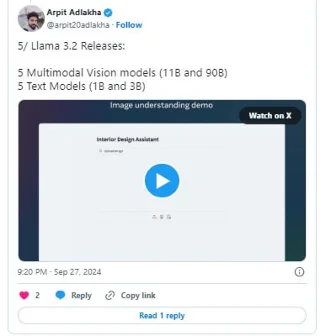
Llama 3.2 will launch in four different model sizes, each designed specifically for different needs and use cases.
First up are the 11B and 90B models (the “B” stands for billions of parameters). These are the “heavyweight” multi-modal models of the Llama 3.2 family, designed for complex tasks that require more computing power. Imagine you’re monitoring a construction project and want to know how to best allocate resources based on a dynamic schedule. Llama 3.2 can analyze the timeline, resources, and task dependencies to suggest the most efficient work plan.
Or let's say you have a comprehensive database of customer feedback. Instead of manually sorting through comments, you can ask the model to identify patterns in customer satisfaction over time and the model will process the data to provide instant reports.
There are also 1B and 3B models. These are great for lighter tasks that prioritize speed and privacy; you might consider using them on your phone for everyday personal productivity. For example, you could have a to-do list app that can automatically categorize your tasks, mark urgent ones, and even set deadline reminders. The best part is that all of this happens locally on your device, so none of your sensitive information—like emails or calendar events—leaves your phone.
Meta’s new Llama 3.2 models are now more accessible than ever, available to download on platforms like Llama (Meta’s official website) and Hugging Face. But what makes this release different is its integration into Meta’s ecosystem. With billions of people using Facebook, Instagram, WhatsApp, and Messenger every day, an upgraded Llama means that even more users will soon experience Meta’s more sophisticated and engaging AI.