Netflix and the BBC Licence Fee: What UK Viewers Need to Check (November 2026 Guide)
Clarify whether Netflix viewers must pay the £180 UK BBC TV licence fee. Learn exact streaming exemptions, live TV broadcast rules, and how to declare status.
Verified and updated: 26 November 2026, 2:14 p.m. CET (UTC+01:00).
1Password is a password manager that stores logins and other sensitive information in encrypted vaults, then helps you create and fill unique passwords across devices. Its security model is in the spotlight after the company disclosed on 25 November that an attacker copied some customer account records from backend systems. 1Password says those records included names and email addresses for a subset of customers, but that vault contents and the keys protecting them were not accessed. The company says customers do not need to change account settings, while warning them to watch for phishing messages about invitations or account recovery.
That incident shows both what 1Password’s encryption is designed to protect and where users still need to be alert: encrypted vault contents are distinct from account-related information held by a service. Here’s how the app works, what its protections mean in practice, and what to do with the latest disclosure.
1Password is a subscription password manager for individuals, families and organisations. You save a website or app login as an item in a vault. The item can include a username and password, and vaults can also hold secure notes, payment details and other private information. A browser extension or app can suggest saved logins and fill them when you sign in.
A password manager makes it practical to use a different, hard-to-guess password for every account. That matters because reusing one password lets a breach at one website put other accounts at risk. 1Password can generate passwords, keep them organised and flag issues through Watchtower. The company says Watchtower checks for weak or reused passwords and known breach exposure on your device.
1Password encrypts vault data so it is not stored as readable passwords on its servers. According to its Security Design White Paper, encryption and key generation happen on users’ devices. The service synchronises encrypted data so you can reach your vault on authorised devices, but the company says it cannot decrypt that data.
Your account password is the secret you choose and remember. Your Secret Key is a unique, machine-generated key associated with your account; you normally need it the first time you sign in on a new device or browser. 1Password says these credentials work together to derive the keys that protect your data. The Secret Key is not a password reset code, so keep your Emergency Kit somewhere safe and private.
This approach can make a server breach less useful to an attacker seeking vault contents, because encrypted data alone does not supply the keys needed to read it. It does not make every kind of information held by the service invisible, nor does it protect an unlocked, compromised device or stop someone from tricking you into revealing credentials.
In its incident update published 25 November 2026, 1Password said an attacker used access to an employee’s corporate GitHub account to reach source code and push malicious code to backend services. The company said the attacker copied customer administrative records for a subset of users, including names, email addresses, account identifiers and other account metadata. Some email-link tokens were also among the affected information, according to the company.
1Password said customer vaults, their items, the keys protecting them, account recovery keys, apps and browser extensions were not affected. It said it disabled the affected account, revoked or rotated potentially exposed internal credentials, strengthened controls and engaged independent experts to review its response. The company also lengthened codes used in certain invitation and recovery emails as a precaution. These are the company’s reported findings; the incident is a reminder to distinguish a claim about encrypted vault data from the separate exposure of account metadata.
1Password says users do not need to update anything in their accounts because of this incident. Its advice is to be alert for unexpected emails, texts or calls about invitations or account recovery. Open the app yourself or type the official website address instead of following an unsolicited link, and never share your account password or Secret Key in response to a message.
For day-to-day protection, choose a strong account password that you do not use elsewhere, secure the devices that unlock 1Password, and store your Emergency Kit in a safe place. Turn on two-factor authentication if available for your account and review Watchtower alerts. If you receive a message that appears connected to the incident, contact support through 1Password’s official site rather than replying to the message.
1Password says vault contents and their encryption keys were not accessed. It reported that some customer account records, including names and email addresses, were copied.
1Password says vault contents are end-to-end encrypted and that it does not have the keys needed to decrypt them.
The company says customers do not need to update their accounts because of this incident. Keep your account password private and watch for unexpected account or recovery messages.
Sources: 1Password’s incident update; About your Secret Key; 1Password Security Design White Paper; 1Password Watchtower.
Clarify whether Netflix viewers must pay the £180 UK BBC TV licence fee. Learn exact streaming exemptions, live TV broadcast rules, and how to declare status.
Find the latest official vote count and confirmed winners for the Victoria election. Step-by-step guide to VEC portals, preference counts, and results.
Learn how to check official Gold Coast flash flooding warnings, track live road closures on the Disaster Dashboard, and protect your home and family safely.

Sainsbury’s uses Facewatch facial recognition in some stores. Learn how the system works, what the ICO says, and what to do if you are wrongly flagged.

A clear Inter vs Genoa guide to the Serie A matchup, confirmed lineups, tactical questions, head-to-head record, standings, and kickoff time.

Ohio State beat Michigan 45–0 on Nov. 28 in Columbus, setting the rivalry’s largest winning margin. See the key plays, records, and context.

Alavés lead Real Madrid 1–0 at halftime in LaLiga Matchday 14. See who scored, first-half highlights, team form, and what to watch next.

Atlético Madrid beat Elche 3–2 at Martínez Valero on Nov. 28, 2026. See the key goals, match stats and what shaped this LaLiga matchup.
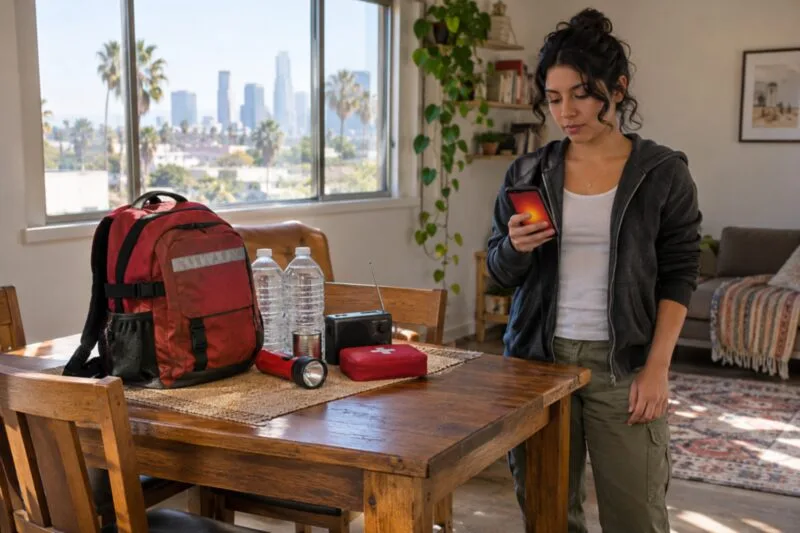
Check official LA earthquake updates through USGS and California alert channels. Learn what an alert can tell you and how to protect yourself during shaking.
Understand AI encryption and homomorphic encryption: how privacy-preserving machine learning evaluates sensitive data without plaintext exposure, key use cases, and current challenges.