Home
» Wiki
»
Which accounts are most targeted by hackers? How to protect them?
Which accounts are most targeted by hackers? How to protect them?
Hackers target popular platforms where people store personal or sensitive information. It probably won't surprise you to learn that Facebook, Instagram, and WhatsApp are prime targets for hackers and scammers, but there are ways to protect your accounts.
Why do scammers target your social media accounts?
Social media accounts like Facebook, Instagram, and WhatsApp are prime targets for hackers. They contain a lot of personal data, are widely used for communication, and are often linked to other accounts, making them an irresistible target. Unfortunately, they can also be insecure. Many people reuse passwords, fail to enable two-factor authentication, and overshare information, leaving accounts vulnerable to attack.
Each account includes details like birthdays, friends, email addresses, phone numbers, locations, and even payment information. Hackers can exploit this data to steal identities and commit fraud or sell it on the dark web.
Instagram
Instagram is more than just a photo-sharing platform; it’s also a place for influencers, businesses, and personal brands. Hackers target these accounts to hijack their followers for scams, such as promoting fake products or demanding money in exchange for control of the account.
WhatsApp
With end-to-end encryption, WhatsApp feels secure, but hackers get around this by targeting user authentication processes. Tricks like SIM swapping or phishing allow them to take over accounts. Once in, they can impersonate users to scam their contacts or spread malicious links through trusted networks.
How to secure social media accounts
Now you know why hackers target these accounts, but how can you protect yourself?
Use strong and unique passwords
Change Facebook password
A strong password is your first line of defense against hackers. Using a weak or reused password is like leaving the door open and hoping no one will walk in. To stay protected, make sure your password is unique, including uppercase and lowercase letters, numbers, and special characters. Avoid any personal information, like names or birthdays, and avoid obvious patterns like "zxcvbnm."
A good tip is to use passphrases instead of single words. For example, skip the basics like "password123" and try something more unique, like "9Lions0nTheHill!" or "ILove2Hike&Explore." These passwords are harder for hackers to crack and easier to remember.
Also, each account needs its own password – if one gets hacked, the others are still safe. And yes, remembering them all can be a pain, so use a password manager or write them down somewhere safe. Just make sure to update them regularly and don’t reuse them.
Add privacy screen protector
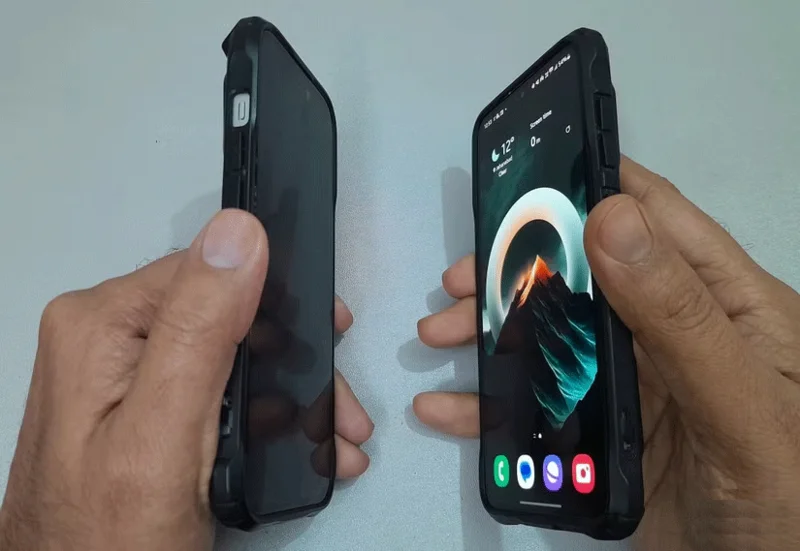
Even if you create a strong password, what if someone peeks at you while you type? Sounds like something out of a spy movie, right? But peeping is real. To prevent it, put a privacy screen protector on your device.
Privacy screen protector vs regular tempered glass
These thin films block the view from the side, so only you – the person sitting directly in front of the screen – can see what’s going on. They’re especially useful in public places like cafes, buses or trains, where curious onlookers might try to peek in.
Enable two-factor authentication
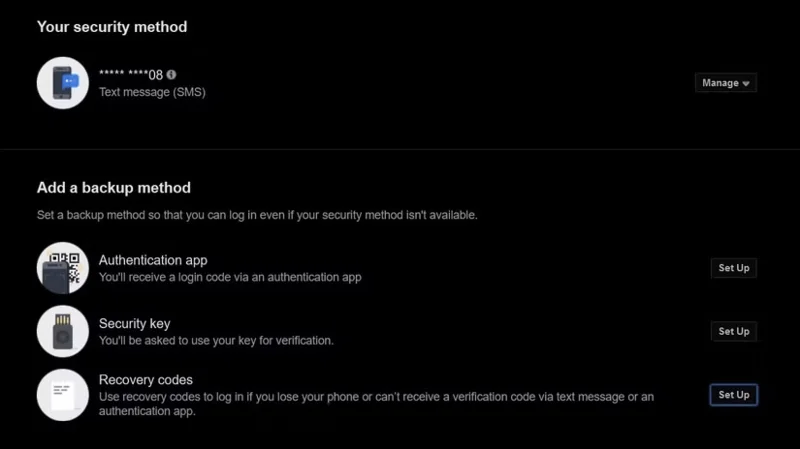
Security is about adding extra layers of protection. Think of two-factor authentication (2FA) as adding a second lock to your door in case someone gets through the first one. After you enter your password, 2FA will ask you to send a verification code to your phone via text message.
So even if someone cracks your password, they’ll still need that second code to get in. You can also use apps like Google Authenticator or Authy to generate codes that refresh every 30 seconds, or opt for fingerprint or facial recognition. Once you set up two-factor authentication, you’ll need to enter that code every time you log in on a new device or browser.
Even with all these measures, you can never be 100% safe online. Hackers are always finding new ways to exploit vulnerabilities and steal data. So stay alert to the latest security threats, follow reputable tech news sources, learn about cybersecurity best practices, and educate yourself about online scams.