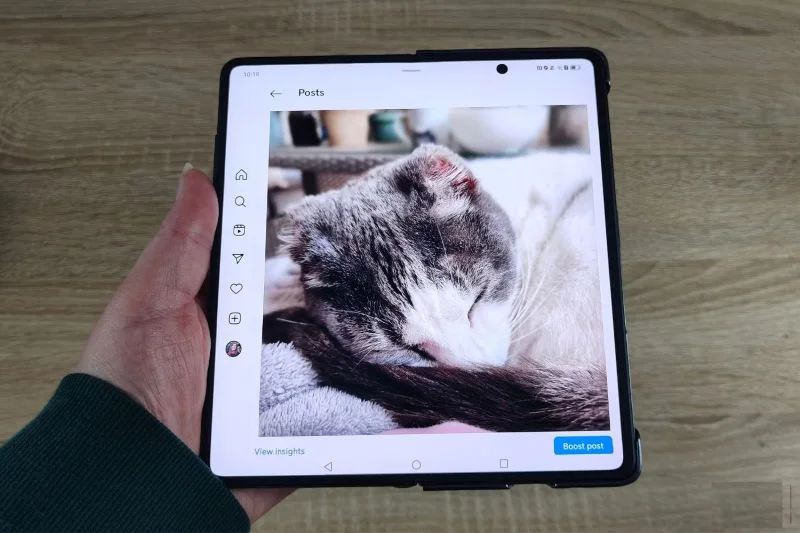
Why are many people still hesitant to buy foldable screen phones?

As more and more smartphone brands invest in foldable phones, the variety in the market is increasing. But despite the advancements that the foldable format has made in the past few years, many people are still hesitant to buy a foldable phone for the following reasons...

1. Durability issues

Why are many people still hesitant to buy foldable screen phones?

Do you shudder to think of the days when your phone wasn't water or dust resistant? Minor accidents can completely ruin your device. And if you're someone who regularly cleans your smartphone with alcohol wipes, liquid resistance is a must.

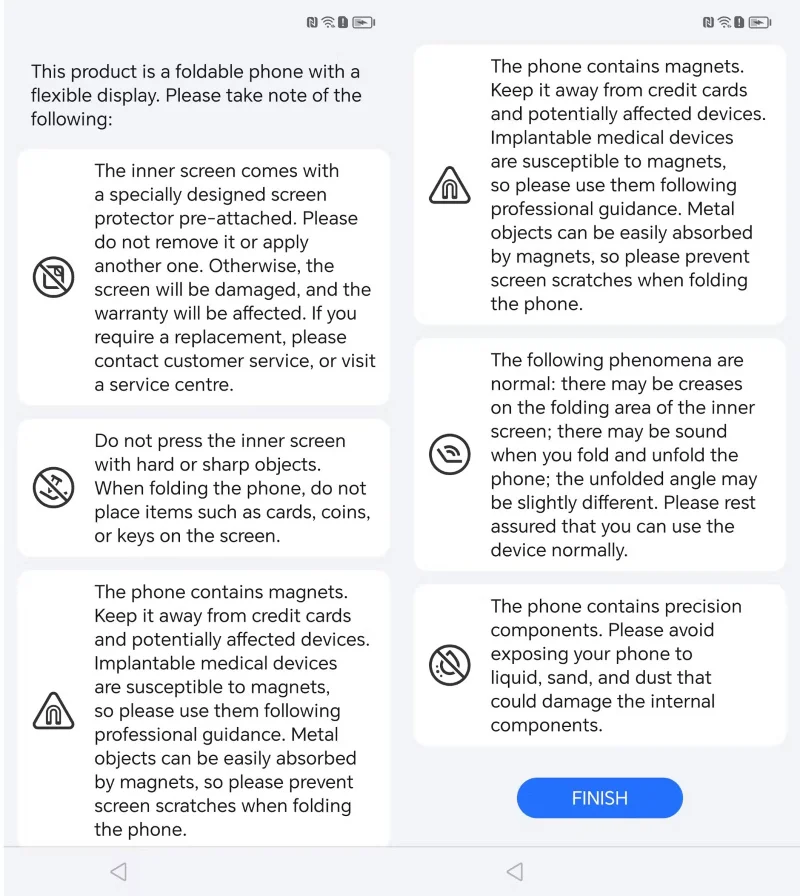
But due to their flexible nature, foldable smartphones still have a long way to go when it comes to durability. Typically, when you power up a foldable phone, you'll see a series of warnings that include things like:

  • Do not press hard or sharp objects against the phone screen.
  • Keep your phone away from credit cards and devices affected by magnets.
  • Avoid exposing your phone to liquids, sand, and dust.

Samsung has made some progress in phone durability, but there's still a lot that can go wrong with foldable devices. You also can't use a screen protector like you can on a regular smartphone.

2. They are still very expensive

The relatively new foldable display technology comes with a high price tag, even if the rest of the phone’s specs aren’t that impressive. The Samsung Galaxy Z Fold 6, for example, launched at $1,899. That compares to the company’s non-folding flagship phone, the Galaxy S24 Ultra, which launched at $1,299.

Depending on what you're looking for in a phone, you might argue that the S24 Ultra is the better choice; with its built-in S-Pen, larger battery, and more powerful camera lens.

3. Technology still needs to improve

Why are many people still hesitant to buy foldable screen phones?

While companies have improved foldable phone technology, they still have a long way to go before they become an easy purchase decision without many trade-offs.

On many foldable smartphones, the crease is still noticeable. Devices that have been in use for a long time start to show degradation and dead pixels along the crease.

The fact that these phones also often include dual batteries results in smaller batteries, around 4,400mAh, instead of the 5,000mAh found on many flagship phones. While apps can adapt to the form factor, there aren't enough apps that take full advantage of the technology.

4. Updates are repeated

While technology is improving, many companies have fallen into the habit of making small updates between generations that don’t justify the price increase. This is a problem for both foldable and non-foldable smartphone formats, but it’s especially acute when it comes to foldable phones.

Some companies are more guilty of this than others. But often it feels like we’re getting minor design tweaks instead of real advancements. When companies figure out how to make significant strides in durability and usability, people will be more likely to consider buying a foldable smartphone.

5. Foldability offers limited benefits

Why are many people still hesitant to buy foldable screen phones?

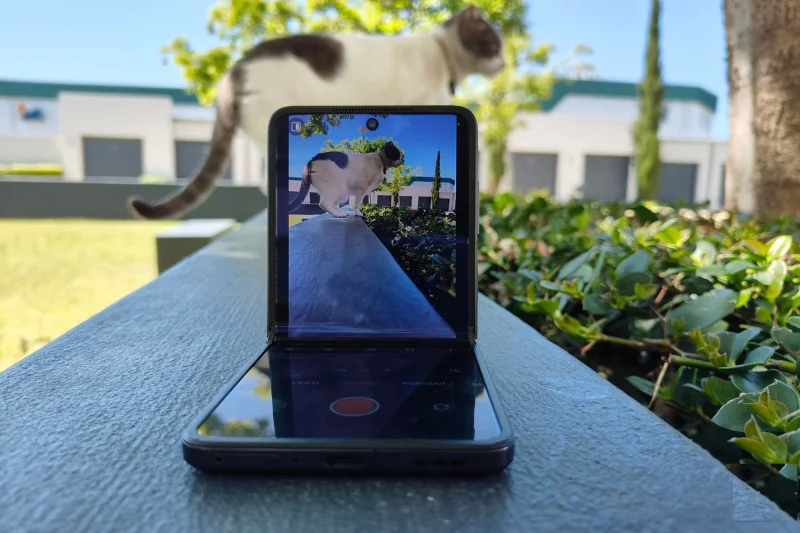
There are two main foldable phone form factors: Book and clamshell. The book form factor, seen on phones like the Galaxy Z Fold 6 and Honor Magic V2, folds vertically, allowing the screen to close like a book. The clamshell or compact form factor, seen on phones like the Oppo N3 Flip and Galaxy Z Flip 6, folds horizontally like a personal mirror or flip phone.

The benefits depend on the form factor you have. With a book-style phone, you get a larger screen when the phone is open. This can give you a better viewing experience and can increase productivity by having two apps on at once.

The benefit of the clamshell is that you can use the bottom of the phone as a tripod and fold the phone into a smaller form factor, making it easier to carry around. You can also see notifications and camera previews on the outer display.

While these are nice extras, given the price and durability limitations of these phones, they’re not worth the trade-off. If you want a larger screen on your phone, switching to a tablet or PC will suffice. And most people don’t need a tripod for quick shots.

The apps and features available on the external display are also still relatively limited. While there are some interesting ones, they don't take advantage of the full potential of the form factor.

It’s true that phones like the Honor Magic V2 give us a lot of hope for the future of foldable smartphones. But it will take a bit more tweaking and development before people are ready to invest in a foldable smartphone.
Leave a Comment

How to Set Up Microsoft Teams for School and Education

How to Set Up Microsoft Teams for School and Education

Discover how to set up Microsoft Teams for school and education effortlessly. Get free access, create classes, assignments, and meetings with our ultimate guide for teachers and students. Boost learning today!

How to Use Microsoft Teams Whiteboard in 2026

How to Use Microsoft Teams Whiteboard in 2026

Discover how to use Microsoft Teams Whiteboard in 2026 with this complete guide. Learn access methods, AI-powered features, step-by-step tutorials, and pro tips for seamless collaboration in virtual meetings. Boost productivity today!

Troubleshooting Microsoft Teams Bị lỗi (General Errors)

Troubleshooting Microsoft Teams Bị lỗi (General Errors)

Stuck with Microsoft Teams errors? Get step-by-step fixes for crashes, sign-in failures, audio glitches, and more. Proven solutions to resolve general Teams issues fast and frustration-free.

Troubleshooting Microsoft Teams Wiki Not Loading Error

Troubleshooting Microsoft Teams Wiki Not Loading Error

Stuck with Microsoft Teams Wiki not loading error? This ultimate troubleshooting guide delivers quick, step-by-step solutions to fix the issue fast and restore seamless collaboration.

Where to Find the Microsoft Teams Installation Folder on Your PC

Where to Find the Microsoft Teams Installation Folder on Your PC

Struggling to locate the Microsoft Teams Installation Folder on your PC? This step-by-step guide reveals exact paths for new and classic Teams, per-user & per-machine installs. Save time troubleshooting!

Troubleshooting Microsoft Teams Proxy Error Settings Fix

Troubleshooting Microsoft Teams Proxy Error Settings Fix

Struggling with Microsoft Teams Proxy Error? Discover proven Troubleshooting Microsoft Teams "Proxy Error" Settings Fix steps. Clear cache, adjust proxy settings, and get back to seamless calls in minutes with our expert guide.

Solving Microsoft Teams OneDrive Error File Sync

Solving Microsoft Teams OneDrive Error File Sync

Tired of Microsoft Teams OneDrive Error blocking file sync? Follow our step-by-step guide to solve Microsoft Teams "OneDrive Error" File Sync issues quickly. Proven fixes for smooth collaboration in Teams channels. Get your files syncing error-free today!

How to Fix Microsoft Teams Workflows and Power Automate Errors

How to Fix Microsoft Teams Workflows and Power Automate Errors

Tired of Microsoft Teams workflows and Power Automate errors halting your productivity? Get step-by-step solutions to common issues like authentication failures, timeouts, and flow errors. Fix them in minutes and automate effortlessly!

Troubleshooting Microsoft Teams Download Error on Macbook

Troubleshooting Microsoft Teams Download Error on Macbook

Facing Microsoft Teams "Download Error" on MacBook? Discover proven troubleshooting steps to resolve download failures quickly, from cache clears to reinstalls, and get back to smooth teamwork.

Troubleshooting Microsoft Teams Where is Teams Folder Error

Troubleshooting Microsoft Teams Where is Teams Folder Error

Tired of the frustrating Microsoft Teams "Where is Teams" Folder Error? Discover proven, step-by-step troubleshooting fixes to resolve it quickly and restore smooth teamwork. Latest methods included!

How to Fix Microsoft Teams JavaScript Error on Desktop App

How to Fix Microsoft Teams JavaScript Error on Desktop App

Frustrated by Microsoft Teams JavaScript Error on desktop app? Discover proven steps to fix it fast: clear cache, update, reset, and reinstall. Get back to seamless collaboration in minutes!

How to Fix Microsoft Teams Guest Login Error

How to Fix Microsoft Teams Guest Login Error

Struggling with Microsoft Teams "Guest Login" Error? Discover step-by-step fixes, from quick cache clears to admin settings, to resolve guest access issues fast and collaborate seamlessly. Updated with the latest tips!

How to Fix Microsoft Teams For PC Download Error

How to Fix Microsoft Teams For PC Download Error

Tired of the Microsoft Teams "For PC" download error blocking your work? Follow our proven, step-by-step guide to resolve it quickly and get Teams running smoothly on your PC today.

Solving Microsoft Teams Windows 7 Login Error

Solving Microsoft Teams Windows 7 Login Error

Struggling with Microsoft Teams "Windows 7" login error? Discover step-by-step fixes for this frustrating issue on Windows 10/11. Clear cache, edit registry, and more – get back to seamless collaboration today!

How to Fix Microsoft Teams Error Code 0x80070005 (2026 Guide)

How to Fix Microsoft Teams Error Code 0x80070005 (2026 Guide)

Tired of Microsoft Teams Error Code 0x80070005 blocking your meetings? Follow this 2026 guide with step-by-step fixes for access denied issues. Get Teams running smoothly in minutes!