Reduce PostgreSQL Memory Pressure in Matrix Synapse
Find whether PostgreSQL memory comes from query work, shared buffers, connections, or maintenance, then make targeted Synapse-safe changes.
Start by checking whether slow joins affect one room, one remote homeserver, or every federated room. Use Synapse’s federation destination status and logs to locate repeated failures before changing timeouts or adding workers. A join crosses homeserver boundaries and exchanges join authorization and room-state data, so a slow remote server or a large room can delay one join even when your own server is healthy.
The Matrix server-server specification describes the make_join and send_join handshake and the state returned to a joining server. That means “federation lag” is not automatically a local Synapse queue problem. The checks below distinguish the likely causes.
Compare a slow join with a join to a different federated room. Ask whether other users on your homeserver report the same delay, and note the room ID or alias and the remote server names involved. If only one room is slow, the room’s state or the homeservers already in it may be the bottleneck. If many rooms involving the same remote server are slow, check that destination’s reachability and retry state. If joins to many unrelated servers are slow, investigate your own resources and outbound federation path.
For the affected remote server, query Synapse’s Federation Admin API from the machine running Synapse:
curl -H "Authorization: Bearer $SYNAPSE_ADMIN_TOKEN" \
  "http://127.0.0.1:8008/_synapse/admin/v1/federation/destinations/remote.example"
Replace remote.example with the homeserver name and use the client-listener address for your deployment. A nonzero retry_last_ts and a positive retry_interval indicate Synapse has recorded a recent failed connection and is waiting before retrying. Check the corresponding Synapse logs for the actual failure, such as DNS, TLS, connection, or remote response errors. Synapse documents this Federation Admin API as experimental and subject to change; consult the documentation for the release you run. Keep the Admin API private and do not paste its access token into a public support request.
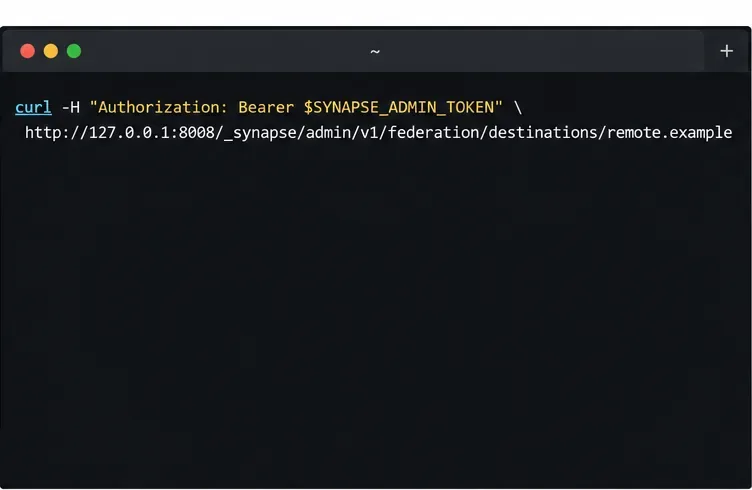
Illustration of a local, authenticated destination-status request. The panel shows a command only, not a live response.
If you suspect other servers cannot reach your own homeserver, run the official Matrix Federation Tester for your server name. It checks public federation discovery and connectivity. It does not by itself prove that an outbound request from your Synapse host to a particular peer succeeds, so compare its report with your own logs and destination status.
If Prometheus already scrapes your Synapse metrics endpoint, add the affected domains to federation_metrics_domains in homeserver.yaml, then reload or restart Synapse according to your deployment process. Synapse can expose Prometheus metrics for the age of persistent room events (PDUs) sent to and received from the domains you list, as described in the configuration manual:
federation_metrics_domains:
  - matrix.org
  - remote.example
Use the resulting time series to see whether outbound or inbound event age is rising. Treat it as a directional clue, not a verdict: Synapse’s configuration documentation cautions that delay can come from either homeserver or the network between them. A lagging outgoing series across several destinations points toward your send path or local capacity; lag isolated to one peer calls for checking that peer and the route to it.
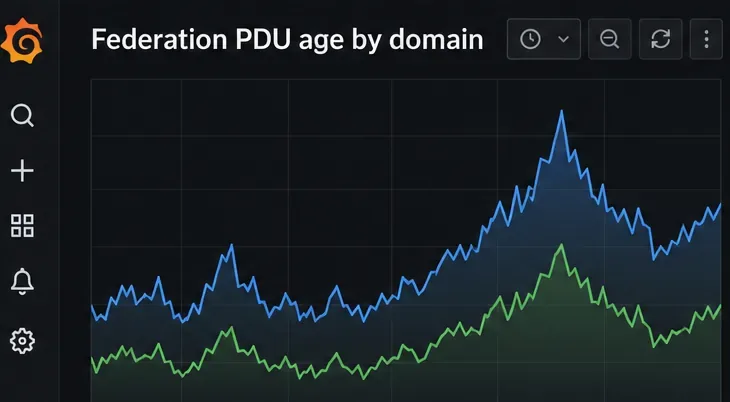
Illustration of a federation-age chart concept; the lines are not live measurements from a Synapse server.
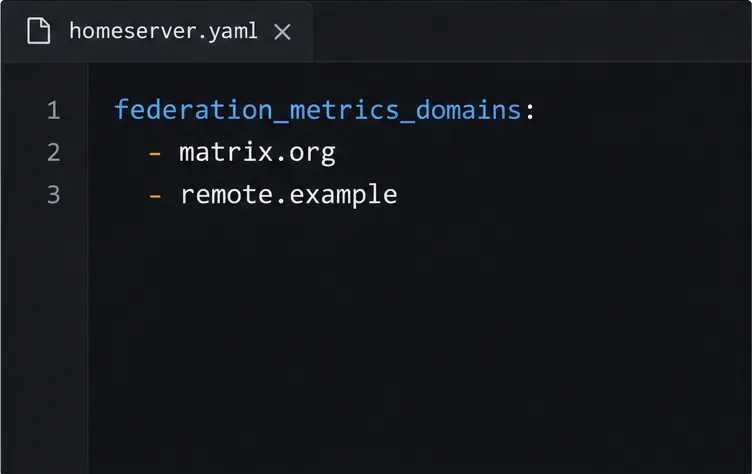
Illustration of the Synapse setting used to enable PDU-age metrics for selected remote domains.
If many operations are slow, check CPU, memory, database latency, and Synapse’s transaction-duration dashboard as well. Synapse’s Grafana guide notes that persist_events writes events to the database and can have a high transaction duration; it also explains that many forward extremities can increase the state-resolution work. If those local measurements are elevated at the same time as joins, address the resource or database bottleneck before tuning federation retries.
Add sender capacity only when monitoring shows outbound work is backed up across multiple destinations and the current process is constrained. The current Synapse worker documentation recommends using synapse.app.generic_worker with federation_sender_instances for this role rather than creating new deployments around the older dedicated sender worker type.
Each outbound destination is assigned to a sender based on a hash of the remote server name. Multiple sender workers can spread traffic across many remote servers, but requests to one slow destination still map to one worker. Adding workers is therefore unlikely to fix a single-peer problem. The worker names in the shared configuration must match running workers; when changing the sender-instance list, stop and start all federation senders together so they use the same configuration.
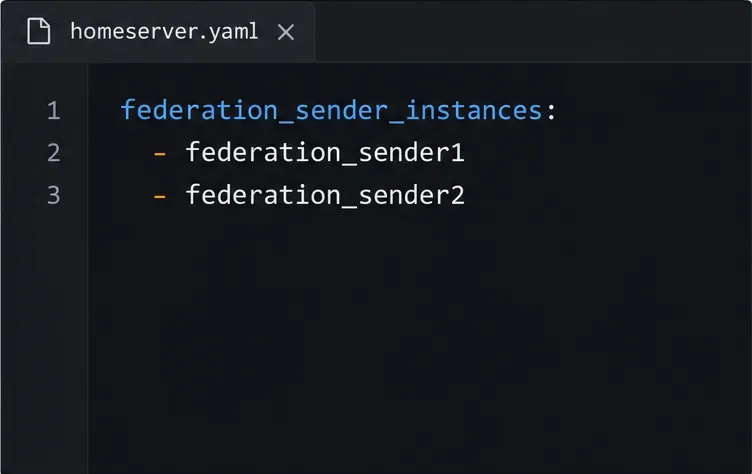
Illustration of the federation_sender_instances list; each named worker must exist in the deployment.
Reset a destination’s retry timer only after correcting a transient connectivity problem and confirming Synapse has marked that destination as failed. The Admin API provides a POST /_synapse/admin/v1/federation/destinations/<destination>/reset_connection endpoint; its request runs in the background, so an immediate HTTP 200 does not mean federation has recovered. This endpoint is also documented as experimental.
Do not raise federation.client_timeout as a first response. The current configuration manual gives it a 60-second default. A longer timeout gives a slow remote more time to answer; it does not make that server or the network faster and can leave join requests waiting longer. Change it only when logs show legitimate federation requests are exceeding the current value and you have checked server capacity.
Retry the same room join and compare it with a different federated room. Confirm the affected destination no longer shows a growing retry interval, logs show successful federation requests, and configured PDU-age metrics stop increasing. If only one room remains slow while other destinations are healthy, share its room ID, the involved remote homeserver, the time window, and redacted error lines with the room administrators or Synapse support. Avoid sending access tokens or full authorization headers.
Find whether PostgreSQL memory comes from query work, shared buffers, connections, or maintenance, then make targeted Synapse-safe changes.
Trace slow Matrix room joins to one remote homeserver, federation backoff, local database load, or an outbound sender queue before changing Synapse settings.
Stop open account creation on a self-hosted Synapse server, or keep sign-ups invite-only with limited-use registration tokens.
Clear Element's unverified-session warning using a trusted device or recovery key, with checks that protect your encrypted chat history.
Distinguish database lock contention from expired WebDAV locks, then choose and configure the right ownCloud 10 fix.
Trace a blank ownCloud Web screen to browser cache, missing web assets, service errors, or reverse-proxy URL settings with targeted checks.
Set ownCloud’s web PHP memory limit, restart the matching service, and verify the active value without confusing it with CLI settings or upload limits.
Find out whether MySQL, PHP, socket settings, or database permissions are blocking ownCloud 10, then verify a safe fix.
Make public link expiration mandatory in ownCloud Classic, set a maximum lifetime, and check existing shares that may need separate cleanup.
Enable TOTP through Keycloak, enroll users safely, and understand when Infinite Scale’s route-level MFA settings apply.