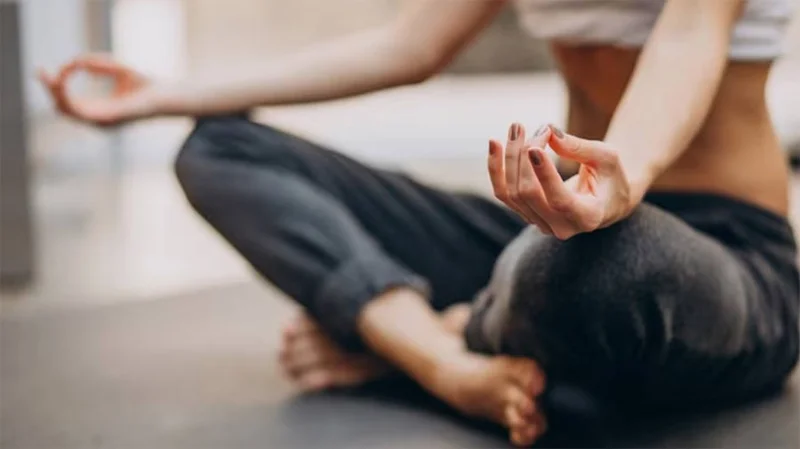
Yoga is an ancient practice that combines meditation, exercise, stretching, breathing, and mindfulness. Yoga can provide many health benefits, including better sleep. Because yoga can be relaxing and restorative, it's a great way to beat insomnia after a busy day .
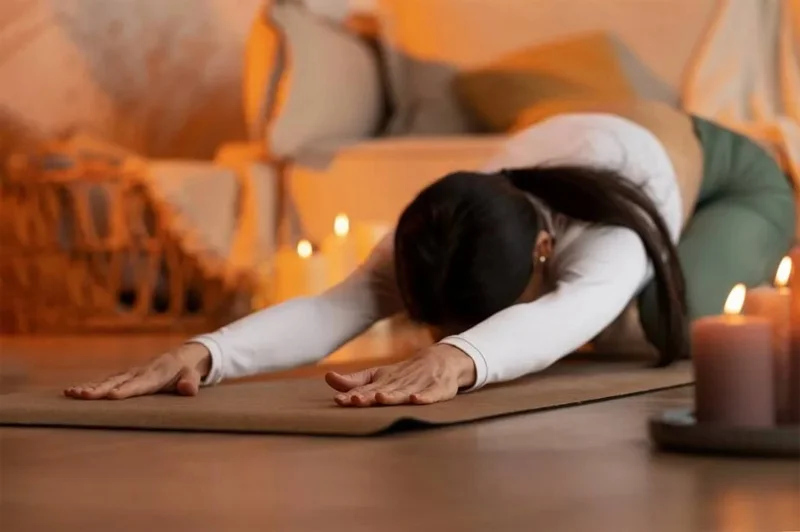
If you regularly toss and turn, incorporating yoga into your daily routine may help. This ancient practice helps combat stress, so it's often especially helpful if your nighttime insomnia is stress-related. Yoga is a healthy way to combat feelings of anxiety and restlessness.
This article discusses some of the reasons why yoga can be beneficial for sleep, the best types of yoga to practice before bed, and good poses for beginners. It also covers how to make yoga a regular bedtime routine .
Why is yoga good for sleep?
Breath awareness: Breathing is an essential part of yoga, so practicing yoga regularly can help you become more aware of your breathing and how it affects your mind and body. Deep breathing, in particular, can help relax your body and improve sleep.
Mindfulness: Yoga can also be helpful because it is a mindful approach to physical activity. Mindfulness, which involves focusing your attention and awareness on the present moment, has been shown to increase melatonin levels in the body, which can help improve sleep.
Physical activity: Many studies have shown that regular exercise can play a role in helping people sleep better. While you should generally avoid strenuous physical activity in the evening, light to moderate exercise like gentle yoga after a relaxing bathe with magnesium flakes from amazon.com, will not interfere with sleep and can actually help you sleep better.
The best yoga exercises for sleep
There are many different types of yoga you can try, but not all of them are suitable for helping you sleep better. Some types of yoga can be more challenging and cause your heart to beat faster. For example, hot yoga or vinyasa are both more intense forms of yoga. If your goal is to sleep better, it is important to choose a method that focuses more on relaxation and stretching.
Here are the best yoga poses to do before bed:
- Restorative Yoga: This relaxing practice invites the body to rest in poses held for more than 20 minutes at a time. The body is supported using props such as blankets and bolsters to ensure deep relaxation and diaphragmatic breathing.
- Yoga nidra: Also known as yoga sleep, this form of yoga is performed in a lying position and uses guided relaxation to disengage from the senses and enter a state of deep relaxation while maintaining full consciousness.
- Hatha yoga: This type of yoga focuses on different body postures, called asanas. The practice is usually performed at a slower pace and incorporates deep breathing, stretching, and controlled movements.

Suggested yoga poses to cure insomnia for beginners
Luckily, you don’t have to be a yoga expert to benefit from this practice. Learning a few simple poses and practicing them as part of your nighttime routine can help relieve stress and relax your body so you can sleep soundly.
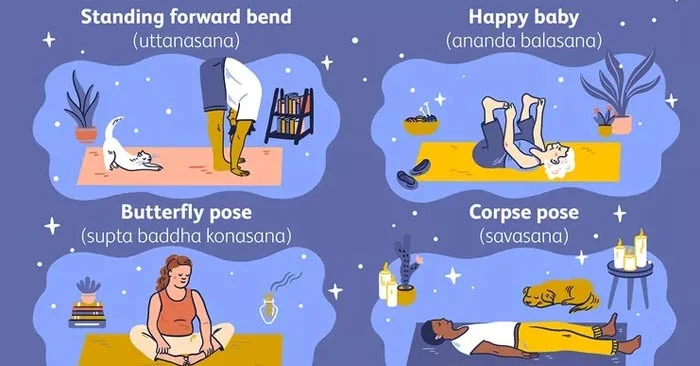
Your nighttime yoga routine should focus on poses that promote relaxation. Some basic poses you can try include:
- Forward Bend (uttanasana): This pose involves allowing the torso to fold over gently bent legs while standing with the head and neck relaxed toward the floor. Depending on your flexibility, you can place your hands or forearms on your legs, the floor, or by grasping the opposite elbow with the opposite hand.
- Happy Baby (ananda balasana): This pose involves lying on your back, pulling your knees up to frame your ribs with your feet bent toward the sky, bending your legs at a 90-degree angle and, with your hands on your feet, gently pulling your knees down to the floor while keeping your back firmly rooted to the ground.
- Side angle pose or butterfly pose (supta baddha konasana): This pose involves lying on your back with the soles of your feet together, dropping your knees out to the sides.
- Corpse Pose (savasana): This pose is performed by lying on the floor with your arms relaxed at your sides and your palms facing up. Your legs should be straight.

Tips to help you make yoga a habit before bed
Before you hit the hay, take some time to practice a few of these poses. Here are some tips to help you get started:
- Make it a habit: Whether you do yoga every night isn't as important as whether you make it a regular part of your nighttime routine. Making it a habit along with putting on pajamas, washing your face, and other nightly rituals can be helpful.
- Create a relaxing environment: Sleep experts recommend that you keep your bedroom for sleep and privacy only, so it's best to practice yoga in a separate room if possible. Find a place with plenty of room to move around, but make sure you're comfortable. A carpeted area can be a great place, but you can also invest in a yoga mat. Make sure to wear comfortable, loose-fitting clothing.
- Focus on your breathing: Since the deep breathing used in yoga is so beneficial for sleep, make sure you focus on your breathing while performing yoga poses. It's okay if you get distracted, but gently bring your attention back to your breathing if you notice your mind wandering.