Have you ever received the “This phone number is banned” notification in Telegram? If so, you might be wondering what it means. Telegram has restrictions and limitations to protect users and maintain the platform’s integrity. If you see this message, you’ve most likely broken Telegram’s terms of service, which may’ve resulted in your account being banned.
In this article, we’ll explain why your Telegram has been banned and how to recover it.
Reasons Your Telegram Number Was Banned
When Telegram suspects you of violating its privacy policy, user agreement, regulations, and laws, it bans your number. Some of the activities which fall into these categories are expounded upon below.
Hate Speech
You’re not allowed to spread hate or false information on Telegram. If you expressed hatred towards anyone based on race, age, nationality, gender, ethnic group, religion, disability, or any connection to protected organizations, this could be why your number was banned. If you don’t believe you did this knowingly, check your content before sharing it on Telegram.
Reported for Harassment
Telegram doesn’t tolerate harassment on its platform. If someone reported you, and Telegram’s investigation proves that you harassed, bullied, used profanity, stalked, pestered, or threatened anyone, your account will be banned.
Spreading Malicious Software
If you’re caught spreading or promoting the distribution of phishing content or social engineering, your number will be banned.
Using False Information
On Telegram, you can’t pretend to be someone else. No catfishing is allowed here.
Using Prohibited Items on Your Profile
Everything associated with your Telegram account must comply with its policy. This includes your bio, tagline, display name, website, and linked YouTube channel. No racial slurs, profanity, gibberish, or lewdness are permitted.
Nudity and Sexual Content
To keep Telegram safe, strict privacy policies prohibit sharing explicit content, and if you’re found to be doing this, your number will be banned.
Illegal Activities
Promoting illegal or dangerous activities like selling drugs, recruiting for extremist groups, fundraising, and promoting regulated services like gambling, alcohol, or pharmaceuticals will get you banned on Telegram.
Promotion of Cybercrime
Telegram will ban your number if you’re caught promoting or selling products that assist people in hacking.
Entering a Wrong Password
Entering an incorrect password five times consecutively will flag your activity as suspicious, leading to Telegram banning your number.
Cyber Bullying
Once reported, sending messages that bully or intimidate anyone on Telegram will result in a ban.
You Used a Virtual Number to Register on Telegram
Although you can register with Telegram using a virtual mobile number, if the number can’t receive texts or calls for verification, your number can get banned.
Unusual Activity
Aside from the above, your Telegram number can be banned if you participated in unusual activity on your account:
- Sending a large amount of spam or unsolicited messages
- Pretending to be someone else for fraudulent reasons
- Participating in a group or channel that endorsed harmful or illegal activities
- Using an automated tool or bot to send messages
- Adding a vast amount of contacts in a short space of time
How to Check Whether Your Telegram Number Has Been Banned
Use these steps to see if your Telegram number has definitely been banned:
- Open Telegram.
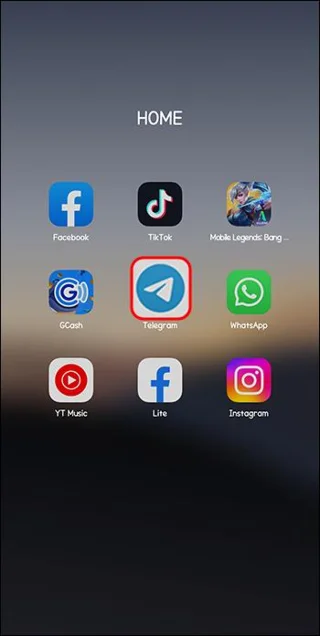
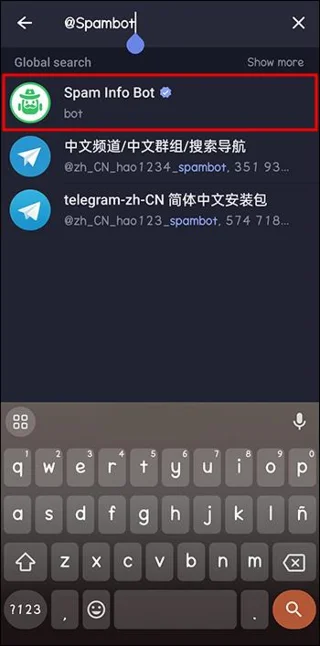
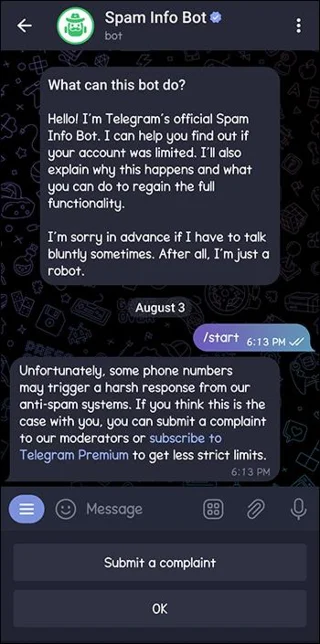
- Search for the username “@Spambot,” the account name is “Spam Info Bot.”

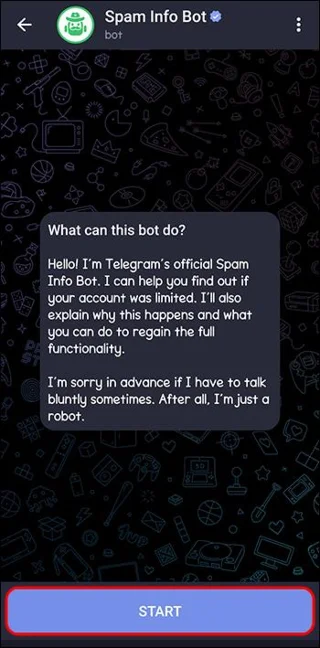
- Click on it and press “Start.”

- The bot will immediately let you know if your account has been limited.
How to Recover a Banned Number on Telegram
If your Telegram number’s been banned, you’ll have to contact Telegram’s customer support and ask them to recover your account. This may not guarantee that your account will be recovered, however.
Contact Telegram Support via the Mobile App
On an iOS or Android device, you can contact Telegram’s customer support and appeal to have your account unbanned.
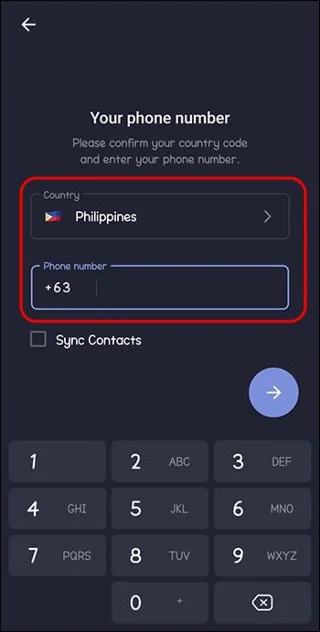
- Launch Telegram.

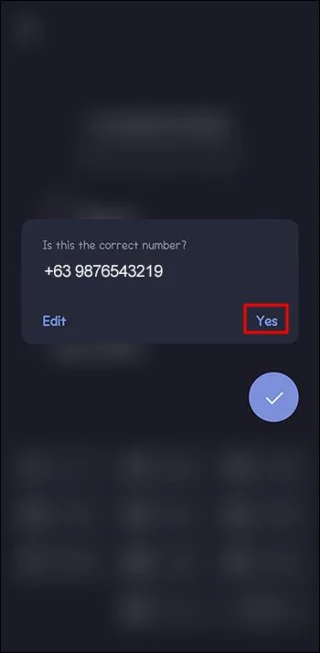
- Type in the banned number.

- Tap on “Yes” when you’re asked if this is the number you’d like to use.

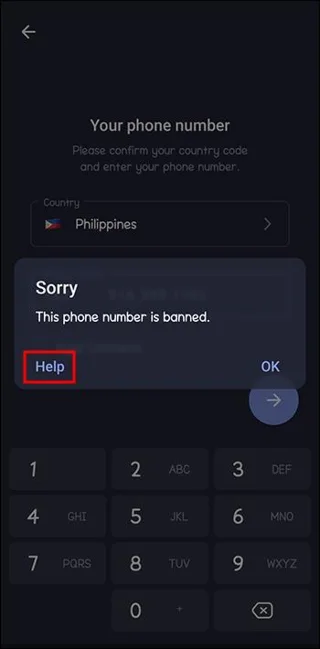
- You’ll see a notification informing you that the number’s banned, then select “Help.”

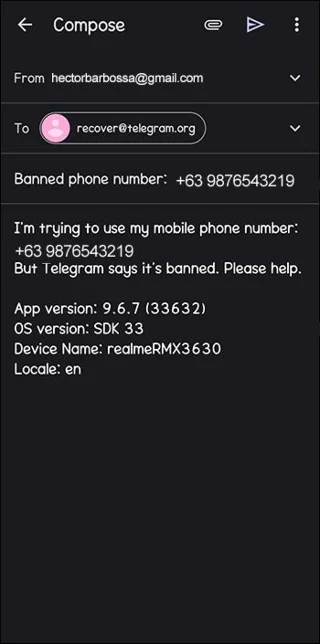
- Write an email asking them to assist with your account recovery.

Contact Telegram Support via a Web Browser
Contact Telegram online via a web browser using the following steps:
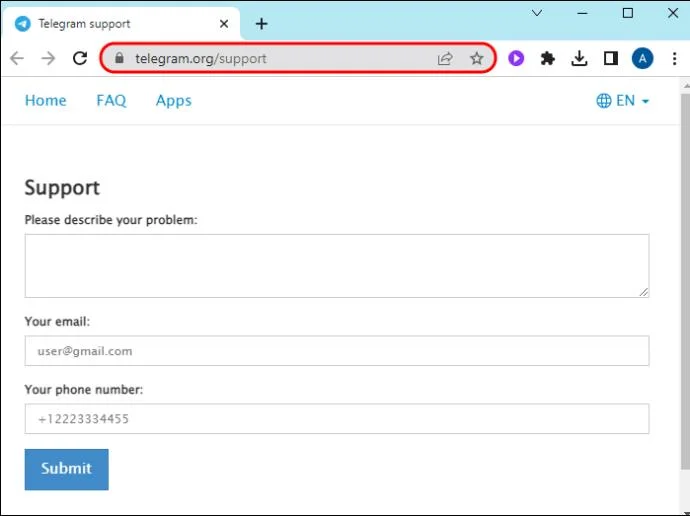
- Visit the site.

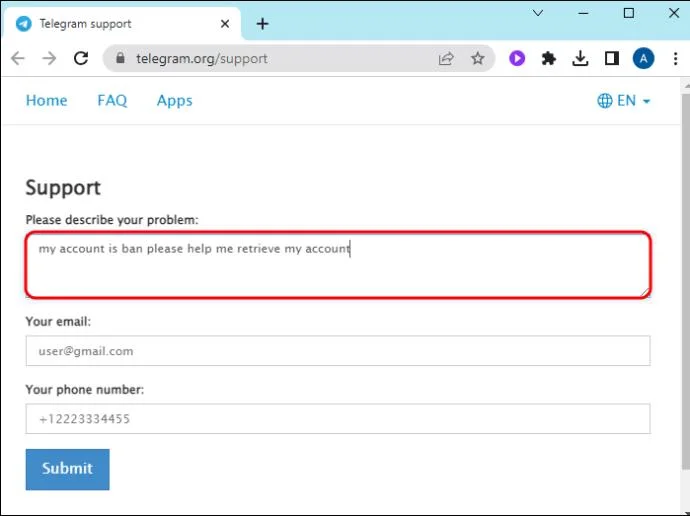
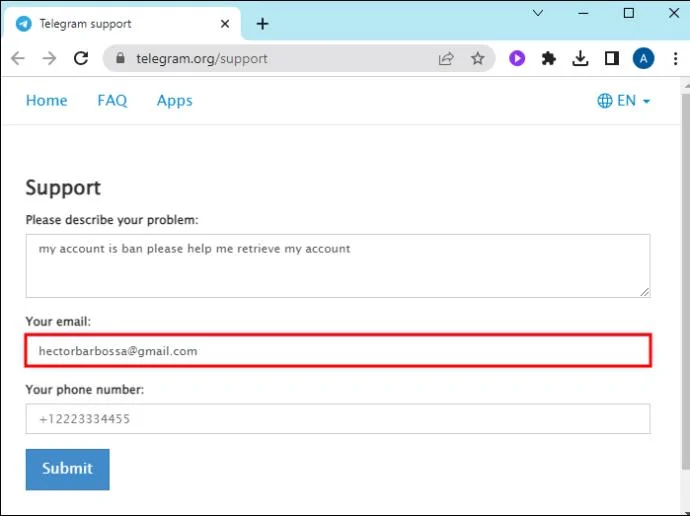
- Type in the details of your issue.

- Add your email and phone number.

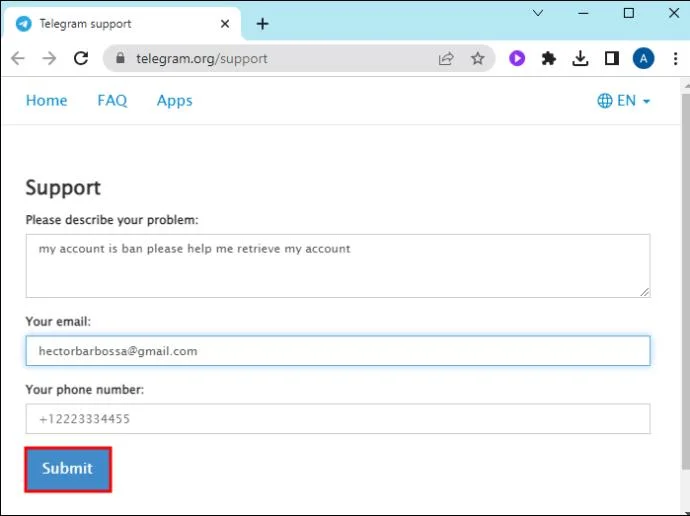
- Click on “Submit.”

DM Telegram Support on Twitter
Telegram has a support team on Twitter: @smstelegram. You can DM them, give them your username and password, and ask them unban your number.
Email Telegram Directly
If you didn’t violate any of Telegram’s terms of service, email them directly explaining your issue and ask them to recover your account. Below are three email addresses to contact Telegram’s customer support:
You should hear back from them within five working days.
Ask a Telegram Volunteer
Telegram has volunteer support members to assist people with technical issues. To chat with them, do the following:
- Open Telegram.

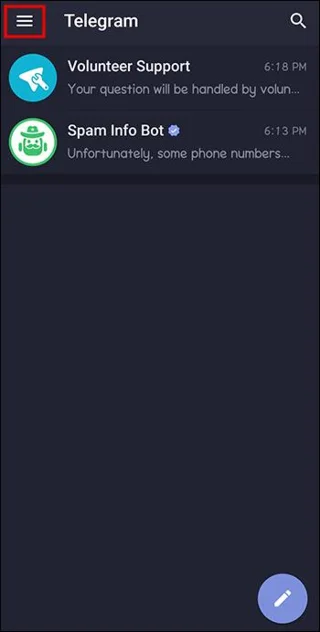
- Click on the three lines icon.

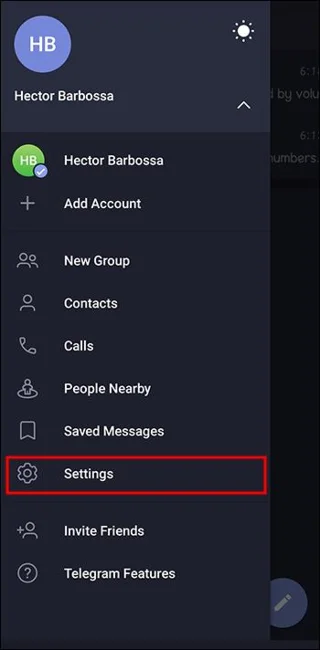
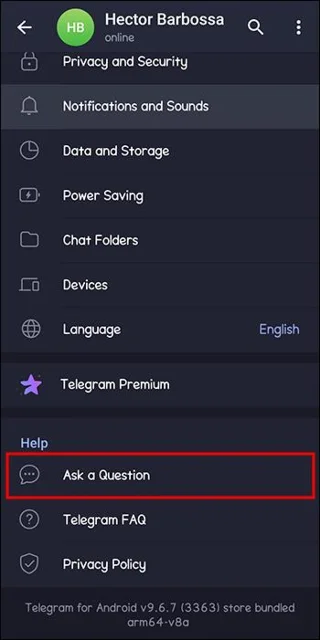
- Scroll down to “Settings.”

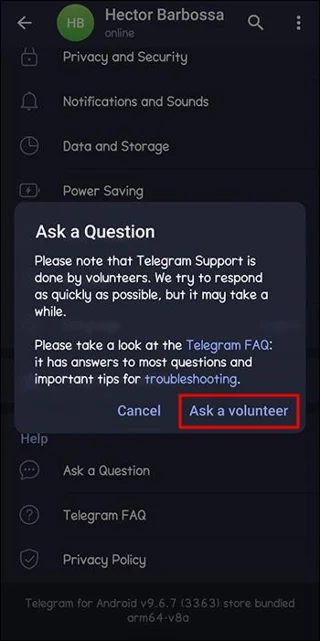
- Select “Ask a Question.”

- Click on “Ask a volunteer.”

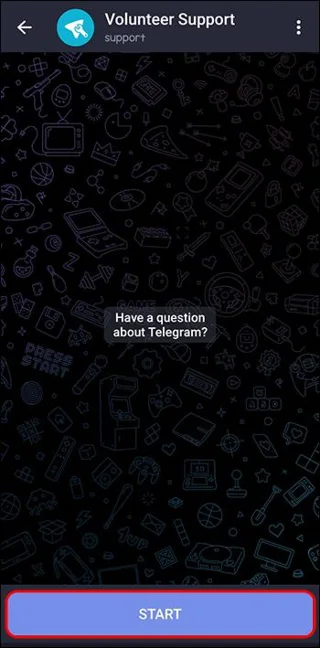
- In the chatbot, tap on “Start.”

- Choose from the options provided and follow the prompts.

Seek Community Assistance
You can reach out to Telegram’s social media accounts or community forums to seek help from other Telegram users that have experienced your issue and can offer advice.
FAQs
How long does a ban last on Telegram?
This depends on the seriousness of your offense. If you were banned for sending prohibited messages, you could be banned for at least one week. If your offense was severe, you could get a lifetime ban.
How can I ensure I don’t get banned again?
When you’ve been set free from Telegram jail, we advise you to read and adhere to the terms and conditions, refrain from sending adverts or third-party links, and don’t invite excessive users to a channel.
Can I create a new Telegram account with a banned number?
It’s against Telegram’s terms of service to create a new account with a banned number. Doing this will get you permanently suspended. You must use a different number when creating a new Telegram account if your current number’s been banned.
We suggest that once you’ve successfully unbanned your Telegram number, you go through Telegram’s terms of service so you don’t end up in the dog box again.
Reasons Telegram Banned You
Telegram’s big on ensuring its community is safe and secure, and the app doesn’t hesitate to ban account users for violating their user terms and conditions. If you don’t think you violated Telegram’s terms and were banned in error, you can contact Telegram’s support team via email, Twitter DMs, or their support webpage. The waiting time for Telegram customer support to get back to you is up to five working days.
Have you ever had your number banned on Telegram? If so, how did you get out of Telegram jail? Let us know in the comments section below.