Instagram is probably the trendiest social media platform at the moment. Facebook feels outdated, and most young people have transitioned to IG. However, there is the question of account security on Instagram.
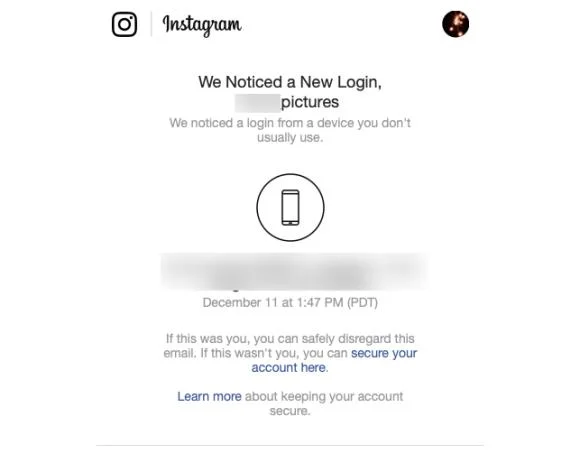
Facebook has pretty tight security, but what about Instagram? Does Instagram notify you when someone else logs into your account? The answer to that question is: it depends. Instagram will notify you via email about “suspicious activity” on your account in some cases.
Instagram has a few security methods to help you protect your account. Read on for more details about Instagram account security.
When Does Instagram Notify You via Email
Many users have previously reported that Instagram has notified them of unusual login attempts when someone else logs into their account. Instagram can pick this up if someone uses a different device from a different location, unlike your normal logins.

When you use one smartphone, tablet, or computer to access Instagram, and you do it from the same Wi-Fi network, Instagram will remember this data and assign it as your standard login. If someone tries logging into your account from somewhere else, it will break the pattern, and you will get a notification.

However, this system is not flawless. You may change your phone, or use your friends’ computer to log in. When Instagram notifies you of such an event, you can disregard the email. If the notification has some random log in location and device, then you should take action.
The best action you can take is to change your Instagram password straight away. That will prevent the culprit from abusing your account again. If Instagram keeps informing you about suspicious logins, it may be an error.
Try using your phone’s cellular data instead of Wi-Fi to access Instagram to resolve this common issue.
Checking Instagram’s Emails
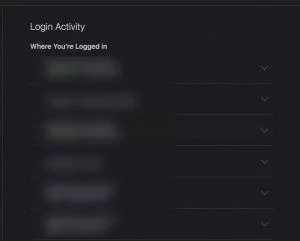
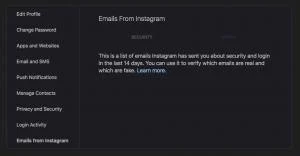
Fortunately, Instagram does offer all of their communications right inside the Instagram platform. This means that even if you’re worried an email was deleted, you can go to your Security Settings on Instagram to see if any login messages have been sent to you.

Assuming any suspicious logins occurred, you would find them here. If you’re concerned about your account’s security, be sure to check your logins and communications from Instagram periodically.
Instagram Two-Factor Authentication
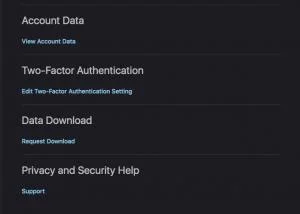
You probably know a little about two-factor authentication (2FA) already. You can use it to prevent other users from accessing your online accounts and data. Many programs and services use 2FA, and it is also available for Instagram.

You can use Instagram’s native 2FA, which works via SMS. That’s a good option, and we recommend you to start using it. There are some other third-party authenticators, such as Google Authenticator, which are also reliable.
Emails can be compromised more easily than SMS and unique codes generated by authenticator apps. Let’s start with Instagram’s two-factor authentication.
How to Activate Instagram’s 2FA
You can activate the SMS authenticator or a third-party authenticator on Instagram from the same menu. If you will use an authenticator app, best go for Google Authenticator. Download it first, using this link for Android devices, or this link for iOS devices.
After you’ve installed the Google Authenticator app, follow the steps to activate it on Instagram (or follow the instructions for the SMS verification):
- Open Instagram on your device.
- Tap on the profile icon and select the hamburger menu.
- Select the gear icon.
- Choose Security.
- Next, tap on Two-Factor Authentication.

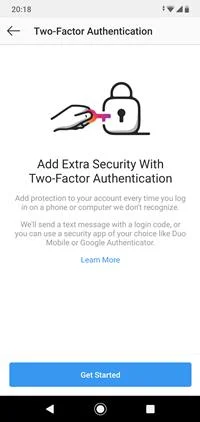
- Tap on the Get Started button.
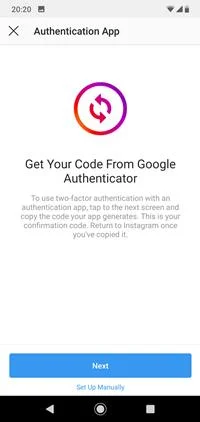
- Move the slider next to the Text message option, or next to the Authentication App option, depending on your preference. We find the SMS option easier to handle, but both are equally effective and safe.
- If you chose the Authentication App, tap on Set Up Manually in the next window.

- After that, select Copy Key and paste it into the Google Authenticator app.
- Finally, you need to copy the code from Google Authenticator and paste it into the Instagram app.
That’s it. This method might be a bit more complicated, but it still works great if you don’t like SMS and prefer online apps. The good news is that you won’t have to repeat this process on your other devices.
You can copy the Instagram code generated on your first device into the Google Authenticator app on that device. That sounds a bit tedious, but it provides excellent protection from hackers and other malicious parties.
Frequently Asked Questions
So, Instagram doesn’t always alert me that someone has logged in?
No, unless you’ve set up two-factor authentication it is possible that you won’t receive any notification at all. The login would have to be considered “suspicious” before you received any communications.
How do I know if someone is using my account?
There are a lot of ways to tell if someone is accessing your Instagram account and we do have an article on the subject. Ultimately, you’ll notice new friends, or perhaps you’ve been blocked, or you’re receiving messages and requests from people you’ve never met before.
Another thing to look out for is read receipts. When you open an Instagram message, if it appears to have already been read, you may have an account access issue.
What if someone changed my contact email?
If this has happened to you the best-case scenario is going to come from Instagram support. Assuming you can’t log in because someone has completely hijacked your account contact the support team who can take you through the verification steps to get your account back.
Ultimately, you may want to report your own account as fraudulent to get it shut down if the Support team is unable to help.
Stay Safe on Instagram
Social media platforms are prone to hacking attempts since they hold such valuable personal information. The best way to keep your account safe is to set up a two-factor authentication process for your account.
Instagram may notify you of suspicious login attempts via email but is not very reliable. It is best to use a trusted third-party authenticator or the platform’s native SMS verification.
Did Instagram notify you of suspicious activity? Change your password right away! Let us know if there’s anything else on your mind regarding this topic.