Pop Culture Costume Ideas That Will Dominate Halloween 2026

Plan a recognizable Halloween 2026 look with pop culture costumes inspired by Spider-Man, Supergirl, Toy Story 5, Moana, Mario, and Wednesday.
The Pixel 8a is Google 's latest mid-range offering , while the Pixel 8 is the company's flagship smartphone. Both phones look similar and have largely similar specs, but we'll highlight the differences below to help you decide which is the better buy for your money.
1. The Pixel 8a has a smaller screen, but thicker bezels
The Pixel 8a has a better display than the Pixel 7a, but not as good as the Pixel 8's 6.2-inch display, even if the spec sheet is different.
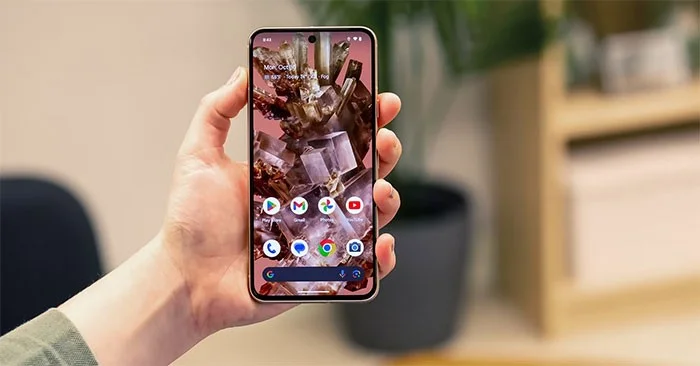
The Pixel 8a's 6.1-inch panel has a 120Hz refresh rate, while the Pixel 7a's panel is 90Hz. Plus, the Pixel 8a can reach a peak brightness of 2,000 nits. However, Google's mid-range Pixel has thicker bezels, which makes it look less premium.
The Pixel 8a is taller, wider, and heavier than the Pixel 8. It also uses Gorilla Glass 3, while the Pixel 8 has Gorilla Glass Victus.
2. Pixel 8a has a plastic back
The Pixel 8a may look like the Pixel 8, but it has a lower-quality build. Google's mid-range Pixel has an aluminum frame with a "matte composite back," which is another name for plastic with a specialized rubber coating.
The Pixel 8 has glass on the front and back, giving it a more premium feel in the hand. Because it has thinner bezels, it also looks a lot more modern.
3. Pixel 8 has a superior camera
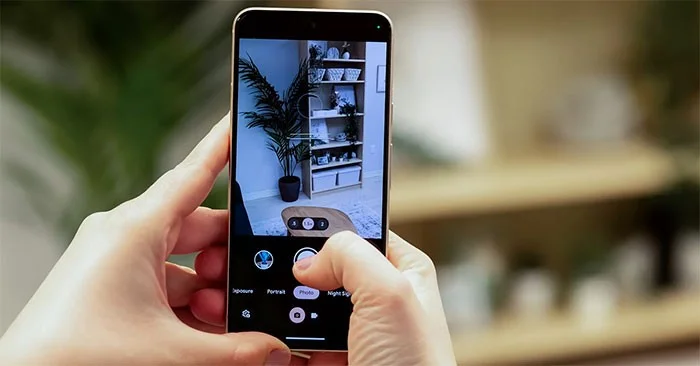
The Pixel 8a's 64MP main camera and 13MP ultra-wide camera are better than the Pixel 8's 50MP main camera and 12MP ultra-wide camera because they have higher resolutions. But that's not true.
The Pixel 8 has a larger 1/1.31-inch 50MP camera sensor with a wider f/1.68 aperture, allowing it to capture more light. The pixels themselves are also larger, making them more sensitive to light. By comparison, the Pixel 8a's 64MP camera is physically smaller at 1/1.73 inches and has an f/1.89 aperture.
Google claims the Pixel 8's 2x zoom shots offer "optical quality." That's not the case with the Pixel 8a, thanks to the smaller sensor. The same is true of the ultrawide camera. While the Pixel 8's 12MP camera has 1.25μm pixels, the Pixel 8a's 13MP ultrawide camera has smaller 1.12μm pixels. The latter's field of view is also narrower at 120 degrees compared to the Pixel 8's 125.8 degrees.
More importantly, the Pixel 8a's ultrawide camera lacks Macro Focus functionality, meaning it can't focus on close subjects for macro shots like it can on the Pixel 8.
Similarly, the Pixel 8a has a less capable 13MP front camera with 1.12μm pixels. In comparison, the Pixel 8's 10.5MP f/2.2 selfie camera will take better photos thanks to its 1.22μm pixels. From a software standpoint, there's no difference, and you get access to all the AI-powered features like Magic Eraser, Magic Editor, and Best Take.
The Pixel 8 offers impressive camera performance. While the Pixel 8a can also take impressive photos, it won't be as good as the Pixel 8.
4. Pixel 8a has slow charging speed
The Pixel 8 and 8a have nearly identical battery capacities: the Pixel 8 has a 4,575mAh battery, while the Pixel 8a has a 4,492mAh battery. Google even claims that the two phones will last for more than 24 hours, with Extreme Battery Saver pushing that to 72 hours. But there’s a big difference in how quickly the two phones charge.
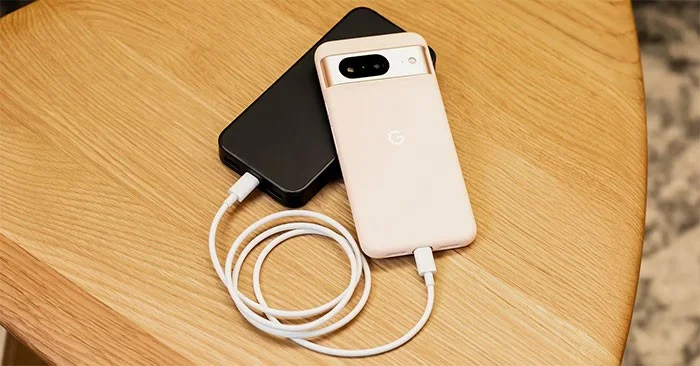
The Pixel 8 supports 27W fast wired charging and 18W wireless charging with the Pixel Stand (2nd generation). On a Qi charging pad, the phone will charge wirelessly at 12W. By comparison, the Pixel 8a charges significantly slower, both wired and wireless. It supports 18W over a USB-C connection, while wireless charging is limited to 7.5W.
Sadly, neither phone supports the new Qi2 wireless charging standard. It's also worth noting that there's no reverse wireless charging on the Pixel 8a, which could be useful for charging accessories like wireless headphones while out and about.
5. Price difference
For all of these compromises, the Pixel 8a comes at a lower price. The mid-range Pixel 8a can be purchased for $499 on the Google Store, and the 256GB variant costs $60 more at $559. The Pixel 8 costs $699, which is $200 more than the mid-range version.
However, the hardware differences make up for this price difference. For the extra money, you'll get a phone with a larger screen, better build quality, a better camera, and faster charging.
The Pixel 8 is coming out in 2023, so you can find it at a discounted price on Amazon right now. Google also occasionally offers great deals on the Pixel 8. With a good deal, you can get the phone for a lower price, making it a better option than the Pixel 8a.
Plan a recognizable Halloween 2026 look with pop culture costumes inspired by Spider-Man, Supergirl, Toy Story 5, Moana, Mario, and Wednesday.
Sort leftover Halloween candy safely, share or repurpose sealed treats, and choose food use or compost for pumpkins based on their condition.
Compare workplace Halloween costume choices by respect, dress code, mobility, and safety—and learn when a subtle accessory or a policy check is the better option.
Find a couples costume that fits your style, budget, and comfort level, from Addams Family classics to original inside-joke duos.
Need a last-minute high school Halloween costume? Compare 10 easy closet-based ideas by prep time, comfort, school-day practicality, and simple safety checks.
Use a simple 2026 Halloween decorating timeline for indoor décor, outdoor displays, and fresh pumpkins, with practical adjustments for weather and events.
Mix five vivid, approachable Halloween cocktails with measured recipes, simple prep tips, and an alcohol-free option for your party guests.
Find 15 office-friendly Halloween costume ideas for 2026, with practical checks for dress codes, respectful themes, comfort, and workplace safety.
Plan a fun elementary school Halloween party with easy crafts, games, inclusive treats, costume tips, and a sample 75-minute classroom schedule.
Compare realistic side hustles for 2026 by startup cost, fees, flexibility, and income control, with current tax and scam guidance from official sources.








