Difference between regular TV and Smart TV
Smart TVs have really taken the world by storm. With so many great features and the ability to connect to the Internet, technology has changed the way we watch TV.
Smart TVs are changing the way we enjoy entertainment, and AI is taking it to the next level. From better picture and sound quality to voice control and more, these AI-powered features are making smart TVs so much better!
Table of Contents
Thanks to AI-powered virtual assistants like Alexa and Google Assistant , smart TVs now offer much better quality voice control and interaction than they did a few years ago. That means you can search for movies, adjust the volume, or even check the weather and other common tasks, all with simple voice commands.
AI-powered voice control allows for hands-free operation and a more seamless TV experience. That means no more searching for that lost remote or typing long searches to get what you want. Instead, you can sit back, relax, and let your voice do the work. TiVo’s voice search goes even further, allowing you to search using quotes, songs, names, and more.
If voice control on your smart TV isn't what you expected, it could be a sign that you need to upgrade your smart TV.

AI is pioneering a revolution in picture and sound quality on smart TVs. AI algorithms analyze room conditions, content types, and even viewer preferences to automatically adjust brightness, contrast, and audio settings for the best possible viewing experience.
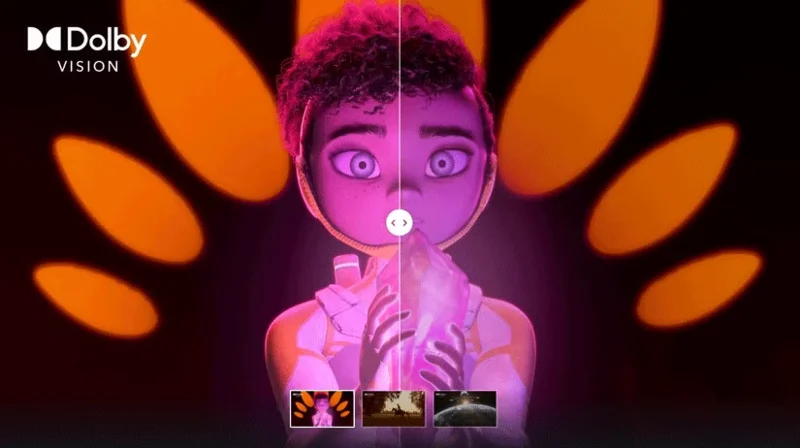
For example, Dolby Vision IQ uses AI to dynamically adjust picture settings based on the ambient light in the room, meaning viewers will enjoy the best picture quality, regardless of the lighting conditions in the room. Similarly, AI-based audio calibration technologies optimize sound settings to deliver immersive, high-quality sound that is unique to your personal preferences without you having to do anything!
Today, smart TVs aren't just for watching your favorite shows; they're increasingly the hub for controlling all of your smart home devices. AI allows smart TVs to seamlessly integrate with your network of smart home devices, meaning you can control your lights, cameras, music, or thermostat right from your TV interface — no need for anything else.
Imagine being able to dim the lights, adjust the temperature, or even check who's at the front door without leaving the comfort of your couch. Sounds great, especially when you're watching a movie!
And finally, AI is playing a huge role in improving accessibility features on smart TVs, making entertainment much more inclusive for most people. If you’re someone who almost always watches movies with subtitles due to hearing loss, this is a huge plus. Real-time captioning, audio descriptions, and gesture controls are just a few examples of how AI is making accessibility easier and more cost-effective for showrunners.
For example, AI-powered speech-to-text technology is making real-time captioning more accessible, benefiting those with hearing impairments. Another example is voice and gesture commands, which provide easier alternative input methods for users with mobility challenges. Both of these AI-powered accessibility features, along with others, are transforming the way users with a variety of needs interact with smart TVs and the world around them, making entertainment more inclusive and enjoyable for everyone.
AI is rapidly revolutionizing the capabilities and role of smart TVs in our lives, making them much more personalized, intuitive, and accessible. Our TVs are becoming smarter than ever and adapting to our needs, and we can expect even more exciting advancements in the future, further improving our entertainment experience!
Smart TVs have really taken the world by storm. With so many great features and the ability to connect to the Internet, technology has changed the way we watch TV.
Many Samsung Smart TVs come with built-in features that can enhance your streaming and gaming experience. Here are our favorites.
While you can use it to play games on your console or watch movies or shows on your favorite streaming platform, TV channel, or cable subscription, did you know that it can do so much more?
The growing popularity of large-sized, high-resolution TVs is an example of people's ever-increasing need for entertainment.
There are plenty of Smart TV platforms to choose from, like Apple tvOS and Samsung's Tizen OS. But there's one Smart TV platform that's better than any other: Google's Android TV.
Smart TVs are great for streaming content, but no matter how smart they are, you can run into more problems than with a regular TV. Here's how to fix common Smart TV problems!
Using a Smart TV without the Internet may seem counterintuitive at first. However, with the right apps installed, you can stay entertained, informed, and even productive.
The good news is that changing a few key settings can instantly boost your Smart TV's privacy and reduce unnecessary tracking.
Smart TV warranties are a safety net, meant to protect you if something goes wrong. However, you can accidentally void your Smart TV warranty without even realizing it.
Many users complain that dialogue in movies and TV shows is too quiet compared to other audio or not clear enough to hear on Smart TV.
Your Smart TV remote is missing again. Maybe it got stuck between cushions, lost in a pile of laundry, or just disappeared. Before you get frustrated, try these simple solutions to control your Smart TV without having to run all over the house.
Your living room is more cluttered than it needs to be. Smart TVs are so advanced these days that a modern TV comes with a whole layer of convenience that you no longer need.
Smart TVs are the centerpiece of most modern living rooms. But like all technology, they don't last forever.
Can a smart TV replace a streaming device, or do they work better together? If you're torn between the two, it's time to analyze their strengths and weaknesses and consider whether owning both is worth it.
Tired of Microsoft Teams OneDrive Error blocking file sync? Follow our step-by-step guide to solve Microsoft Teams "OneDrive Error" File Sync issues quickly. Proven fixes for smooth collaboration in Teams channels. Get your files syncing error-free today!
Tired of Microsoft Teams workflows and Power Automate errors halting your productivity? Get step-by-step solutions to common issues like authentication failures, timeouts, and flow errors. Fix them in minutes and automate effortlessly!
Facing Microsoft Teams "Download Error" on MacBook? Discover proven troubleshooting steps to resolve download failures quickly, from cache clears to reinstalls, and get back to smooth teamwork.
Tired of the frustrating Microsoft Teams "Where is Teams" Folder Error? Discover proven, step-by-step troubleshooting fixes to resolve it quickly and restore smooth teamwork. Latest methods included!
Frustrated by Microsoft Teams JavaScript Error on desktop app? Discover proven steps to fix it fast: clear cache, update, reset, and reinstall. Get back to seamless collaboration in minutes!
Struggling with Microsoft Teams "Guest Login" Error? Discover step-by-step fixes, from quick cache clears to admin settings, to resolve guest access issues fast and collaborate seamlessly. Updated with the latest tips!
Tired of the Microsoft Teams "For PC" download error blocking your work? Follow our proven, step-by-step guide to resolve it quickly and get Teams running smoothly on your PC today.
Struggling with Microsoft Teams "Windows 7" login error? Discover step-by-step fixes for this frustrating issue on Windows 10/11. Clear cache, edit registry, and more – get back to seamless collaboration today!
Tired of Microsoft Teams Error Code 0x80070005 blocking your meetings? Follow this 2026 guide with step-by-step fixes for access denied issues. Get Teams running smoothly in minutes!
Master the installation of the Microsoft Teams Add-in for Outlook 2026 effortlessly. Boost your productivity with seamless scheduling and meetings. Follow our proven, up-to-date steps for instant success!
Struggling with Microsoft Teams "License Error" 2026? Discover proven, step-by-step solutions to resolve it fast. Clear cache, check licenses, and get back to seamless collaboration—no IT help needed!
Whether youre in your 50s, 60s, or even 70s, its not too late to prioritize your health and put yourself first. Here are the best exercises for people 50 and older.
Struggling with Microsoft Teams Error Caa50024 on Windows 10/11? Follow our step-by-step fixes to resolve crashes and launch issues quickly. Latest proven solutions for seamless teamwork.
Stuck with Microsoft Teams login error AADSTS50011? Discover proven, step-by-step fixes to resolve the reply URL mismatch issue and log in seamlessly. No tech skills needed!
Tired of the frustrating Microsoft Teams "Win 7" Compatibility Error blocking your meetings? Get instant fixes with our step-by-step guide, including workarounds for older Windows versions. Resolve it now and stay connected!