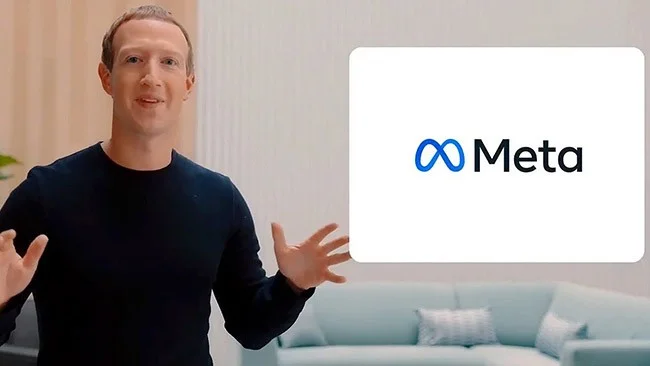
Meta is an adjective that means an object is referring to itself. But at the same time, it is also short for something called the metaverse .
The announcement was met with curiosity, skepticism, and the obvious question: “What exactly is the metaverse?” It sounds a lot like virtual reality.
So how is the metaverse different from virtual reality, and do you need a Facebook-made VR headset to access it?
What is the difference between Metaverse and virtual reality (VR)?
If you've read any articles about the metaverse, the similarities between it and virtual reality are hard to deny. However, there are some important differences.
Here are six key differences between virtual reality and the metaverse.
1. Virtual Reality is Well-Defined, Metaverse Is Not
The most notable difference between virtual reality and the metaverse is that while VR is now well understood, the metaverse is still very much a blur.
According to Mark Zuckerberg, the metaverse is "an embodied Internet where instead of just consuming content, you can actually be in it." A recent Microsoft announcement described the metaverse as "a digital world where digital twins of people, places, and things exist."
These descriptions are pretty vague compared to our understanding of virtual reality. It's also possible that even the tech companies themselves don't have a complete definition of the concept.
According to Facebook, the decision to rebrand was a necessary part of building the metaverse. The company wanted a name that better represented what the company did. But that certainly wasn’t the only good reason for doing so. Facebook’s image wasn’t exactly great with users either.
It has also been argued that the metaverse is nothing more than a buzzword to describe technological improvements in the existing Internet.
2. Facebook does not own either of these technologies.
Facebook has changed its name to Meta
Another potential question about the metaverse is who can actually define it.
As the owner of Oculus Rift, Facebook has played a major role in the development of virtual reality. But at the same time, it is just one player in a huge industry.
The same is true of the metaverse. Facebook may have rebranded itself as Meta, but it’s not the only company in the space. Microsoft, for example, recently announced Microsoft Mesh, its version of a mixed reality platform with similarities to the metaverse and a variety of definitions. Furthermore, a recent statement from Facebook hinted at the fact that the company considers itself part of the metaverse. This means that, like VR, the metaverse will not be limited to just one company.
3. The Metaverse consists of a shared virtual world
The metaverse is a shared virtual space that users can access over the internet. Again, this is something that VR devices already obviously allow you to do. The virtual space in the metaverse sounds similar to the space that already exists in virtual reality programs.
Users are expected to be identified by personal avatars and interact with each other in virtual locations. They will also be able to purchase or build virtual items and environments, such as NFTs.
The fundamental difference is that while current virtual worlds are limited in size, the metaverse sounds like it will provide access to the entire Internet.
4. The Metaverse will be accessible in virtual reality
Metaverse won't require you to wear a VR headset, but it's believed that much of the service will be accessible to headset users.
This means that the line between surfing the Internet and using virtual reality could blur. VR devices could start being used for tasks that are typically done with smartphones.
If the metaverse becomes as popular as Facebook expects, VR has a chance of becoming more or less a niche product.
5. The Metaverse won't be limited to VR technology
Metaverse will be the next technological revolution
The metaverse won't be limited to virtual reality, however. Instead, it will be accessible via both augmented reality devices and any device you already use to connect to the internet.
This opens the door to a variety of features that are not possible with virtual reality. For example, augmented reality would allow aspects of the metaverse to be projected onto the real world.
Virtual spaces will also be designed so that they can be accessed anywhere without the need for a headset.
6. The Metaverse is potentially much bigger than VR
Virtual reality is currently used for education, therapy, and sports. But it is still considered best suited as a form of entertainment.
The metaverse, at least in scale, sounds like a new and improved version of the internet. It's expected to change the way people work, access social media, and even surf the web, which means that while many people have completely ignored virtual reality, the same can't be said for the metaverse.
Will the Metaverse replace the Internet?
Virtual reality hasn't had the full impact on the world that some people expected. There's a limit to how long people want to wear headsets.
The Metaverse won't have this problem, being accessible to both people with and without access to VR equipment. Some expect it to have a much larger impact.
At the same time, the metaverse is unlikely to completely replace the Internet. VR headsets provide an interesting alternative to computer screens. The metaverse would provide an interesting alternative to the Internet. But neither is designed to function as a replacement for anything else.