Home
» Games
»
How to download and install GameLoop on your computer
How to download and install GameLoop on your computer
If Android emulation is the only way today that allows users to install and play mobile games on PCs, GameLoop is a professional tool in this field. Just install GameLoop on your computer , you can play immediately a series of top-notch, extremely attractive mobile games without having to go to CH Play to download as with other software ( NoxPlayer , LDPlayer , BlueStacks ...) .
The capacity of GameLoop is also quite light and can be downloaded quickly. The following will be a detailed tutorial on how to install GameLoop for those who do not know.
Download GameLoop to the computer
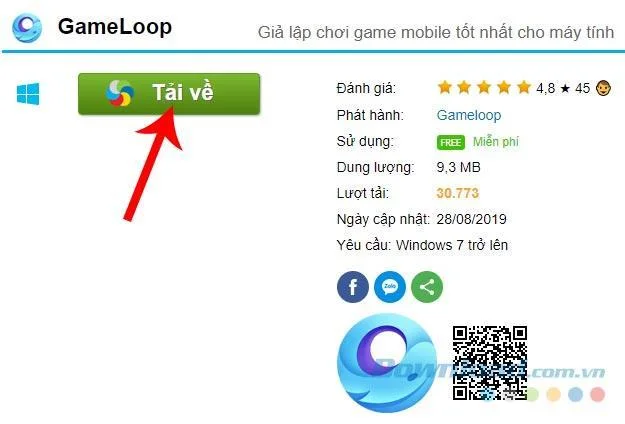
Step 1: You access the GameLoop download support page and select the left mouse button on the Download button .
Select Download
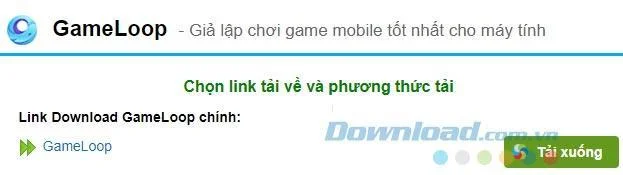
Step 2: The next interface appears, left-click Download or select the corresponding path directly.
Select Download
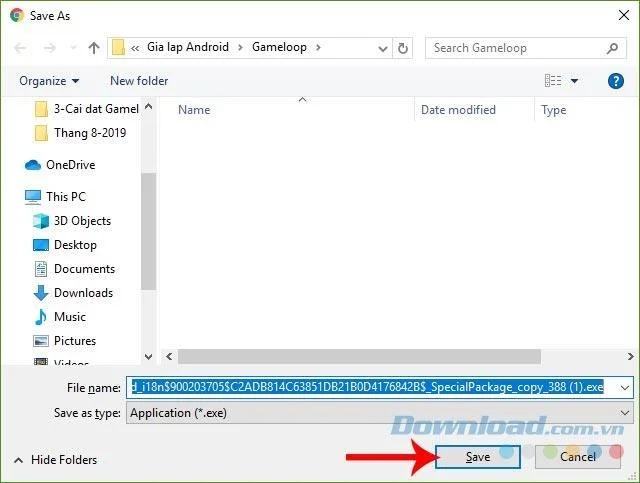
Step 3: When the Windows window appears, select the location to save the installation file on the computer, then click Save to save.
Save the Gameloop installation file on your computer
Install GameLoop for computer
Step 1: Access the folder and the downloaded installation file, double-click on it to start installing GameLoop for the computer.
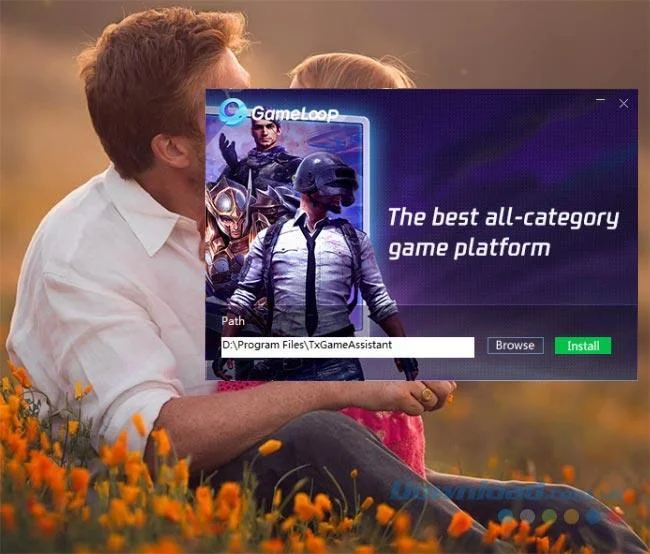
Step 2 : A small window appears as below, you can immediately click on Install to install or you can select Browse and change the location of this Android emulator installation on the computer.
Click on Install to start installing Gameloop on PC
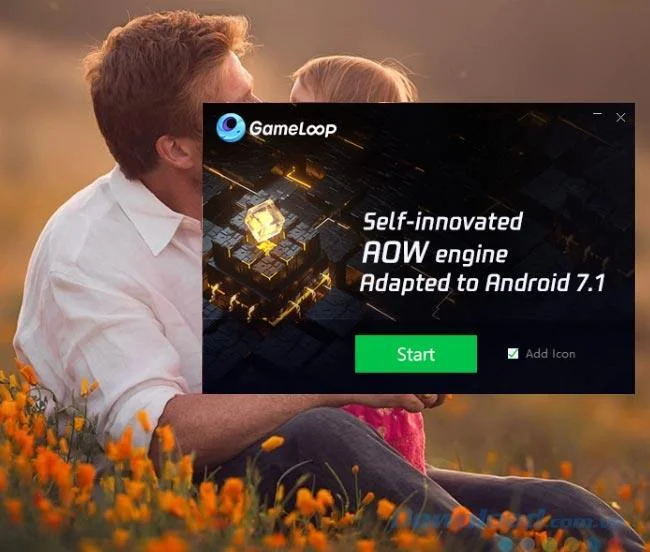
Step 3: At this time the installation process will be automatically performed, you just need to wait until it is completed (about 5-10 minutes) and select Start as shown below.
Click on Start to start using Gameloop gaming
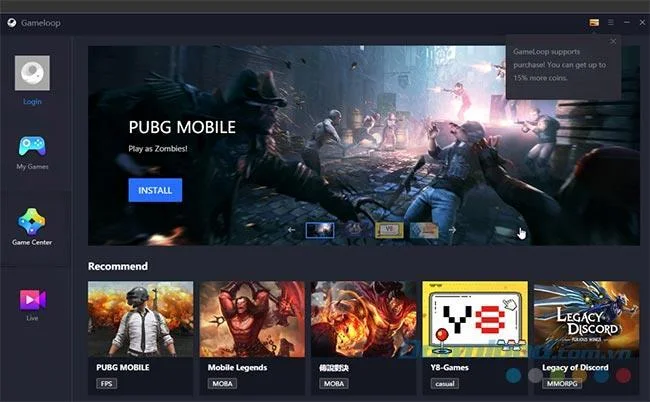
This is the main interface of GameLoop, compared to the familiar Android emulators you've seen before, GameLoop is quite special and focuses primarily on supporting users to play games on PC.
The main interface of Gameloop
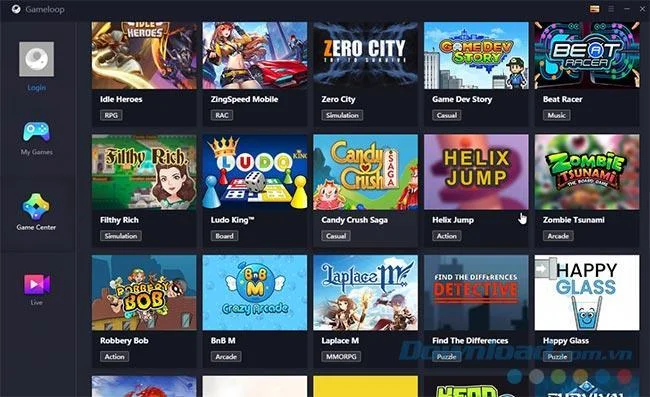
In Game Center - Game center is a series of blockbuster games of different genres, you can drag the mouse to observe and search for the game you want to play.
List of games in GameLoop
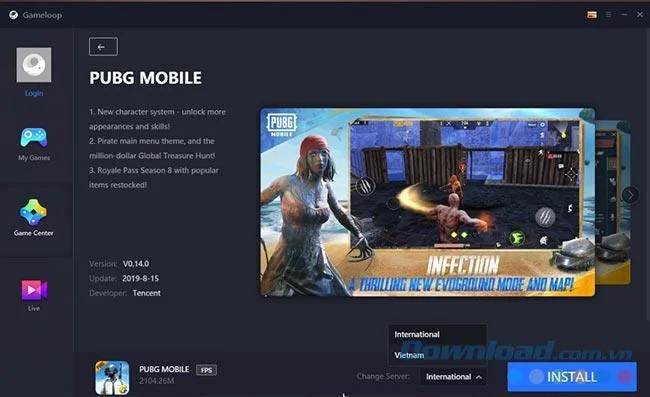
With just a simple mouse click on the game icon to play, then select Install to install a game on this emulator and wait until it is installed to play.
Click on Install to install the game on Gameloop
How To Download And Install GameLoop on Windows 10 PC/Laptop
GameLoop Android Emulator formerly known as Tencent Gaming Buddy is the official Android emulator for Tencent Games.
GameLoop was created for better optimization and gaming experience, so if you’re a heavy user of games like Call of Duty: Mobile and PUBG Mobile and would like to run them with your PC instead, Tencent GameLoop is a good option to try.
Using GameLoop Android emulator, you can turn your PC into a host for games that usually only play on Android devices, like smartphones or gaming consoles. Emulators are normally used because playing Android games on your PC usually gives you better gameplay advantages.
Some of the popular Android games you can play on PC using GameLoop are PUBG Mobile, Call of Duty: Mobile, Arena of Valor, and Mobile Legends. To be able to play them, all you have to do is download the GameLoop Android emulator from the official site and install it on you PC.
How To Download And Install GameLoop Android Emulator on PC/Laptop
1. Go to GameLoop official site: https://gameloop.fun/en
2. Click on the “Download” button. 3. When the download is complete, locate the downloaded executable file for GameLoop Android Emulator and double click on it to start the installation process.
4. Click on the install button. 5. Next, give it some few minutes for the installation process to complete. 6. Click on start button. 7. Give GameLoop some few minutes to finish download it's component