Home
» Wiki
»
How To Add A Highlight On Instagram Without Posting A Story
How To Add A Highlight On Instagram Without Posting A Story
Instagram Highlights are a great way of getting closer to your followers. You can share your special moments with them, thus making your profile more attractive. However, there is a way you can save a video to your highlights without anyone seeing it.
It could be a video that’s special to you that you don’t want to share with other people, and that’s fine. We will now explain how you can add a video from your camera roll to your Instagram Highlights.
What Are Instagram Highlights
To understand why you want to add an Instagram highlight without posting an Instagram Story, you must know why this feature is incredibly useful. The main benefit of adding a highlight is that it will remain on your profile indefinitely, whereas stories disappear after 24 hours.
Your Instagram highlight should be well thought out, and it can be used for advertising, connecting with your followers, or showing others what you’re most proud of. Whatever your reasons for adding a highlight, there are quite a few options for you with this feature.
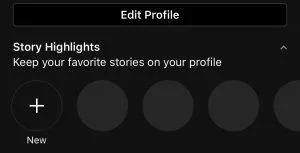
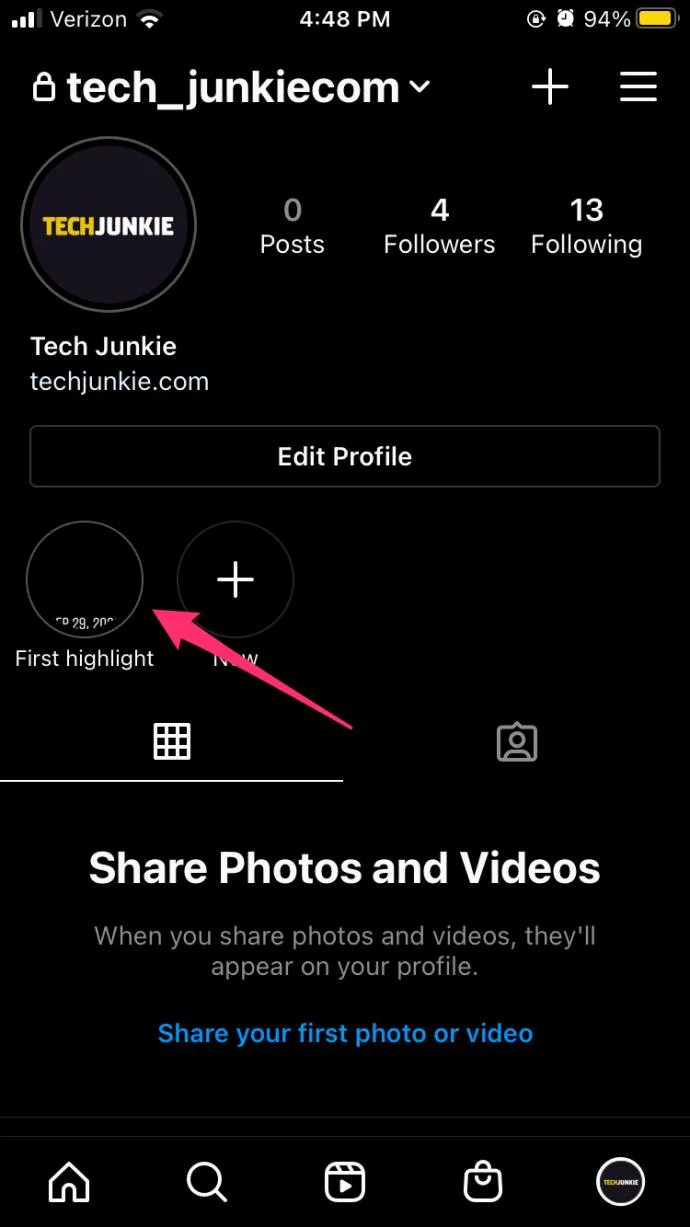
Highlights are similar to files and house your most valuable content. You can create a folder and customize the name, background photo, and more. You can view your stories by tapping the profile icon in the lower left-hand corner and tapping on the highlights under the ‘Edit Profile’ option.
How to Add a Story to Highlights Without Adding It to Story
Typically, Instagram stories have to be published and left for everyone to see for at least 24 hours before you can move them to the Highlights section. But there’s a little hack you can use to add a story to your Highlights without publishing it. The process is simple and easy to follow… Here is how you add Stories to Highlights without anyone seeing them.
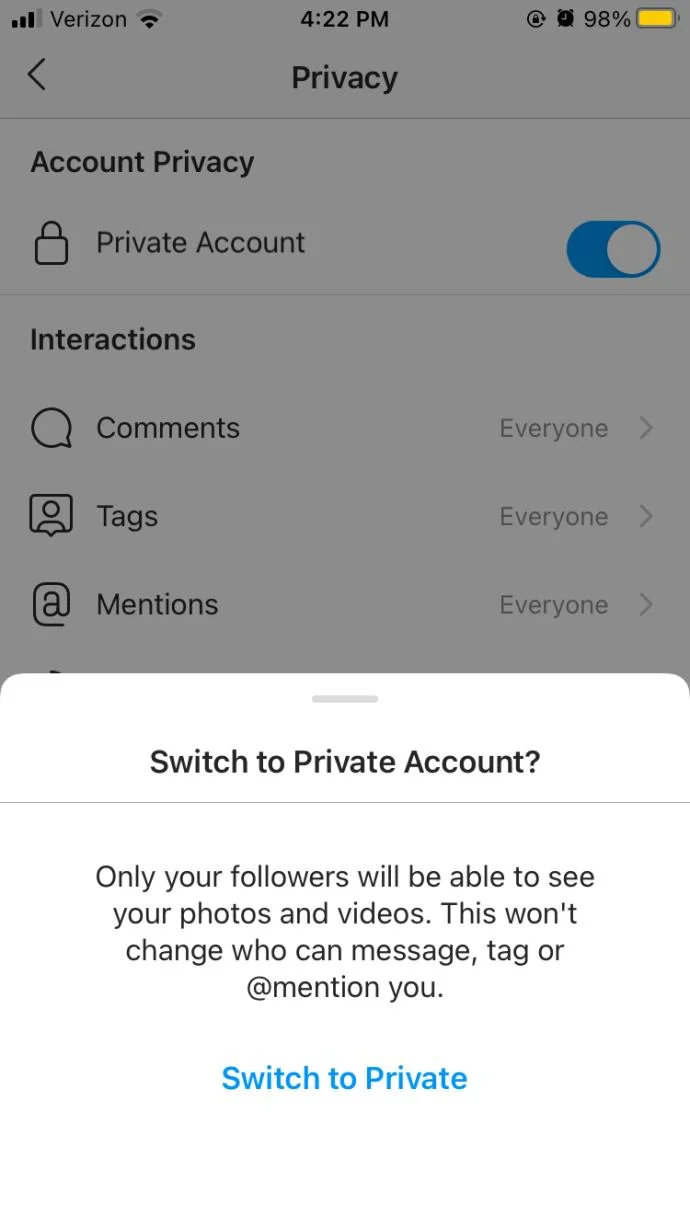
Switch your Profile to Private.
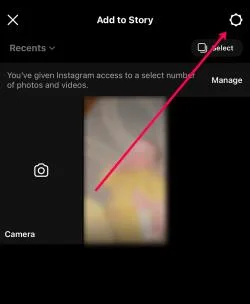
Create a Story like you usually would. But go to Settings before uploading or recording.
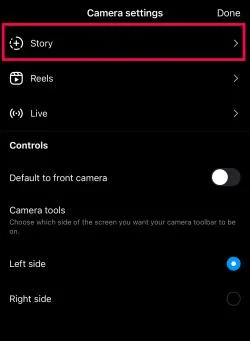
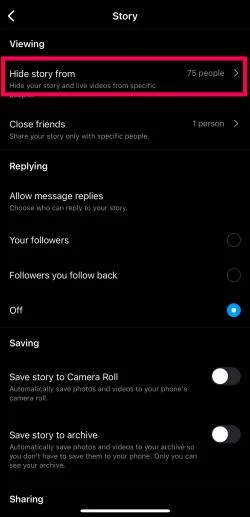
Go to your Story settings.
Tap Hide story from.
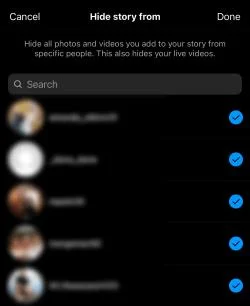
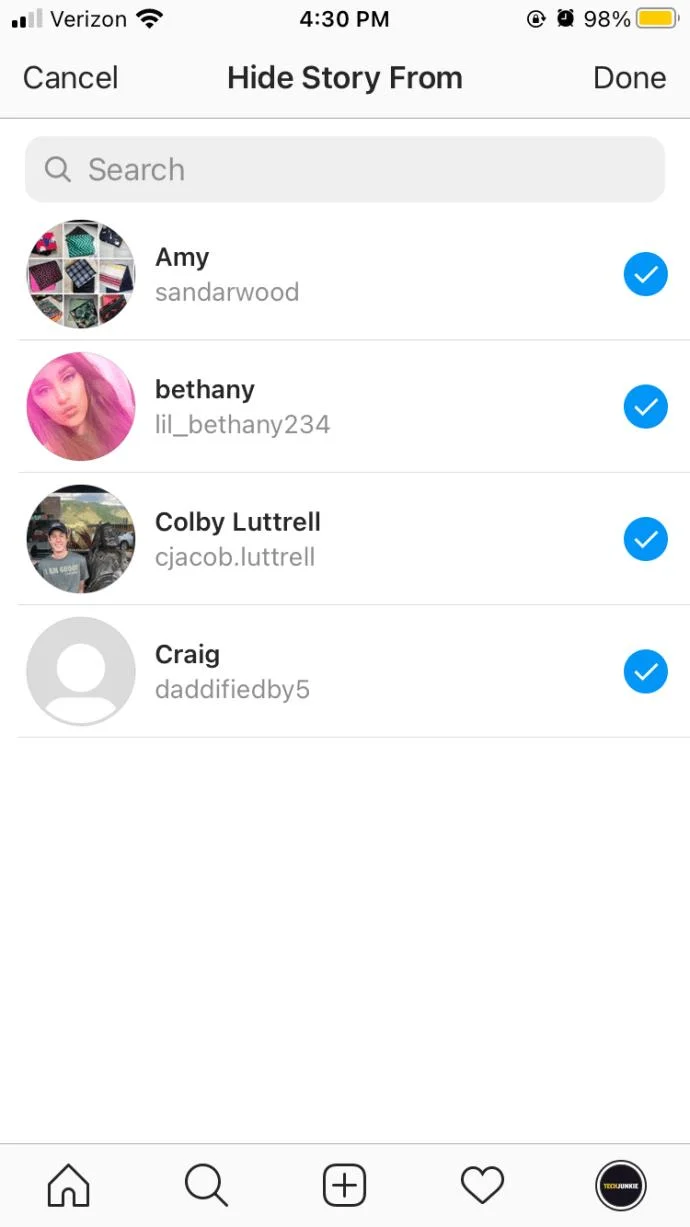
Tap the bubbles next to all of your friends to hide the Story from them.
Or, you can block everyone so they can’t see your Story.
Upload the story you want.
Add the story to your Highlights.
After 24 hours, unblock people so they can see your stories again.
After waiting for 24 hours for the video to transfer to your Highlights, it’s time you unblock everyone the same way you blocked them. The next time they view your profile, the story will be added to your highlights already, and that’s about it.
What If Your Story Can’t be Added to Instagram Highlights?
The only reason why you couldn’t add a story to your Instagram Highlights is if you don’t wait the 24 hours you needed after posting the video. If you deleted the video before the 24-hour mark, you wouldn’t be able to add the story to your Highlights section.
If you can’t see the Highlight feature, try re-uploading the story and look for the button once you’ve published it. If that’s not working either, wait for the feature to pop up on your home page after 24 hours.
Benefits of Using Instagram Highlights
Instagram Highlights provide an excellent way of letting people know what you are about. The option works great for self-promotion, but the most significant benefit of Highlights on Instagram is for promoting your brand and products. The Highlights section can help your brand draw attention to whatever product you are selling. That way, everyone can take a look at your offer.
You can also add a link to your website to drive traffic from Instagram to your brand’s site. Highlights look great and are easy to organize. You can also fine-tune your offers according to the feedback of your followers and customers. Make sure you update your brand’s highlights regularly.
The Highlights present a great way of getting your message to the right people. You can inform your followers about an event or promotion, giving them all the details about your offer and potential discounts, giveaways, and bundles.
Choose Your Highlights Carefully
Posting Highlights is one thing, but knowing what to post is completely different. Pick your moments and ensure that your posts represent who you are and what you are about. If you do things right, success is soon to follow.
Deleting Highlights
You may want to remove your Highlight, and it’s easy to do that once you know how to. If you have a highlight displayed for an upcoming event, you may want to take it down or change it once the event is over. To delete an Instagram Highlight, follow these steps:
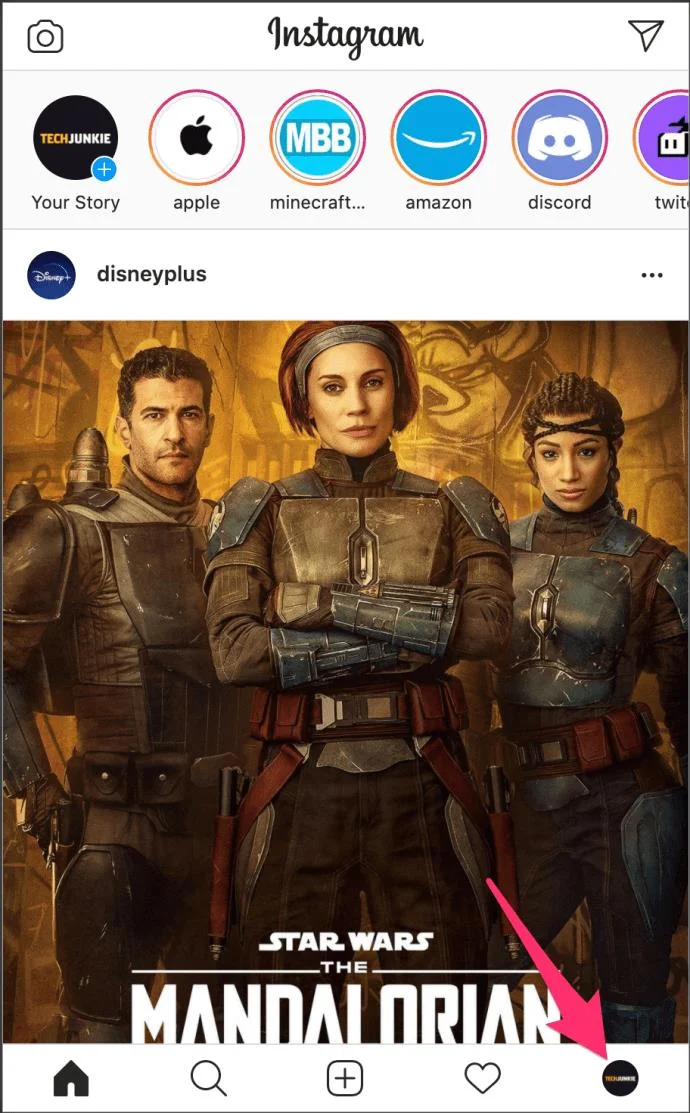
Navigate to your profile on Instagram by tapping on the person icon in the lower left-hand corner.
Locate the Instagram story you’d like to delete, which is located under the Edit Profile option.
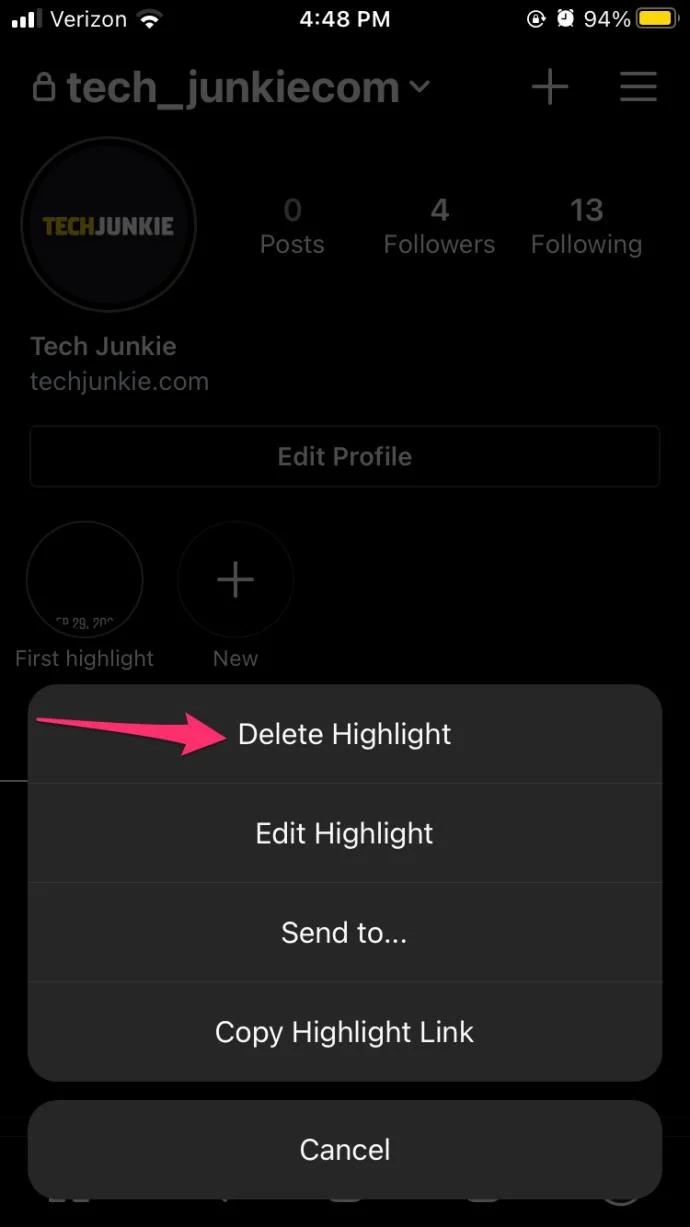
Long-press the Highlight preview (this is the round icon that contains the highlight).
Tap Delete Highlight to remove it. You can also tap the Edit option to add more to this highlight.
Instagram doesn’t offer a lot of post-production editing options for users, so having the ability to go back and add more to an Instagram Highlight is a welcome addition to the social media platform.
Frequently Asked Questions
Instagram Highlights are an excellent way to keep a Story alive. If you have more questions, keep reading.
What is a Highlight?
An Instagram Highlight is a Story that is pinned to your profile. While traditional Stories only last 24 hours, a Highlight will remain on your profile as long as you don’t delete it.
What is the difference between a Highlight and a Story?
An Instagram Story is a video you convert to a Highlight. But the Story only remains on your account for 24 hours. Essentially, you need to create a Story before you can pin it to your account as a Highlight.
Instagram Stories
Instagram, while exceptionally popular, does have its limitations. Were you able to post a Story to your Highlights without sharing it with your friends? Let us know in the comments below!