If you spend a great deal of time online, chances are good you’ve come across Cloudflare’s human captcha loop. This security measure has several causes, including network connectivity issues. While Cloudflare helps to block automated bots and malicious attacks, users have complained of getting stuck in the verifying loop. This can be very frustrating because it blocks you from accessing the website’s services.

In this article, you will learn all about Cloudflare’s “Verify you are human” loop and how to fix it when you get stuck.
Interpreting the Cloudflare Captcha Loop
The human verifying loop is designed to prevent access to the website you want to use until you can verify your identity. But technical hitches may occur between the website’s server and Cloudflare’s network that may cause it to get stuck in a verification loop. This can be considerably disruptive for users who can’t understand why they aren’t able to access the website. Luckily, there are ways to fix it.
Common Causes of Cloudflare’s Human Loop
There are several reasons why you may be stuck in the “Verify you are human” loop and remain on the security challenge. Some of the reasons include:
Security checks: Cloudflare-enabled sites can ask for human verification, especially if you are new to the site. But it may also mistakenly identify you as a malicious bot triggering it to keep asking for verification.
Poor connection: If you are in an area with poor network connection or unstable Wi-Fi, it may deem the human verification loop unstable.
Incorrect information: If the information you enter when using a website is inaccurate, the website won’t be able to verify your identity. This may cause you to get stuck in the loop.
Server issues: A website may have trouble completing Cloudflare’s human verifying loop if there is a high traffic load on the server.
Troubleshooting Cloudflare Verify Human Loop
There are a few quick fixes you can try to see whether this issue is resolved. These include:
Using Privacy Pass with Cloudflare
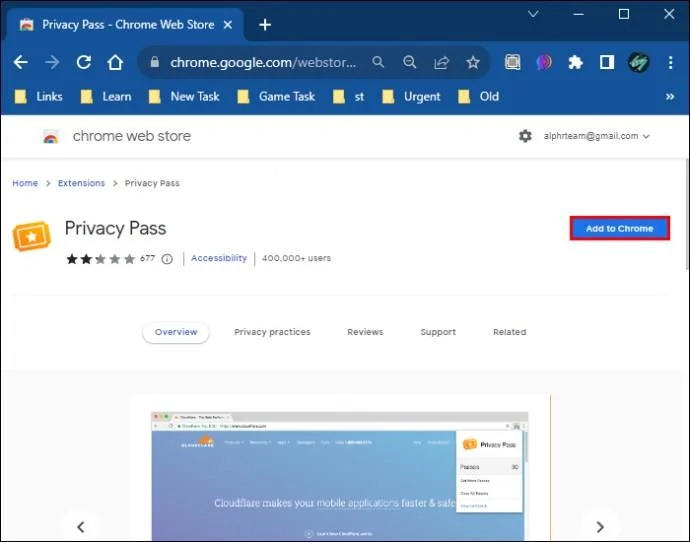
This is a browser extension designed for Chrome and Firefox to help you easily bypass Cloudflare-enabled websites. This works by generating tokens that you use to prevent frequent captcha. This, however, doesn’t compromise Cloudflare’s cybersecurity because they automatically disable the pass when a domain flags it. You can enable Privacy Pass settings by following these steps:
- Download and install the suitable Privacy Pass extension for your browser.

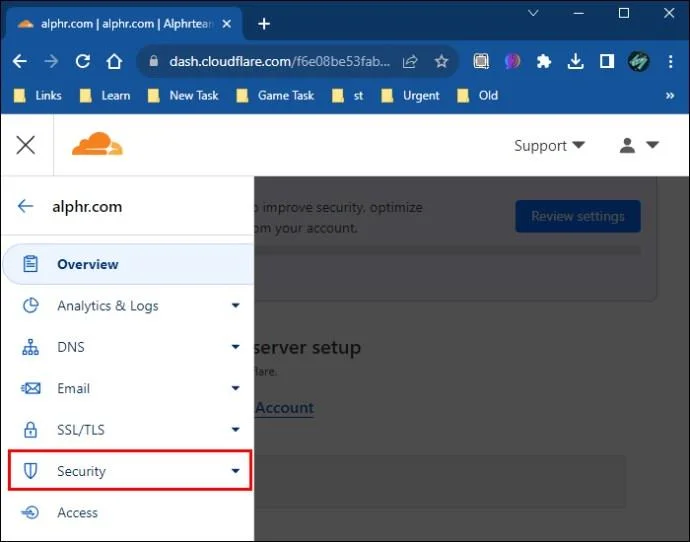
- Go to “Security.”

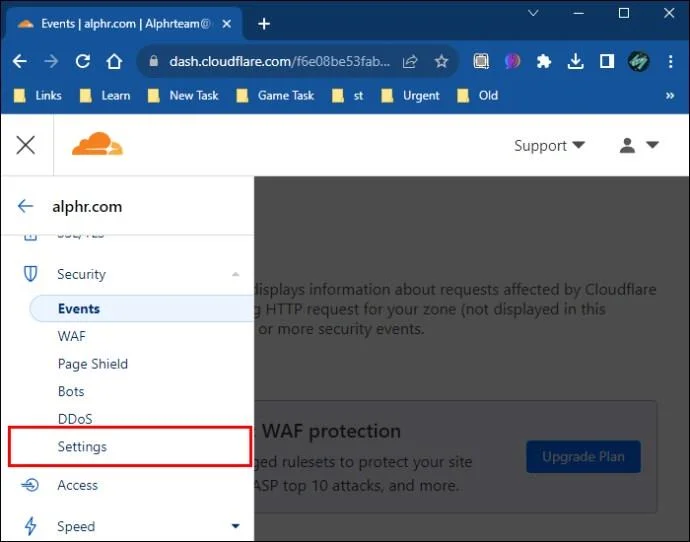
- Open “Settings.”

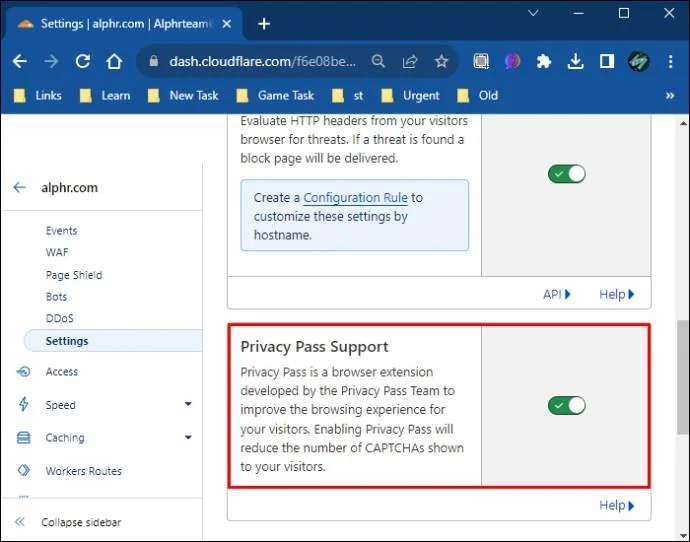
- Enable Privacy Pass settings.

Change your Browser
Using a different browser or trying to access the website in incognito mode may trick Cloudflare into thinking that you are a different user. This can help you access the website easily.
Disable VPN or Proxy
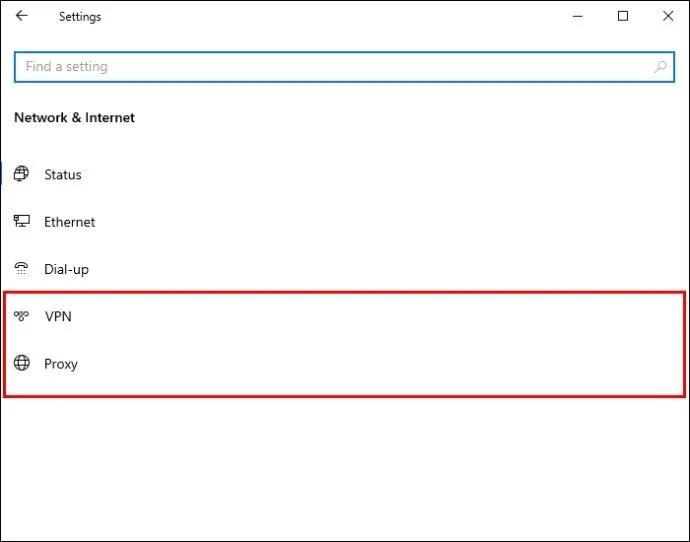
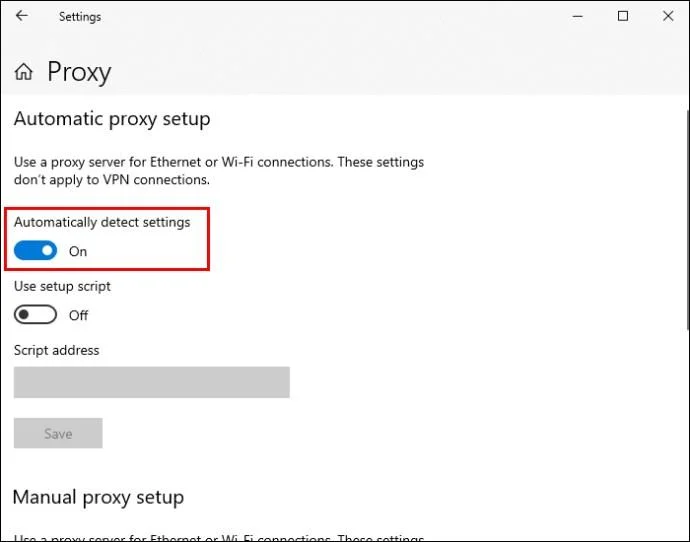
Using VPN and proxies may unnecessarily cause Cloudflare to identify you as a threat. You can try disabling them and accessing the service directly from the internet to see whether you will be able to bypass the human captcha loop. You can turn off your VPN or proxy by:
- Opening the VPN or proxy on your device.

- Turn off “Automatically detect settings.”

- Retry accessing the website.
Double-check Your Browser DNS Settings
If your DNS settings aren’t correctly configured, it may block your browser from accessing the website. Check to ensure everything is set up correctly before trying the security challenge again. You can also try tweaking some of the settings to see whether there’ll be a change. Follow these steps to execute this task:
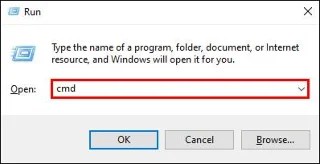
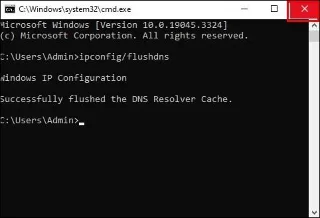
- Press Windows + R keys to access the Run dialog box.

- Type “cmd” and press “Enter” to open the Command prompt.

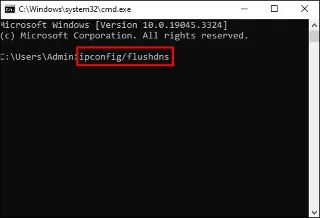
- Type “ipconfig/flushdns” and press “Enter.”

- Close the Command prompt and try accessing the website again.

Alternatively, you can use this method to change your DNS:
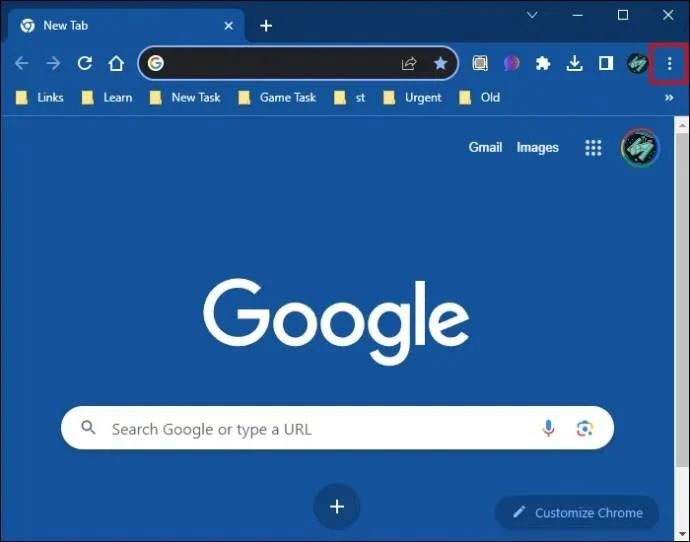
- Open your browser and click on the three dots to the right of your URL bar.

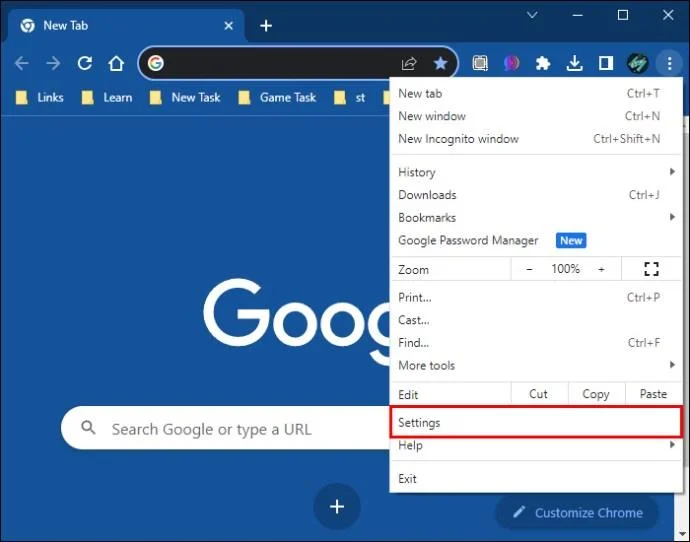
- Click on the “Settings” option under this menu.

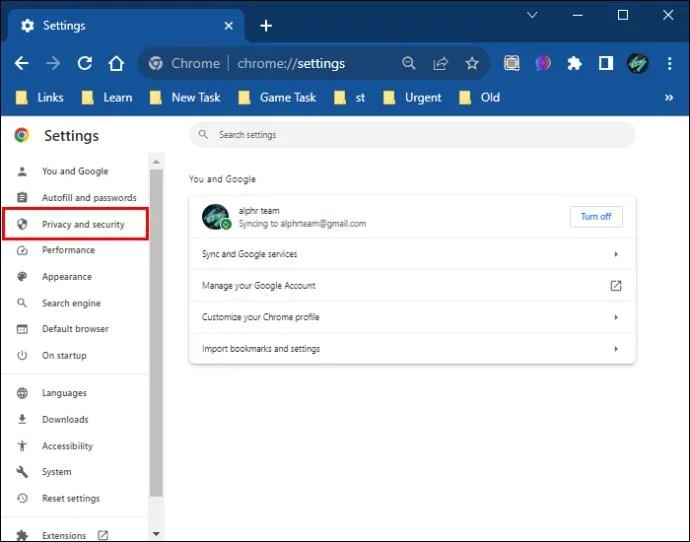
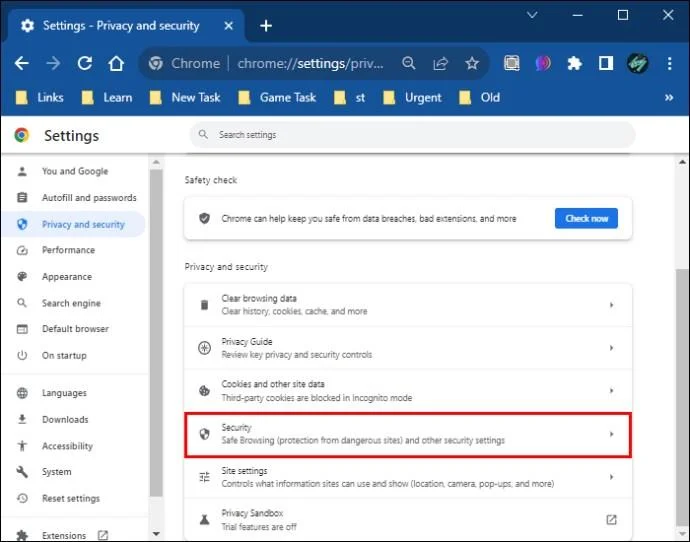
- Select “Private and security.”

- Choose “Security” on the open window to the right of the screen.

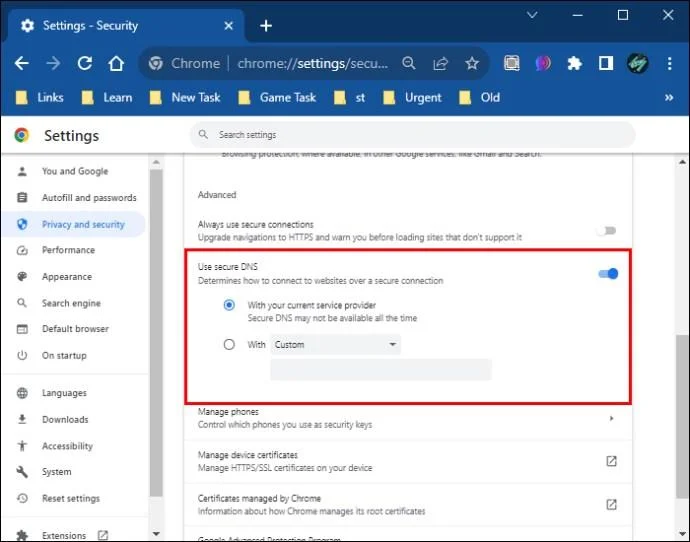
- Locate the “Use Secure DNS” section under the “Advanced” tab.

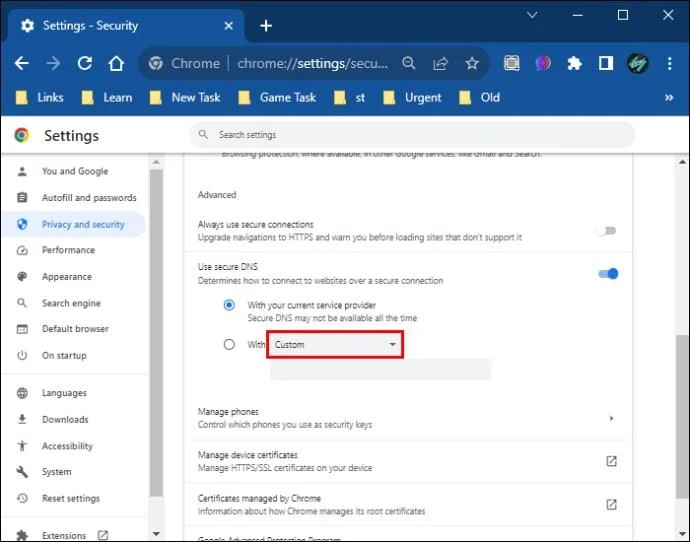
- Click on the “With” drop-down menu to check the available options.

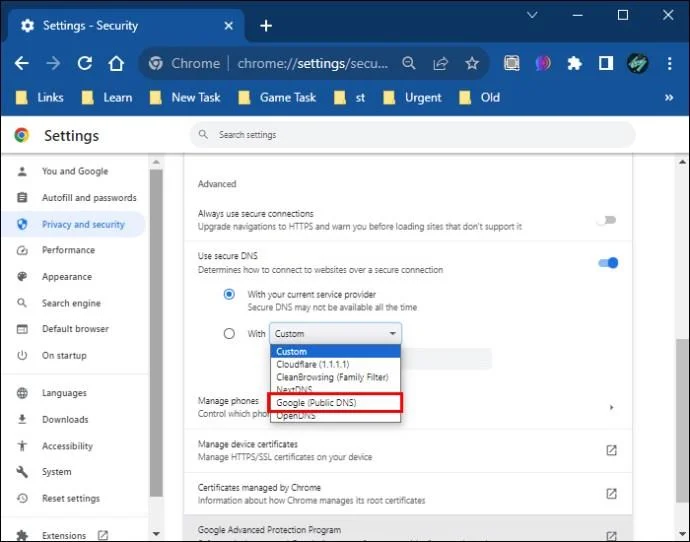
- Select “Google (Public DNS).”

- Restart your browser to check whether the issue is resolved.
Google Public DNS is the best choice of DNS to use due to its reputation. Always select DNSs that have a great reputation. It’s not easy for Cloudflare to flag them down.
Disable Firewall
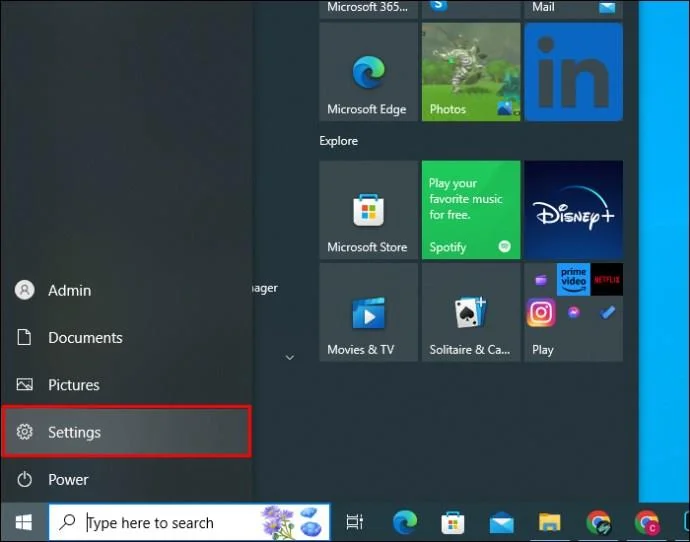
If you frequently use the website you are now having issues with, it is advisable that you exempt it from security scans. This can be done through your browser or by disabling your Firewall and antivirus. This will help inform Cloudflare that you are a trusted visitor and help you avoid this human loop challenge. Here’s how you can execute this task:
- Click on the Start button.

- Select “Settings.”

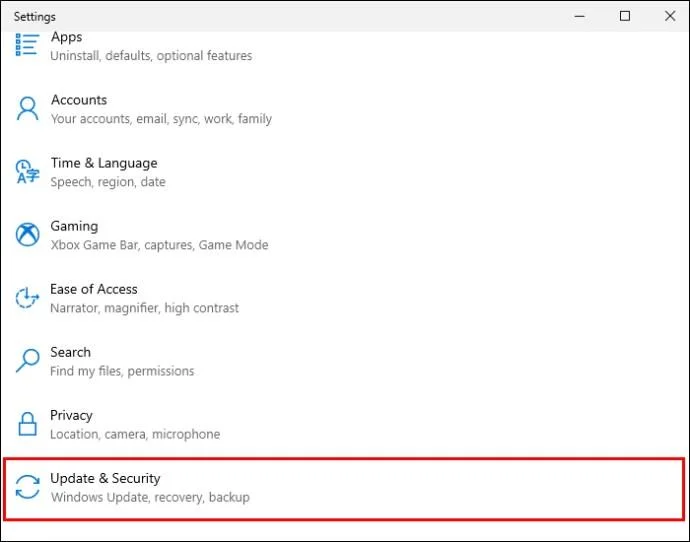
- Double-click on “Update and Security.”

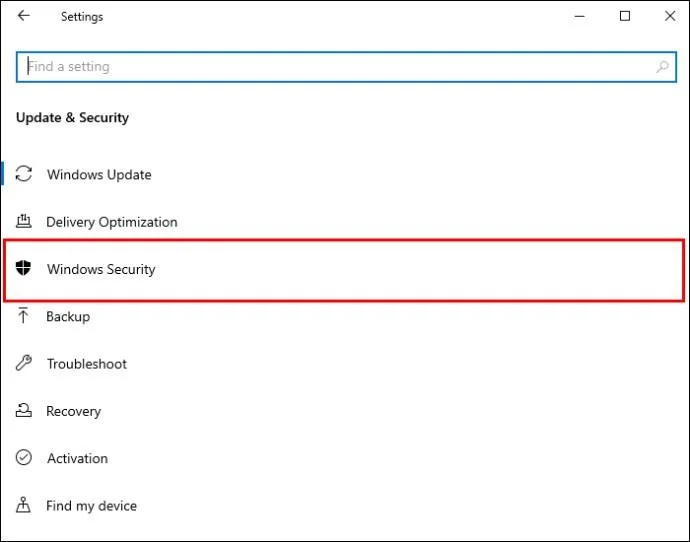
- Click on “Windows Security.”

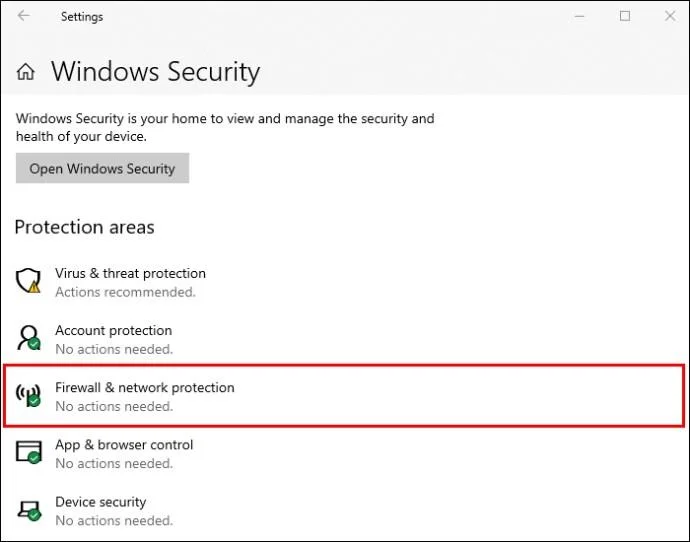
- Click on “Firewall & network protection.”

- Turn off the Firewall.
Contact Website Administrator
If you are constantly having to confirm the “Verify you are a human” loop on a particular website, it will be a good idea to contact the administrator. They can make changes to their Cloudflare account, which will help ease the frequency of the verification loop appearing.
Try Using a Different Network
Sometimes the problem may be coming from your network. Changing it may help you resolve the problem or confirm where the issue lies.
Disable Browser Extensions
Some extensions that you add to your browser may trigger a security alert on Cloudflare. Disabling them can help resolve the security challenge. Here’s how you can do this:
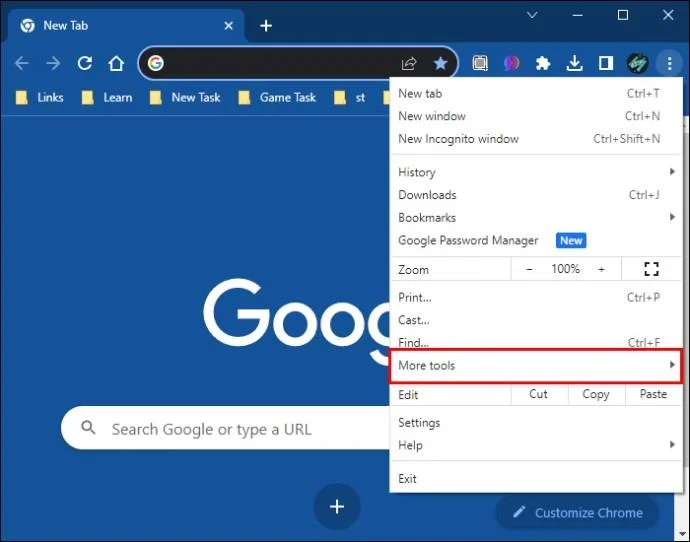
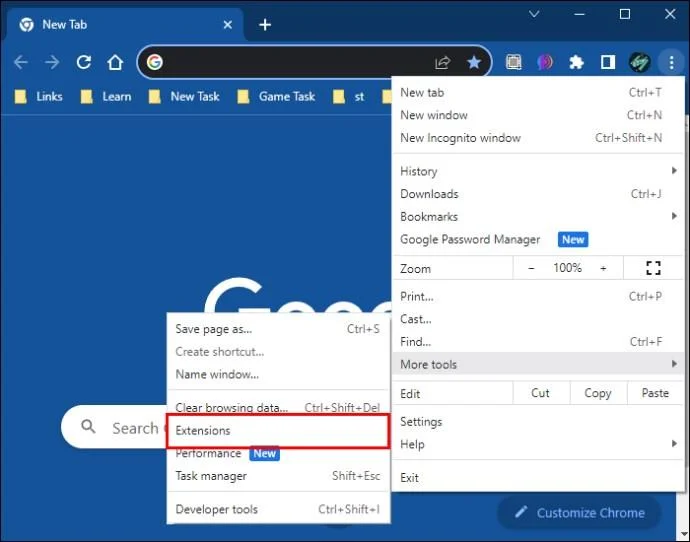
- Open your browser and click on the three-dot menu located at the end of your URL bar.

- Select “More tools.”

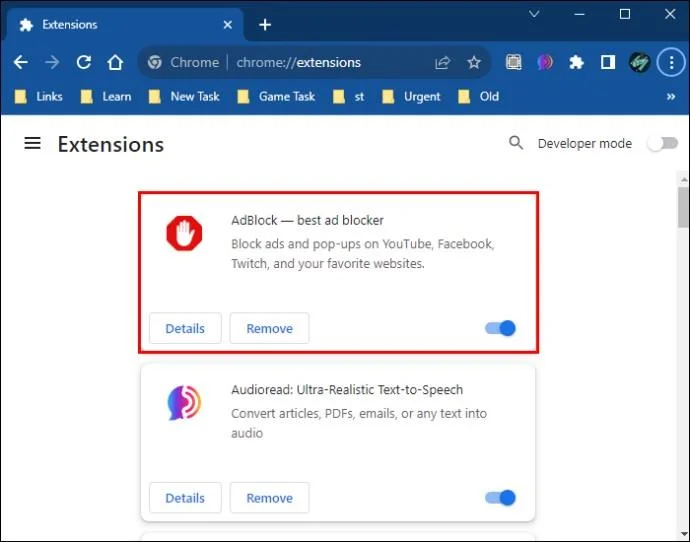
- Click on “Extensions.”

- Disable any extension that you suspect may be causing the issue.

- Try accessing the website again.
Clear Your Browser Cache
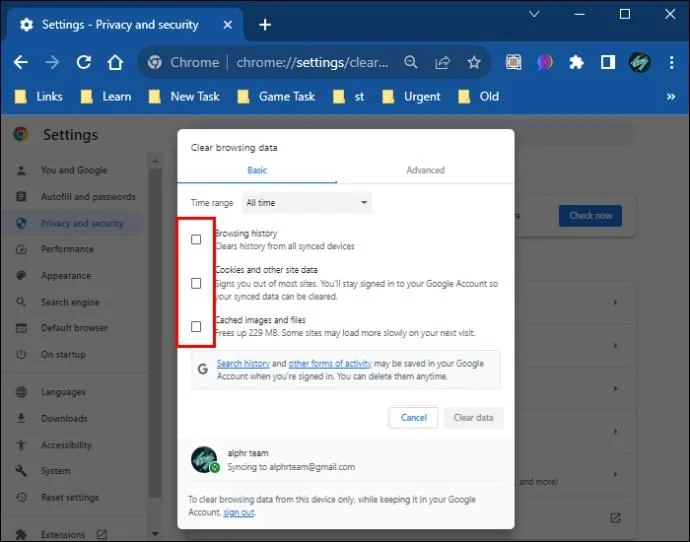
Cached data on your device may cause you to get stuck in the human verifying loop. You can clear it by following the steps listed below:
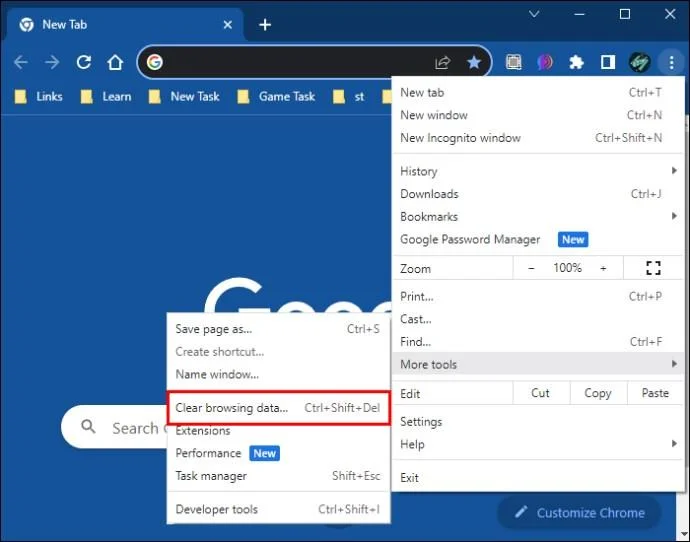
- Launch your browser and click on the three dots located at the top right corner of your browser to open the menu.

- Select “More tools.”

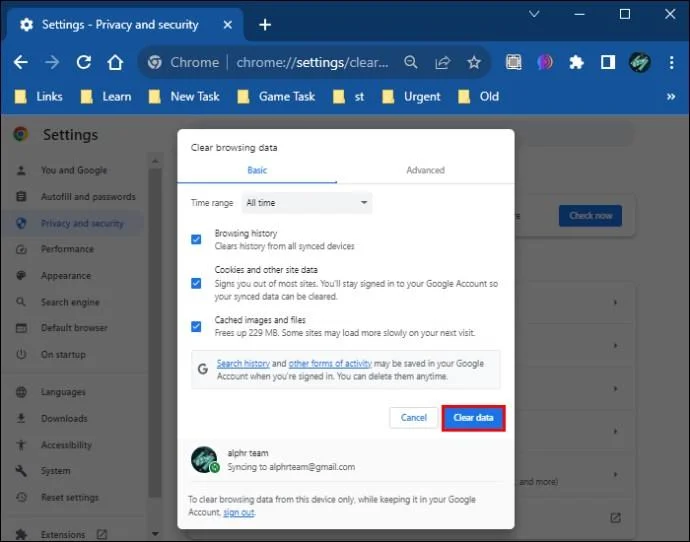
- Click on “Clear browsing data.”

- Check the boxes next to “Cookies and other site data” and “Cached images and files.”

- Click on the “Clear data” button.

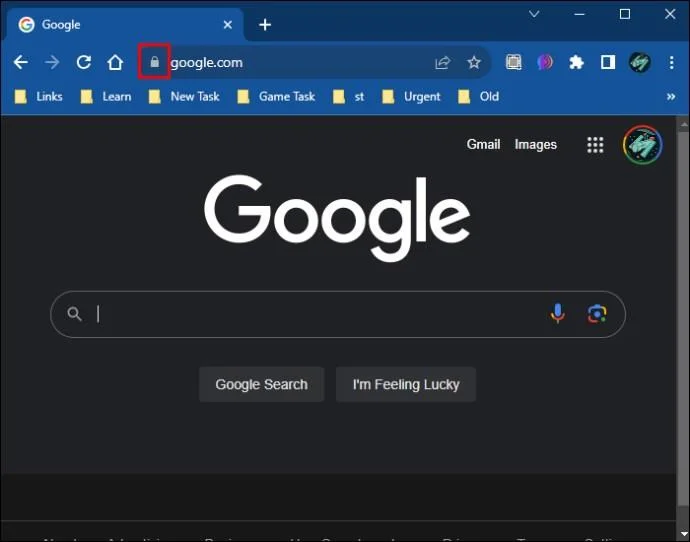
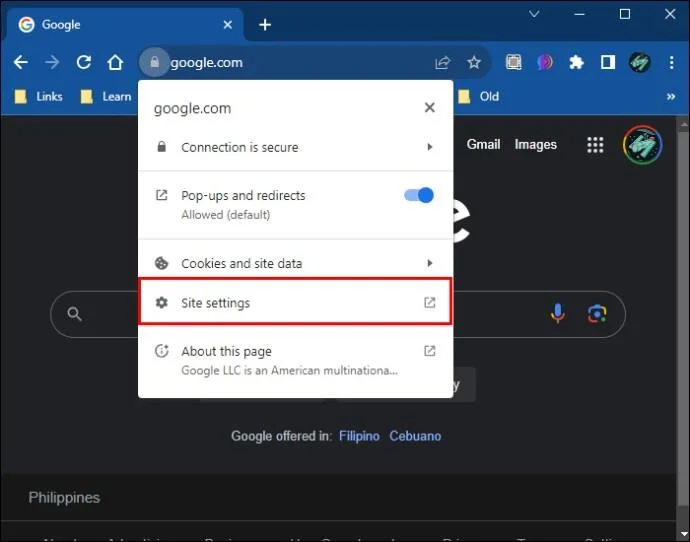
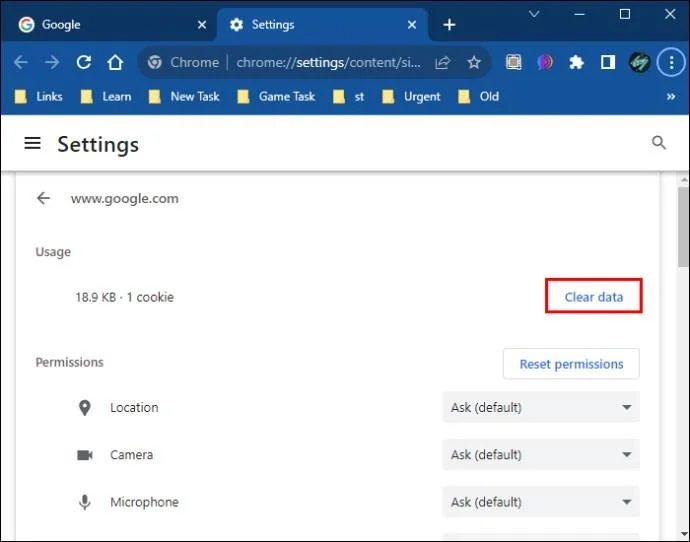
If clearing the browser’s cache doesn’t work, the next best option you have is to clear the site’s data from your browser. Here’s how you can do this:
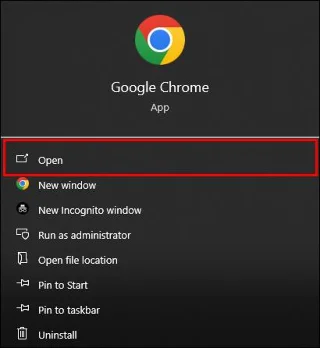
- Launch the browser you use to access the website and open it.

- Click the lock icon located on the website’s URL bar.

- Select “Site Settings” from the drop-down menu.

- Click on the “Clear data” button under the site settings menu.

Always remember that Cloudflare is fixated on enhancing cybersecurity for all websites that use it. So, while you may be able to evade the security challenge using these measures, it is important to always comply with the website’s rules. This will ensure that you have an elevated and secure browsing experience.
Navigating Cloudflare Human Captcha Loop
Getting stuck on the Cloudflare verify loop can be annoying. But it ultimately happens while attempting to protect your internet safety. Luckily, this issue can be resolved. Fixing the issue is a sure way of improving your website performance because it helps you connect to the server without disruption. This guarantees a seamless and secure user experience. The steps illustrated in this guide can help you fix the issue and get you to your desired website once again.
So, what are your thoughts on Cloudflare’s “Verify you are human” loop? Which of the methods listed in this article have you used to try and resolve the issue when you got stuck? Let us know in the comments section below.