
Desk Decorating Ideas for a Spooky Office Cubicle

Create a spooky office cubicle with Halloween desk decor ideas that keep your workspace usable, tidy, and mindful of workplace safety.
Imagine never missing a key detail from your Microsoft Teams meetings again. Microsoft Teams transcription turns spoken words into searchable, shareable text, making your meetings more inclusive and efficient. Whether you're hosting client calls or team brainstorms, enabling this feature ensures everyone stays on the same page—even if they couldn't attend. Ready to dive in? Let's get your Teams meetings transcribed effortlessly! ➡️
✅ Teams transcription provides accurate, AI-powered text of everything said, complete with speaker identification.
⭐ Boosts accessibility for hearing-impaired participants with real-time captions.
⭐ Saves time: Search transcripts for action items instead of rewatching recordings.
⭐ Enhances compliance: Store transcripts securely for records.
Pro tip: Combine with Teams live captions for instant subtitles during meetings. Now, let's cover the essentials before enabling it.
Before jumping in, ensure these boxes are checked:
| Requirement | Details |
|---|---|
| License | Microsoft 365 E3/E5, Office 365 E3/E5, Business Premium, or equivalent with transcription enabled. |
| Admin Role | Global Admin or Teams Admin to enable at tenant level. |
| Policy | Cloud recording must be allowed; transcription policy activated. |
| Device | Teams desktop/web app (latest version); supported languages like English, Spanish, etc. |
If you're missing any, contact your IT admin. Teams transcription requires recording the meeting first—privacy notice will alert participants automatically. ✨
As an admin, head to the Microsoft Teams Admin Center. This unlocks Teams meeting transcription for all users.
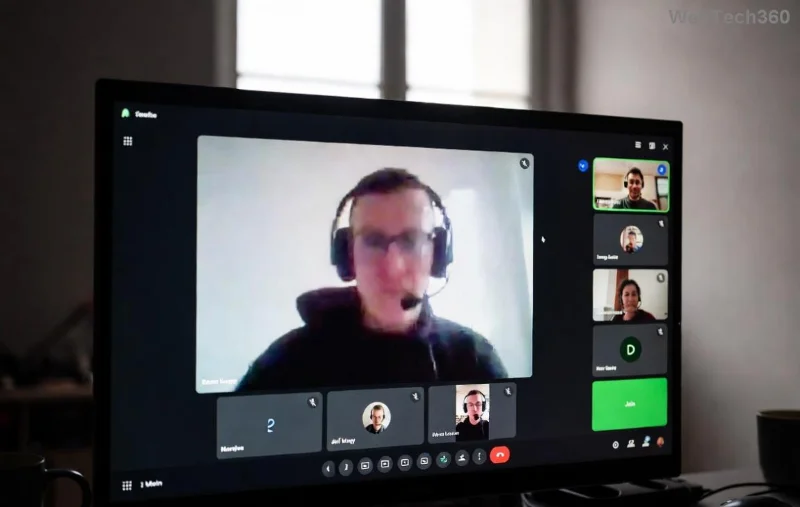
Done! Your org now supports Microsoft Teams transcription. Users with permissions can proceed. 🚀
Meeting host or co-organizer? Here's the user-side magic:
💡 Quick note: Only one transcription per meeting. For real-time needs, enable live captions separately via More actions > Turn on live captions.
Post-meeting, transcripts are goldmines. Here's how to grab them:
Transcripts expire with the recording (default 21 days for non-OneDrive storage). Extend via admin settings. 📥
❌ Can't see transcription option? Check license/policy.
❌ Poor accuracy? Use quiet environments; supported languages only.
❌ Not starting? Ensure cloud recording is on and you're the organizer.
For more, visit Microsoft Learn: Meeting Transcription. Fixed most issues in seconds! 😊
🔥 Speak clearly and minimize background noise for 95%+ accuracy.
🔥 Assign speakers in advance for better identification.
🔥 Integrate with Power Automate for auto-summaries.
🔥 Use Teams Premium for advanced features like advanced speaker attribution.
These tweaks turn transcripts into actionable insights. Stay tuned for mobile steps in our next guide!
Q: Is Teams transcription free?
A: Requires eligible license; no extra cost if included.
Q: Can guests use transcription?
A: No, only licensed org users.
Q: How long to generate a transcript?
A: Available minutes after meeting ends.
Got more questions? Drop them below—we reply fast! 👇
Congratulations! You've mastered how to enable Microsoft Teams transcription for meetings. Implement today for clearer communication and happier teams. Share this guide and level up your workflow. 🎉
Create a spooky office cubicle with Halloween desk decor ideas that keep your workspace usable, tidy, and mindful of workplace safety.
Plan a recognizable Halloween 2026 look with pop culture costumes inspired by Spider-Man, Supergirl, Toy Story 5, Moana, Mario, and Wednesday.
Sort leftover Halloween candy safely, share or repurpose sealed treats, and choose food use or compost for pumpkins based on their condition.
Compare workplace Halloween costume choices by respect, dress code, mobility, and safety—and learn when a subtle accessory or a policy check is the better option.
Find a couples costume that fits your style, budget, and comfort level, from Addams Family classics to original inside-joke duos.
Need a last-minute high school Halloween costume? Compare 10 easy closet-based ideas by prep time, comfort, school-day practicality, and simple safety checks.
Use a simple 2026 Halloween decorating timeline for indoor décor, outdoor displays, and fresh pumpkins, with practical adjustments for weather and events.
Mix five vivid, approachable Halloween cocktails with measured recipes, simple prep tips, and an alcohol-free option for your party guests.
Find 15 office-friendly Halloween costume ideas for 2026, with practical checks for dress codes, respectful themes, comfort, and workplace safety.
Plan a fun elementary school Halloween party with easy crafts, games, inclusive treats, costume tips, and a sample 75-minute classroom schedule.








