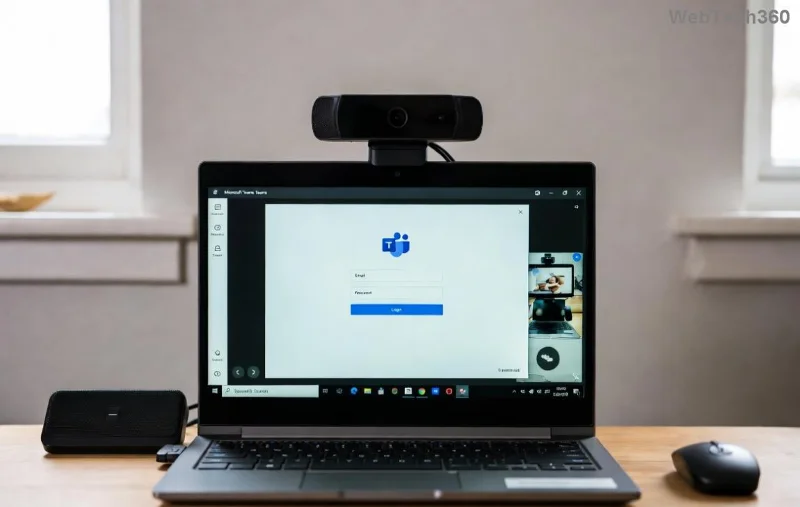
How to Fix Microsoft Teams Camera Not Working in Meetings

Nothing disrupts a Microsoft Teams meeting like a blank camera feed. 😩 If you're facing Microsoft Teams camera not working issues—black screens, frozen video, or no detection at all—don't panic. These problems are common and fixable with simple tweaks. In this guide, we'll walk you through proven solutions, from quick checks to advanced troubleshooting, so you can get back to crystal-clear video calls. Let's dive in! 🔧

Common Causes of Microsoft Teams Camera Not Working

Before fixing, understand the culprits. Here's a quick overview:

🔍 Issue 🚫 Possible Cause ✅ Quick Check
Black or frozen screen Permissions denied or app crash Check Teams settings
Camera not detected Driver outdated or hardware conflict Update drivers
No video in meetings only Browser/Teams conflict or firewall Restart app/browser
Laggy or inverted feed Bandwidth or privacy mode Test internet speed

Spot your issue? Great—now let's fix it step by step. Start with the basics for 80% of cases. ✅

1. Quick Fixes: Start Here for Instant Results

These no-brainer steps resolve most Microsoft Teams camera not working glitches in under 5 minutes.

  1. 🔄 Restart Teams and Your Device
    Close Teams completely (use Task Manager on Windows: Ctrl+Shift+Esc, end Teams processes). Restart your computer. Reopen Teams and test in a new meeting. Works like magic for app hangs!
  2. ✅ Check Camera Permissions
    In Teams, click your profile picture > Settings > Devices. Ensure your camera is selected. On Windows: Settings > Privacy > Camera > Allow apps. macOS: System Preferences > Security & Privacy > Camera.
  3. 📱 Test in Another App
    Open Camera app (Windows) or Photo Booth (Mac). If it works there but not in Teams, it's a Teams-specific issue—proceed to updates.
Microsoft Teams camera settings screenshot

2. Update Teams, Drivers, and OS

Outdated software is a top villain for Teams camera issues. Here's how to update:

  • Update Microsoft Teams: Profile picture > Check for updates. Or download the latest from the official site.
  • Update Camera Drivers:
    • Windows: Device Manager (right-click Start) > Cameras > Right-click your camera > Update driver.
    • Mac: System Update via App Store.
  • OS Updates: Windows Update or macOS Software Update—always current for compatibility.

Pro tip: After updates, restart. Your camera should snap back to life! ✨

3. Advanced Troubleshooting: When Basics Fail

If Microsoft Teams webcam problems persist, level up:

  1. 🛡️ Clear Teams Cache
    Windows: %appdata%\Microsoft\Teams—delete contents in folders like blob_storage, Cache, databases.
    Mac: ~/Library/Application Support/Microsoft/Teams—same deal. Relaunch Teams.
  2. 🔒 Disable VPN/Firewall Temporarily
    Turn off VPNs or add Teams to firewall exceptions. Test camera—reenable if no change.
  3. 🌐 Switch Between Desktop and Web Versions
    Try Teams web (teams.microsoft.com) in Chrome/Edge. If it works, uninstall/reinstall desktop app.
Troubleshooting Teams camera drivers

4. Hardware and Privacy Checks

Sometimes it's not Teams:

  • 📷 External Webcam? Unplug/replug USB. Try different port. Update firmware via manufacturer site (e.g., Logitech).
  • Privacy Shutter: Ensure no physical cover blocks lens. 🙈
  • Multiple Cameras: In Teams Devices settings, select the correct one (built-in vs. external).

For deeper dives, check Microsoft's official Teams troubleshooting.

Microsoft Teams permissions and hardware check

5. Prevention Tips for Flawless Future Meetings

Stay ahead of Microsoft Teams camera black screen woes:

  • ⭐ Keep Teams and drivers auto-updated.
  • ✅ Run weekly hardware tests.
  • 📡 Ensure stable Wi-Fi (close bandwidth hogs).
  • 🔄 Restart device before big meetings.

Still Stuck? Next Steps

If nothing works, gather logs: Teams > Help > Give feedback > Include logs. Share with IT or post on Microsoft Community. You've got this—your next meeting will be video-perfect! 🎉

Fixed your issue? Drop a thumbs up in the comments. Share this guide to help others! 👇

Leave a Comment

How to Fix Microsoft Teams Camera Not Working in Meetings

How to Fix Microsoft Teams Camera Not Working in Meetings

Struggling with Microsoft Teams camera not working in meetings? Discover quick, step-by-step fixes for camera issues, permissions, drivers, and more. Get back to seamless video calls today!

How to Fix Microsoft Teams Error 1200 on Phone (iOS/Android)

How to Fix Microsoft Teams Error 1200 on Phone (iOS/Android)

Tired of Microsoft Teams Error 1200 crashing your calls on phone? Discover quick, step-by-step fixes for iOS and Android to get back to seamless teamwork fast—no tech skills needed!

Solving Microsoft Teams Error on Android (2026 Fix)

Solving Microsoft Teams Error on Android (2026 Fix)

Tired of Microsoft Teams errors crashing your Android device? Get the ultimate 2026 fixes for connection issues, app crashes, and notifications. Step-by-step guide to seamless teamwork.

Solving Microsoft Teams Microphone Error: Others Can’t Hear You

Solving Microsoft Teams Microphone Error: Others Can’t Hear You

Tired of Microsoft Teams microphone error where others can’t hear you? Discover quick, proven fixes for Teams mic not working issues. Step-by-step guide with latest tips to get your audio crystal clear in meetings.

How to Fix Microsoft Teams Browser Error Cookies

How to Fix Microsoft Teams Browser Error Cookies

Struggling with Microsoft Teams "Browser Error" Cookies? Discover step-by-step fixes to resolve Teams browser cookies issues quickly. Clear cache, reset settings & more for seamless video calls. Works on Chrome, Edge & Firefox!

How to Fix Microsoft Teams Error CDL_WORKER_FAILURE

How to Fix Microsoft Teams Error CDL_WORKER_FAILURE

Frustrated by Microsoft Teams Error CDL_WORKER_FAILURE? Discover proven, up-to-date fixes to resolve it quickly. Step-by-step guide with cache clearing, updates, and more for seamless Teams experience.

How to Fix Microsoft Teams Login Error on Chromebooks

How to Fix Microsoft Teams Login Error on Chromebooks

Struggling with Microsoft Teams login error on Chromebooks? Discover step-by-step fixes to resolve login issues quickly. Clear cache, update apps, and more for seamless teamwork. Works on latest Chrome OS!

Solving Microsoft Teams Error V Version

Solving Microsoft Teams Error V Version

Struggling with Microsoft Teams "Error V" version issue? Discover quick, reliable fixes to resolve it fast. Step-by-step guide with latest solutions for smooth video calls and collaboration. No tech skills needed!

How to Fix Microsoft Teams Error Code 657Rx and 9Hehw

How to Fix Microsoft Teams Error Code 657Rx and 9Hehw

Stuck with Microsoft Teams Error Code 657Rx and 9Hehw? Discover proven, step-by-step solutions to fix these frustrating errors quickly. Restore smooth video calls and chats today—no tech expertise needed!

Solving Microsoft Teams For Business Error

Solving Microsoft Teams For Business Error

Tired of the frustrating Microsoft Teams "For Business" Error blocking your meetings? Get proven, step-by-step fixes to resolve it fast and boost productivity. Latest solutions inside!

How to Fix Microsoft Teams Error AADSTS50011 (Redirect URI Fix)

How to Fix Microsoft Teams Error AADSTS50011 (Redirect URI Fix)

Struggling with Microsoft Teams Error AADSTS50011? Discover the exact Redirect URI fix for seamless authentication. Step-by-step guide with screenshots to resolve it fast—no more login headaches!

How to Fix Microsoft Teams Breakout Rooms Not Erstellen

How to Fix Microsoft Teams Breakout Rooms Not Erstellen

Frustrated with Microsoft Teams Breakout Rooms not creating? Discover proven fixes for "Breakout Rooms Not Erstellen" errors. Step-by-step guide ensures smooth meetings every time.

Troubleshooting Microsoft Teams Error T Today

Troubleshooting Microsoft Teams Error T Today

Stuck with Microsoft Teams "Error T" today? Get proven, step-by-step troubleshooting for Microsoft Teams "Error T" with quick fixes, causes, and solutions to get back to seamless collaboration. Works on desktop, web, and mobile!

How to Fix Microsoft Teams On iPhone App Error

How to Fix Microsoft Teams On iPhone App Error

Tired of Microsoft Teams "On iPhone" App Error crashing your meetings? Discover proven fixes for sign-in failures, crashes, and glitches on the latest iOS. Step-by-step guide with quick wins!

Solving Microsoft Teams Web Client Disabled Error

Solving Microsoft Teams Web Client Disabled Error

Tired of the Microsoft Teams Web Client "Disabled" Error blocking your meetings? Follow our proven step-by-step fixes to solve Microsoft Teams Web Client Disabled Error fast – no IT help needed!