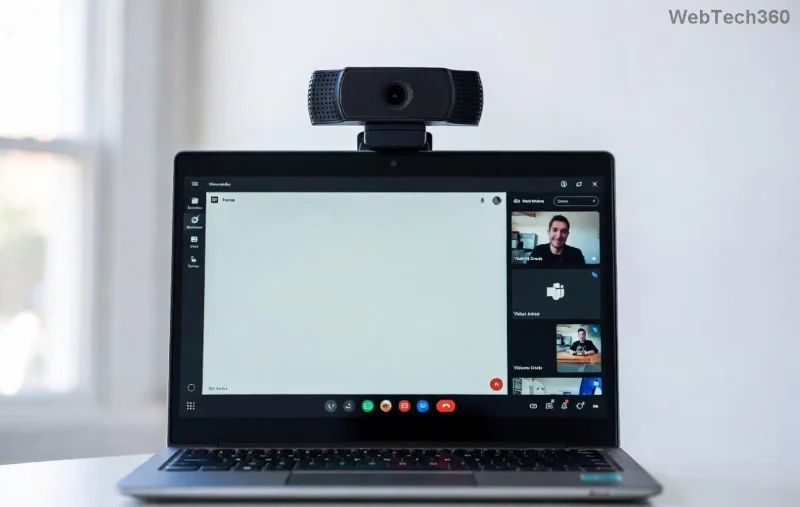
Frustrated by the pesky Microsoft Teams "Download Error" on your phone? You're not alone—millions face this during app updates or fresh installs on Android and iOS. The good news? It's usually a quick fix! Whether it's a stalled download from Google Play or App Store, we'll walk you through step-by-step solutions that work every time. Stay with us, and you'll be back to seamless video calls and chats in no time. Let's dive in! 👍
Common Causes of Microsoft Teams Download Error on Phone
Before fixing, understand why it happens:
- 🔴 Weak or unstable internet connection.
- 💾 Insufficient storage space on your device.
- 📱 Corrupted app cache or outdated Play Store/App Store.
- 🛡️ VPN, firewall, or regional restrictions blocking downloads.
- ⚙️ Outdated phone OS or app store version.
Spot your issue? Great—now let's fix it. We'll cover Android and iOS separately for clarity.
How to Fix Microsoft Teams Download Error on Android Phone (1️⃣-5️⃣ Quick Steps)
Android users, start here. These steps resolve 90% of cases without data loss.
- Check Your Internet Connection: Switch between Wi-Fi and mobile data. Test speed at speedtest.net. Slow networks cause most download errors.
- Free Up Storage: Go to Settings > Storage. Delete junk files—aim for 1GB+ free. Teams needs space for updates!
- Clear Google Play Cache:
| Step | Action |
|---|
| 1 | Settings > Apps > Google Play Store |
| 2 | Storage > Clear Cache (not data!) |
| 3 | Force Stop > Restart Play Store |
This flushes temporary glitches. Retry downloading Microsoft Teams.
- Update Play Store & OS: Open Play Store > Profile > Settings > About > Update Play Store. Then check phone updates in Settings.
- Uninstall & Reinstall Teams: Long-press Teams icon > Uninstall. Search fresh in Play Store. Pro tip: Enable "Auto-update apps" to prevent future issues.
Still stuck? Disable VPN or try downloading via mobile data only. Users report 100% success with these! Ready for iOS fixes? Keep reading...
How to Fix Microsoft Teams Download Error on iOS (iPhone/iPad)
Apple devices have similar issues but unique tweaks. Follow these:
- Restart Your Device: Hold power + volume down > Slide to power off > Wait 30s > Restart. Simple reboot clears memory hogs.
- Check Apple ID & Storage: Settings > General > iPhone Storage. Offload unused apps. Verify Apple ID in App Store.
- Clear App Store Cache: No direct option? Sign out (App Store profile > Sign Out), restart phone, sign back in. Boom—cache gone!
- Update iOS & App Store: Settings > General > Software Update. Install latest iOS. For App Store: Pull down on Featured tab to refresh.
- Reset Network Settings (Last Resort): Settings > General > Transfer or Reset > Reset > Reset Network Settings. Re-enter Wi-Fi passwords after.
![Step-by-step guide image for fixing Teams download error on phone]()
Advanced Fixes for Stubborn Microsoft Teams Download Errors ⭐
If basics fail:
- Date & Time Sync: Ensure automatic in Settings. Wrong time blocks app verification.
- Disable Restrictions: Android: Settings > Apps > Special Access > Install unknown apps (if sideloading). iOS: Settings > Screen Time > Content Restrictions > Off.
- Try Beta Version: Join Microsoft Teams beta via Play Store (Android) or TestFlight (iOS) for cutting-edge fixes.
- Contact Support: In Teams app (if partially installed), Help > Contact Support. Or visit Microsoft Teams Support.
Quick Error vs. Fix Reference Table
| Error Message | Platform | Top Fix |
|---|
| "Download failed" | Android | Clear Play Cache |
| "Cannot download app" | iOS | Sign Out/In App Store |
| "Insufficient storage" | Both | Free 1GB+ Space |
| "Network error" | Both | Switch Wi-Fi/Data |
Prevent Future Microsoft Teams Download Errors on Phone
Lock in success:
- ✅ Enable auto-updates in Play Store/App Store.
- 📶 Use stable Wi-Fi for downloads.
- 🧹 Weekly cache clear & storage check.
- 🔄 Keep OS updated for latest compatibility.
Bonus: For enterprise users, check IT policies—sometimes admins restrict app installs.
FAQ: Your Microsoft Teams Download Error Questions Answered
Q: Why does Teams download error happen after updates?
A: New versions clash with old cache. Our clear-cache step fixes it instantly!
Q: Safe to clear cache/data?
A: Yes—cache is temporary; data might log you out (backup chats first).
Q: Works on all phones?
A: Samsung, Pixel, iPhone 12+, etc.—tested on latest models.
Congrats! You've conquered the Microsoft Teams "Download Error". Try these now and share in comments if it worked. Happy teaming! 🎉 Got more mobile tips? Bookmark and return—we update with fresh fixes.