Home
» Games
»
How to make a special gun shot in Mini World: Block Art
How to make a special gun shot in Mini World: Block Art
Video How to make a special gun shot in Mini World: Block Art
Everyone knows that changing items with plugins will bring special items in Mini World: Block Art. Many people often use this tool to combine attributes into items and let them acquire special skills like many people often find in mods in Minecraft or other games.
The only difference is that this tool is built-in to the user, often the heavily edited items are weapons. Since this is a tool with quite a lot of options for editing, below Download.com.vn will show you how to make a special type of gun shot in Mini World: Block Art.
Instructions for making special gun shots in Mini World: Block Art
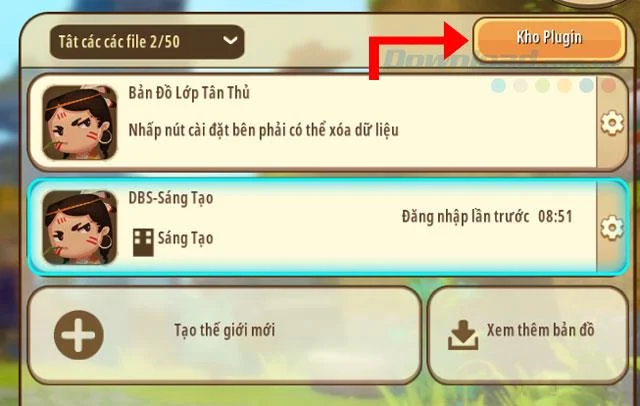
Step 1: First you download and install the latest version of Mini World, or update to the latest version, next launch the game and go to Start > select Warehouse Plugin .
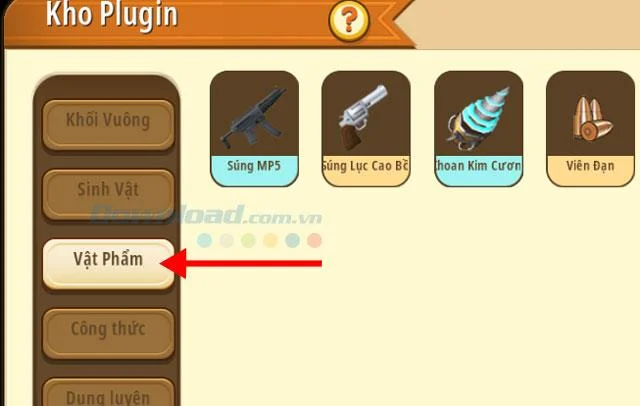
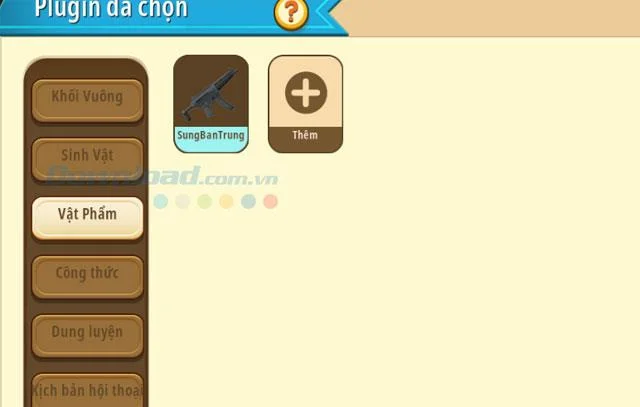
Step 2: In Plugin Warehouse click on Items, then click on the plus sign to add new edits.
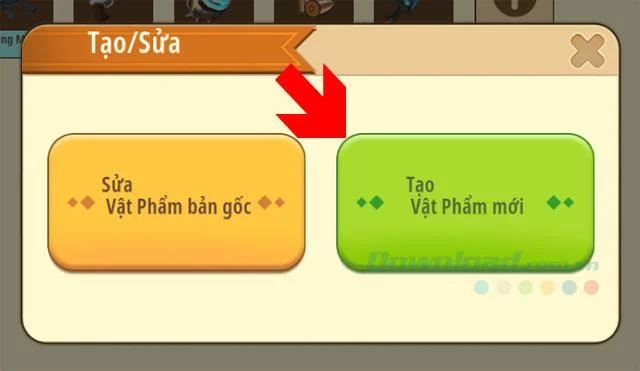
In the Create / Edit window, click Create new item .
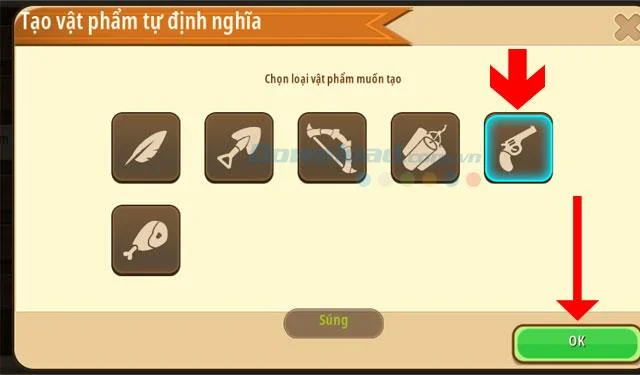
In the item menu, click on the gun and select OK .
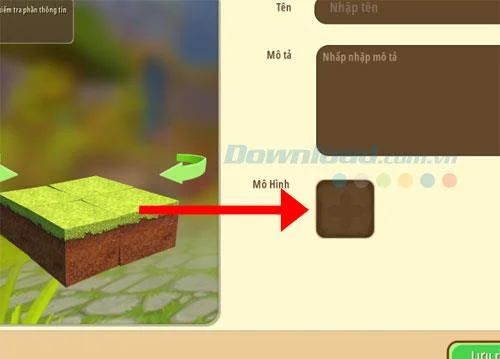
In the side window, select the model model, above you enter the proper name of this item. A few descriptions may be attached below.
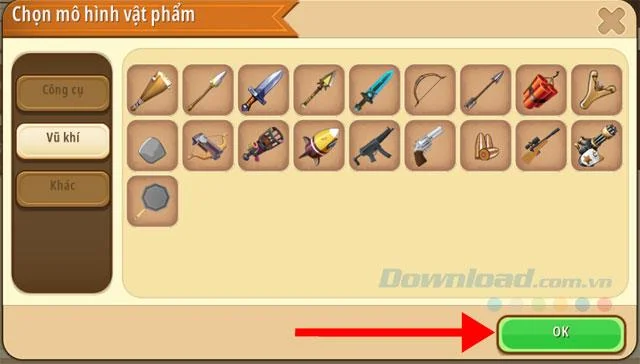
Next, select the item model, scroll down to the weapon tab and select a weapon to capture and click OK.
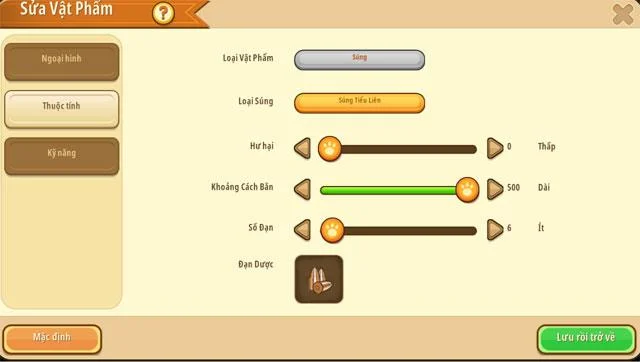
In the Properties window , put the parameters below the image, including:
Type: Submachine Gun
Damage: Choose a low level
Shooting range: This section you can choose shorter if you choose guns like submachine or minigun.
The number of bullets is not important because you can choose infinite ammo below.
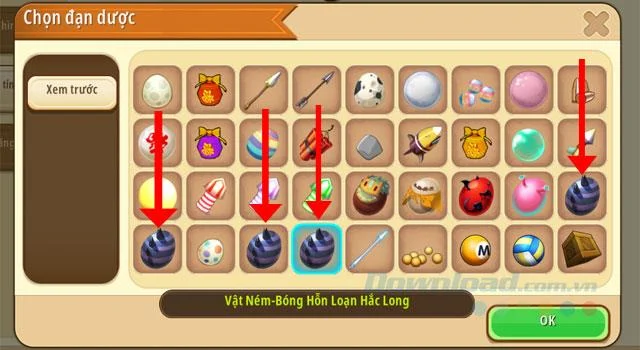
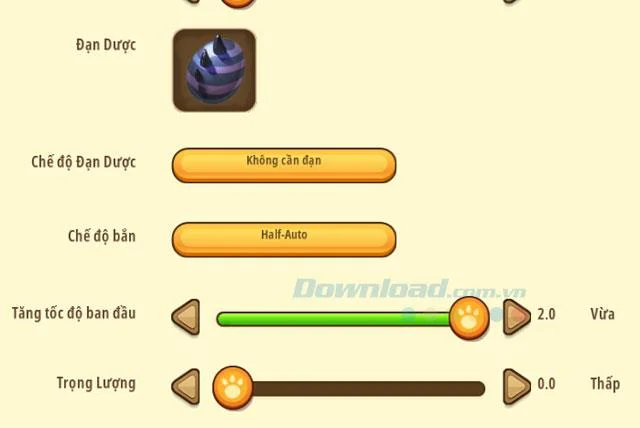
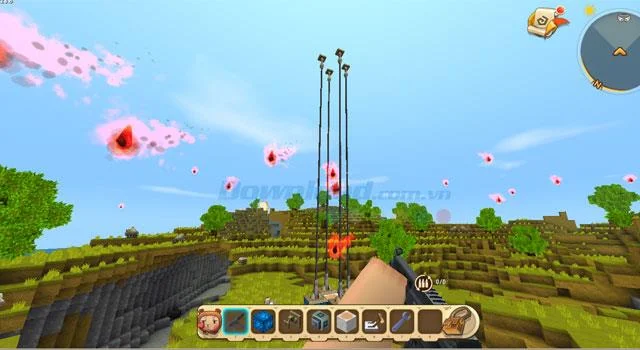
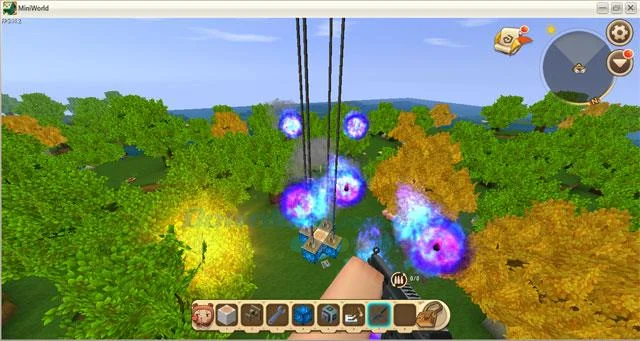
The most important part is the Ammunition section , which has the same colored eggs as in the picture below. Each type of egg will give you a special type of ammunition, the example below I choose is Black Dragon Chaos Ball .
Next is to select the parameters below, including:
Ammunition mode: No need for bullets because this is just an entertainment item, not a survival
Shooting mode: Half-Auto, or maybe automatically also.
Initial speed boost: Max always goes
Weight: The lower the better.
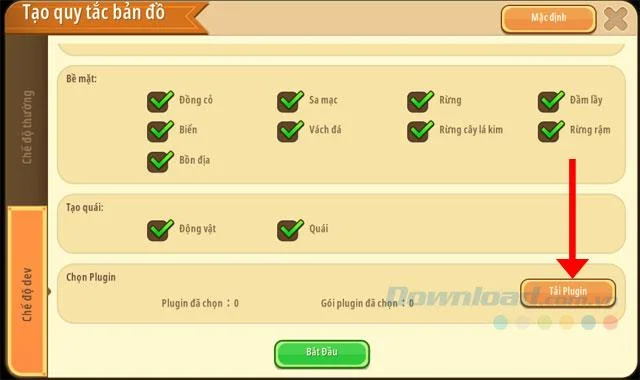
Next is out the map creation window, click create a new map, select the dev mode window and download the Plugin.
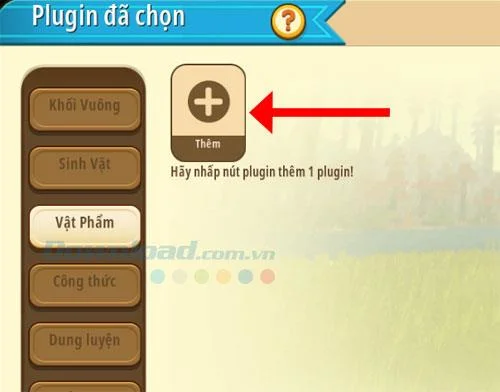
Click Items > select Add .
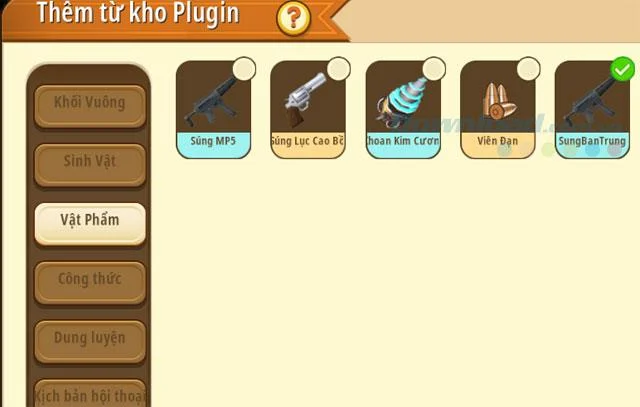
In the Plugin repository, tick the gun you just edited and click Add below.
Next click on Confirm Select below. Outside the interface, click Start to enter the map.
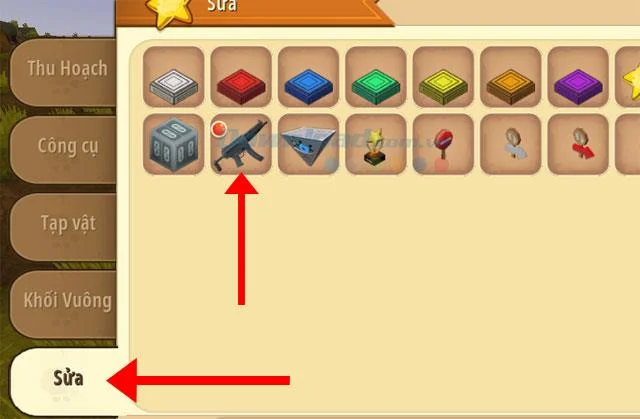
Once in the game, press B and select the Edit menu, the gun has just edited will have an orange button next to it.
Bring that gun down to your toolbar, and try it out a few times. You will find your ammo is very special.
As mentioned above, each type of egg will have a different color in the 4 dragon eggs. You can make 4 guns with 4 different types of ammo as above.
The creation of this special gun will make your Mini World more unique when you have combined the plugin options together. You can adjust the damage level of the bullet in the damage modification menu above, or add skills to the item just edited.
Another tip for Mini World: Block Art players when creating a new map is the map code, these codes will help you get to the terrain you want to search without having to search. Check out the tutorial in the article Some Map Code in Mini World: Block Art and how to enter the code to get the code for each terrain and how to enter the code.