Make Realistic Fake Blood Without a Cleanup Surprise

Mix a glossy prop-only fake blood batch, choose safer products for skin and costumes, and test cleanup before Halloween night.
Traveling with friends can take you to places you can't explore on your own, and can even be more fun than traveling alone. Here's how to plan a trip with friends .
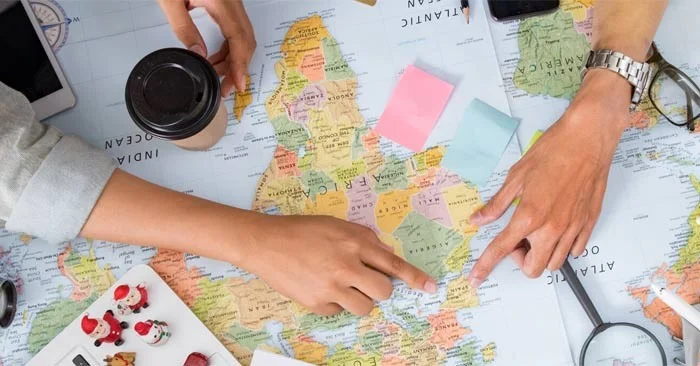
Exploring the world with friends allows you to broaden your horizons and helps everyone in your group get to know each other better. If you are planning a trip with friends , the following suggestions will help you plan the perfect trip.
How to plan a trip with friends
First, let’s get things straight: You can make friends with a variety of people, but that doesn’t mean they’ll all be good travel companions. Choosing your travel companions wisely and being upfront about your expectations can make the difference between a memorable group trip and a forgettable one. So how do you know if you’ve never traveled together?
Consider factors like preferences, budget, and personality. That doesn't mean you have to agree on every single one of them, but think about where you might appreciate differences and where they might cause disagreement.
For example, if your art lovers expect you to join in on every group activity, but you don't like museums, you might get annoyed if they linger too long. On the other hand, if you have independent friends who are comfortable with being apart for an afternoon, you can do whatever makes you happy while they spend another 90 minutes admiring antiques at the museum.
Have an honest discussion with your friends—and yourself—about the following:

Money can cause a lot of friction between people, and friends are no exception, especially if you have different financial expectations for the trip. If you can only afford hostels but your friends want to stay at a resort, let them know. There's no reason to go into debt to please someone else.
Be upfront about how much you can spend — and how you want to spend it — from the start. While you may have the same budget as your partner, you may find that while you love splurging on a nice meal, they spend more on shopping.
Be clear not only about how much you can afford to spend on the entire trip, but also how much you’re willing to spend on accommodations each night, how much you’re comfortable spending on meals and activities, and how you prioritize your spending. Again, you don’t have to agree, but it’s a good idea to set expectations about what happens when you have different budgets and priorities.
Deciding on a destination can actually be the most difficult part of the entire trip planning process. How do you choose a place that everyone will be happy with and can be reached relatively cheaply?
Ask each friend to write down their three to five favorite destinations, taking into account the time it takes and everyone's budget. You can easily do this over email or on paper.
Once everyone has added their input and voted, compare everyone’s answers and see if there are any common destinations. If not, think about common factors. Did you all choose a beach destination or a European city? This can help narrow down the choices.
Skyscanner is a handy tool that helps you find the cheapest flights from any airport within a selected time period. The Google Flights Explore map app is similar. Enter your departure airport and it will show you the cheapest places on the map to fly to on specific dates or within a time period such as a weekend, a week or two weeks in a given month. You can enter a specific area or move the map to narrow down your options.

The more people involved, the slower the planning process — and speed is almost a determining factor in whether or not your hunt for cheap airfares will be successful. The ideal time to get the best airfare is two to eight months, so you’ll want to start searching for flights as early as possible, especially if your dates and destinations are set or you’re traveling during a peak season like summer or a holiday. Start tracking prices by setting up flight alerts for when prices drop.
If your dates and destinations are flexible and you want to go wherever the deal is, talk to your friends about your available dates in advance so you can cut down on back and forth and take advantage of a great deal when you see one. And remember, the 24-hour rule means that in most cases you can cancel your flight within 24 hours of purchasing it so you don’t miss out on a deal while you wait for your friends to confirm the dates.
Mix a glossy prop-only fake blood batch, choose safer products for skin and costumes, and test cleanup before Halloween night.
Create a gentle Halloween look with pastel colors, friendly ghosts, easy no-carve accents, and practical safety tips for your home.
Create a spooky office cubicle with Halloween desk decor ideas that keep your workspace usable, tidy, and mindful of workplace safety.
Plan a recognizable Halloween 2026 look with pop culture costumes inspired by Spider-Man, Supergirl, Toy Story 5, Moana, Mario, and Wednesday.
Sort leftover Halloween candy safely, share or repurpose sealed treats, and choose food use or compost for pumpkins based on their condition.
Compare workplace Halloween costume choices by respect, dress code, mobility, and safety—and learn when a subtle accessory or a policy check is the better option.
Find a couples costume that fits your style, budget, and comfort level, from Addams Family classics to original inside-joke duos.
Need a last-minute high school Halloween costume? Compare 10 easy closet-based ideas by prep time, comfort, school-day practicality, and simple safety checks.
Use a simple 2026 Halloween decorating timeline for indoor décor, outdoor displays, and fresh pumpkins, with practical adjustments for weather and events.
Mix five vivid, approachable Halloween cocktails with measured recipes, simple prep tips, and an alcohol-free option for your party guests.








