How to Turn Off Auto-Upload on Xbox to Protect Your Account (Nov. 21, 2026)
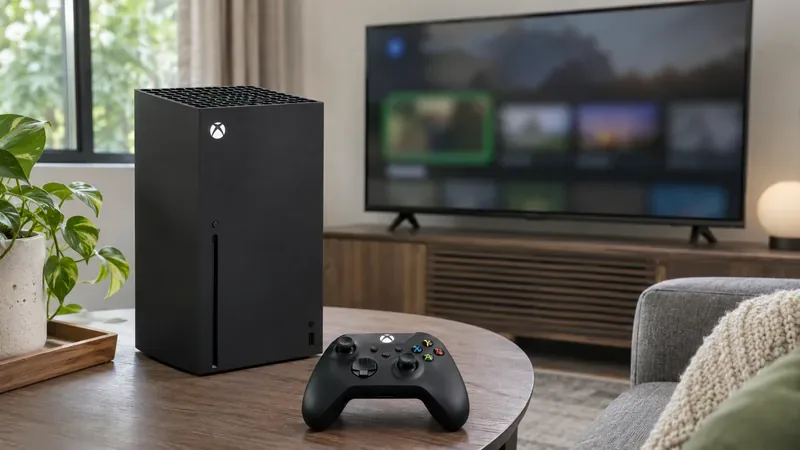
Worried about GTA VI capture reports? Turn off Xbox Network and OneDrive auto-uploads, review existing clips, and learn how to check an enforcement.
Checked November 21, 2026, at 5:16 a.m. UTC.
If you are worried about GTA VI clips being shared from your Xbox without review, turn off automatic uploads to the Xbox network before capturing more footage. Recent public posts from players allege that some GTA VI captures were followed by account suspensions, but those individual reports have not been independently verified, and Xbox has not confirmed a GTA VI-specific connection. Microsoft’s UK Community Standards do say that mature game content may not be appropriate for its community and warn that clip and screenshot auto-upload may be on by default.
Highlights
Use the console settings rather than deleting the Captures app. On your Xbox Series X or Series S:
Menu wording can shift with software updates, so look for the destination labels rather than assuming one switch controls every cloud service. Xbox’s own guidance places automatic OneDrive capture backups in the Capture & share settings. The Xbox network and OneDrive are separate destinations: stopping one does not necessarily stop the other.
Automatic upload and capture recording are different settings. Turning uploads off is intended to stop new captures from being sent automatically to the selected cloud destination; it does not by itself turn off the controller’s capture button or erase files already saved on the console. You can still record locally, then review a clip and decide whether to share it manually. If you want no captures at all, separately review the capture shortcut and capture settings on your console.
Before changing settings, check where captures are stored. Xbox’s Captures app can show items saved on the console and items in the Xbox network. If something is already online, switch off uploads first, then review your online captures and delete anything you do not want available. Disabling auto-upload is a preventive setting, not a recall function: it cannot remove a clip that has already been shared, and it cannot stop a manual upload or message attachment.
Posts circulating on November 20 and 21 describe users who say they received enforcement notices after Xbox clips from GTA VI were uploaded. These are individual accounts, not a confirmed count or a finding from Xbox. The reports do not establish that the upload itself caused an enforcement, identify a confirmed automated scanning process, or show that ordinary beach scenes will trigger a suspension. Xbox has not published a GTA VI-specific explanation in the official pages checked for this guide.
The policy context is clearer than the cause of any reported case. Xbox’s UK Community Standards state that content shared on Xbox should suit a wide audience and that mature material that fits inside a game may not fit in a community post. The standards specifically prohibit sharing game clips or screenshots that include mature sexual content. Xbox also says it may restrict features, including the ability to upload clips and screenshots, for inappropriate content. A game’s age rating does not automatically make every captured scene appropriate for a public Xbox feed.
This is why turning off automatic sharing can reduce the chance that an unreviewed capture is sent to the Xbox network. It does not guarantee that a manually posted clip will comply with platform rules, and it is not a guarantee against account enforcement for other activity. Review footage before sharing and keep captures that include mature scenes private.
That depends on what you mean by “auto-upload.” Xbox network uploads make captures available through Xbox sharing features. OneDrive backup copies captures to the Microsoft cloud storage account associated with the console. If your concern is avoiding public or community sharing, turn off the Xbox network destination. If you also do not want private cloud copies, disable OneDrive uploads separately. You can still back up selected clips manually after checking them, including to external storage using the Captures tools.
Do not assume a capture stored in OneDrive has been removed just because you changed the Xbox setting. Check OneDrive separately and delete any existing files you no longer want there. If you keep cloud backups, use account security controls such as a strong, unique password and multifactor authentication, and do not share console sign-in details.
Read the enforcement notice and sign in to your Xbox Enforcement History to see the action and the item involved. If Xbox marks the enforcement as eligible for review and you believe it was applied in error, use the official case-review process and provide a concise explanation with relevant details. Avoid posting private account information or trying to evade a restriction with another account. A temporary enforcement may affect social features such as multiplayer, messaging, or uploads; the exact restriction and duration depend on the notice.
Sources: Xbox Community Standards (UK); Xbox Wire guidance on automatic capture uploads to OneDrive; Xbox Wire capture backup and storage guidance; Xbox Enforcement History; Xbox case review; A player’s public report on Reddit (anecdotal and unverified).
Worried about GTA VI capture reports? Turn off Xbox Network and OneDrive auto-uploads, review existing clips, and learn how to check an enforcement.
An Xbox player reports a two-day suspension after an auto-uploaded GTA 6 clip. Here is what Xbox’s rules confirm, what remains unverified, and how to check an enforcement.
A Dutch court has barred BYD's Ti7 from EU trade over a Defender design right, but excluded BYD UK. Here's what the interim ruling means for UK buyers and EV markets.
Xbox players report suspensions after GTA 6 captures were auto-uploaded. Here’s what Xbox’s rules say, what remains unconfirmed and how to review your settings.
A Hague court ruled the BYD Ti7 infringes a JLR EU design and barred EU sales. Here is what the decision means for UK buyers and the case’s next steps.
A Dutch court has barred EU sales of BYD’s Ti7 over its resemblance to the Land Rover Defender. Here’s why JLR sued and what the ruling means for UK buyers.
SpaceX says Starshield has more than $6 billion in multiyear U.S. contracts. Recent Ukraine service disputes put reliability, control and oversight in focus.
Starshield is SpaceX’s government-focused satellite system for secure communications, Earth observation, and hosted payloads. Compare its mission, security, users, and public limits with Starlink.
Canada’s gas average reached 144.4¢/L on Nov. 20, about 27¢ lower than a month earlier. See what the drop may mean for commuters and household budgets.
SpaceX’s Starshield combines secure communications, sensing and hosted payloads. Here’s what recent U.S. space-network plans could mean for Canada and allied defence.