How to Turn Off Auto-Upload on Xbox to Protect Your Account (Nov. 21, 2026)
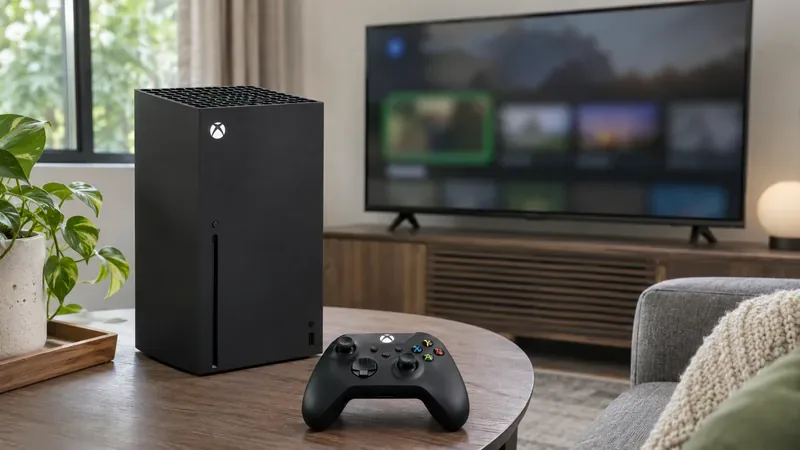
Worried about GTA VI capture reports? Turn off Xbox Network and OneDrive auto-uploads, review existing clips, and learn how to check an enforcement.
Updated: 21 November 2026, 05:07 UTC.
Some Xbox players are reporting temporary suspensions after GTA 6 gameplay captures were automatically uploaded to the Xbox network. The reports, published on 20 November, describe clips that players say showed ordinary beach scenes or other gameplay; they do not establish how many accounts were affected or confirm that Xbox has identified a specific cause. Xbox’s published standards do make one point clear: mature content that fits a game may still be unsuitable for sharing with the wider Xbox community.
For players, the practical issue is the destination of a capture. Recording a clip locally and uploading it to a platform are different steps. If a capture is sent to Xbox, it becomes content shared on that service and is subject to its rules. Players concerned about accidental uploads can check the console’s capture settings while reports are assessed.
Coverage by Pure Xbox points to player posts describing short suspensions after GTA 6 captures reached Xbox. Some posts attribute enforcement to beach scenes or sexual content. These are individual accounts, not a public Xbox investigation or a verified tally. At the time of this update, the available reporting does not establish whether the clips were flagged by automated detection, reviewed by a person, or handled through another enforcement process.
That distinction matters. A player’s account of what appeared in a clip is useful evidence of a reported problem, but it does not prove the exact content that Xbox reviewed or the reason attached to a particular account action. Players should check the wording and duration in their own enforcement notice rather than infer the cause from social posts.
Xbox’s Community Standards explain that context matters: material appropriate within a game may not be appropriate elsewhere in the Xbox community. The standards also say public content should suit a wide audience and specifically prohibit sharing game clips or screenshots that include mature sexual content. They note that auto-upload and auto-share may be on by default.
That creates a boundary between playing a mature-rated game and publishing a capture to a community platform. A clip may include a brief background scene the player did not intend to share. If the console automatically sends that clip to Xbox, the upload can expose the content to moderation even when the player did not manually choose to post it. This explains the concern behind the reports; it does not prove that every GTA 6 clip, beach scene or auto-upload causes a suspension.
On Xbox Series X|S, open Settings, then Preferences, then Capture & share. Review the automatic upload options and select Don’t upload if you do not want captures sent automatically to the Xbox network. Menu wording can change with console updates, so check the current options shown on your device.
Disabling automatic upload is a preventive step; it does not remove captures already online or reverse an existing enforcement. Review saved captures and their upload status before sharing. Also check the destination selected for any alternative storage: an Xbox network upload and a separate cloud-storage destination are not necessarily the same service or moderation path.
Read the enforcement notice for the affected feature, stated reason and duration. Then visit the Xbox enforcement history and follow the case-review or appeal instructions available for that action. Xbox’s standards describe case reviews as a way to provide more information when a player disputes an enforcement; outcomes may confirm, change or overturn a decision. Keep the notice and relevant capture details, and avoid reposting potentially sensitive footage while the review is pending.
More reports may clarify whether the cases share a particular type of capture or enforcement notice. Xbox has not, in the sources checked for this update, published a GTA 6-specific explanation or confirmed a change to auto-upload behavior. Until there is an official clarification, the sensible guidance is limited: understand what your console uploads, avoid sending captures you have not reviewed, and use the formal case-review process if you believe an enforcement was mistaken.
No confirmed rule says that. Players have reported suspensions, but the reports do not show that every upload—or every ordinary gameplay scene—triggers enforcement.
On Xbox Series X|S, check Settings > Preferences > Capture & share and set automatic uploads to Don’t upload.
Check your enforcement notice and Xbox enforcement history for the case-review option. Xbox says reviews can confirm, modify or overturn an enforcement.
Worried about GTA VI capture reports? Turn off Xbox Network and OneDrive auto-uploads, review existing clips, and learn how to check an enforcement.
An Xbox player reports a two-day suspension after an auto-uploaded GTA 6 clip. Here is what Xbox’s rules confirm, what remains unverified, and how to check an enforcement.
A Dutch court has barred BYD's Ti7 from EU trade over a Defender design right, but excluded BYD UK. Here's what the interim ruling means for UK buyers and EV markets.
Xbox players report suspensions after GTA 6 captures were auto-uploaded. Here’s what Xbox’s rules say, what remains unconfirmed and how to review your settings.
A Hague court ruled the BYD Ti7 infringes a JLR EU design and barred EU sales. Here is what the decision means for UK buyers and the case’s next steps.
A Dutch court has barred EU sales of BYD’s Ti7 over its resemblance to the Land Rover Defender. Here’s why JLR sued and what the ruling means for UK buyers.
SpaceX says Starshield has more than $6 billion in multiyear U.S. contracts. Recent Ukraine service disputes put reliability, control and oversight in focus.
Starshield is SpaceX’s government-focused satellite system for secure communications, Earth observation, and hosted payloads. Compare its mission, security, users, and public limits with Starlink.
Canada’s gas average reached 144.4¢/L on Nov. 20, about 27¢ lower than a month earlier. See what the drop may mean for commuters and household budgets.
SpaceX’s Starshield combines secure communications, sensing and hosted payloads. Here’s what recent U.S. space-network plans could mean for Canada and allied defence.