Troubleshooting Microsoft Teams Mac Error Keychain Issues
Struggling with Microsoft Teams "Mac Error" Keychain issues? Discover proven, step-by-step troubleshooting fixes for macOS to get back to seamless collaboration. Quick solutions inside!
Linphone for iOS is a free and convenient calling application for iPhone, iPad, and iPod Touch, providing a rich set of features for Internet calling.
Linphone is an innovative free and open source Voice Over IP (VoIP) service that supports SIP protocols. It enables users to make audio and video calls with high quality, even over low bandwidth connections. This application is popular among many SIP-compatible VoIP service providers, allowing users to connect to anyone with a traditional landline by signing up for a VoIP to PSTN account.
In addition, the website linephone.org offers free SIP accounts for users, allowing them to make audio and video calls over the Internet at no cost.
With Linphone, users can communicate easily through the Internet, utilizing various methods including voice calls, video conferencing, and instant messaging.
Linphone operates on the widely recognized SIP protocol, making it compatible with numerous VoIP providers. It is available for free download and can be distributed without restrictions, working across multiple platforms from PCs to mobile devices.
| Feature | Description |
|---|---|
| Audio Calls | Support for various codecs including speex, G711, ILBC, GSM, SILK, G722, OPUS, AAC-ELD. |
| Secure Call | Utilizes SIP TLS/SRTP for enhanced security. |
| Video Call | Integrated support with VP8 codec and optional H264/MPEG4. |
| Integrated Phone Directory | Easy management of contacts for quick access. |
| Call History Management | Keep track of calls made and received. |
| Text Messaging | Allows sending and receiving text messages seamlessly. |
| Feature | Description |
|---|---|
| Multi-Call Support | Handle multiple calls with management features like call waiting and transfer. |
| Instant Messaging | Send text messages with delivery notifications. |
| Push Notifications | Receive instant notifications when messages are received (requires compatible SIP server). |
| Feature | Enhancement |
|---|---|
| Video Quality Improvement | Enhanced VP8 video quality for better performance. |
| Audio Processing | Improved audio processing on weak networks. |
| User Interface | Refined interface with support for multiple languages including English, French, and Russian. |
| Performance Optimization | Optimized for newer iPhone models including iPhone 5 and above. |
If you are looking for a robust, feature-rich VoIP solution for your iPhone or iPad, Linphone is an excellent choice. Its combination of flexibility and cost-effectiveness makes it suitable for both personal and professional use.
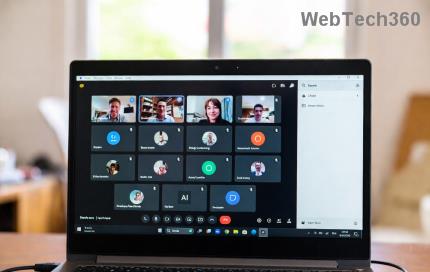
Struggling with Microsoft Teams "Mac Error" Keychain issues? Discover proven, step-by-step troubleshooting fixes for macOS to get back to seamless collaboration. Quick solutions inside!
Struggling with Microsoft Teams camera not working in meetings? Discover quick, step-by-step fixes for camera issues, permissions, drivers, and more. Get back to seamless video calls today!
Tired of Microsoft Teams Error 1200 crashing your calls on phone? Discover quick, step-by-step fixes for iOS and Android to get back to seamless teamwork fast—no tech skills needed!
Tired of Microsoft Teams errors crashing your Android device? Get the ultimate 2026 fixes for connection issues, app crashes, and notifications. Step-by-step guide to seamless teamwork.
Tired of Microsoft Teams microphone error where others can’t hear you? Discover quick, proven fixes for Teams mic not working issues. Step-by-step guide with latest tips to get your audio crystal clear in meetings.
Struggling with Microsoft Teams "Browser Error" Cookies? Discover step-by-step fixes to resolve Teams browser cookies issues quickly. Clear cache, reset settings & more for seamless video calls. Works on Chrome, Edge & Firefox!
Frustrated by Microsoft Teams Error CDL_WORKER_FAILURE? Discover proven, up-to-date fixes to resolve it quickly. Step-by-step guide with cache clearing, updates, and more for seamless Teams experience.
Struggling with Microsoft Teams login error on Chromebooks? Discover step-by-step fixes to resolve login issues quickly. Clear cache, update apps, and more for seamless teamwork. Works on latest Chrome OS!
Struggling with Microsoft Teams "Error V" version issue? Discover quick, reliable fixes to resolve it fast. Step-by-step guide with latest solutions for smooth video calls and collaboration. No tech skills needed!
Stuck with Microsoft Teams Error Code 657Rx and 9Hehw? Discover proven, step-by-step solutions to fix these frustrating errors quickly. Restore smooth video calls and chats today—no tech expertise needed!
Tired of the frustrating Microsoft Teams "For Business" Error blocking your meetings? Get proven, step-by-step fixes to resolve it fast and boost productivity. Latest solutions inside!
Struggling with Microsoft Teams Error AADSTS50011? Discover the exact Redirect URI fix for seamless authentication. Step-by-step guide with screenshots to resolve it fast—no more login headaches!
Frustrated with Microsoft Teams Breakout Rooms not creating? Discover proven fixes for "Breakout Rooms Not Erstellen" errors. Step-by-step guide ensures smooth meetings every time.
Stuck with Microsoft Teams "Error T" today? Get proven, step-by-step troubleshooting for Microsoft Teams "Error T" with quick fixes, causes, and solutions to get back to seamless collaboration. Works on desktop, web, and mobile!
Tired of Microsoft Teams "On iPhone" App Error crashing your meetings? Discover proven fixes for sign-in failures, crashes, and glitches on the latest iOS. Step-by-step guide with quick wins!