How to Download Microsoft Teams Chat History and Transcripts

Ever felt the panic of losing crucial Microsoft Teams chat history or need to archive Teams transcripts for compliance? You're not alone! Whether it's project recaps, client discussions, or meeting insights, preserving your data keeps you ahead. This guide delivers precise, up-to-date steps to download Microsoft Teams chat history and transcripts without hassle. Let's dive in—your data sanctuary awaits! 🌟

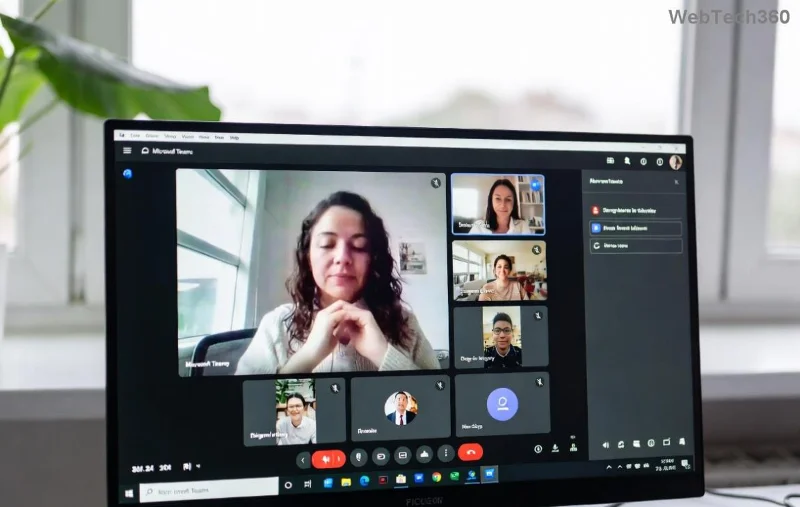
Microsoft Teams chat history export interface

1️⃣ Quick Manual Export: Download Microsoft Teams Chat History from Desktop/Web

For everyday users, Microsoft Teams doesn't have a one-click chat download, but this workaround is gold: Print to PDF. Perfect for individual chats or channels. 👍

  1. Open Teams Desktop or Web: Launch the app and navigate to your chat or channel.
  2. Select the Conversation: Click the three dots (⋯) next to the chat name > Print.
  3. Choose PDF Printer: In the print dialog, select "Microsoft Print to PDF" (Windows) or "Save as PDF" (Mac). Adjust pages to capture full history.
  4. Save & Review: Name your file like "ProjectChat_Export.pdf" and hit Print. Boom—your Teams chat history is archived!

Pro Tip: For long histories, scroll up to load more messages first. This method grabs text, emojis, and attachments. Ready for meetings? Keep reading! 👇

2️⃣ Meeting Magic: Download Microsoft Teams Transcripts Effortlessly

Teams meetings shine with built-in transcripts. If transcription was enabled (post-meeting or live), exporting is a breeze—ideal for reviews or sharing. Here's how:

  1. Access the Meeting: Go to Calendar > Select your past meeting > Meeting notes.
  2. Find Transcript: Click the Transcript tab. If available, hit Download for .vtt or full text file.
  3. Advanced Option: Click ⋯ > Open in Designer for editable exports, then Export as DOCX/PDF.
  4. Save Securely: Store in OneDrive for easy access. Transcripts include speaker labels and timestamps!
Downloading Microsoft Teams meeting transcripts step

Struggling with no transcript? Enable it in future meetings via More actions > Start transcription. This keeps your Teams transcripts flowing! Next up: Power user tools. 😎

3️⃣ Admin Power: Bulk Export Microsoft Teams Chat History via Microsoft Purview

Admins, rejoice! For organization-wide download Microsoft Teams chat history and transcripts, use Microsoft Purview (Compliance). No more manual drudgery.

Method Best For Steps Overview File Format
Content Search Teams chats & channels Purview > Content search > New search > Teams content > Run & Export PST/Excel
eDiscovery Legal/compliance holds Purview > eDiscovery > Create case > Search & Export PST with metadata
Teams Export API Developers/custom Graph API: GET /chats/{id}/messages > Download JSON

Detailed admin steps:

  1. Login to Purview: Go to compliance.microsoft.com.
  2. Run Content Search: Search > New search > Locations: Teams chats > Keywords: All or specific > Submit.
  3. Export Results: Actions > Export results > One PST per mailbox > Download via Export tool.
  4. Decrypt & Use: Install Export tool, enter key, extract your Teams chat history.
Microsoft Purview export for Teams chat history

For APIs, check Microsoft Graph Docs. Handles millions of messages securely! 🔒

📱 Mobile & Third-Party Tips for Teams Transcripts

On phone? Use the Teams app: Long-press chat > Share > Save to Files (iOS) or Print to PDF (Android). For automation, integrate with Power Automate:

  • Create flow: Trigger on new message > Save to SharePoint/Excel.
  • Bonus: Zapier connects Teams to Google Drive for auto-exports.

Warning: Avoid unverified third-parties—stick to Microsoft ecosystem for data safety. ❌

🔧 Troubleshooting Common Hiccups

Can't see history? Check retention policies in Teams admin center. No transcripts? Ensure transcription policy allows it (learn more). Permissions issues? Contact your admin. These fixes save hours! 💪

Why Export Now? Your Data, Your Power

Downloading Microsoft Teams chat history and transcripts isn't just backup—it's reclaiming control. Use exports for audits, AI analysis, or offline access. Stay compliant, productive, and stress-free. Got a Teams hack? Drop it below! 👏

Mastered it? Explore Teams calling reports next for full productivity dominance. Happy exporting! 🎉

Leave a Comment

How to Download Microsoft Teams Chat History and Transcripts

How to Download Microsoft Teams Chat History and Transcripts

Master how to download Microsoft Teams chat history and transcripts effortlessly. Step-by-step guide with proven methods for chats, meetings, and admin exports—no tech skills needed!

Solving Microsoft Teams Ringtone Not Working Error

Solving Microsoft Teams Ringtone Not Working Error

Tired of silent Microsoft Teams ringtone not working? Follow our expert, step-by-step guide with quick fixes and advanced troubleshooting to get notifications ringing again. No tech skills needed!

Troubleshooting Microsoft Teams Login Error on Chromebook

Troubleshooting Microsoft Teams Login Error on Chromebook

Stuck with Microsoft Teams login error on Chromebook? Our ultimate troubleshooting guide delivers quick, reliable fixes for cache issues, updates, and more. Resolve it in minutes and stay connected!

Solving Microsoft Teams Desktop Error Startup Crash

Solving Microsoft Teams Desktop Error Startup Crash

Tired of Microsoft Teams Desktop Error crashing on startup? Follow our proven, step-by-step fixes to resolve Teams startup crash instantly. Works on latest versions!

Why Cant I See Breakout Rooms in My Teams Meeting?

Why Cant I See Breakout Rooms in My Teams Meeting?

Frustrated because Breakout Rooms are missing in your Teams meeting? Uncover the top reasons why you can't see Breakout Rooms in Teams and follow our step-by-step fixes to get them working smoothly in minutes. Perfect for organizers and participants alike!

Solving Microsoft Teams Cho Mac Error (Mac OS)

Solving Microsoft Teams Cho Mac Error (Mac OS)

Tired of the frustrating Microsoft Teams "Cho Mac" error crashing your Mac OS workflow? Follow our proven, step-by-step fixes to solve Microsoft Teams "Cho Mac" Error (Mac OS) quickly and restore seamless team collaboration. Updated with latest patches.

Troubleshooting Microsoft Teams Guest Access Error

Troubleshooting Microsoft Teams Guest Access Error

Stuck with Microsoft Teams "Guest" access error? Follow our expert, step-by-step troubleshooting guide to resolve guest invite failures, permission issues, and more. Get guests collaborating in Teams today!

Step-by-Step: How to Make Breakout Rooms Before a Meeting Starts

Step-by-Step: How to Make Breakout Rooms Before a Meeting Starts

Unlock seamless collaboration with this ultimate step-by-step guide on how to make breakout rooms before a meeting starts in Zoom. Pre-assign participants effortlessly for maximum engagement. Perfect for educators, teams, and leaders.

How to Fix Microsoft Teams Down Server Status 2026

How to Fix Microsoft Teams Down Server Status 2026

Is Microsoft Teams down in 2026? Discover proven steps to fix "Down" server status, troubleshoot outages, and get back to seamless collaboration fast. Quick fixes inside!

Troubleshooting Microsoft Teams Error H Updates

Troubleshooting Microsoft Teams Error H Updates

Struggling with Microsoft Teams "Error H" during updates? Discover step-by-step troubleshooting for Microsoft Teams "Error H" updates, common causes, and quick fixes to restore seamless collaboration. Updated with the latest solutions.

Solving Microsoft Teams Unexpected Error on Mobile Login

Solving Microsoft Teams Unexpected Error on Mobile Login

Tired of the frustrating Microsoft Teams "Unexpected Error" blocking your mobile login? Follow our expert, step-by-step guide with the latest fixes for Android and iOS to regain seamless access fast—no tech skills needed!

Solving Microsoft Teams Unexpected Error Startup

Solving Microsoft Teams Unexpected Error Startup

Tired of Microsoft Teams "Unexpected Error" crashing your startup? Follow our step-by-step guide with the latest fixes for Solving Microsoft Teams "Unexpected Error" Startup. Get back to productive meetings in minutes!

How to Fix Microsoft Teams For Linux Installation Error

How to Fix Microsoft Teams For Linux Installation Error

Frustrated by Microsoft Teams "For Linux" installation error? Discover proven, step-by-step solutions for Ubuntu, Debian, Fedora & more. Fix it fast and get seamless collaboration now!

How to Fix Microsoft Teams Password Error Forgot

How to Fix Microsoft Teams Password Error Forgot

Struggling with Microsoft Teams "Password Error" because you forgot your password? Follow our step-by-step guide on how to fix Microsoft Teams password error forgot issues quickly and securely. No tech skills needed!

Troubleshooting Microsoft Teams Image Error in Chat

Troubleshooting Microsoft Teams Image Error in Chat

Struggling with Microsoft Teams "Image Error" in chat? Discover proven step-by-step troubleshooting tips to resolve image display issues fast. No more frustration—get your chats working smoothly today!




