Leftover Halloween Candy and Pumpkins: What to Do Next

Sort leftover Halloween candy safely, share or repurpose sealed treats, and choose food use or compost for pumpkins based on their condition.
Lithium batteries make life much more convenient, but they have a fairly poor lifespan, forcing people to buy new devices when the batteries wear out. After all, why pay for a new battery for an old device when you can upgrade to something new for a little more money? To solve this problem, researchers are developing more environmentally friendly rechargeable lithium batteries.
Creating more durable batteries was the original goal
Researchers didn’t set out to figure out how to recharge lithium batteries. That was a happy byproduct of the original research—to make batteries last longer. Of course, everyone would love a battery that could last longer than their devices. But being able to recharge and last longer would be even better. A few years ago, researchers developed a copolymer that could help batteries last longer.
It all started with studying how and why lithium batteries deteriorate over time. As the electrodes fragment over many recharge cycles, the lithium in the battery becomes sequestered, reducing the battery’s capacity. Over time, the components break down to the point where they are no longer usable in the current battery.
That's where battery recycling comes in. Many components can be reused in new batteries, reducing the overall cost.
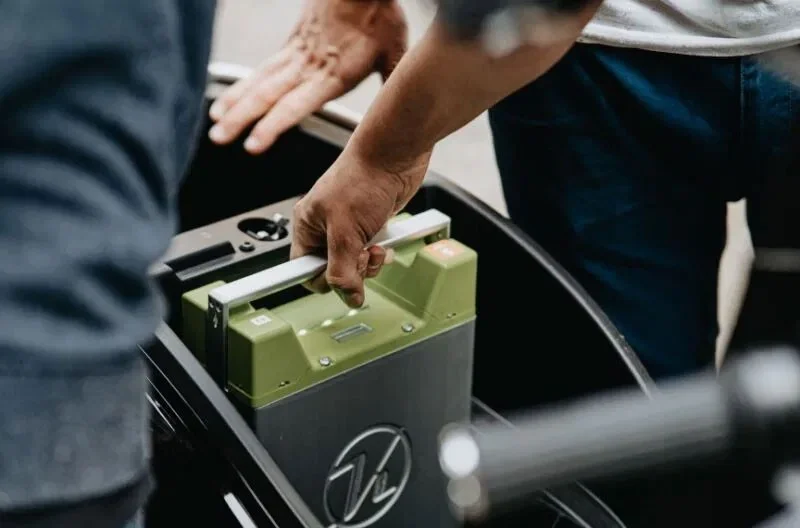
Researchers are starting to look at materials that can hold more lithium, but current manufacturing processes require lithium to be present in the material before the battery can be made.
The goal is to find ways to use different electrode materials that can be charged with lithium after the battery manufacturing process. These electrodes cannot properly store lithium before manufacturing, but only after.
Perfect Lithium Chemistry
Finally, the researchers discovered the perfect chemical that met all the criteria needed for a stable battery – LiSO2CF3. They produced a battery that contained no lithium and then filled it with a LiSO2CF3 solution. After removing the off-gassing, they were able to seal it and use it as is.
The next logical step: Look at what happens when you use existing battery chemistry. They used a lithium-iron phosphate battery that had lost 15% of its capacity. The results were astonishing: A rechargeable lithium battery that regained 99%.
Further testing maintained the battery at 96% capacity after more than 12,000 charge cycles, although the researchers had to periodically recharge the battery.
Obviously, this is just early research into rechargeable lithium batteries. And it’s mostly focused on larger stationary batteries. But it could change the future of lithium battery manufacturing, making it much easier to extend battery life.
What could this do beyond larger industrial batteries? Instead of buying a new battery for your electric vehicle, you could simply recharge it, saving hundreds or even thousands of dollars.
Additionally, many devices that rely on lithium batteries can last much longer, especially in devices where the battery cannot be removed and replaced.
But all that is in the future. For now, you just need to use some optimization tips to keep your device lasting longer. Try these methods to make your iPhone battery last for years . For Android users, see why charging only to 80% keeps your battery healthy. You can even optimize your Windows laptop battery.
Sort leftover Halloween candy safely, share or repurpose sealed treats, and choose food use or compost for pumpkins based on their condition.
Compare workplace Halloween costume choices by respect, dress code, mobility, and safety—and learn when a subtle accessory or a policy check is the better option.
Find a couples costume that fits your style, budget, and comfort level, from Addams Family classics to original inside-joke duos.
Need a last-minute high school Halloween costume? Compare 10 easy closet-based ideas by prep time, comfort, school-day practicality, and simple safety checks.
Use a simple 2026 Halloween decorating timeline for indoor décor, outdoor displays, and fresh pumpkins, with practical adjustments for weather and events.
Mix five vivid, approachable Halloween cocktails with measured recipes, simple prep tips, and an alcohol-free option for your party guests.
Find 15 office-friendly Halloween costume ideas for 2026, with practical checks for dress codes, respectful themes, comfort, and workplace safety.
Plan a fun elementary school Halloween party with easy crafts, games, inclusive treats, costume tips, and a sample 75-minute classroom schedule.
Compare realistic side hustles for 2026 by startup cost, fees, flexibility, and income control, with current tax and scam guidance from official sources.
Upgrade your home office ergonomics with current OSHA and NIOSH guidance on chair fit, monitor height, laptop setup, lighting, and movement.








