Solving Microsoft Teams VOIP Connection Error

Imagine joining an important Microsoft Teams meeting only to hit the dreaded VOIP connection error. Frustrating, right? 😩 This issue disrupts audio and video, leaving you muted or disconnected. But don't worry—our guide delivers quick, effective fixes to get you back to smooth collaboration. We've tested the latest solutions to solve Microsoft Teams "VOIP" connection error once and for all.
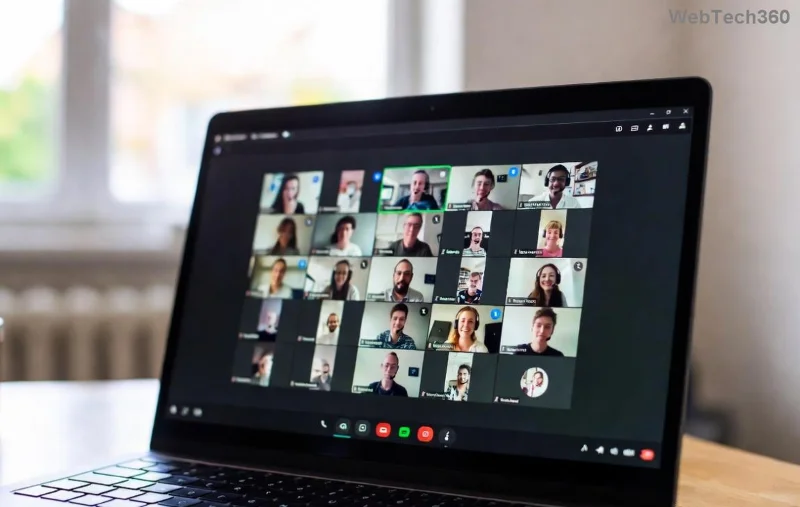
Screenshot of Microsoft Teams VOIP connection error interface

Why Does the Microsoft Teams VOIP Connection Error Happen? Common Causes

Understanding the root causes empowers you to target fixes precisely. Here's what typically triggers this error:

  • 🌐 Unstable network: High latency, packet loss, or weak Wi-Fi.
  • 🔒 Firewall or antivirus blocks: Security software interfering with VOIP ports.
  • 📱 Outdated Teams app: Missing the newest VOIP protocols.
  • 🗑️ Corrupted cache: Buildup from frequent meetings.
  • 🔊 Audio device conflicts: Wrong microphone/speaker selection.

Spot your culprit? Great—let's dive into fixes that resolve 90% of cases instantly. Follow these steps in order for best results. 👍

Step-by-Step Guide: Solving Microsoft Teams "VOIP" Connection Error

1️⃣ Test and Optimize Your Network Connection

Your internet is the backbone of VOIP. Start here:

  1. Run a speed test at Speedtest.net. Aim for 1.5 Mbps upload/download minimum.
  2. Switch to wired Ethernet if on Wi-Fi—it's more reliable for Teams VOIP.
  3. Restart your router: Unplug for 30 seconds.
  4. Disable VPN if active; it often causes latency.

Pro Tip: Use Teams' built-in network assessment tool under Settings > Help > Network Assessment. ⭐

Network troubleshooting steps for Microsoft Teams VOIP connection error

2️⃣ Update Microsoft Teams to the Latest Version

Outdated clients miss critical VOIP patches. Here's how:

  1. Open Teams > Profile icon > Check for updates.
  2. Or download fresh from the official site: Microsoft Teams Download.
  3. Restart after updating—VOIP stability improves dramatically.

3️⃣ Clear Teams Cache (Quick Reset Magic)

Corrupted files are a top villain. Wipe them safely:

  1. Quit Teams completely (use Task Manager on Windows).
  2. Windows: %appdata%\Microsoft\Teams > Delete contents of folders like blob_storage, Cache, databases, GPUCache, IndexedDB, Local Storage, tmp.
  3. Mac: ~/Library/Application Support/Microsoft/Teams > Same deletion.
  4. Restart Teams. Boom—VOIP connection error gone! 🎉
Clearing cache to fix Microsoft Teams VOIP connection error

4️⃣ Configure Audio Devices and Permissions

Mismatched settings block VOIP:

  1. Teams Settings > Devices > Make a test call. Autoplay sounds? Good.
  2. Choose correct mic/speaker.
  3. Windows: Privacy > Microphone > Allow Teams access.

5️⃣ Check Firewall and Antivirus

Add exceptions:

  • Windows Defender Firewall > Allow app > Teams.exe.
  • Ports: UDP 3478-3481 (STUN), TCP 443 (media).

Troubleshooting Table: Fast Lookup for Teams VOIP Error

Symptom Likely Cause Quick Fix
One-way audio Firewall block Add Teams to exceptions
No audio at all Cache corruption Clear cache (Step 3)
Choppy VOIP Network latency Speed test + wired connection
Connection drops Outdated app Update Teams
Mic not detected Permissions Check device settings

This table is your cheat sheet—bookmark it! 📌

Advanced Fixes: When Basics Don't Cut It

Still stuck? Try these:

  • Reset Teams: Settings > Apps > Teams > Advanced > Reset.
  • Reinstall Teams: Uninstall via Control Panel, then redownload.
  • Registry tweak (Windows pros only): Disable IPv6 if issues persist—consult Microsoft Teams Voice Troubleshooting.
  • Corporate users: Contact IT for proxy/firewall checks.

Prevention Tips to Avoid Future Microsoft Teams VOIP Connection Errors

Stay ahead:

  • ⭐ Schedule weekly cache clears.
  • 📶 Use Ethernet for meetings.
  • 🔄 Keep Teams auto-updating.
  • 🧪 Test calls before big meetings.

Implement these, and VOIP errors become history. Your team will thank you! 👏

Ready to Fix It? Your Success Story Starts Now

armed with these steps, solving Microsoft Teams "VOIP" connection error is straightforward. Start with network and cache—most users fix it in under 5 minutes. Tried everything? Drop a comment below with your setup; we'll help refine. Happy calling! 🚀
Leave a Comment

How to Fix Microsoft Teams Download Error on Phone

How to Fix Microsoft Teams Download Error on Phone

Encountering Microsoft Teams "Download Error" on your phone? Get instant fixes for Android & iOS. Clear cache, update apps, and more—back to chatting in minutes without frustration!

Solving Microsoft Teams VOIP Connection Error

Solving Microsoft Teams VOIP Connection Error

Struggling with Microsoft Teams VOIP connection error? Discover step-by-step fixes to solve Microsoft Teams VOIP connection error instantly. Network tweaks, cache clears, and more for seamless video calls.

Solving Microsoft Teams Unexpected Error on Startup

Solving Microsoft Teams Unexpected Error on Startup

Tired of the frustrating Microsoft Teams 'Unexpected Error' on startup? Discover step-by-step fixes, from clearing cache to advanced resets, to get Teams running smoothly again. Quick, reliable solutions for Windows and Mac users.

How to Fix Microsoft Teams Download Error Unexpected

How to Fix Microsoft Teams Download Error Unexpected

Tired of Microsoft Teams "Download Error" Unexpected blocking your workflow? Follow our expert, step-by-step guide with quick fixes and advanced tips to resolve it instantly. No reinstall needed!

Causes of oil heater noise, oil leakage and no heating when in use

Causes of oil heater noise, oil leakage and no heating when in use

Oil heaters make noise, leak oil, and do not heat up. These are all problems that arise when using a heater. So what are the causes of these problems? Read our article below!

How to Assign Participants to Breakout Rooms in Microsoft Teams

How to Assign Participants to Breakout Rooms in Microsoft Teams

Master how to assign participants to breakout rooms in Microsoft Teams with this step-by-step guide. Boost meeting engagement, automate assignments, and troubleshoot like a pro for seamless virtual collaboration.

How to Fix Microsoft Teams Giá Error Pricing Update

How to Fix Microsoft Teams Giá Error Pricing Update

Struggling with Microsoft Teams "Price Error" after the latest pricing update? Discover step-by-step fixes to resolve it quickly, restore seamless collaboration, and avoid subscription headaches. Updated with the newest solutions.

Solving Microsoft Teams Background Error Transparency

Solving Microsoft Teams Background Error Transparency

Struggling with Microsoft Teams Background Error Transparency? Discover proven step-by-step fixes for blurry, glitchy virtual backgrounds. Restore perfect transparency in Teams meetings effortlessly. Updated with the latest solutions.

How to Fix Microsoft Teams Đăng nhập Error (Login)

How to Fix Microsoft Teams Đăng nhập Error (Login)

Struggling with Microsoft Teams "Đăng nhập" login error? Discover step-by-step fixes for smooth sign-in. Clear cache, update app, and more – no tech skills needed! Works on Windows, Mac, and web.

Solving Microsoft Teams Web Error 503 Service Unavailable

Solving Microsoft Teams Web Error 503 Service Unavailable

Tired of Microsoft Teams Web Error 503 Service Unavailable blocking your meetings? Discover quick, step-by-step fixes to resolve the 503 error fast – no tech skills needed! Clear cache, check status, and get back to collaborating seamlessly.

Troubleshooting Microsoft Teams Update Error 0x80070002

Troubleshooting Microsoft Teams Update Error 0x80070002

Stuck with Microsoft Teams Update Error 0x80070002? Discover proven troubleshooting steps to resolve this frustrating issue quickly and get your Teams app updated seamlessly for uninterrupted collaboration.

Solving Microsoft Teams Error AADSTS50020: User Account Conflict

Solving Microsoft Teams Error AADSTS50020: User Account Conflict

Tired of Microsoft Teams Error AADSTS50020 blocking your sign-in? Discover step-by-step fixes for user account conflicts, backed by the latest Azure AD solutions. Get back to work fast!

How to Fix Microsoft Teams Microphone Error No Sound

How to Fix Microsoft Teams Microphone Error No Sound

Tired of Microsoft Teams microphone error with no sound? Discover quick, step-by-step fixes for Teams mic not working on Windows, Mac, and more. Restore crystal-clear audio in minutes!

How to Fix Microsoft Teams Task Management Error

How to Fix Microsoft Teams Task Management Error

Tired of the Microsoft Teams "Task Management" Error disrupting your workflow? Discover proven fixes like clearing cache, updating Teams, and troubleshooting permissions to get back to seamless collaboration in minutes. Updated with the latest solutions.

How to Fix Microsoft Teams How to Teams Help Error

How to Fix Microsoft Teams How to Teams Help Error

Frustrated by the Microsoft Teams 'How to Teams' Help Error? Discover proven, step-by-step solutions to fix it quickly and restore smooth help access. Latest 2026 updates included for seamless teamwork.









