What would you do if you got a call from the State represented IRS stating you have unpaid dues? What would you do if they further state imprisonment if you do not pay today itself? The mere thought of such a scenario might run chills down someone’s spine.
Now, believe it or not, this could be a scam call. Statista reports that scam calls in the United States caused a total loss of about 19.7 billion U.S. dollars in 2020. A lot of people end up acting impulsively to such calls and fall prey to this web of scammers.
What is a Scam call?
A scam call is a call under which people pretend to be someone they are not and rip people off their money. They always have a sense of urgency to their cause. Sometimes, people in their extreme gullibility even end up losing their lifetime savings.
This might sound scary, it actually is. Now that you know about the dire repercussions of a scam call you must see this article on checking scammer phone number. As an informed individual, you have to know the true identity of the person calling you.
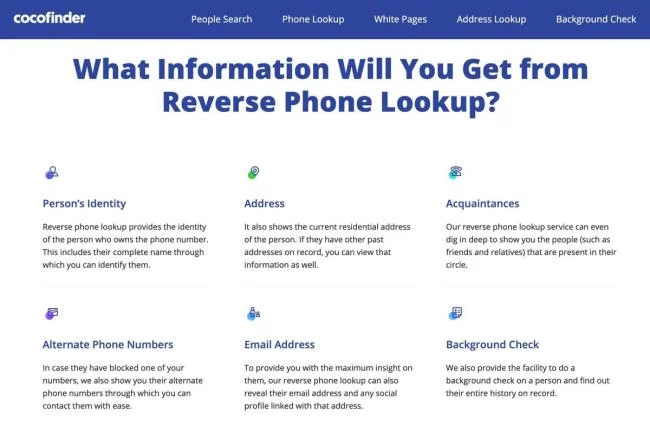
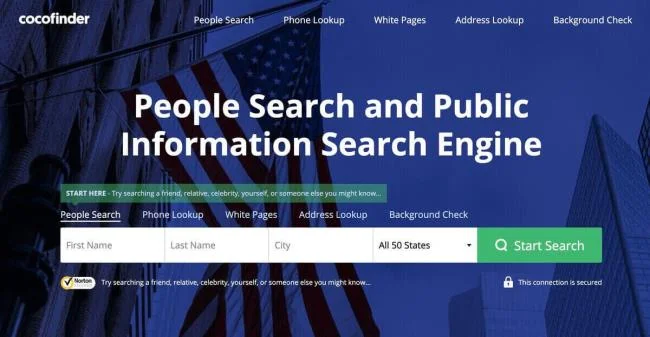
One sure shot way of doing so is running the number up on CocoFinder. It will immediately browse the number through its database and show you the identity of the person under question. You would immediately know that it was no IRS but a scammer.
Can you identify a scammer on search engines?
We use popular search engines like Google for everything. It’s a go-to response of every person and even the scammers are aware of it. Modern day scammers are so immaculate in their techniques that they will paint the picture that they want you to see.
If you think opting for a number detection app is better as compared to CocoFinder, you are mistaken. There are a number of ways in which number detection apps cause nothing but trouble. Below are the most prominent risks of having a number detection app:
The number detection apps only show a number that has been in use for a long time. It would only rate scam calls if there have been past instances of the call being reported as a scam call. So, what if it’s a new number? Have you thought about this?
The number detection apps will take up unwanted space on your phone. They will perennially bug you with updates.
Even the number detection apps have their membership subscription. This means that as a premium member of this app, you can choose to hide your identity. Now, why would the scammer not have this membership if they can win over your finances?
CocoFinder is better than any and all of such apps because it is not an app. The service works in a web based fashion and can be used on a requirement basis. You do not need to undergo any installation of any sort.
How to Check for a Scam?
It's not always depressing news with scam calls. They would just call you and say that you have won a lottery. Everybody likes winning lotteries and you wouldn’t even care whether or not you applied for one. Next thing you know, they will seek your banking details and it will indeed be a lottery for the scammer.
So, how can you avoid all that from happening to you? Is there one sure way of knowing that the call if not legitimate, the caller is a fraud without relying upon search engines? Yes, and the answer is CocoFinder.
CocoFinder will help you check for a scam number immediately. You can even see as much as the scammer’s criminal history and charges. The below mentioned reasons would further confirm why you must use CocoFinder over other options:
Immediate Results
You get immediate results with CocoFinder. You do not have to waste even a single minute unproductively looking for the legitimacy of the call. Instant results are specifically important because the scammers always have an urgent tone to their scam. They do not give the people a chance to comprehend.
Best Reverse Phone Lookup
CocoFinder has the best and most reliable reverse phone lookup. You can look up a number immediately with least efforts. It is the most time efficient process involving the minimum effort and maximum information.
![]()
Trusted Sources
Do you think online search engines are a trusted source? What if a scammer has a low cost website prepared to orchestrate their fraudulent activity? This is the risk you run when you look up online for answers.
CocoFinder has a massive database that extracts information from trusted sources only. You can even find the State’s criminal records on the person. The information you get on CocoFinder will be 100% correct and true.
Why should you take Scam calls seriously?
There are two kinds of aware people in this world:
ones who are aware and careful
one who are aware but think its not going to happen to them
It is important to recognize your vulnerability and be prepared for adversity. Caution costs nothing. As reported by security magazine, the people who succumbed to phone scams are as below:
Now, coming to the reasons for such calls, they either promise a great credit deal or a great deal in your area of interest. There are also calls about winning a lottery, a holiday, a special deal. Then there are calls raising concerns about your bank security or evident problems in your account.
In our own unaware routine, the apps we have, the platforms we use, contribute to our exposure to such calls. Now, while we can’t shun the outside world, we can definitely be more sure about what to do when needed.
Conclusion
When it comes to CocoFinder, it gives you holistic answers to the question of the caller. From the name to the criminal history, you can check anything and everything about a caller. It is not going to be information from the internet, it's going to be 100% authentic data.
So, don’t just read and ‘favourite’ this article on checking scammer phone numbers, follow it. Your money is hard earned and there’s nothing more remorseful than losing your savings to scammers.