Troubleshooting Microsoft Teams OneDrive Error Syncing

Encountering the frustrating "OneDrive Error" during Microsoft Teams syncing? You're not alone! 😩 This common issue disrupts file sharing and collaboration, but don't worry—we've got your back with straightforward, effective solutions. Whether it's stalled uploads, sync failures, or access denials, this guide delivers troubleshooting Microsoft Teams "OneDrive Error" syncing steps that work. Follow along, and you'll be back to smooth teamwork in no time. Let's dive in! 🚀

Understanding OneDrive Error in Microsoft Teams: Common Causes

Before fixing, know why it happens. OneDrive sync errors in Teams often stem from:

  • 🔴 Network glitches or unstable internet.
  • ❌ Corrupted cache or outdated app versions.
  • ⚠️ Permission conflicts or storage limits.
  • 🔒 Conflicting processes between OneDrive and Teams.

Recognizing these speeds up resolution. Pro tip: Check your OneDrive storage first—full drives halt syncing instantly. Ready for fixes? Let's start simple and escalate as needed.

Quick Wins: Basic Troubleshooting Microsoft Teams "OneDrive Error" Syncing Steps

Most users resolve issues with these 1️⃣ 2️⃣ 3️⃣ steps. Test after each one!

  1. Restart Everything: Close Teams and OneDrive (right-click taskbar icons > Quit). Reopen and sign in. This clears temporary glitches 80% of the time. ✅
  2. Check Internet & Firewall: Ensure stable Wi-Fi. Temporarily disable VPN/firewall. Run Windows Network Troubleshooter (Settings > Network & Internet).
  3. Update Apps: In Teams, click profile > Check for updates. For OneDrive, open Settings > About > Update. Latest versions fix known sync bugs.

If basics fail, visualize the problem:
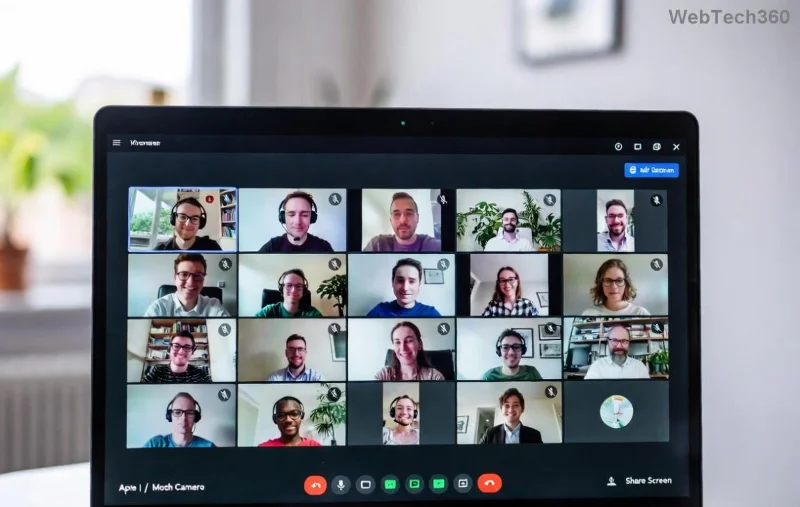
Microsoft Teams OneDrive sync error screenshot showing failed sync notification

Advanced Fixes for Stubborn OneDrive Sync Errors in Teams

Still stuck? Time for deeper dives. These target root causes.

Clear Cache & Reset OneDrive

  1. Open OneDrive Settings (taskbar icon > Help & Settings > Settings).
  2. Go to Office tab > Uncheck "Use Office apps to sync".
  3. Quit OneDrive via Task Manager (Ctrl+Shift+Esc > Processes).
  4. Delete cache: Navigate to %localappdata%\Microsoft\OneDrive\onedrive.exe /reset in Run dialog (Win+R). Restart OneDrive.

Pro Tip: Pause syncing before resets to avoid data loss fears. Works wonders for Teams OneDrive syncing hangs!

Permissions & Account Checks

Issue Symptom Solution
Access Denied 🔒 "You don't have permission" Teams > Files > Open in SharePoint > Manage Access. Grant yourself Editor rights.
Storage Full 📦 Sync pauses at 100% OneDrive web > Manage Storage > Delete junk files.
Selective Sync Off Files missing in Explorer OneDrive Settings > Choose Folders > Check all.
Multi-Account Clash Wrong files syncing Sign out all accounts > Sign in with work/school only.

Here's a real-world snag many face:

Detailed OneDrive error dialog in Microsoft Teams with sync failure details

Reinstall or Repair Option

For persistent errors:

  • Windows Settings > Apps > Microsoft Teams/OneDrive > Repair/Reset.
  • If needed, uninstall/reinstall from official Teams site or Microsoft Store.

Bonus: Run SFC /scannow in admin Command Prompt for system file corruption. Official guidance at Microsoft Support.

Prevention: Keep OneDrive Error Away from Teams Forever

Fix it once, prevent always! 👏

  • ✅ Schedule weekly cache clears.
  • ⭐ Enable auto-updates in both apps.
  • 🔄 Use wired internet for large syncs.
  • 📱 Avoid public Wi-Fi for sensitive files.

Monitor via OneDrive web dashboard for early warnings. Teams admins: Enforce policies via Microsoft Learn.

Still Not Fixed? Next Steps

If errors persist, gather logs: OneDrive Settings > About > View logs. Share with IT or post in Microsoft Teams Community. You've nailed most cases—pat yourself on the back! 🎉

Collaborate without sync stress. Bookmark this for future wins, and share if it helped a teammate. Questions? Drop in comments below. Happy syncing! 🌟

Leave a Comment

How to Record a Microsoft Teams Meeting: Step-by-Step

How to Record a Microsoft Teams Meeting: Step-by-Step

Master how to record a Microsoft Teams meeting with this simple step-by-step guide. Capture every detail effortlessly—perfect for work, training, or reviews. Updated for the latest features.

Troubleshooting Microsoft Teams OneDrive Error Syncing

Troubleshooting Microsoft Teams OneDrive Error Syncing

Struggling with Microsoft Teams 'OneDrive Error' syncing issues? Discover proven, step-by-step troubleshooting tips to resolve OneDrive sync errors in Teams quickly and restore seamless collaboration. Updated with the latest fixes.

Solving Microsoft Teams Password Error Recovery

Solving Microsoft Teams Password Error Recovery

Tired of Microsoft Teams password error blocking your work? Master solving Microsoft Teams "Password Error" recovery with proven, step-by-step fixes. Regain access fast and frustration-free!

Troubleshooting Microsoft Teams Installation Errors on Windows 11

Troubleshooting Microsoft Teams Installation Errors on Windows 11

Struggling with Microsoft Teams installation errors on Windows 11? Get step-by-step fixes for common issues like 0x80070005, 80070422, and more. Quick, effective troubleshooting to get you back to collaborating seamlessly.

Troubleshooting Microsoft Teams Screen Error Black Screen

Troubleshooting Microsoft Teams Screen Error Black Screen

Tired of Microsoft Teams "Screen Error" black screen ruining your meetings? Discover proven, step-by-step troubleshooting fixes for Teams black screen issues, screen sharing errors, and more. Get back to seamless collaboration fast!

How to Fix Microsoft Teams Update Error Loop

How to Fix Microsoft Teams Update Error Loop

Frustrated with the endless Microsoft Teams Update Error loop? Discover step-by-step fixes to resolve stuck updates, clear cache, reinstall, and more. Get back to seamless collaboration fast!

How to Fix Microsoft Teams Download Error on Phone

How to Fix Microsoft Teams Download Error on Phone

Encountering Microsoft Teams "Download Error" on your phone? Get instant fixes for Android & iOS. Clear cache, update apps, and more—back to chatting in minutes without frustration!

Solving Microsoft Teams VOIP Connection Error

Solving Microsoft Teams VOIP Connection Error

Struggling with Microsoft Teams VOIP connection error? Discover step-by-step fixes to solve Microsoft Teams VOIP connection error instantly. Network tweaks, cache clears, and more for seamless video calls.

Solving Microsoft Teams Unexpected Error on Startup

Solving Microsoft Teams Unexpected Error on Startup

Tired of the frustrating Microsoft Teams 'Unexpected Error' on startup? Discover step-by-step fixes, from clearing cache to advanced resets, to get Teams running smoothly again. Quick, reliable solutions for Windows and Mac users.

How to Fix Microsoft Teams Download Error Unexpected

How to Fix Microsoft Teams Download Error Unexpected

Tired of Microsoft Teams "Download Error" Unexpected blocking your workflow? Follow our expert, step-by-step guide with quick fixes and advanced tips to resolve it instantly. No reinstall needed!

Causes of oil heater noise, oil leakage and no heating when in use

Causes of oil heater noise, oil leakage and no heating when in use

Oil heaters make noise, leak oil, and do not heat up. These are all problems that arise when using a heater. So what are the causes of these problems? Read our article below!

How to Assign Participants to Breakout Rooms in Microsoft Teams

How to Assign Participants to Breakout Rooms in Microsoft Teams

Master how to assign participants to breakout rooms in Microsoft Teams with this step-by-step guide. Boost meeting engagement, automate assignments, and troubleshoot like a pro for seamless virtual collaboration.

How to Fix Microsoft Teams Giá Error Pricing Update

How to Fix Microsoft Teams Giá Error Pricing Update

Struggling with Microsoft Teams "Price Error" after the latest pricing update? Discover step-by-step fixes to resolve it quickly, restore seamless collaboration, and avoid subscription headaches. Updated with the newest solutions.

Solving Microsoft Teams Background Error Transparency

Solving Microsoft Teams Background Error Transparency

Struggling with Microsoft Teams Background Error Transparency? Discover proven step-by-step fixes for blurry, glitchy virtual backgrounds. Restore perfect transparency in Teams meetings effortlessly. Updated with the latest solutions.

How to Fix Microsoft Teams Đăng nhập Error (Login)

How to Fix Microsoft Teams Đăng nhập Error (Login)

Struggling with Microsoft Teams "Đăng nhập" login error? Discover step-by-step fixes for smooth sign-in. Clear cache, update app, and more – no tech skills needed! Works on Windows, Mac, and web.








