Device Links
Streaming and media service provider Spotify gives you access to a large catalog of songs, videos, and podcasts. If you prefer listening to a specific selection of your favorite tracks, you can create a playlist.

Spotify playlists have no limit on the number of songs or podcasts you can add to them. Read on to learn how to add songs or podcast episodes to a playlist.
We’ll show you how it’s done using various devices. In addition, you’ll find out how to share your playlist masterpieces and some other useful playlist tips.
How to Add to a Spotify Playlist on an iPhone
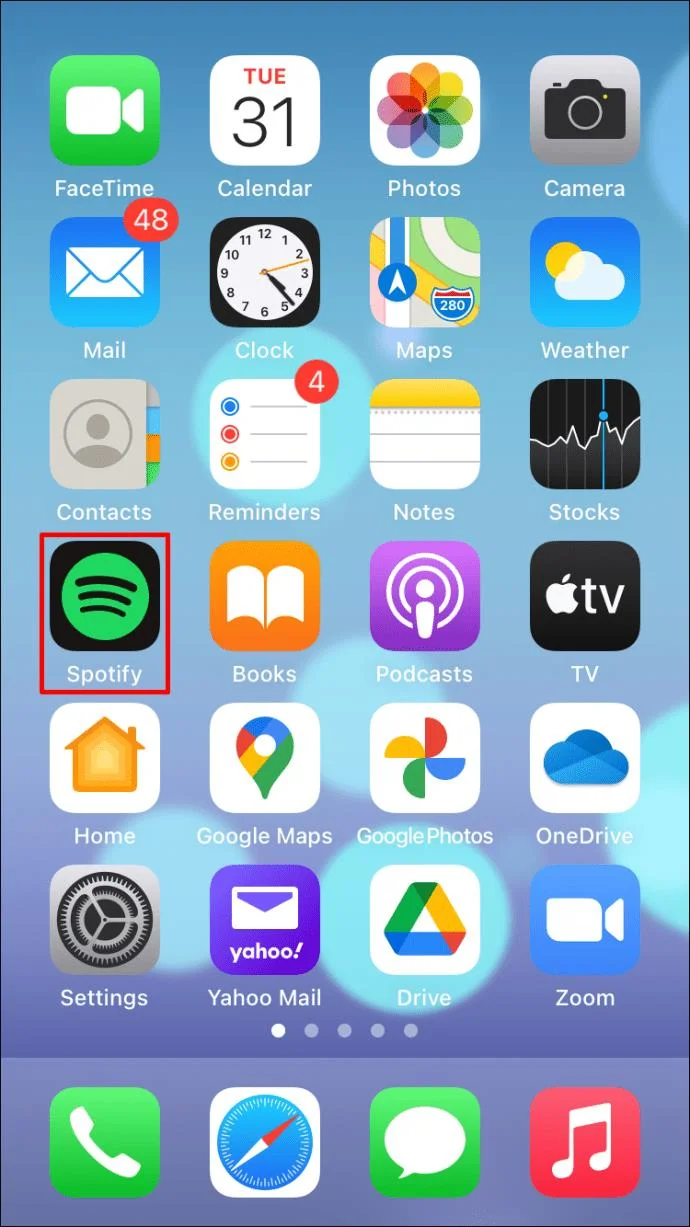
To add songs or podcasts to your playlist via your iOS device:
- Open the Spotify app.

- Look through “Your Library” or enter a search for the song, artist, album, or podcast you wish to add.

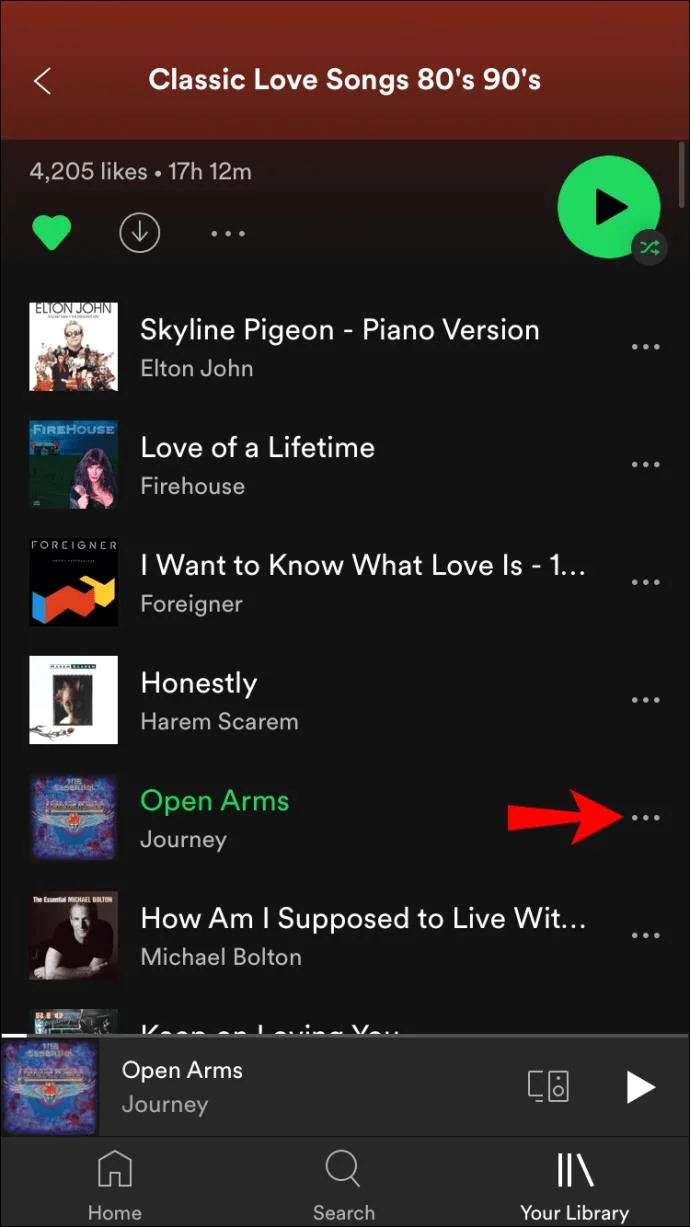
- Once you’ve found it, tap on the three-dotted icon to the right of its name.

- Tap “Add to Playlist.”

- A new screen should appear directing you to select a playlist. Either choose an existing one or create a new playlist.

- Select a playlist for your song or podcast to be added to and it will be made available from that playlist straightaway.
How to Add to a Spotify Playlist on an Android
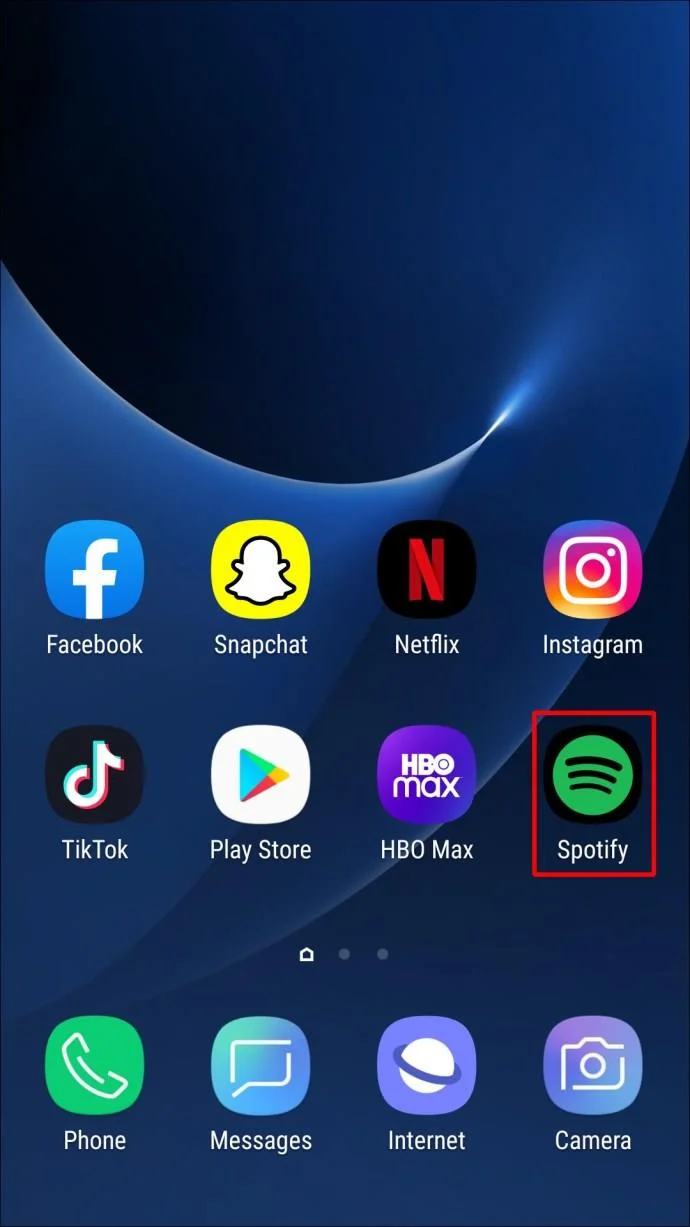
To add songs or podcasts to your playlist using your Android device:
- Launch the Spotify app.

- Go through “Your Library” or enter a search for the song, artist, album, or podcast you want to add.

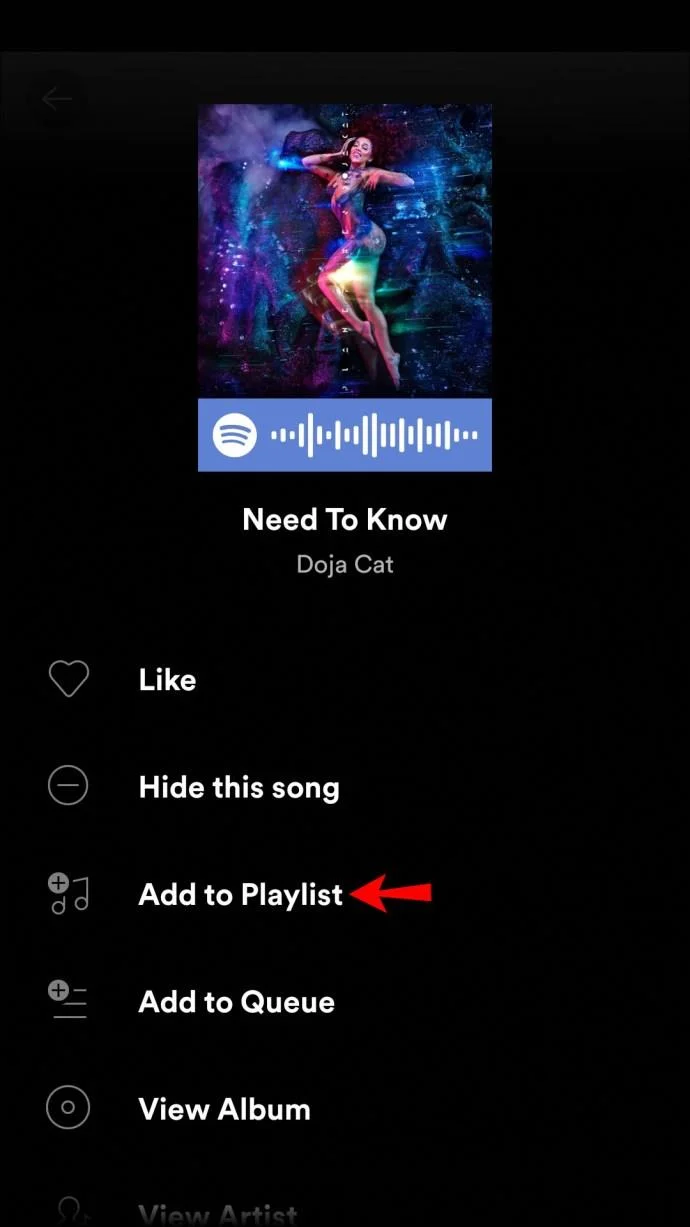
- When you’ve found it, tap the three-dotted icon on the right of its name.

- Choose “Add to Playlist.”

- You’ll be prompted to select a playlist. Either select an existing one or create a new playlist.

- Choose a playlist for your song or podcast to be added to and it’s instantly available from that playlist.
How to Add to a Spotify Playlist on the Windows App
Adding to your playlist via the Spotify desktop app is similar to how it’s done via the mobile app. Here’s how:
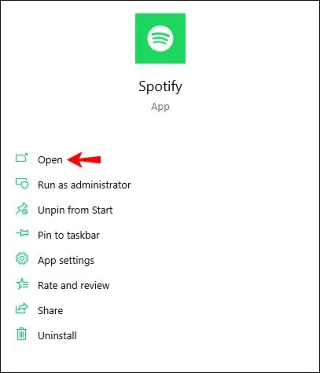
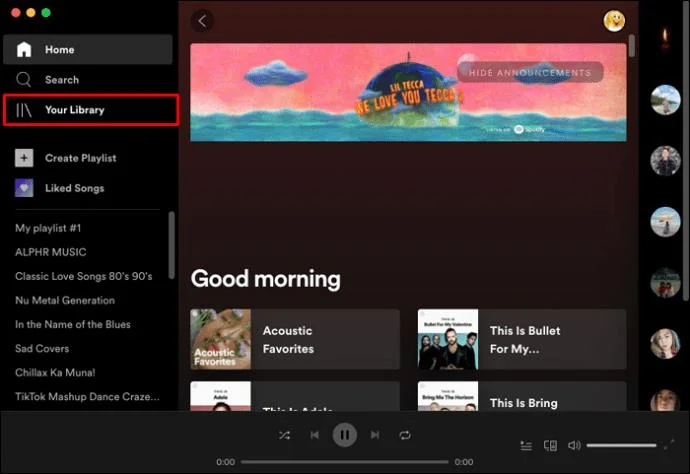
- Launch the Spotify desktop app.

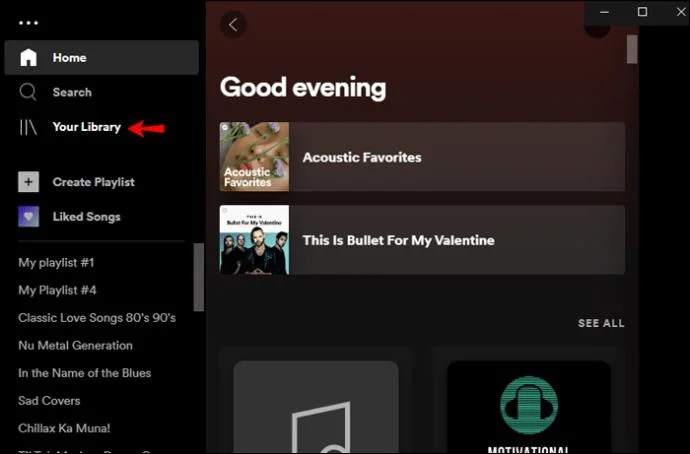
- Enter a search for the album, artist, song, or podcast you wish to add to your playlist; or look through “Your Library.”

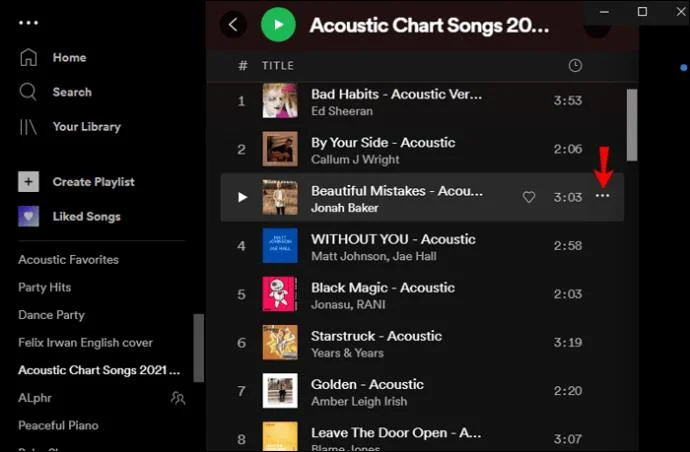
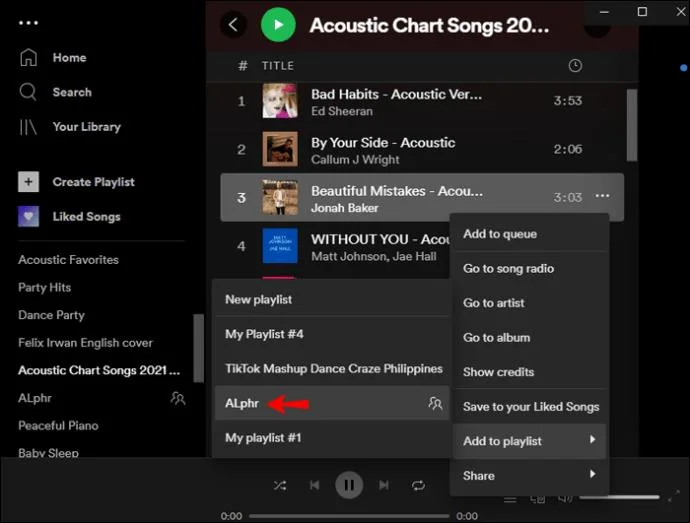
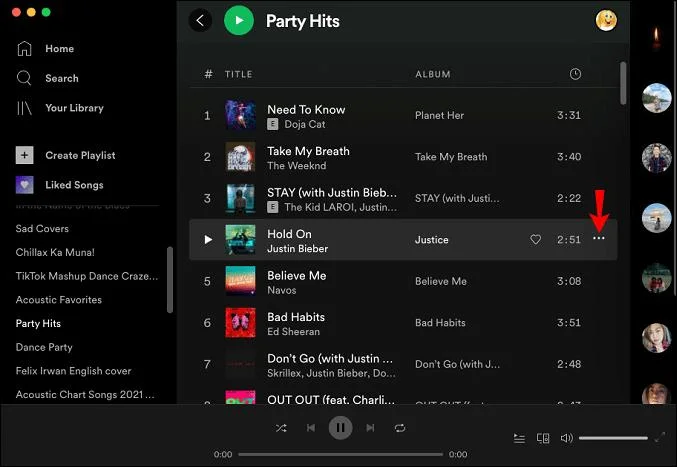
- Once you’ve found it, right-click or click the three-dotted icon to the right of its name.

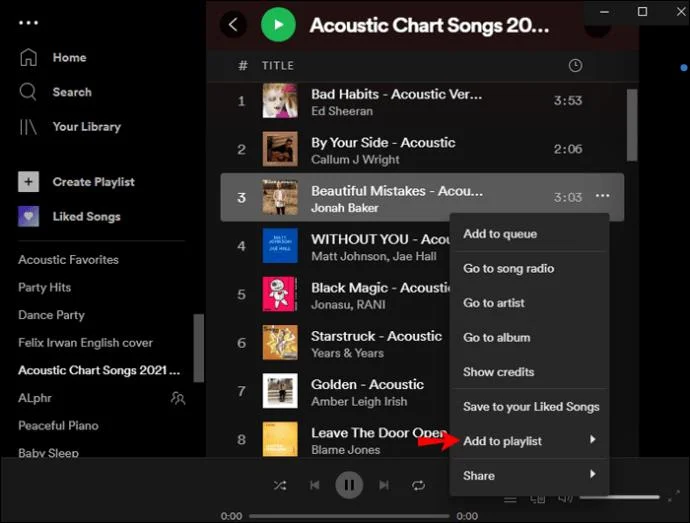
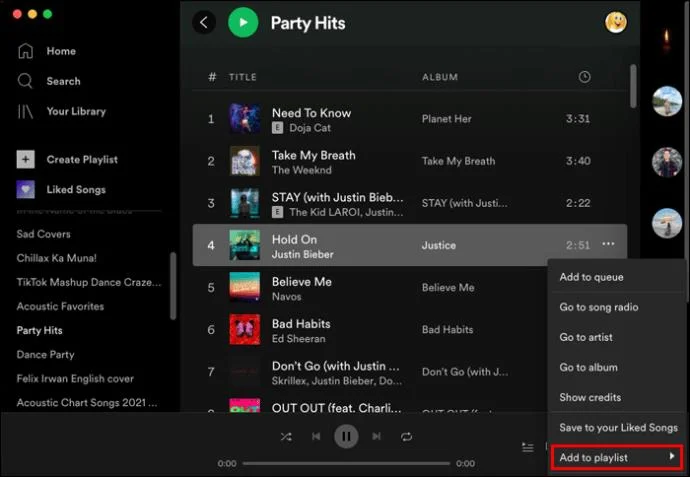
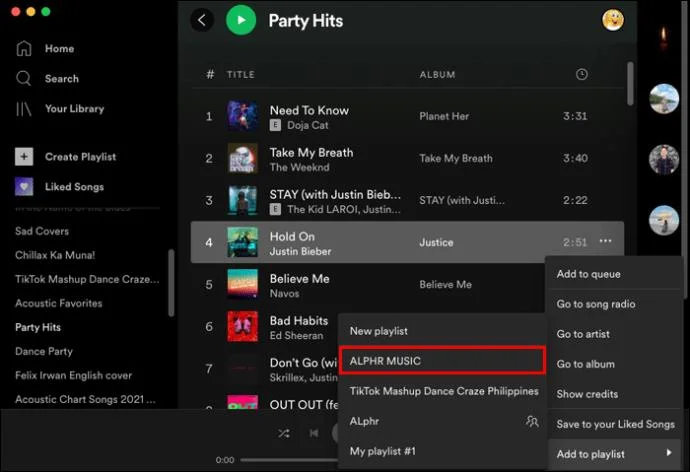
- Select “Add to Playlist” in the pop-up menu. You’ll be prompted to choose the playlist you want the track to be added to. Or create a new playlist by choosing “New Playlist.”

- After choosing the playlist, your track will be available from that playlist.

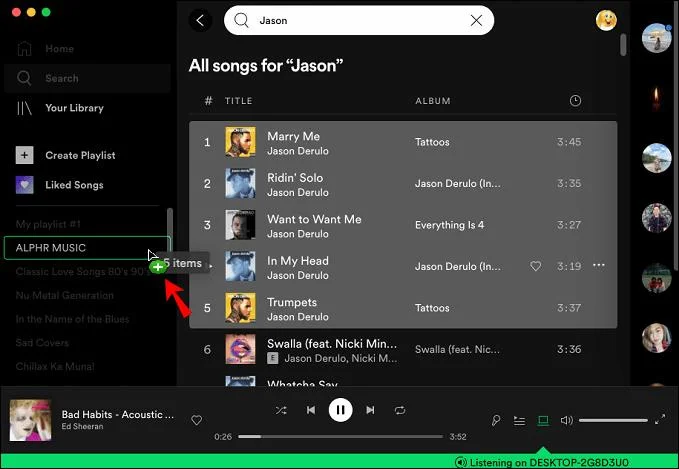
To add multiple tracks:
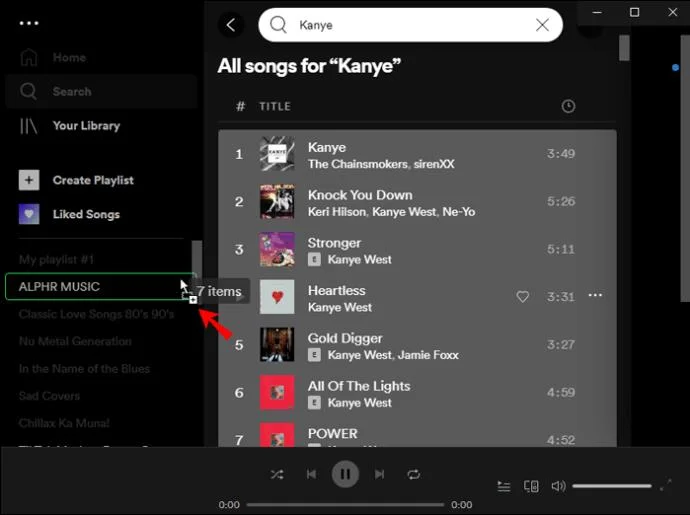
- Select the set of tracks you wish to add.
- Click and drag them to the name of your playlist in the sidebar to the left.

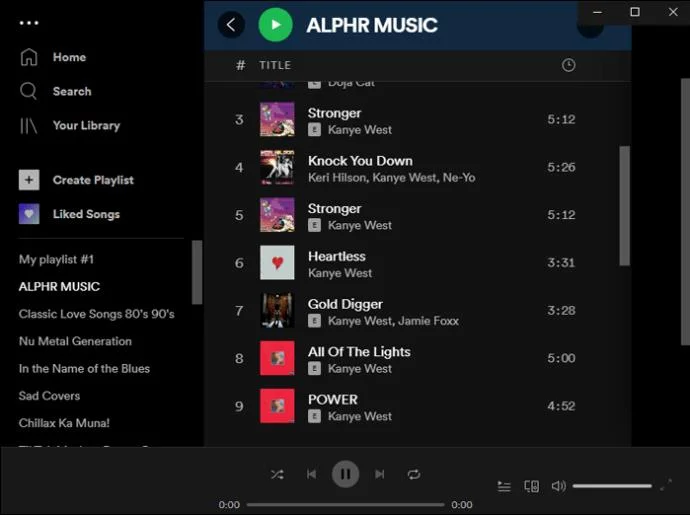
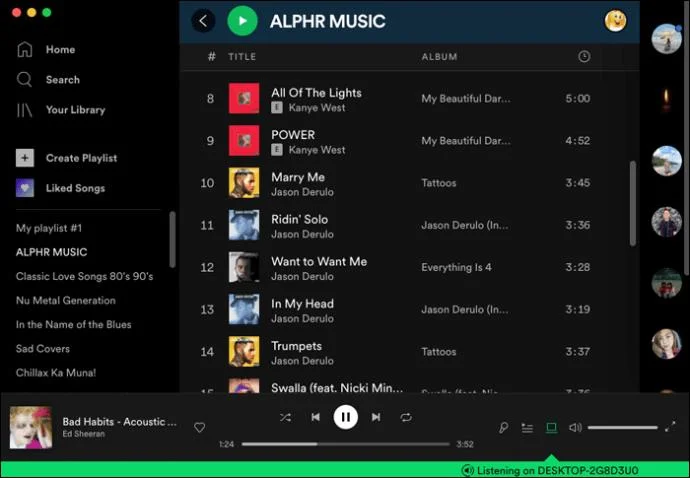
- Once you release your click, all dragged tracks will be available from that playlist.

How to Add to a Spotify Playlist on the Mac App
Here’s how to add to your playlist using your macOS:
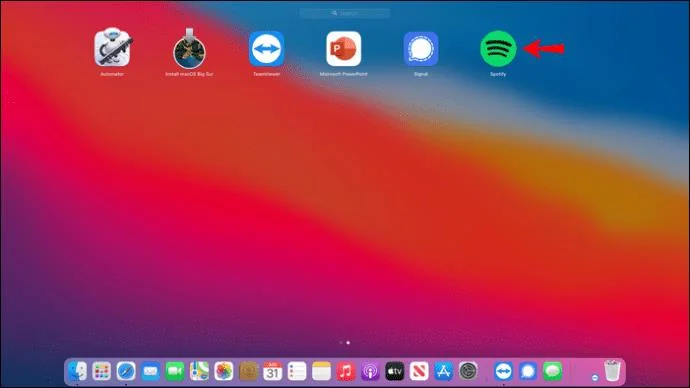
- Open the Spotify desktop app.

- Look through “Your Library,” or enter a search for the artist, song, album, or podcast you wish to add to your playlist.

- Next, right-click or click the three-dotted icon to the right of its name.

- From the pop-up menu, choose “Add to Playlist.” You’ll be prompted to choose the playlist you want the track to be added to; or you can create a new playlist by choosing “New Playlist.”

- After selecting the playlist, your song, album or podcast will be available from that playlist.

To add multiple tracks:
- Choose the set of tracks you wish to add to a playlist.
- Click and drag them to the name of your playlist in the sidebar to the left.

- Now release your click to add all the dragged tracks to the playlist.

Additional FAQs
How do I delete a song from a Spotify playlist?
If you wish to remove a song from your playlist using the desktop app:
1. Launch Spotify.
2. Locate the playlist, then the song you wish to remove.
3. Click on the three-dotted icon beside it.
4. Choose “Remove from this Playlist.”
The song will disappear from that playlist.
To remove a song from your playlist via the mobile app:
1. Open the Spotify app.
2. Find the playlist, then the song you want to remove.
3. Tap on the three-dotted icon next to it.
4. Tap “Remove from this Playlist.”
The song will no longer be available from that playlist.
How do I delete a Spotify playlist?
To delete one of your playlists from the desktop app:
1. Launch the Spotify app.
2. Locate and click on the playlist you wish to delete from the left sidebar.
3. Beneath the playlist, click on the three-dotted icon.
4. Choose “Delete” then confirm.
To delete a playlist from your mobile device:
1. Open the Spotify app via your mobile device.
2. Find and tap on the playlist you want to delete.
3. From the top right (Android) or beneath the playlist title (iOS) tap on the three-dotted icon.
4. Tap “Delete” and confirm.
Grouping Your Favorite Spotify Music
Spotify is one of the best music streaming services. It offers over 50 million songs with thousands added to its catalog each day, for you to enjoy at home or on the go.
To save you from having to skip songs during a listening session, you can organize your favorite artists, songs, albums, or podcasts into a playlist of no limit. Your creations can also be shared amongst your family and friends.
Have you created many playlists? Have you received playlists? What do you enjoy the most about Spotify? Tell us in the comments section below.