There’s no worse moment when watching your favorite TV show that to have the device shut down randomly at a particularly exciting scene. If you don’t know what’s causing the TV to turn off, the device can quickly turn from a source of entertainment to a major cause of frustration.

If you can’t seem to keep your TCL TV on, this article will help you find and fix the issue. Read on to learn what might make your TCL TV turn off and how to stop it from happening.
Faulty/Loose Power Cord
The simplest solution is sometimes the one that works. In the case of a TCL TV turning off, the problem could be with the power cord not being plugged into the outlet correctly. In fact, several causes may come into play here:
- Loose connection
- A faulty power cord
- Malfunctioning power strip or UPS
- Power surges
- Bad wall socket
The best way to check whether any of the listed factors are causing the issue would be to connect a different device (one that works properly) to the power strip or outlet where your TV is connected. If the other device works, you can immediately eliminate any power connection issues. At that point, checking the actual power cord of your TV for damage would be a necessary next step.
On the other hand, if the different device also doesn’t work properly in the power strip or outlet where the TV was plugged in, you can be pretty sure one of those is faulty.
Remote Control Issues
Another common and relatively simple solution is that your remote control is malfunctioning. The problem, in this case, could be as straightforward as a stuck power button, which can happen due to dirt, tiny debris, or spillage.
Before cleaning your remote, you can confirm whether it’s at the root of the problem by taking the batteries out. If your TCL TV stops turning off, then the remote is to blame for sure. Also, while the batteries are out, press and hold the power button, then press all other buttons on the remote to reset the gadget. Put the batteries back to check if the problem is fixed.
Problems with HDMI CEC
TCL TVs have a special feature called HDMI CEC. This feature allows you to use a single remote for all your connected devices. However, a known bug with HDMI CEC may make the TV itself turn off without your input.
The best way to confirm whether HDMI CEC is causing the problem is to disable it and see how your TV reacts:
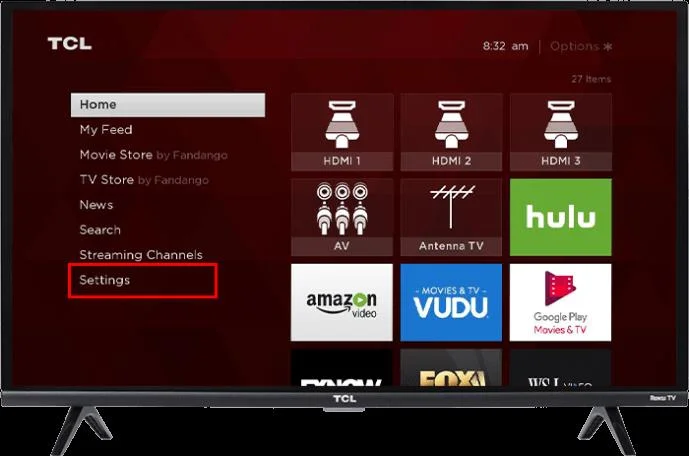
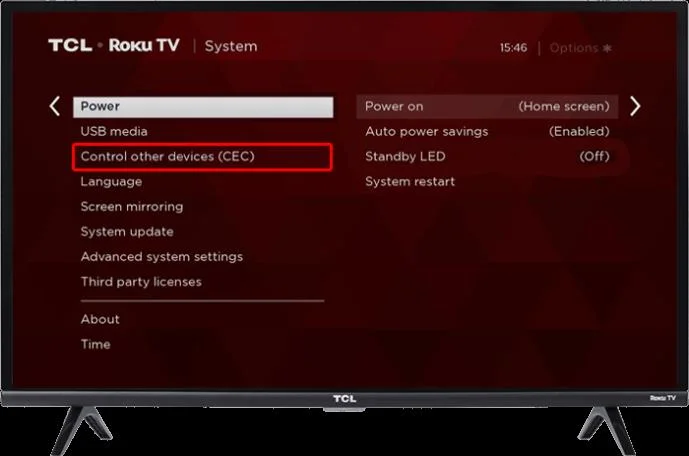
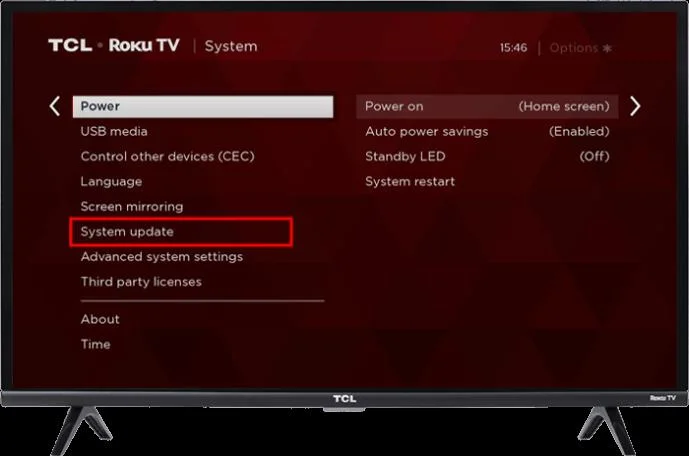
- Enter the “Settings” menu on your TV and go to “System.”

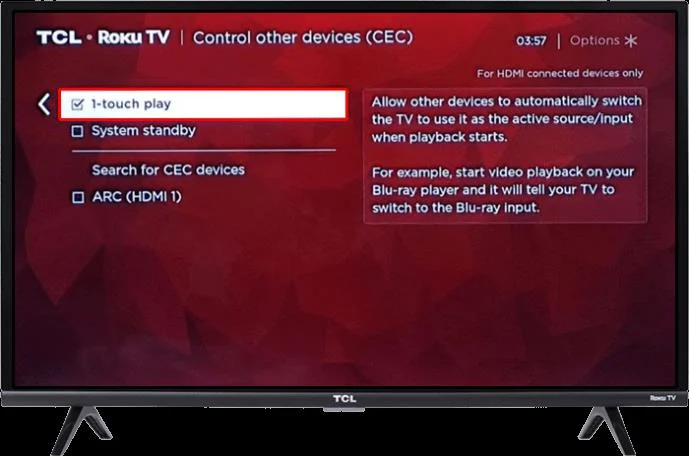
- Find the “Control other Devices” option and enter it.

- Look for checked boxes and, if there are any, uncheck them.

- Restart your TCL TV.
Firmware Glitch
Like most software, the firmware on your TCL TV isn’t perfect. Sometimes – usually after prolonged use – the software can become glitchy and cause the TV to turn off on its own. In that case, restarting the device could be the solution you’re after.
To restart your TCL TV, you could go the basic route and just pull the power cord out of the outlet. But the following method will provide a more detailed solution:
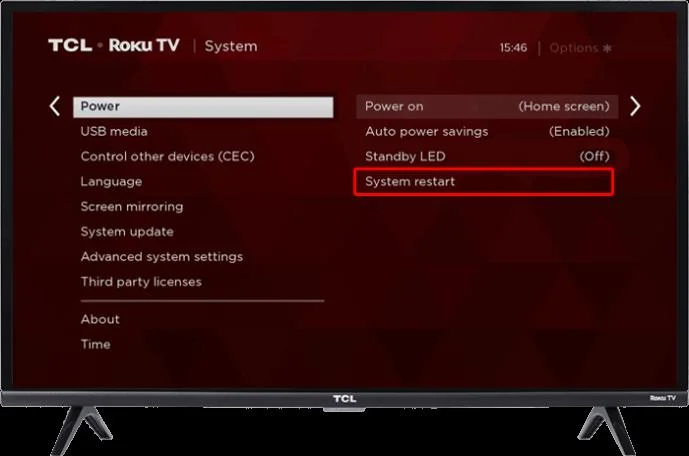
- Using your remote, navigate to “Settings,” and then to “System.”

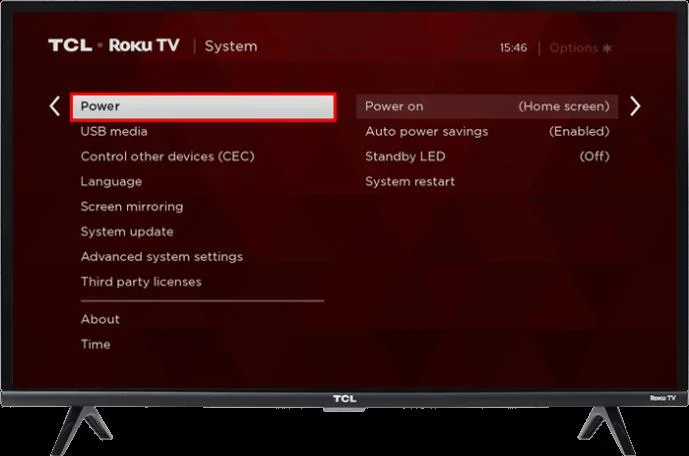
- Using the right arrow, go to “Power.”

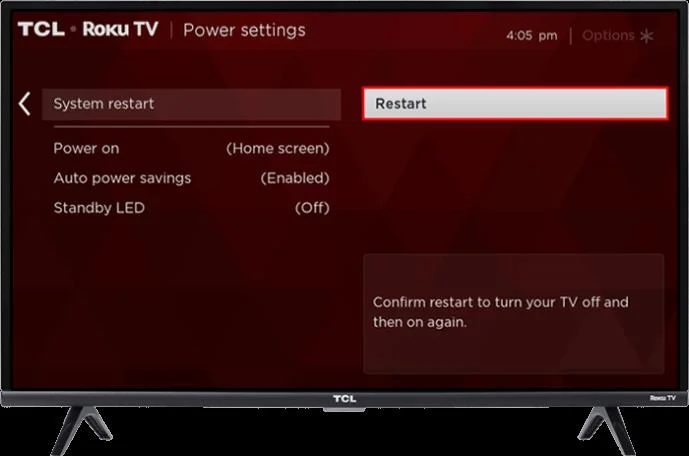
- Go right once again to get to “System Restart.”

- Press the right arrow once again to find the “Restart” option.

- Confirm and let the TV reboot.
Sleep Timer
Going back to relatively simple solutions, it might be worth checking to determine if your sleep timer is activated. Sleep timers can come in pretty handy, but they’re also easy to forget about, providing you with some unexpected shutdowns.
Luckily, disabling the sleep timer on your TCL TV is an easy task, done in only a few steps:
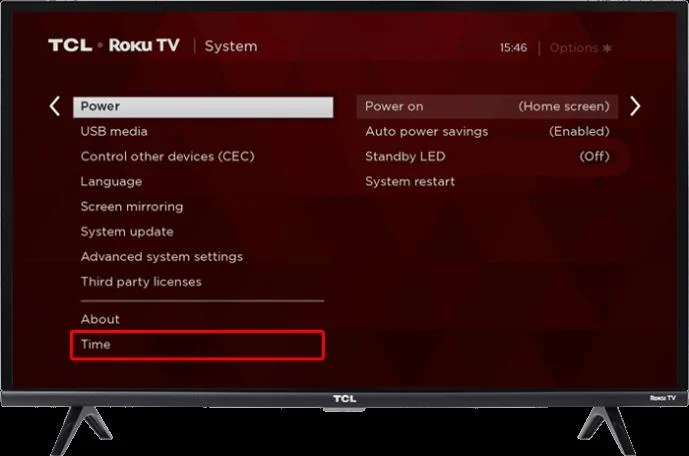
- Enter “Settings,” then “System” on your TV.

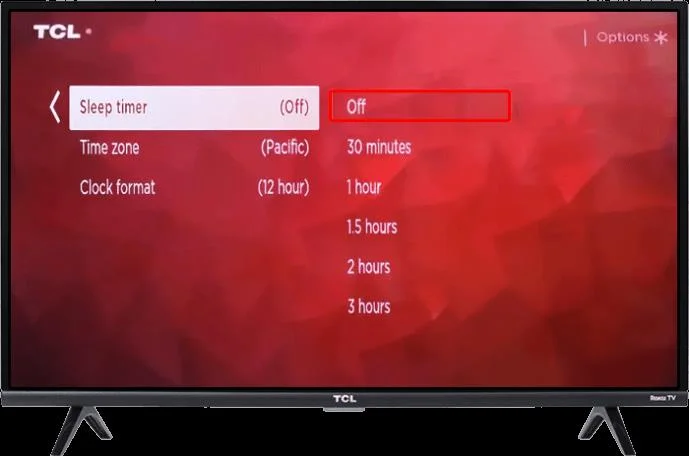
- Find the “Timers” section that contains the sleep timer options.

- Enter the “Sleep Timer” menu and disable the timer.

If the sleep timer was the cause of the problem all along, you’ll need to keep the TV on for a while to see whether the issue is resolved. On the other hand, if your TV is turning off for a different reason, you probably won’t need to wait for too long to discover that.
Outdated Software
Software updates aren’t only for small tweaks to device systems. Instead, getting the latest version of your TV’s firmware can remove known bugs and improve security and functionality. If the TV turning off isn’t just an issue with your individual device but a relatively common problem, chances are it will be addressed in the latest update.
In other words, updating your TV’s software is crucial. While updates can happen automatically, you might need to start the process manually in this instance. How you install the update will depend on whether your TCL device is an Android or Google TV.
Let’s start with the method for Android TVs:
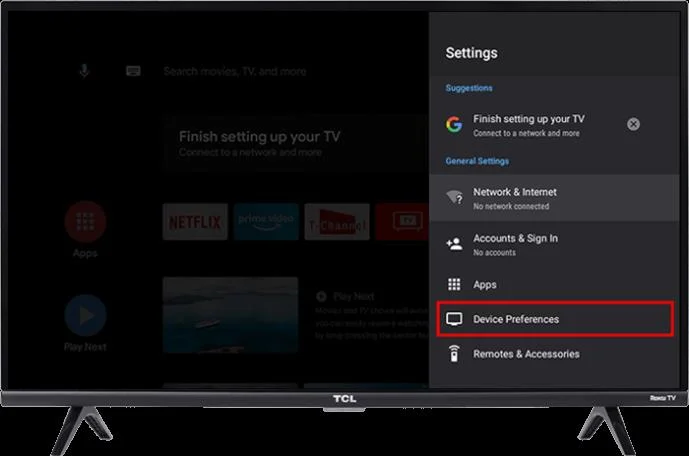
- In the “Settings” menu, scroll down to “More Settings,” and then to “Device Preferences.”

- Go to “System Update” and choose “Network Update.” The TV will search for the new software versions online.

- If an update is available, confirm the action by tapping “OK.”
The process will be somewhat shorter on Google TVs:
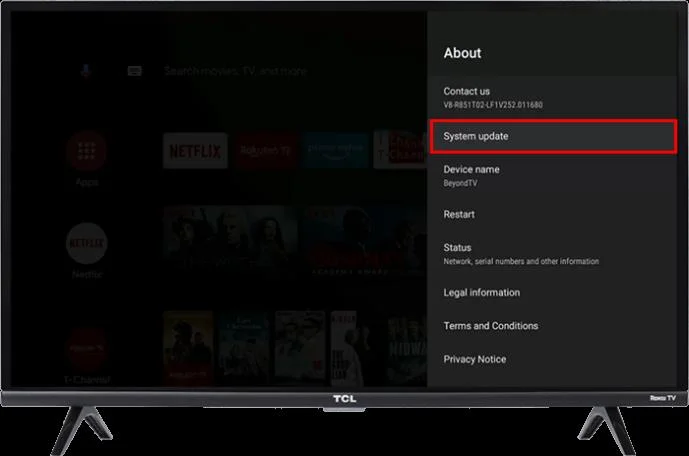
- Go to “Settings,” then to “System.”

- Navigate to “About” and proceed to “System Update.”

- Take further steps per onscreen instructions.
Factory Reset Required
Provided no other method worked, you’ll be left with one other option before you’ll need to take your TCL TV to a repair shop. The option in question is the factory reset, which will revert all of the settings on your TV to their default values.
Accessing this option is easy – all you need to do is go to “Settings,” “System,” “Advanced System,” and, finally, “Factory Reset.” Note that this method will delete all of your data and apps, so make proper backups beforehand.
Keep Your TCL TV On
There can be numerous reasons why your TCL TV keeps turning off. Luckily, this article has proposed just as many solutions. Follow the suggested methods, and you’ll likely be able to resolve the issue and keep your TV going. And if, for some reason, no solution works, keep in mind that you can always contact TCL customer support for help. In any case, you’ll get that TV working as intended sooner or later.
Did you manage to stop your TCL TV from turning off? What was the cause of the issue? Let us know in the comment section below.