


Podcasting Trends You Need to Know in 2026: A Beginner’s Roadmap

New to podcasting? Learn the 2026 trends shaping video, discovery, transcripts, AI, analytics, monetization, and a practical launch plan.
Snapchat prides itself on being the most honest social media platform out there. It offers features and information that most social apps don’t, like who checked or took a screenshot of your story. Nonetheless, for all its transparency, Snapchat doesn’t show when someone was last online. So, how can you tell when a friend was last seen on the app? This article will explain how to determine a friend’s online presence on Snapchat.

How to Check Someone’s Active Status on Snapchat
Snapchat has a green dot that appears next to the Bitmoji to show when someone is online. However, users can turn this feature off. After going offline, the green bubble moves away after a while, but Snapchat doesn’t show the timestamp for when someone was last seen. Fortunately, a few methods make it possible to work out when a person last used the app.
Check for New Stories
Checking when someone uploaded their story can give you a clue of the time they were last active. In the top left corner, Snapchat attaches a time stamp to every new story a user posts under their name.
However, getting an accurate timestamp is challenging if the user posts a story from their camera roll. The timestamps on these stories usually indicate how long ago the users posted on Snapchat. For instance, if a friend shares a story they created two weeks ago, today, Snapchat will show “Created two weeks ago.”
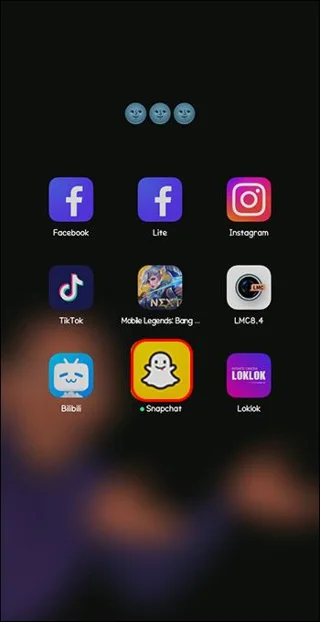
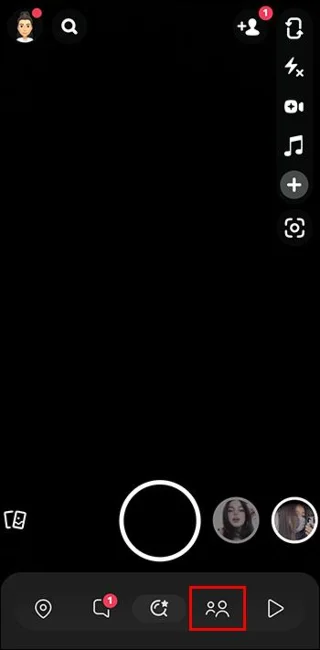
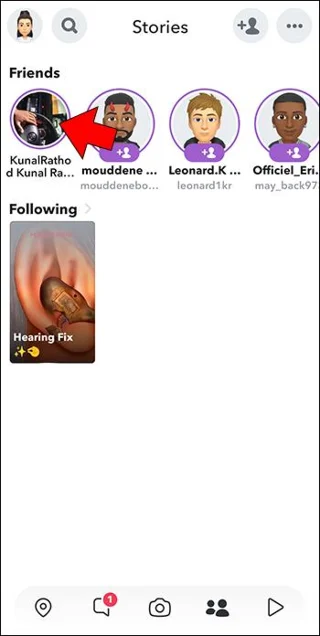
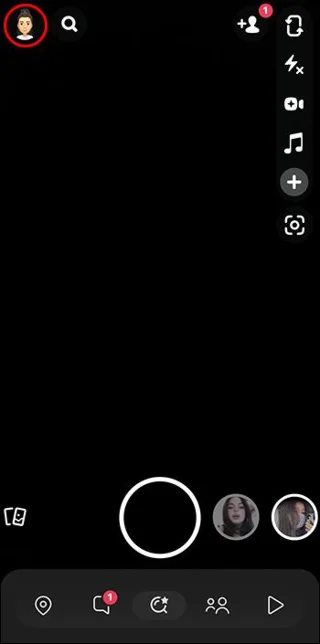
Here’s how to view someone’s story:
If that person has blocked you on Snapchat, you cannot view their stories.
Observing Chat Delivery Status
Snapchat enables icons that show whether a message has been received or opened. If the notification on the chat shows “Delivered,” it means that the recipient is either offline or has received the message but has not read it. If it indicates “Opened,” then the person has read your message and is currently active or was online recently.
Using Snap Maps
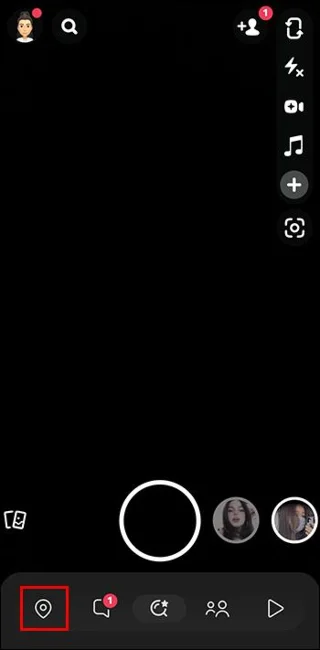
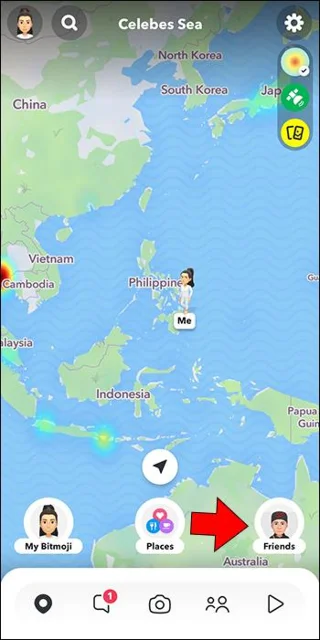
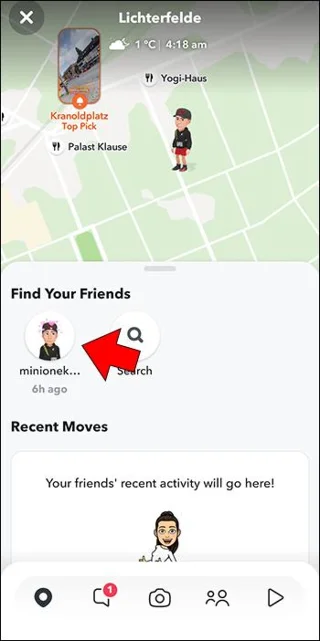
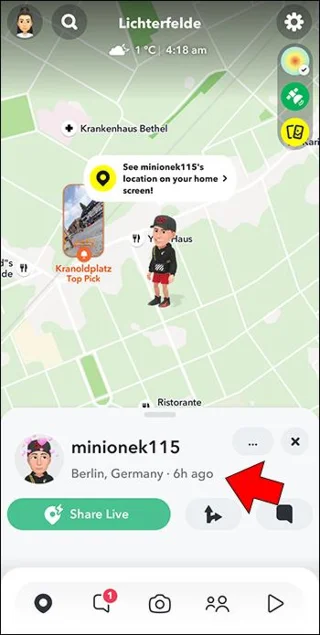
Snap Maps is a feature that helps your Snapchat friends determine your location when you’re actively using the app. Snapchat updates the location each time you use it. As such, you can use it to tell when your friend last used Snapchat and where they were. However, this method only works if your friend has enabled the Snap Maps settings to “My friends.” If they’ve enabled the “Ghost mode,” this method might not work. Here’s what you need to do:
Check Who Viewed Your Story
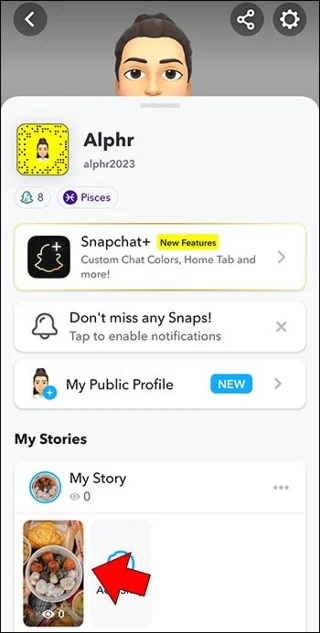
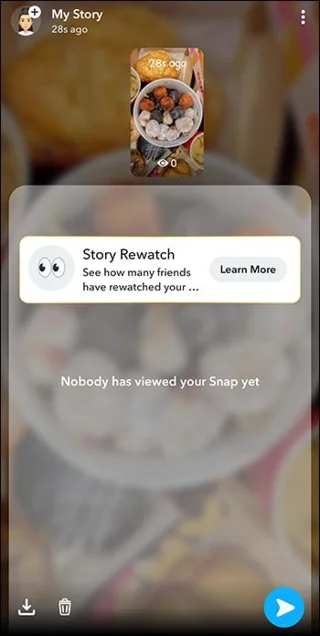
You can tell if someone is stalking you on Snapchat by checking who has viewed your story. This way, you can tell which of your friends was last active by checking the list of views. The friends who appear at the top of the list were recently active. In contrast, those toward the bottom viewed the story earlier.
For this method to work, you must have an active story. Another thing to note is that it might not be entirely accurate because your friend could be active and fail to view your story.
Enable Notification for Your Friend’s Story
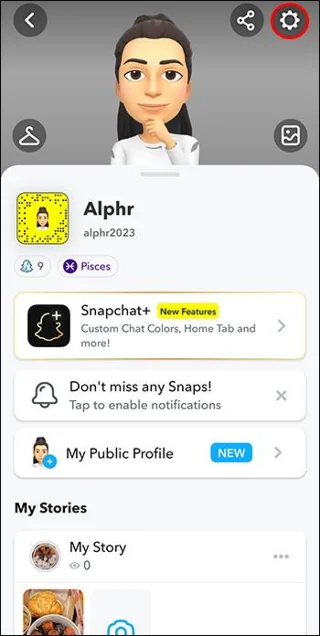
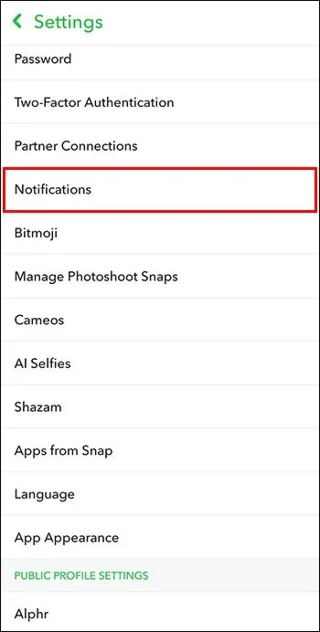
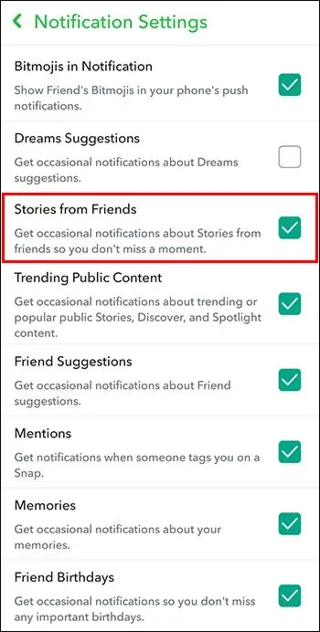
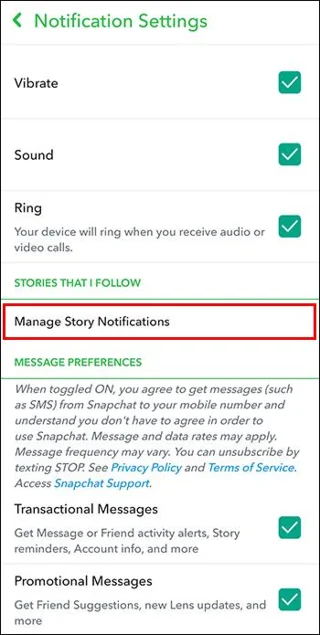
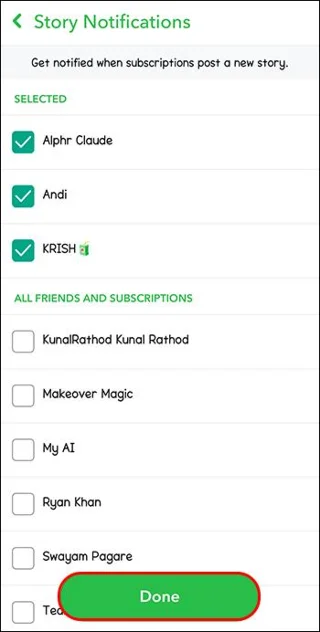
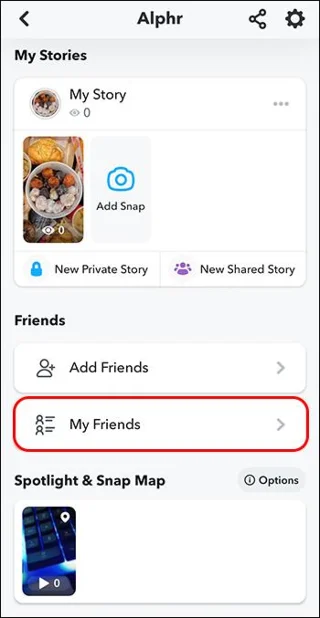
When you enable notifications for your friend’s story, Snapchat will alert you in real-time. This way, you can spot your friend when actively sharing content. The downside of this method is that it doesn’t give you updates about other activities, such as chatting or viewing snaps. If your friend was active on Snapchat but didn’t post a story, you won’t know.
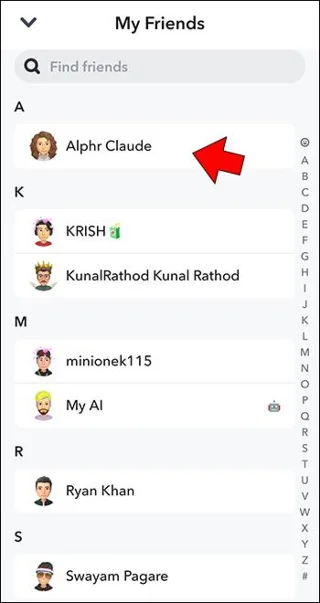
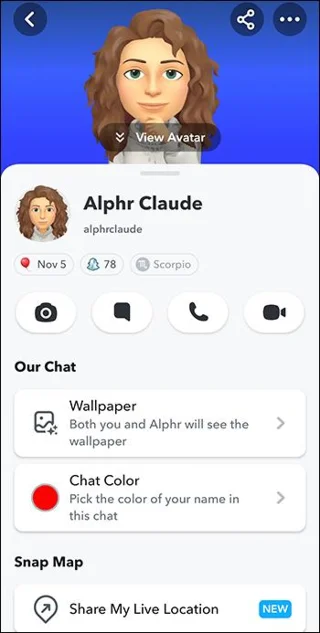
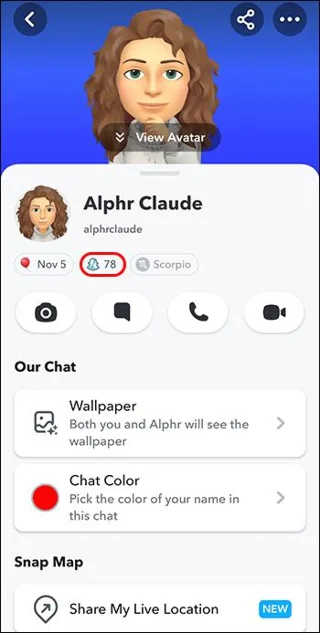
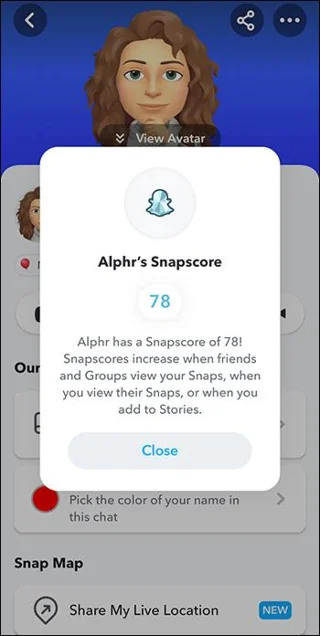
Check Your Friend’s Snapscore
A Snapscore shows how active you’ve been on Snapchat. It increases with the number of stories you post, snaps you receive and send, and the friends you have. By monitoring your friends’ Snapscore, you can tell if they have been active on Snapchat or not.
If your friend is making a Snapchat Streak, this will be fun to track, as the scores will jump too often.
FAQs
Does Snapchat have an online indicator?
Initially, Snapchat didn’t have an online indicator. However, in 2023, it introduced a green bubble next to the Bitmoji to indicate a user has recently been active on the platform. That said, users can turn it off from the settings.
Can you see the exact time someone was active on Snapchat?
Snapchat doesn’t provide the time stamp for a user’s last active. However, the user’s activities can be estimated when they were last active.
Can a friend know if I checked their last seen on Snapchat?
No, if you check their last seen on the app, Snapchat doesn’t notify anyone. This is part of your private activities, and Snapchat can’t share it with anyone else.
Know Your Friend’s Snapchat Online Status
Snapchat aims to keep users’ activities private, contrary to what other social platforms do. Though nowadays you can tell when someone is active using the green bubble, you can’t see the exact time they signed off. However, there are methods you can use to estimate when a user was last on the app.
Have you ever checked someone’s last seen on Snapchat? Did you use any of the methods above? Tell us in the comments section below.
New to podcasting? Learn the 2026 trends shaping video, discovery, transcripts, AI, analytics, monetization, and a practical launch plan.
A practical UGC masterclass for sourcing, permissioning, briefing, publishing, and measuring customer and creator content without losing authenticity.
Community building can deepen trust, retention, feedback, and advocacy, but it is not a replacement for every marketing channel. Compare the tradeoffs and choose the right model.
Learn what major social platforms have actually confirmed about ranking changes in 2026, what depends on context, and how to adapt without chasing myths.
Learn how to make brand storytelling feel credible, human, and specific—using proof, real tension, ethical customer stories, and a practical authenticity check.
Build a smarter Q4 email strategy by balancing reach, frequency, discounts, automation, deliverability, and measurement for profitable holiday growth.
Learn how to create short-form video that converts by balancing hooks, format, authenticity, CTA, platform fit, and testing across TikTok, Reels, and Shorts.
Why are brands testing KOCs instead of relying only on influencers? Learn what KOCs are, why social commerce favors them, common myths, and how to run a measurable pilot.
Learn a practical TikTok SEO workflow for 2026: find real search demand, match search intent, optimize each video, and measure what improves visibility.
Prepare your e-commerce store for Black Friday with a practical checklist for offers, site speed, checkout, inventory, fulfillment, analytics, security, and support.